
Introduction
The Phomemo TP81 is a wireless and lightweight Bluetooth tattoo stencil printer designed for tattoo artists and beginners. It incorporates advanced printing technology, including a patented Anti-Wrinkle Mode, to produce sharp and precise stencil patterns. This device is compatible with a wide range of devices, including smartphones, tablets, laptops, and desktop computers, offering flexibility for various work environments.
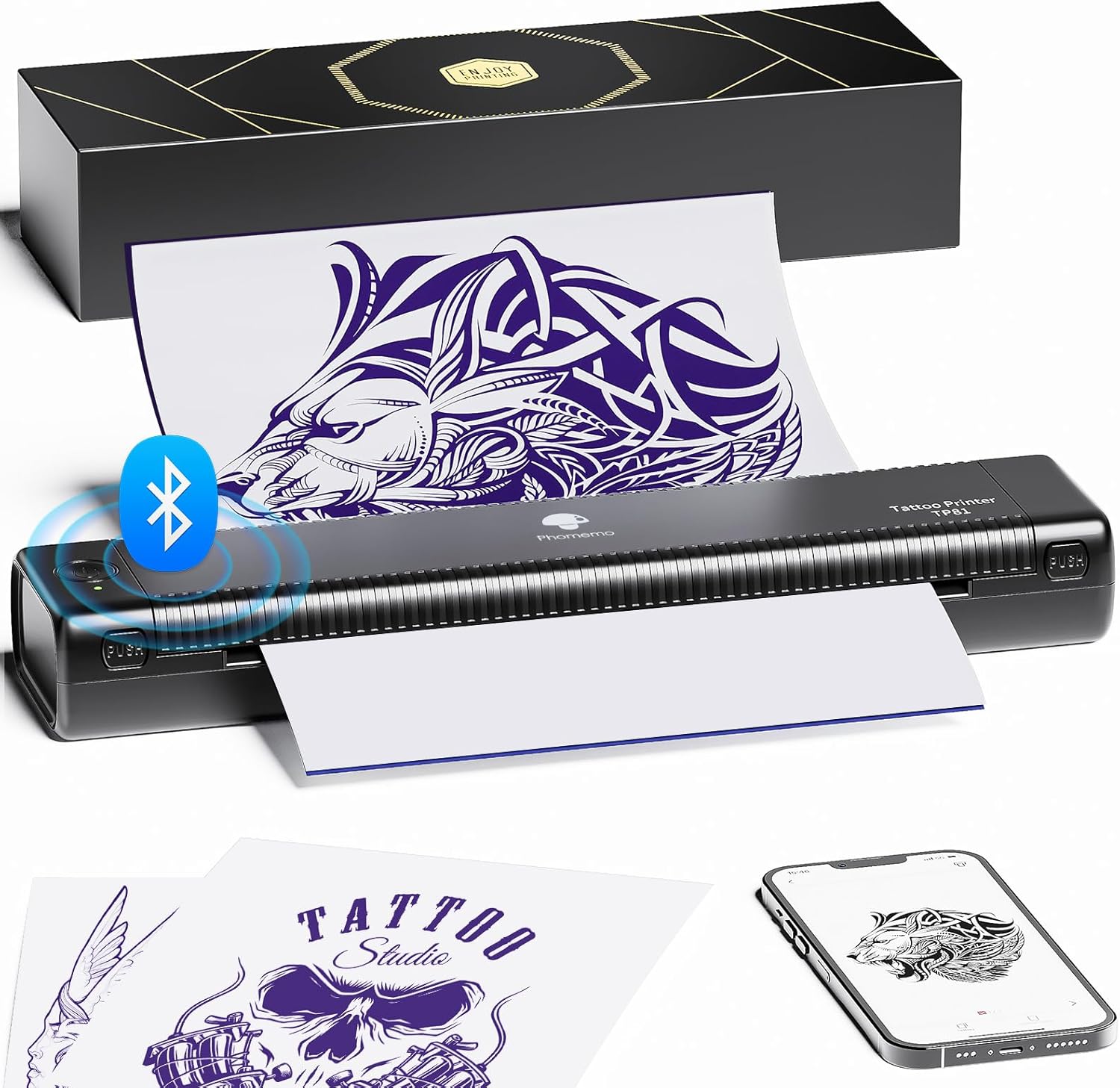
Image: Phomemo TP81 Tattoo Stencil Printer in use, demonstrating its compact design and wireless capability.

Image: Overview of the Phomemo TP81's advanced features, including Anti-Wrinkle Mode and wireless connectivity.
Package Contents
- 1 Phomemo TP81 Tattoo Stencil Printer
- 10 Pcs Tattoo Transfer Paper
- 1 USB-C Cable
- 1 USB-C to USB Adapter
- 1 Flannelette Storage Bag & 1 User Guide
Safety Information
For tattoo stencil use only. Do not use the device for any other purpose.
Setup
1. Charging
Before initial use, fully charge the printer using the provided USB-C cable and a compatible power adapter. The power indicator light will show charging status.
2. Paper Loading
- Open the top cover of the printer.
- Prepare the tattoo transfer paper by removing the protective paper and tearing off the yellow backing paper, leaving the transfer tracing paper and carbon sheet attached.
- Carefully insert the transfer tracing paper into the printer's feed slot, ensuring the transfer sheet is facing up and the carbon sheet is facing down. Align the paper centrally.
- Close the top cover. The printer will automatically feed the paper into position.

Image: Visual guide on how to prepare and load tattoo transfer paper into the printer.
3. Connecting the Printer
Connecting via Bluetooth (Smartphone/Tablet)
- Download and install the 'Phomemo' app from your device's app store.
- Turn on the printer by pressing and holding the power button for 3 seconds.
- Enable Bluetooth on your smartphone or tablet.
- Open the Phomemo app, navigate to the printer connection section, and select 'TP81' to pair.
Video: Instructions on how to connect the Phomemo TP81 printer to a smartphone or tablet via Bluetooth using the Phomemo app.

Image: Step-by-step guide for connecting the TP81 printer to a smartphone or tablet via Bluetooth.
Connecting via USB (PC/Laptop)
- Turn on the printer by pressing and holding the power button for 3 seconds.
- Connect the printer to your PC or laptop using the provided USB-C cable.
- Visit the official Phomemo website (refer to the user guide for the exact URL) to download and install the appropriate printer driver for your operating system (Windows, macOS, Chrome OS, Linux).
- Follow the on-screen instructions to complete the driver installation.
Video: Detailed steps on how to connect the Phomemo TP81 printer to a Windows PC and install the necessary drivers.
Video: Guide for connecting the Phomemo TP81 printer to a Chrome OS device via USB.

Image: Step-by-step guide for connecting the TP81 printer to a PC or laptop via USB.
Operating Instructions
1. Printing a Stencil
- Ensure the printer is connected to your device (smartphone, tablet, PC, or laptop) and loaded with transfer paper.
- Using the Phomemo App (Smartphone/Tablet): Open the app, select your desired tattoo design or upload your own. Use the editing tools to adjust size, orientation, and other parameters. Select the 'Anti-Wrinkle Mode' if desired for smoother prints. Confirm print settings and initiate printing.
- Using a PC/Laptop: Open the image or document you wish to print. Select the Phomemo TP81 printer from your printer options. Adjust print settings as needed, including paper size (A4 or 8.5 x 11 inch) and print quality. Initiate printing.
Video: Demonstrates how to print large tattoo designs using the TP81 printer, showcasing the printing process.
Video: Explains the 'Anti-Wrinkle Mode (Line)' feature of the TP81 printer, designed to prevent paper wrinkles during printing.
2. Applying the Stencil
- After printing, carefully remove the stencil from the printer.
- Cleanse the skin area where the tattoo will be applied.
- Apply a thin, even layer of tattoo stencil gel or primer to the prepared skin.
- Place the printed stencil onto the skin, pressing firmly and evenly.
- Hold the stencil in place for a few moments, then carefully peel it off to reveal the transferred design.
- Allow the transferred stencil to dry completely before beginning the tattoo process.

Image: Visual guide on how to apply a tattoo stencil to the skin.
Maintenance
- Cleaning: Regularly clean the printer's exterior with a soft, dry cloth. For internal cleaning, refer to the detailed instructions in the full user manual or the Phomemo app.
- Storage: Store the printer in a cool, dry place away from direct sunlight and extreme temperatures. Use the provided flannelette storage bag for protection.
- Battery Care: To maintain battery health, avoid fully discharging the printer frequently. Recharge the battery regularly, even if not in active use.
Troubleshooting
- Paper Jams: If a paper jam occurs, turn off the printer, open the top cover, and carefully remove any jammed paper. Ensure paper is loaded correctly and not wrinkled.
- Connectivity Issues: If the printer fails to connect via Bluetooth or USB, ensure the printer is powered on, Bluetooth is enabled on your device, and the correct drivers are installed for USB connections. Try restarting both the printer and your device.
- Poor Print Quality: Check the transfer paper quality and ensure it is loaded correctly. Adjust print density settings within the Phomemo app or printer driver.
For more detailed troubleshooting steps, please refer to the comprehensive user manual available on the Phomemo official website or within the Phomemo app.
Specifications
| Feature | Detail |
|---|---|
| Model Name | TP81 |
| Printing Technology | Thermal |
| Connectivity Technology | Bluetooth, USB |
| Compatible Devices | Android & iOS Smartphone, Tablet, Windows, MacOS, ChromeOS, Linux Laptops, PC |
| Maximum Media Size | 8.5 x 11 inch, 8.27 x 11.69 inch |
| Maximum Black and White Print Resolution | 203 dpi |
| Max Print Speed Monochrome | 12 ppm |
| Special Feature | Portable, Bluetooth, Lightweight, Anti-Wrinkle Mode, No Paper Jam, Wireless, Rechargeable |
| Item Weight | 1.58 pounds (715 Grams) |
| Product Dimensions | 13.78 x 5.51 x 3.11 inches (2.64"D x 12.2"W x 1.57"H) |
| Batteries | 1 Lithium Polymer batteries required (included) |
Warranty and Support
The Phomemo TP81 Tattoo Stencil Printer comes with a Limited Warranty. For specific warranty terms and conditions, please refer to the warranty card included in your package or visit the official Phomemo website.
For technical support, customer service, or additional inquiries, please visit the Phomemo official website or contact their customer support team directly. Contact information can typically be found in the user guide or on the product packaging.


