
1. Product Overview
The BOSGAME H77 is a high-performance mini PC designed for both daily computing and demanding gaming tasks. It features advanced AMD components and comprehensive connectivity options, making it suitable for a wide range of applications from multimedia to professional use.

Figure 1: Front view of the BOSGAME H77 Mini PC, showcasing its compact design and front ports.
Key Features:
- Processor: Powered by an AMD Ryzen 7 7735HS processor (8 cores, 16 threads) with a boost clock up to 4.75 GHz, built on TSMC 6nm technology.
- Memory & Storage: Equipped with 32GB DDR5 RAM (expandable up to 64GB) and a 1TB PCIe4.0 NVMe SSD (expandable up to 2TB). Supports an additional 2.5-inch external HDD/SSD up to 2TB.
- Graphics: Features an integrated AMD Radeon 680M GPU with 12 cores and a 2200 MHz graphics frequency, providing robust performance for gaming and demanding applications.
- Display Support: Supports triple display output via two HDMI ports and one USB-C 4.0 port, capable of 4K @ 60 Hz resolution, and up to 8K via USB4.
- Connectivity: Includes WiFi 6, Bluetooth 5.2, a 2.5 Gbps Ethernet LAN port, USB-A 3.2 Gen2 (10 Gbps), and a full-featured USB-C 4.0 port (40 Gbps data transmission, PD 3.0 power supply).

Figure 2: Overview of key features including processor, memory, storage, and connectivity options.
2. Setup Guide
2.1 Package Contents
Before starting, ensure all components are present:
- BOSGAME H77 Mini PC
- Power Adapter
- HDMI Cable
- User Manual (this document)
2.2 Connecting Your Mini PC
- Connect Display: Use an HDMI cable to connect your monitor(s) to the HDMI ports on the back of the Mini PC. For triple display setup, utilize both HDMI ports and the USB-C 4.0 port with a compatible adapter/cable.
- Connect Peripherals: Plug in your USB keyboard and mouse into the available USB ports (USB 3.0 or USB-C) on the Mini PC.
- Network Connection: For a wired connection, connect an Ethernet cable from your router to the 2.5 Gbps LAN port on the Mini PC. For wireless, ensure your WiFi network is available.
- Power Connection: Connect the power adapter to the DC-in port on the Mini PC, then plug the adapter into a power outlet.

Figure 3: Detailed view of the front and rear ports, including USB, HDMI, LAN, and power input.
2.3 Initial Boot and Windows Setup
After connecting all necessary cables, press the power button on the front of the Mini PC. The system will boot up, and if it's the first time, it will guide you through the Windows 11 Pro setup process. Follow the on-screen instructions to configure your language, region, network, and user account. A Microsoft account is not strictly required for initial setup.
3. Operating Instructions
3.1 Power On/Off
- Power On: Press the power button located on the front of the Mini PC.
- Power Off: To shut down the system, click the Start button in Windows, then select "Power" and choose "Shut down". Avoid directly unplugging the power adapter without proper shutdown to prevent data loss.
3.2 Display Configuration
The BOSGAME H77 supports up to three displays simultaneously. Once connected, Windows will automatically detect the displays. You can configure display settings (resolution, orientation, extended/duplicate mode) via Settings > System > Display.
3.3 Network and Bluetooth
- Wi-Fi: To connect to a wireless network, click the Wi-Fi icon in the system tray, select your desired network, and enter the password. The Mini PC supports Wi-Fi 6 for fast and stable wireless connections.
- Bluetooth: To pair Bluetooth devices (e.g., headphones, speakers), go to Settings > Bluetooth & devices, turn on Bluetooth, and select "Add device". The Mini PC features Bluetooth 5.2.
- Wired LAN: The 2.5 Gbps Ethernet port provides a high-speed wired network connection. No additional setup is typically required once the cable is connected.

Figure 4: Illustration highlighting the Wi-Fi 6 and Bluetooth 5.2 capabilities for strong wireless connections.
3.4 USB4 Functionality
The USB-C 4.0 port on the BOSGAME H77 is full-featured, offering:
- Power Delivery (PD 3.0): Can be used to power compatible devices or receive power from a compatible USB-C power source.
- 40Gbps Data Transmission: High-speed data transfer for external drives and other peripherals.
- 8K Video Output: Supports high-resolution video output to compatible displays.

Figure 5: Visual representation of the full-featured USB4 port and its capabilities.
4. Maintenance
4.1 General Care
- Keep the Mini PC in a clean, dry environment, away from direct sunlight and excessive heat or humidity.
- Ensure proper ventilation by not blocking the air vents. The system is designed for efficient heat dissipation.
- Clean the exterior with a soft, dry cloth. Avoid using liquid cleaners or aerosols.

Figure 6: Illustration demonstrating the efficient heat dissipation system of the Mini PC.
4.2 Storage and Memory Expansion
The BOSGAME H77 offers options for storage and memory upgrades:
- M.2 NVMe SSD: The pre-installed 1TB PCIe4.0 NVMe SSD can be upgraded to a maximum of 2TB.
- 2.5-inch HDD/SSD: An additional 2.5-inch SATA HDD or SSD (up to 2TB) can be installed for expanded storage.
- DDR5 RAM: The 32GB DDR5 RAM can be upgraded to a maximum of 64GB (2 x 32GB modules).
Note: Opening the Mini PC for upgrades may require specific tools and technical knowledge. Refer to the manufacturer's guidelines or seek professional assistance to avoid voiding the warranty or damaging components.
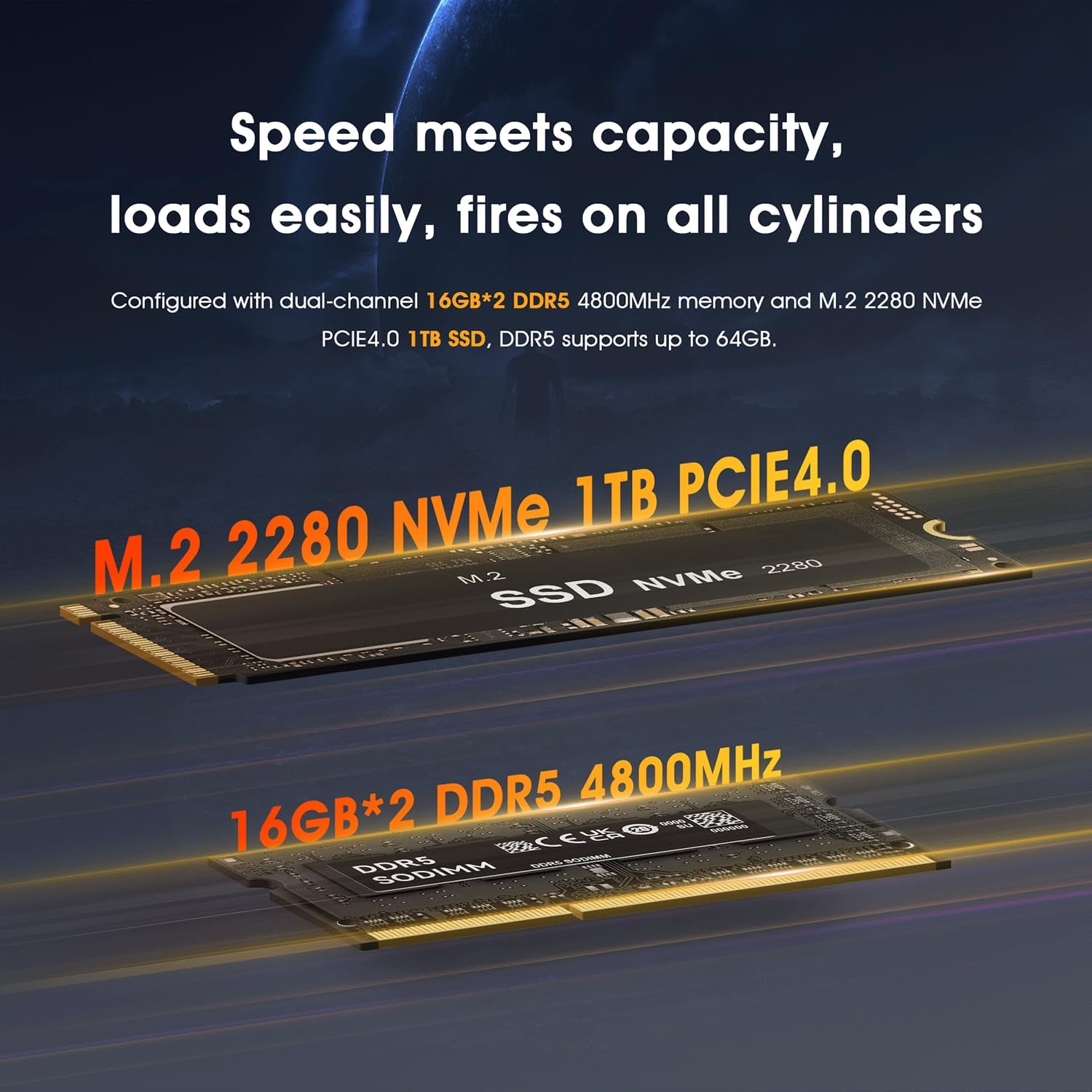
Figure 7: Visual representation of the M.2 NVMe SSD and DDR5 SODIMM slots for memory and storage expansion.
5. Troubleshooting
This section addresses common issues you might encounter with your BOSGAME H77 Mini PC.
5.1 No Power
- Ensure the power adapter is securely connected to both the Mini PC and a working power outlet.
- Verify the power outlet is functional by plugging in another device.
- Check the power adapter for any visible damage.
5.2 No Display Output
- Confirm that the HDMI or USB-C display cables are securely connected to both the Mini PC and the monitor.
- Ensure the monitor is powered on and set to the correct input source (HDMI 1, HDMI 2, USB-C, etc.).
- Try connecting to a different display or using a different cable to rule out monitor or cable issues.
5.3 Fan Noise
The Mini PC features an efficient cooling system. Under normal operation, fan noise should be minimal. If you experience noticeable fan noise, especially when the system is idle or under light load:
- Ensure the Mini PC is placed in a well-ventilated area, not enclosed in a cabinet or against a wall.
- Check for any dust accumulation in the vents and gently clean them using compressed air.
- Note that the fan may continue to run for a short period after shutdown to dissipate residual heat. If the fan runs continuously for an extended period after shutdown, ensure the system has fully powered off via the Windows shutdown process.
5.4 Limited BIOS Options
The BIOS (Basic Input/Output System) on the BOSGAME H77 Mini PC may have limited user-accessible options compared to full-sized desktop motherboards. Certain advanced settings, such as Resizable BAR, Above 4G Decoding, or detailed fan control, might not be directly configurable by the user. This is common in compact systems designed for ease of use. For specific functionalities, refer to the official BOSGAME support channels.
6. Specifications
| Component | Specification |
|---|---|
| Brand | BOSGAME |
| Model | H77 |
| Processor | AMD Ryzen 7 7735HS (8 Cores/16 Threads, up to 4.75 GHz) |
| Graphics | AMD Radeon 680M (Integrated, 12 Cores, 2200 MHz) |
| RAM | 32GB DDR5 (Max 64GB, 2 SODIMM slots) |
| Storage | 1TB NVMe PCIe4.0 SSD (M.2 2280, Max 2TB) + 2.5" SATA HDD/SSD support (Max 2TB) |
| Operating System | Windows 11 Pro (Pre-installed) |
| Wireless Connectivity | WiFi 6, Bluetooth 5.2 |
| Wired Connectivity | 2.5 Gbps Ethernet (RJ45) |
| Ports | 2x HDMI, 1x USB-C 4.0 (Full-featured), 4x USB 3.0 (USB-A 3.2 Gen2), 1x Audio Jack, 1x DC-in |
| Display Output | Triple Display (4K@60Hz via HDMI, up to 8K via USB4) |
| Dimensions (L x W x H) | 12.6 x 11.2 x 4.1 cm |

Figure 8: Detailed specifications of the AMD Ryzen 7 7735HS processor.

Figure 9: Overview of AMD Radeon 680M GPU capabilities and gaming performance benchmarks.
7. Warranty and Support
For warranty information, please refer to the documentation provided with your purchase or contact your retailer. Specific details regarding spare parts availability and guaranteed software updates are not available in this manual. For technical support or further inquiries, please contact BOSGAME customer service or visit their official website.