1. Introduction
This manual provides essential information for the safe and efficient operation of your Ariston Velis Tech Dry Wifi 100L electric water heater. Please read these instructions carefully before installation and use, and retain them for future reference.

Image 1: Front view of the Ariston Velis Tech Dry Wifi 100L electric water heater. This image displays the sleek, flat design of the appliance, featuring the Ariston logo and a digital display at the bottom.
2. Key Features
- Wifi Connectivity: Control your water heater remotely via the Aqua Ariston Net App.
- ECO-EVO Function: Intelligent energy-saving mode that learns user habits.
- Dual Tank Technology: Heats water in approximately half the time of traditional heaters.
- Multiposition Installation: Can be installed vertically or horizontally.
- Advanced Safety Features (Pack ABS): Includes auto-diagnosis, anti-scald, anti-freeze, dry-heating prevention, and anti-legionella functions.
- Dry Resistance and Electronic Anode: Ensures durability and reduced maintenance.
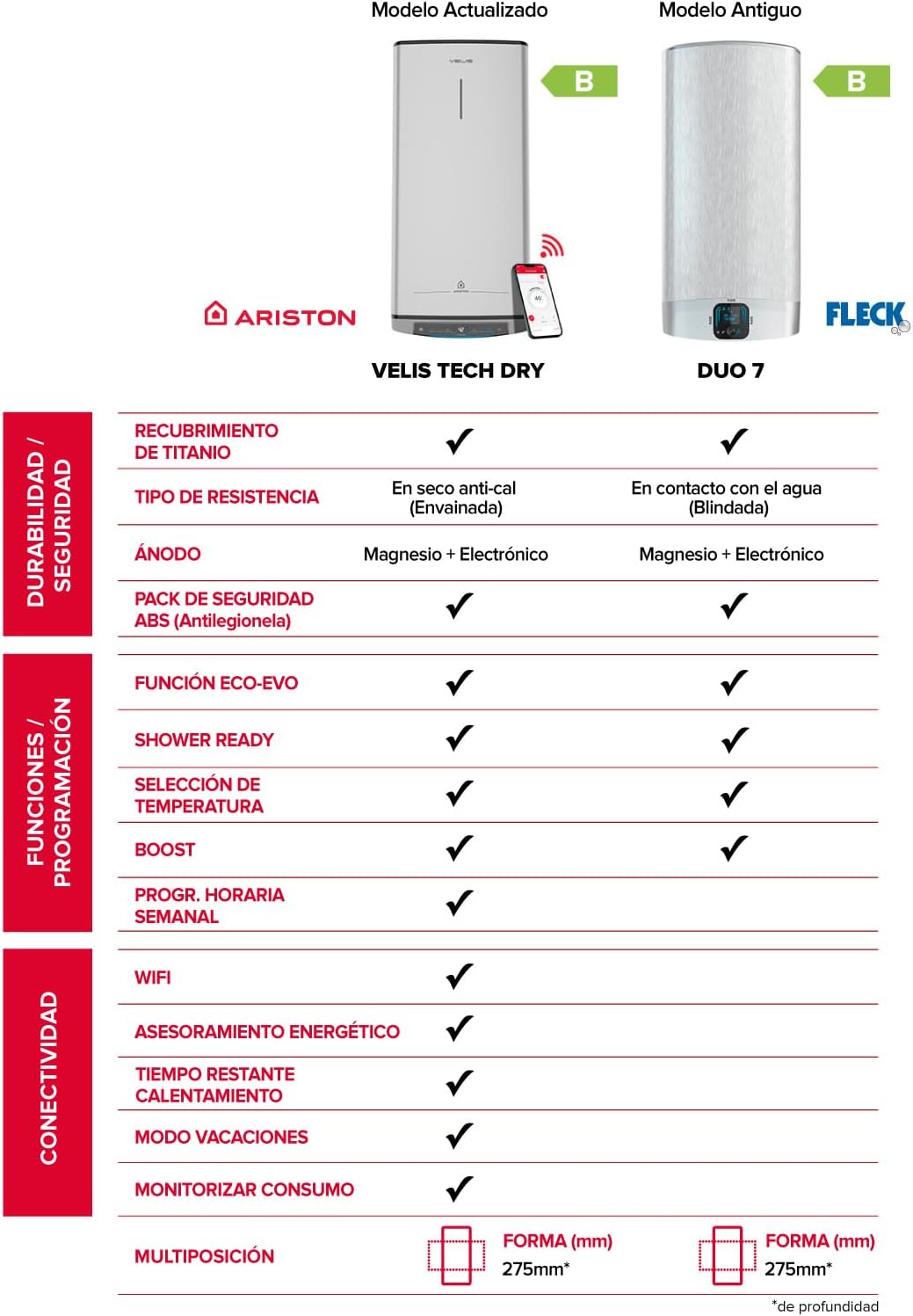
Image 2: Comparison table highlighting features of the Ariston Velis Tech Dry Wifi (updated model) against the Fleck Duo 7 (older model). It details differences in durability, security, functions, programming, and connectivity, emphasizing the advanced features of the Velis Tech Dry Wifi.
3. Setup and Installation
Installation of the Ariston Velis Tech Dry Wifi water heater should be performed by qualified personnel in accordance with local regulations and safety standards. The unit supports both vertical and horizontal mounting.
3.1 Package Contents
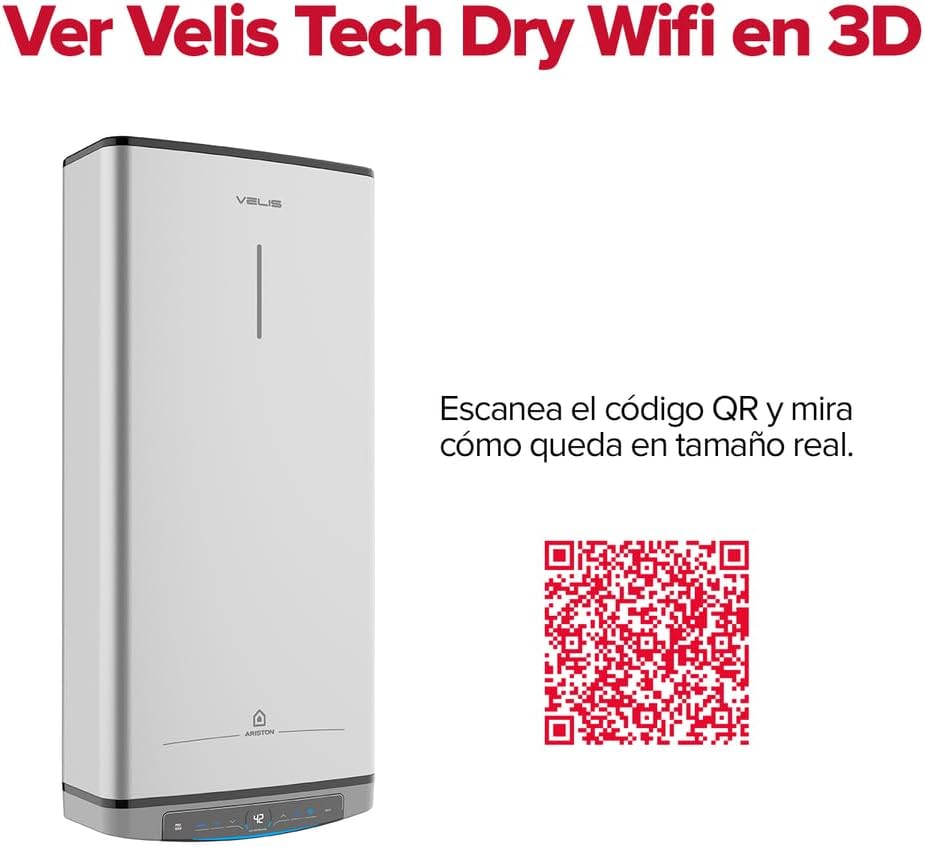
Image 3: This image illustrates the typical contents included in the Ariston Velis Tech Dry Wifi package. It shows the water heater unit along with essential accessories such as the power cable and plug, two dielectric sleeves, two wall anchors, and a safety valve.
3.2 Installation Steps
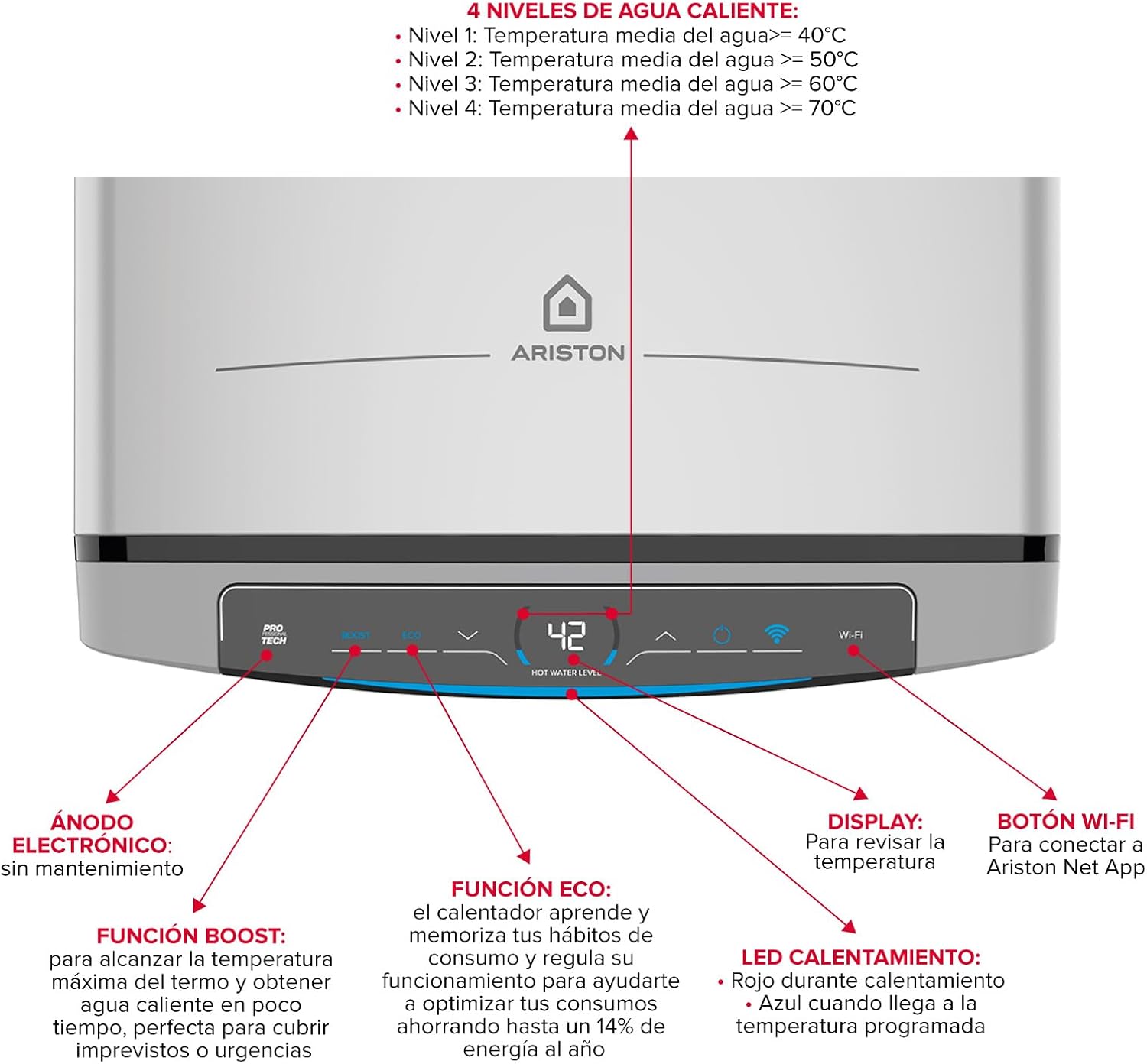
Image 4: Step-by-step visual guide for installing the Ariston Velis Tech Dry Wifi water heater. This diagram illustrates the process from closing the water valve to connecting the unit to power and WiFi, including mounting the unit and connecting water hoses.
- Turn off Water Supply: Close the main water valve to prevent leaks during installation.
- Select Location: Ensure the chosen location has sufficient space for the unit (dimensions: 127.2x27.5x51.1 cm for 100L model).
- Mount Brackets: Securely attach the wall hangers to a sturdy wall.
- Hang the Heater: Carefully lift and hang the water heater onto the installed brackets.
- Connect Water Inlets/Outlets: Attach the dielectric sleeves and safety valve to the water inlet, then connect the flexible hoses to both inlet and outlet.
- Fill the Tank: Open the water supply valve to fill the water heater tank.
- Connect Power and WiFi: Once the tank is full, connect the unit to the electrical supply and configure WiFi connectivity.
- Download App: Download the Aqua Ariston Net App for remote control and monitoring.
4. Operating Instructions
The Ariston Velis Tech Dry Wifi features an intuitive control panel and smart functions for optimal performance.
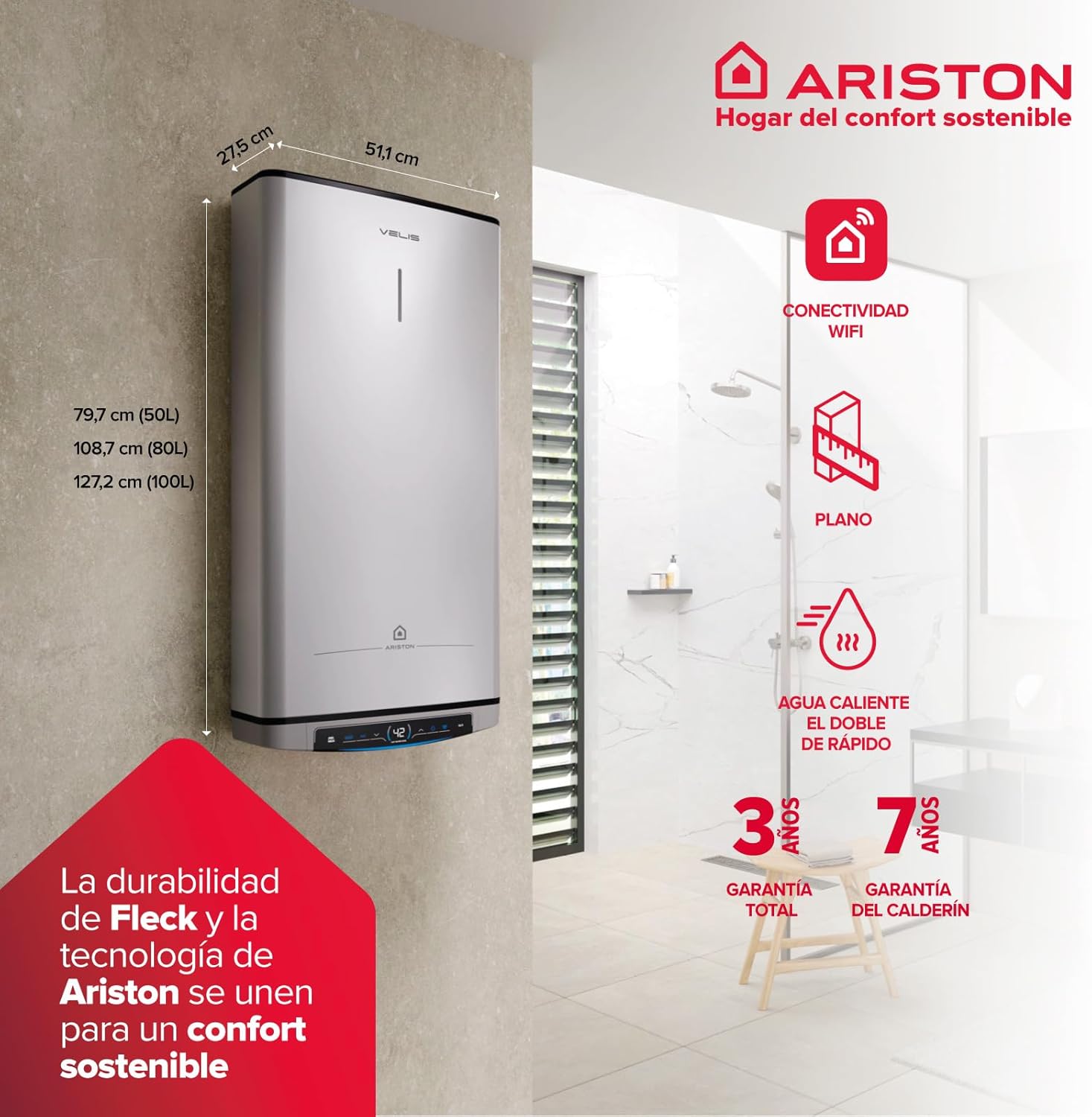
Image 5: Detailed view of the Ariston Velis Tech Dry Wifi control panel. It shows the digital display indicating water temperature, along with buttons for BOOST function, ECO mode, temperature selection, and WiFi connection. Explanations for each control element are provided.
4.1 Control Panel Functions
- Display: Shows the current water temperature.
- Temperature Selection: Adjust desired water temperature (Levels: 40°C, 50°C, 60°C, 70°C).
- ECO Function: Activates the intelligent energy-saving mode. The heater learns your consumption habits and optimizes operation, potentially saving up to 14% energy annually.
- BOOST Function: Provides rapid heating to maximum temperature for immediate hot water needs.
- WiFi Button: Used to connect the water heater to the Aqua Ariston Net App.
- Heating LED: Red indicates active heating, blue indicates desired temperature reached.
4.2 Aqua Ariston Net App
The integrated Wi-Fi allows remote control of your water heater via the Aqua Ariston Net App, available for download on iOS and Android devices.


Image 6: Icons representing the Aqua Ariston Net App, available on Google Play and the App Store. These icons signify the smart connectivity feature of the water heater.
- Remote Control: Manage settings from anywhere.
- Consumption Reports: Monitor energy and water usage.
- Energy Saving Tips: Receive personalized advice to optimize consumption.
- Weekly Programming: Schedule heating times for convenience and efficiency.

Image 7: Screenshot of the Aqua Ariston Net App interface on a smartphone, demonstrating remote control capabilities. The image shows temperature settings, scheduling options, and energy consumption data, highlighting the user-friendly design for smart home integration.
5. Maintenance
Regular maintenance ensures the longevity and efficiency of your Ariston Velis Tech Dry Wifi water heater.
- Electronic Anode: The electronic anode does not require regular replacement, contributing to reduced maintenance.
- Dry Resistance: The anti-scale dry resistance design minimizes scale buildup, further reducing maintenance needs.
- Periodic Checks: It is recommended to have the unit inspected by a qualified technician periodically (e.g., annually) to ensure all components are functioning correctly and to check for any potential issues.
- Cleaning: Clean the exterior of the unit with a soft, damp cloth. Do not use abrasive cleaners.
6. Troubleshooting
If you encounter issues with your water heater, consider the following common troubleshooting steps before contacting support:
- No Hot Water: Check if the power supply is connected and the circuit breaker is on. Ensure the water supply valve is open. Verify the temperature setting on the control panel or via the app.
- Insufficient Hot Water: The ECO-EVO function might be optimizing. Try increasing the temperature setting or using the BOOST function. Ensure the tank size is adequate for your household's needs.
- Water Leaks: Immediately turn off the water supply and power to the unit. Contact a qualified technician.
- WiFi Connectivity Issues: Ensure your home WiFi network is active and the water heater is within range. Restart your router and the water heater. Re-attempt pairing with the Aqua Ariston Net App.
- Error Codes: Refer to the full installation manual for a list of specific error codes and their meanings.
For persistent issues, contact Ariston technical support.
7. Specifications
| Feature | Detail |
|---|---|
| Brand | Ariston |
| Model Number | 3100926 |
| Capacity | 100 Liters |
| Dimensions (H x W x D) | 127.2 x 27.5 x 51.1 cm |
| Weight | 39 kg |
| Power | 1.5 kW |
| Voltage | 230 Volts |
| Energy Efficiency Class | B (Range A+/F) |
| Heating Time (approx.) | 46 minutes (for initial heating) |
| Resistance Type | Double dry-sheathed resistance |
| Anode Type | Magnesium + Electronic |
| Mounting Type | Wall (Multiposition: Vertical/Horizontal) |
| Special Features | WiFi Connectivity, ECO-EVO Function, ABS Safety Pack |
8. Warranty and Support
8.1 Warranty Information
The Ariston Velis Tech Dry Wifi 100L electric water heater comes with a 3-year total warranty and a 7-year warranty on the tank (calderín).
8.2 Technical Support
For technical assistance, installation queries, or warranty claims, please contact Ariston's official technical service. They have official service centers throughout Spain.
Contact Number: 91 060 24 42
You can also visit the official Ariston website for more information and support resources: Ariston Official Website
9. Additional Resources
Explore the product in 3D by scanning the QR code or visiting the link below:
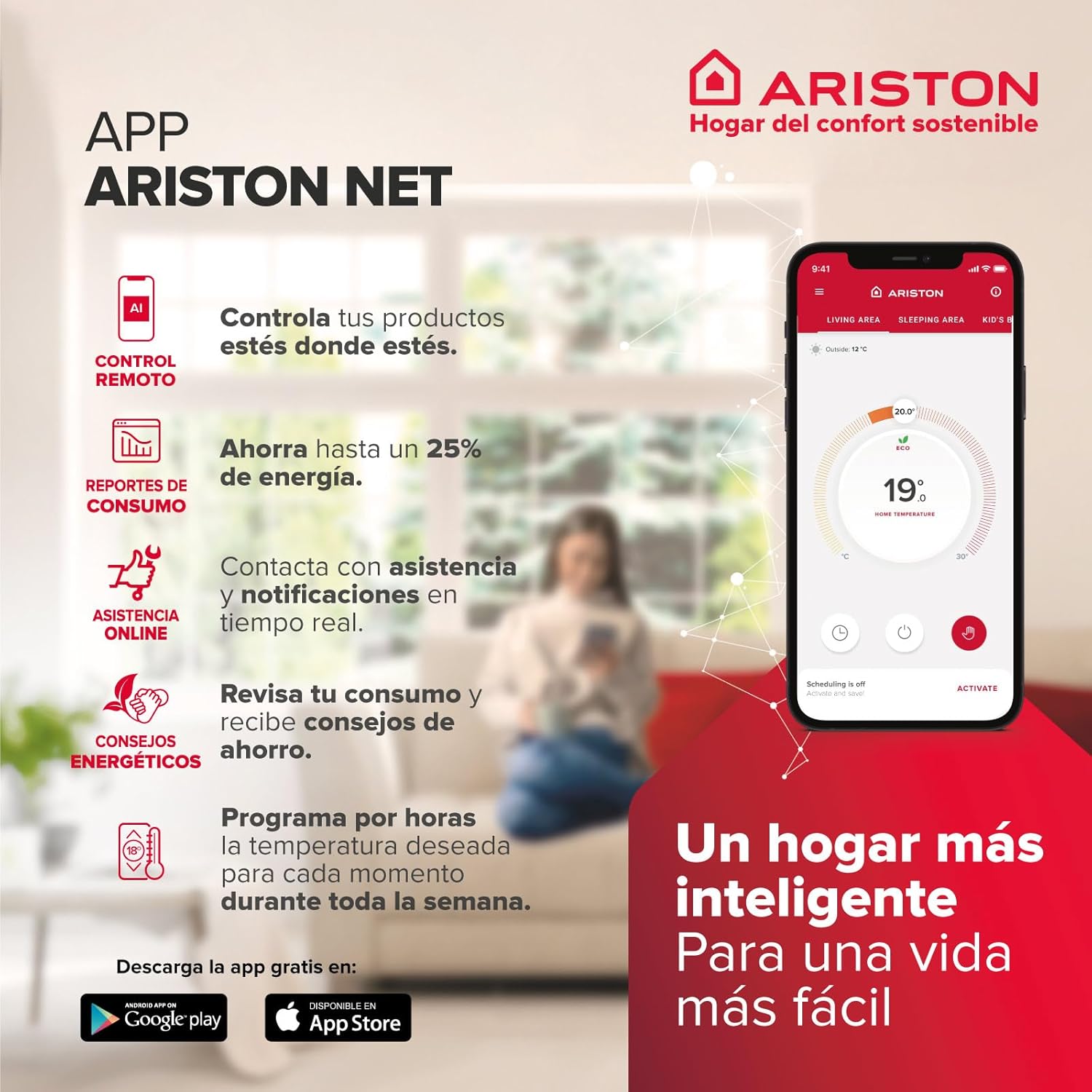
Image 8: An image displaying the Ariston Velis Tech Dry Wifi water heater alongside a QR code. Scanning this QR code allows users to view the product in 3D, providing an interactive way to visualize its size and appearance in a real environment.
3D Product View Link: View Ariston Velis Tech Dry Wifi in 3D