
HONITURE X7
HONITURE X7 Cordless Vacuum Cleaner User Manual
Model: X7
Important Safety Instructions
Please read all instructions carefully before using the HONITURE X7 Cordless Vacuum Cleaner. Keep this manual for future reference.
- Do not operate the vacuum cleaner with a damaged cord or plug.
- Do not use the vacuum cleaner to pick up flammable or combustible liquids, such as gasoline, or use in areas where they may be present.
- Do not pick up anything that is burning or smoking, such as cigarettes, matches, or hot ashes.
- Do not allow children to operate the vacuum cleaner. Close supervision is necessary when used near children.
- Ensure all filters are properly installed before operation.
- Use only as described in this manual. Use only manufacturer's recommended attachments.
Product Components
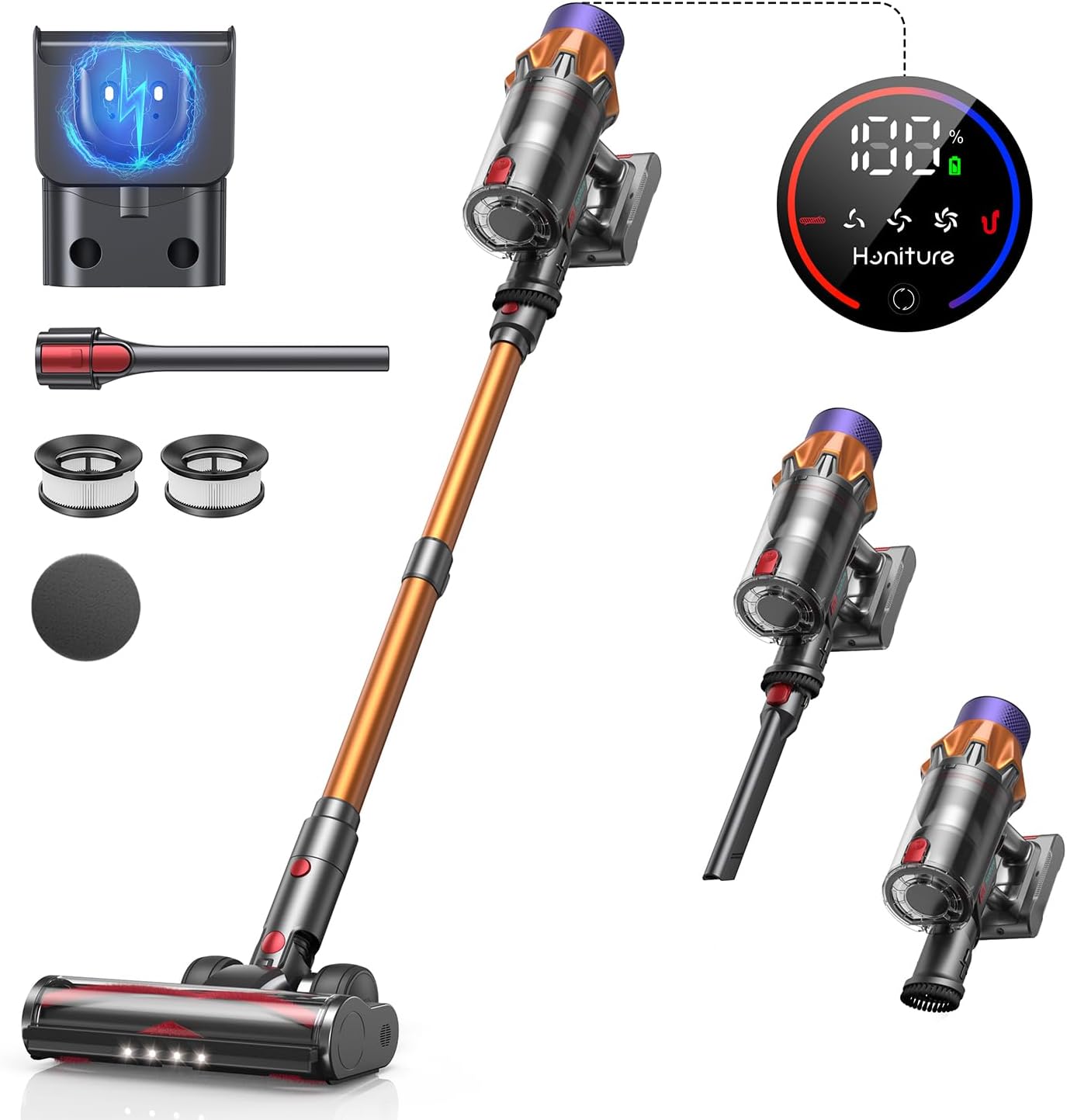
The HONITURE X7 Cordless Vacuum Cleaner comes with the following components:
- Main Body (Motor and Dust Cup)
- Aluminum Tube (Extension Wand)
- Floor Brush (Main Brush Head)
- Wall Mount Charging Station
- Air Outlet HEPA Filter
- Air Intake HEPA Filter
- Cleaning Tool
- Crevice Brush
- Charger
- User Manual (this document)
Setup and Assembly
1. Charging the Battery
Before first use, fully charge the battery. The battery can be charged while attached to the main body or separately.
- Wall Mount Charging: Install the wall mount charging station in a convenient location. Connect the charger to the wall mount, then place the vacuum cleaner onto the mount. The display screen will show charging status.
- Direct Charging: Connect the charger directly to the charging port on the main body of the vacuum cleaner.
- A full charge takes approximately 4-5 hours. The digital display will indicate battery percentage.

2. Assembling the Vacuum Cleaner
- Insert the aluminum tube into the main body until it clicks into place.
- Attach the floor brush to the other end of the aluminum tube until it clicks into place.
- For handheld use, detach the aluminum tube and attach desired accessories (e.g., crevice brush) directly to the main body.

Operating Instructions
1. Power On/Off and Suction Adjustment
The HONITURE X7 features a color touch screen for intuitive control.
- Press the power button on the handle to turn the vacuum cleaner on or off.
- Use the touch screen to select one of the three suction levels: Eco Gear (15KPa): For normal dust and small particles, maximizing runtime.Standard Gear (28KPa): For daily cleaning and removing larger particles like kitty litter.Boost Gear (45KPa): For deep cleaning, effectively removing embedded dirt and tangled hair.
- The screen displays battery level, dust cup full status, and fault alarms.

2. Self-Standing Feature
The HONITURE X7 is designed with a self-standing feature, allowing it to stand upright on its own without needing to be propped against a wall or placed on the floor. This provides convenience during cleaning breaks or when storing.

3. Anti-Tangle Floor Brush and LED Lights
The V-shaped flexible brush is designed to reduce hair entanglement. The brush head also features 6 bright LED lights to illuminate dark areas, ensuring thorough cleaning under furniture and in corners.

Maintenance
1. Emptying the Dust Cup
It is recommended to empty the 1.5L dust cup after each use to maintain optimal suction performance.
- Hold the main body over a waste bin.
- Press the dust cup release button to open the bottom flap and empty the contents.
- Close the dust cup flap securely.

2. Cleaning Filters
The HONITURE X7 uses a 5-stage filtration system, including HEPA filters, to capture 99.9% of small dust particles. Regular cleaning of filters is crucial for performance.
- Twist and remove the dust cup from the main body.
- Remove the internal filters (Air Intake HEPA and other components).
- Tap off loose dust. Rinse filters under cold running water until the water runs clear.
- Allow filters to air dry completely for at least 24 hours before reassembling. Do not use a dryer or heat source.
- Reassemble the filters and dust cup. Ensure they are properly locked in place.

3. Cleaning the Floor Brush
Periodically check the floor brush for tangled hair or debris. The anti-tangle design minimizes this, but occasional cleaning may be necessary.
- Detach the floor brush from the aluminum tube or main body.
- Remove any tangled hair or debris from the brush roller. A cleaning tool is provided for this purpose.
- Reattach the brush head securely.
Troubleshooting
| Problem | Possible Cause | Solution |
|---|---|---|
| Vacuum not turning on | Battery is depleted or not properly installed. | Charge the battery fully. Ensure the battery pack is securely clicked into place. |
| Loss of suction power | Dust cup is full. Filters are clogged. Brush roller is obstructed. | Empty the dust cup. Clean or replace filters. Remove any obstructions from the brush roller. |
| Brush roller not spinning | Obstruction in the brush head. Brush head not properly attached. | Check for and remove any obstructions. Ensure the brush head is securely attached to the tube/main body. |
| Unusual noise | Obstruction in the air path (tube, brush head, dust cup). | Check all parts for blockages and remove them. |
| Battery not charging | Charger not connected properly. Faulty charger or battery. | Ensure charger is securely plugged into both the vacuum/wall mount and the power outlet. Contact customer support if the issue persists. |
Specifications
| Feature | Detail |
|---|---|
| Model | X7 |
| Motor Power | 550W Brushless Motor |
| Suction Power | Up to 45KPa (3 adjustable levels: 15KPa, 28KPa, 45KPa) |
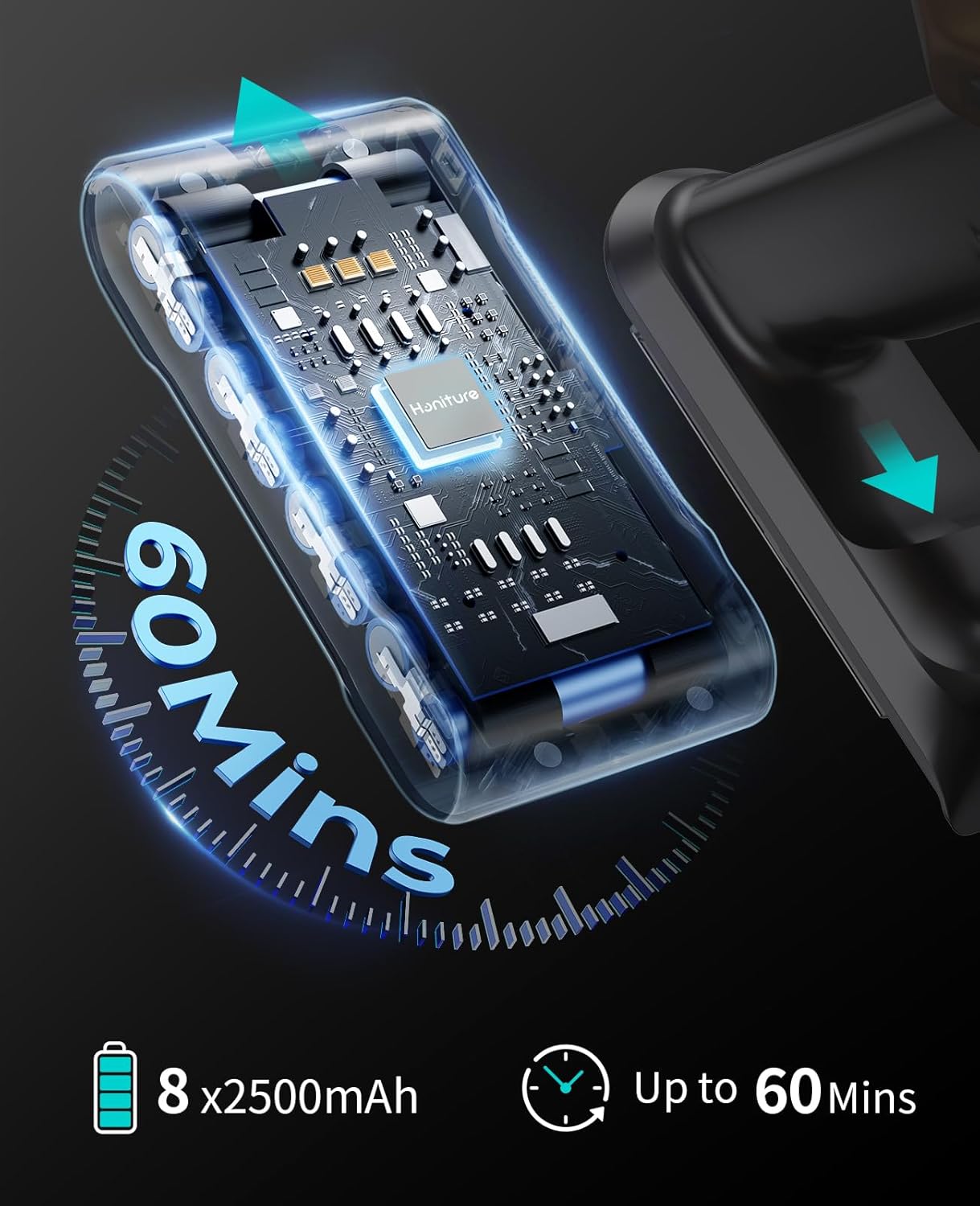
| Battery Capacity | 2500mAh 8-cell battery |
| Runtime | Up to 60 minutes (min suction), 30 minutes (max suction) |
| Charging Time | 4-5 hours |
| Dust Cup Capacity | 1.5 Litres |
| Filtration System | 5-stage, including HEPA filters (captures 99.9% of particles) |
| Special Features | Color Touch Screen, Self-Standing Design, Anti-Tangle Floor Brush, LED Headlights |
| Noise Level | 68 dB |
| Product Dimensions | 35 x 28 x 44 cm |
| Item Weight | 2.8 kg |
Warranty and Support
HONITURE offers a 3-year product guarantee for the X7 Cordless Vacuum Cleaner.
For any issues or inquiries, please contact HONITURE customer service:
- Email: support01@honiture.com
- Phone: 0755-83748050
Please have your model number (X7) and purchase information ready when contacting support.
Related Documents - X7
 |
Honiture S13 Cordless Vacuum Cleaner User Manual Comprehensive user manual for the Honiture S13 cordless vacuum cleaner, covering safety warnings, package contents, product overview, assembly, usage instructions, charging methods, maintenance, troubleshooting, and warranty information. |
 |
Honiture S14 Cordless Vacuum Cleaner User Manual Comprehensive user manual for the Honiture S14 Cordless Vacuum Cleaner, covering safety warnings, package contents, assembly, operation, maintenance, troubleshooting, and warranty information. |
 |
S14 Cordless Vacuum Cleaner Quick Start Guide A quick start guide for the S14 Cordless Vacuum Cleaner, covering accessory installation, operation, dust cup maintenance, brush cleaning, charging, and fragrance tablet replacement. |
 |
Honiture S13 Cordless Vacuum Cleaner Quick Start Guide A concise guide to setting up, operating, and maintaining the Honiture S13 Cordless Vacuum Cleaner, including accessory installation, dust cup and brush cleaning, and charging. |
 |
Honiture S15 LED Color Screen Vacuum Cleaner User Manual Comprehensive user manual for the Honiture S15 LED Color Screen Vacuum Cleaner, covering safety warnings, package contents, assembly, usage instructions, maintenance, troubleshooting, and warranty information. |
 |
Honiture S12 Cordless Vacuum Cleaner User Manual Comprehensive user manual for the Honiture S12 cordless vacuum cleaner, detailing safety instructions, assembly, operation, maintenance, troubleshooting, and technical specifications. |