1. Product Overview
The VBESTLIFE One Handed Macro Programmable Keyboard is a versatile and compact input device designed for enhanced efficiency in gaming, office work, and specialized applications. It features a robust mechanical design with customizable keys and knobs.

Image 1.1: Top-down view of the VBESTLIFE One Handed Macro Programmable Keyboard, showcasing its 16 keys and 3 rotary knobs.
Key Features:
- 16 Keys and 3 Knobs: This mini custom keypad is designed with 16 keys and 3 knobs. You can set all keys function and quick commands according to your needs for improving working and gaming efficiency.
- Blue Switch: This programmable keypad adopts blue switch, which is ideal for office, games, music, media, industrial control, laboratory, production line testing and other fields.
- Multi Function: This programmable keypad is suitable for office, shortcut keys can help you achieve quick copy, paste, volume control and other functions, but also suitable for gaming, programmable keys can be used for game, giving you a smoother gaming experience.
- Hot Swappable: This gaming keypad uses hot swappable technology, allowing users to change the keycaps or switch at any time, offering great convenience.
- Separate Design: This macro keypad adopts USB wired connection and comes with 1 meter / 3.3ft long USB cable (detachable), convenient and flexible.

Image 1.2: The keyboard with text overlays indicating its 16 keys and 3 knobs, programmability, mechanical blue switches, wired connection, and hot-swappable design.
2. Specifications
| Attribute | Value |
|---|---|
| Item Type | Programmable Keypad |
| Material | Acrylic |
| Connection | Wired Connection (Detachable) |
| Cable Length | Approx. 1 Meter / 3.3ft |
| Package Dimensions | 7.17 x 4.45 x 1.73 inches |
| Item Weight | 12.3 ounces |
| Manufacturer | VBESTLIFE |
| Country of Origin | China |
| Model Number | VBESTLIFEn8ih57fymk |
3. Package Contents
Please verify that all items listed below are included in your package:
- 1 x Programmable Keypad
- 1 x USB Cable
- 1 x USB Flash Drive (containing macro programming software)
- 1 x User Manual

Image 3.1: The VBESTLIFE One Handed Macro Programmable Keyboard, its detachable USB cable, and the included USB flash drive.
4. Setup
Follow these steps to set up your VBESTLIFE Programmable Keypad:
- Connect the Keypad: Insert the smaller end of the provided USB cable into the USB-C port on the keypad.
- Connect to Computer: Insert the standard USB-A end of the cable into an available USB port on your computer.
- Install Software: Locate the macro programming software on the included USB flash drive. Install the software on your computer.
- Launch Software: Once installed, launch the macro programming software.
- Initial Configuration: Follow the on-screen prompts within the software to begin configuring your keypad's keys and knobs.

Image 4.1: Close-up view of the USB-C port located on the side of the VBESTLIFE One Handed Macro Programmable Keyboard, where the detachable cable connects.
5. Operating Instructions
The VBESTLIFE keypad offers extensive customization through its dedicated software. Here's how to operate and maximize its potential:
Key Programming:
- Open the macro programming software.
- Select the key you wish to program from the virtual keypad layout.
- Assign a function: This can be a single key press, a combination (e.g., Ctrl+C), a macro sequence, or a multimedia control.
- Save your configuration to the keypad's onboard memory.
Knob Functions:
The three rotary knobs can also be programmed for various functions, such as:
- Volume control (up/down/mute)
- Zoom in/out
- Scrolling (vertical/horizontal)
- Brush size adjustment in design software

Image 5.1: A detailed close-up of the three black rotary knobs with silver tops, located on the right side of the VBESTLIFE One Handed Macro Programmable Keyboard.
Hot-Swappable Design:
The hot-swappable feature allows you to change the mechanical switches without soldering. This is useful for customizing the typing feel or replacing a faulty switch. Use a switch puller (not included) to carefully remove and insert switches.
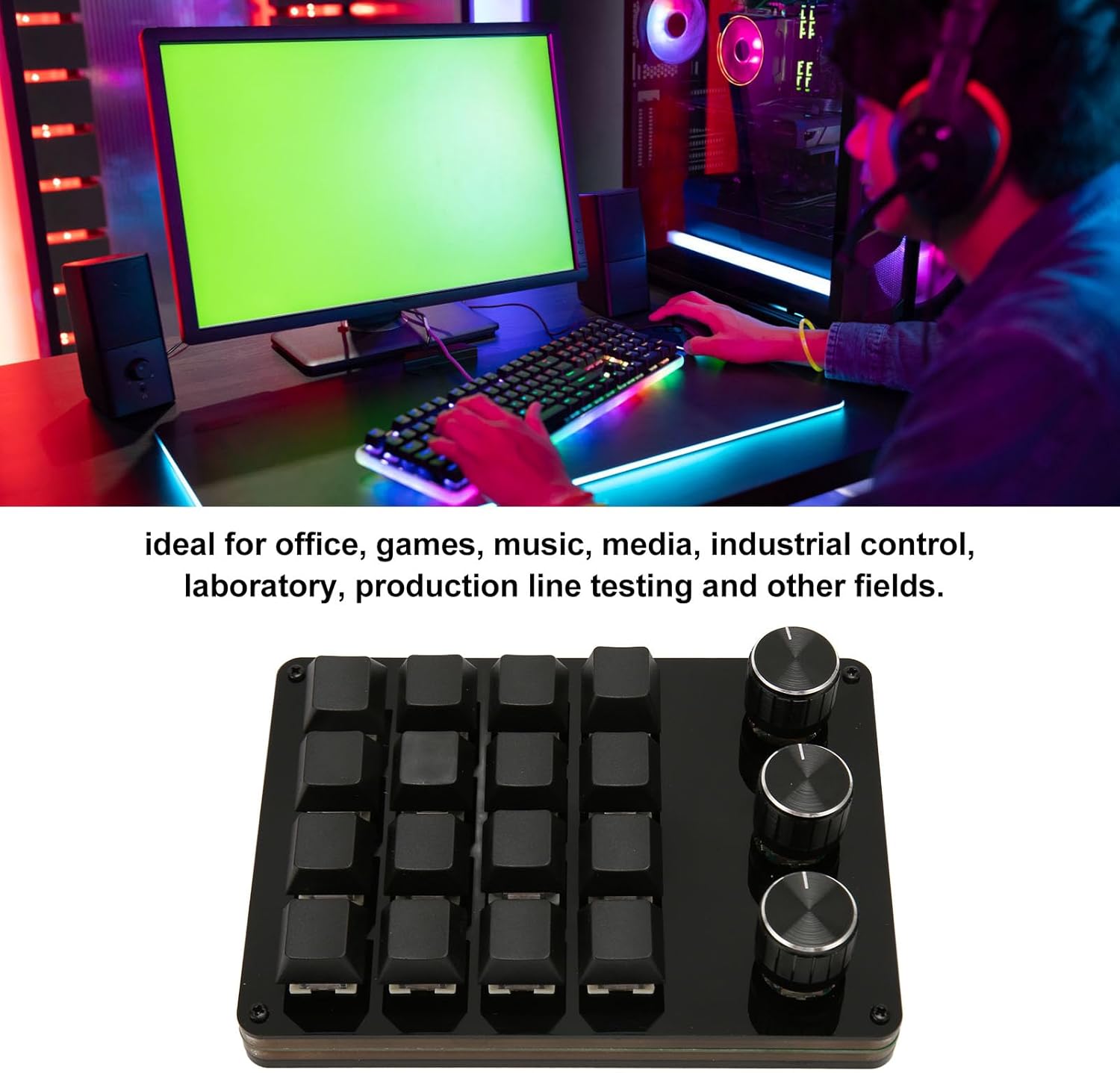
Image 5.2: The VBESTLIFE One Handed Macro Programmable Keyboard integrated into a gaming and office setup, demonstrating its versatility for various applications.
6. Maintenance
To ensure the longevity and optimal performance of your keypad, follow these maintenance guidelines:
- Cleaning: Use a soft, dry cloth to wipe down the keypad. For stubborn dirt, slightly dampen the cloth with water or a mild electronics cleaner. Avoid excessive moisture.
- Dust Removal: Use compressed air to remove dust and debris from between the keycaps and around the switches.
- Avoid Liquids: Do not spill liquids on the keypad. If a spill occurs, immediately disconnect it from the computer and allow it to dry completely before reconnecting.
- Storage: When not in use, store the keypad in a clean, dry environment away from direct sunlight and extreme temperatures.
7. Troubleshooting
If you encounter issues with your VBESTLIFE Programmable Keypad, refer to the following common problems and solutions:
- Keypad Not Responding:
- Ensure the USB cable is securely connected to both the keypad and your computer.
- Try connecting the keypad to a different USB port on your computer.
- Restart your computer.
- Check if the macro programming software is running correctly.
- Keys Not Performing Programmed Functions:
- Re-open the macro programming software and verify that the functions are correctly assigned and saved to the keypad.
- Ensure no other software is interfering with the keypad's input.
- Software Not Detecting Keypad:
- Ensure the keypad is properly connected via USB.
- Try reinstalling the macro programming software from the provided USB flash drive.
- Check your computer's device manager to see if the keypad is recognized.
- Knobs Not Working:
- Verify the knob functions are correctly programmed in the software.
- Ensure the knobs are clean and free of debris that might obstruct their movement.
If the issue persists after trying these steps, please contact VBESTLIFE customer support for further assistance.
8. Warranty and Support
Your VBESTLIFE One Handed Macro Programmable Keyboard comes with a standard manufacturer's warranty. Please refer to the warranty card included in your package or visit the official VBESTLIFE website for detailed warranty terms and conditions.
For technical support, troubleshooting assistance, or inquiries regarding your product, please contact VBESTLIFE customer service through their official channels. Contact information can typically be found on the manufacturer's website or on the product packaging.
Online Resources: For the latest software updates, FAQs, and additional support resources, please visit the official VBESTLIFE website.


