
1. Introduction
This manual provides essential information for the safe and efficient use of your DOOGEE T30SE Android 14 Tablet. Please read this manual thoroughly before operating the device and retain it for future reference.
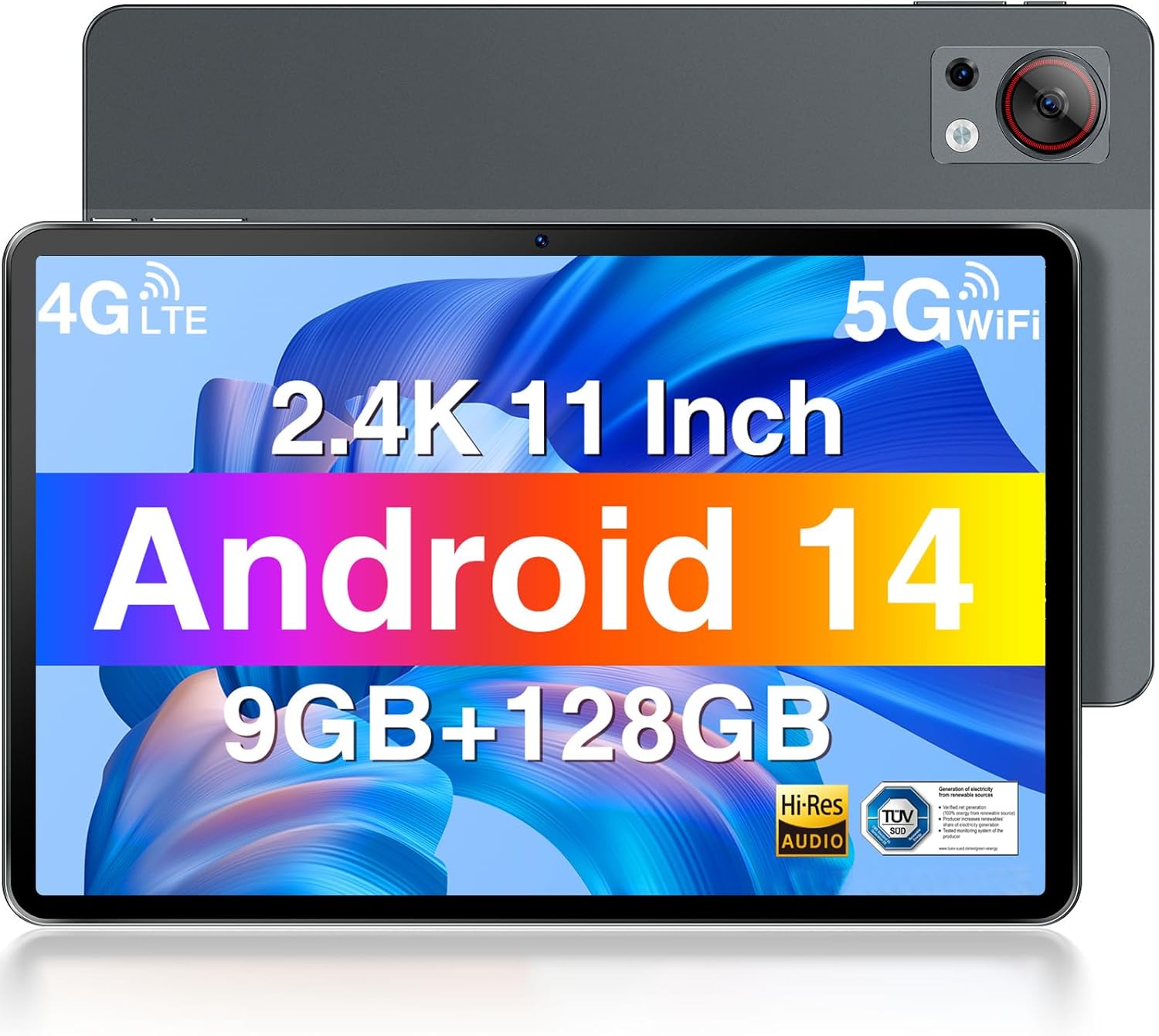
Front and rear view of the DOOGEE T30SE tablet, highlighting its display and camera module.
2. Package Contents
Verify that all items are present in the package:
- DOOGEE T30SE Tablet
- Power Adapter
- USB Type-C Cable
- SIM Ejector Tool
- Quick Start Guide (may vary by region)
3. Setup
3.1 Initial Charging
Before first use, fully charge the tablet using the provided power adapter and USB Type-C cable. The battery indicator on the screen will show charging status.
3.2 Powering On/Off
- To Power On: Press and hold the Power button until the DOOGEE logo appears.
- To Power Off: Press and hold the Power button, then select "Power off" from the options on the screen.
- To Restart: Press and hold the Power button, then select "Restart" from the options on the screen.
3.3 SIM Card and MicroSD Card Installation
The DOOGEE T30SE supports dual Nano SIM cards or one Nano SIM card and one MicroSD/TF card for expanded storage.
- Locate the SIM card tray on the side of the tablet.
- Insert the SIM ejector tool into the small hole next to the tray and press gently until the tray pops out.
- Place the Nano SIM card(s) and/or MicroSD card into the tray with the gold contacts facing down, ensuring they are correctly oriented.
- Carefully push the tray back into the tablet until it clicks into place.

Diagram illustrating the DOOGEE T30SE's storage and connectivity options, including 9GB RAM, 128GB ROM, 1TB expandable storage, dual-band Wi-Fi, and 4G Dual SIM support.
3.4 Initial Setup Wizard
Upon first power-on, follow the on-screen instructions to:
- Select your language.
- Connect to a Wi-Fi network.
- Sign in with your Google account or create a new one.
- Set up screen lock and other security features.
4. Operating Instructions
4.1 Display Features
The DOOGEE T30SE features an 11-inch 2.4K IPS display (1920 x 1200 pixels) with a 16:10 aspect ratio, offering vibrant colors and a wide viewing angle. It includes TÜV SÜD Low Blue Light Certification for reduced eye strain during prolonged use.

The DOOGEE T30SE tablet displaying a high-resolution video, emphasizing its 2.4K IPS display, quad stereo speakers, and Hi-Res Audio support.

A user working on the DOOGEE T30SE tablet with an external keyboard, demonstrating the TÜV SÜD Low Blue Light certified display for eye protection.
The tablet also supports Widevine L1, enabling high-definition streaming from compatible services.
4.2 Performance and Operating System
Powered by an Octa-Core processor and running Android 14, the T30SE offers a smooth user experience. Android 14 provides enhanced privacy controls, multi-user profiles, parental controls, and split-screen functionality for improved multitasking.
- RAM: 9GB (4GB base + 5GB expansion) for efficient app handling.
- ROM: 128GB internal storage, expandable up to 1TB via MicroSD/TF card.

Screenshot of the Android 14 interface on the DOOGEE T30SE, highlighting features like parental control, privacy settings, and multi-tasking capabilities.
4.3 Connectivity
- Wi-Fi: Supports 2.4G and 5G dual-band Wi-Fi for stable and fast internet access.
- 4G LTE: Dual SIM support allows for mobile data and calling capabilities.
- Bluetooth 5.0: For connecting wireless accessories like headphones and speakers.
- GPS/AGPS: Integrated for precise navigation and location services.
- Ports: 1x USB Type-C port for charging and data transfer, 1x 3.5mm AUX headphone jack.
4.4 Camera
The tablet is equipped with a 13MP rear camera for capturing photos and videos, and a 5MP front camera suitable for video calls and selfies.

Details of the DOOGEE T30SE's camera system, featuring a 13MP rear camera and a 5MP front camera, alongside the 3.5mm headphone jack.
4.5 Battery Management
The 8580mAh battery provides extended usage times. To optimize battery life:
- Adjust screen brightness.
- Close unused applications.
- Disable Wi-Fi, Bluetooth, or GPS when not in use.
- Utilize power-saving modes.

Visual representation of the DOOGEE T30SE's 8580mAh large capacity battery, indicating extended usage and standby times.
4.6 Audio
The T30SE is equipped with 4 stereo speakers, delivering clear and immersive audio for media consumption.
5. Maintenance
- Cleaning: Use a soft, lint-free cloth to clean the screen and body. Avoid harsh chemicals.
- Software Updates: Regularly check for and install system updates to ensure optimal performance and security. Go to Settings > System > System update.
- Storage Management: Periodically clear unnecessary files and apps to maintain sufficient storage space. The Memory Manager provides cleaning suggestions.
- Environmental Conditions: Avoid exposing the tablet to extreme temperatures, direct sunlight, or excessive moisture.
6. Troubleshooting
| Issue | Possible Solution |
|---|---|
| Tablet does not power on | Ensure the battery is charged. Connect to the charger for at least 30 minutes, then try powering on again. |
| Wi-Fi connection issues | Restart the tablet and your Wi-Fi router. Check Wi-Fi settings on the tablet to ensure correct network selection and password. |
| Slow performance | Close unused apps. Clear cache and junk files using the Memory Manager. Restart the tablet. |
| Apps crashing or freezing | Update the app to the latest version. Clear the app's cache and data (Settings > Apps > [App Name] > Storage). If the issue persists, uninstall and reinstall the app. |
| Screen not responding | Restart the tablet by holding the power button for approximately 10-15 seconds until it reboots. |
7. Specifications

Comparison illustrating the DOOGEE T30SE's 11-inch display size and its ultra-thin 7.6mm profile and 506g weight.
| Feature | Detail |
|---|---|
| Model | DOOGEE T30SE |
| Operating System | Android 14 |
| Display | 11-inch IPS 2.4K (1920 x 1200 pixels) |
| Processor | Octa-Core (6x 1.6 GHz Cortex-A55, 2x 1.6 GHz Cortex-A75), Mali-G57 GPU |
| RAM | 9GB (4GB + 5GB Expansion) |
| Internal Storage (ROM) | 128GB |
| Expandable Storage | Up to 1TB via MicroSD/TF card |
| Rear Camera | 13MP |
| Front Camera | 5MP |
| Battery | 8580mAh |
| Connectivity | Wi-Fi (2.4G/5G), 4G LTE (Dual SIM), Bluetooth 5.0, GPS/AGPS |
| Ports | USB Type-C, 3.5mm AUX Headphone Jack |
| Dimensions | 26 x 17 x 0.76 cm |
| Weight | 506g |
8. Warranty and Support
DOOGEE provides the following support for your T30SE tablet:
- 30-Day Money Back Guarantee: For eligible returns.
- 2-Year Limited Warranty: Covers manufacturing defects.
- 24/7 Online Support: For technical assistance and inquiries.
For detailed warranty terms and to contact support, please visit the official DOOGEE website or refer to the warranty card included with your product.


