1. Introduction
Thank you for choosing the Telefunken 40DTAF724 Android TV. This manual provides essential information for the safe and efficient use of your new television. Please read these instructions thoroughly before operating the device and retain them for future reference.
2. Product Overview
The Telefunken 40DTAF724 is a 40-inch Full HD (1920 x 1080) Android Smart TV designed to deliver an immersive viewing experience. It features a bezel-less design, HDR10 support for enhanced color and contrast, and integrated Chromecast. With built-in Bluetooth and Wi-Fi connectivity, it is compatible with Google Assistant and Alexa for smart home integration.
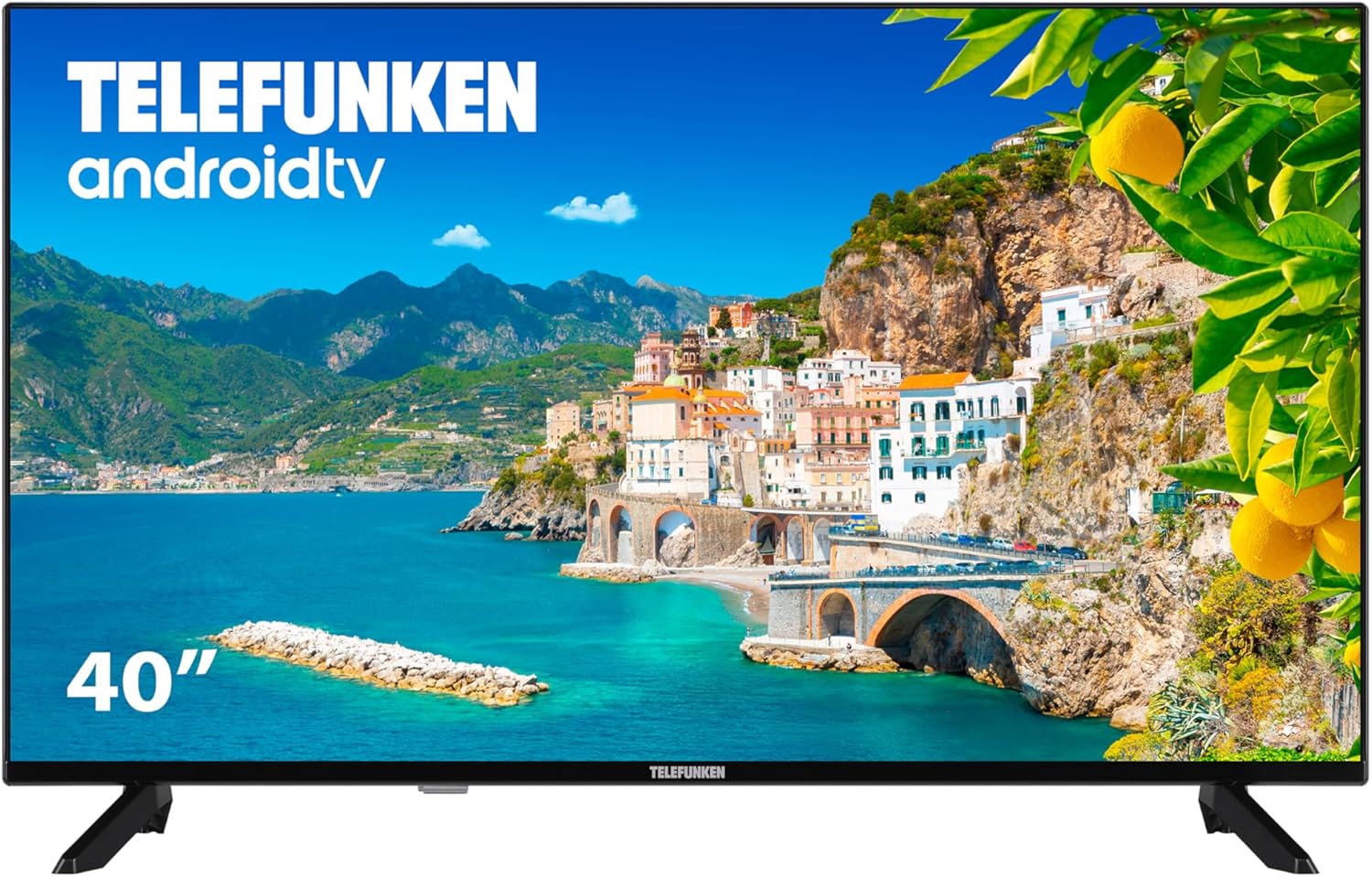
Figure 2.1: Front view of the Telefunken 40DTAF724 Android TV, showcasing its bezel-less design and display.
3. What's in the Box
Upon unpacking your Telefunken 40DTAF724 TV, please ensure all the following components are present:
- Telefunken 40DTAF724 Android TV Unit
- Remote Control
- Batteries for Remote Control
- User Manual (this document)
- Power Cable
- TV Stands (2 units) and Screws for assembly
4. Setup
4.1. Stand Installation
To install the TV stands:
- Carefully place the TV face-down on a soft, flat surface to prevent screen damage.
- Align each stand with the corresponding screw holes on the bottom of the TV.
- Secure each stand using the provided screws. Ensure they are tightened firmly.
4.2. Wall Mounting (Optional)
The Telefunken 40DTAF724 is compatible with VESA 100 x 100 M4 wall mounts. Please refer to your wall mount's instructions for proper installation. Ensure the wall can support the TV's weight (8.46 kg) and the mount.

Figure 4.1: Side view of the TV with dimensions (90.2 cm width, 56.7 cm height, 16.7 cm depth) and VESA mount details.
4.3. Connecting Devices
Connect your external devices (e.g., cable box, gaming console, Blu-ray player) to the TV's ports. The TV supports HDMI, USB, Ethernet, and Bluetooth connectivity.

Figure 4.2: Rear view of the TV, illustrating the location of HDMI, USB, Ethernet, and other input/output ports.
For optimal performance, use high-quality HDMI cables for video and audio connections.
5. Operating Instructions
5.1. First Time Setup
After connecting the power cable and turning on the TV for the first time, you will be guided through the initial setup process. This includes:
- Language selection
- Network connection (Wi-Fi or Ethernet)
- Google Account sign-in (recommended for full Android TV features)
- Channel scanning
- Accepting terms and conditions
5.2. Android TV Features
Your Telefunken TV runs on Android TV, providing access to a wide range of apps and services:
- Google Play Store: Download your favorite streaming apps, games, and more.
- Chromecast Built-in: Cast content from your smartphone, tablet, or computer directly to the TV screen.
- Google Assistant: Use voice commands via the remote control to search for content, control smart home devices, and get information.
- Alexa Compatibility: Integrate your TV with Alexa-enabled devices for voice control.
- HDR10: Experience enhanced contrast and a wider range of colors with HDR10 content.
5.3. Remote Control
The included remote control allows you to navigate the TV's interface, adjust settings, and access smart features. Insert the provided batteries into the remote control, ensuring correct polarity.
6. Maintenance
To ensure the longevity and optimal performance of your TV:
- Cleaning: Unplug the TV before cleaning. Use a soft, dry cloth to wipe the screen and exterior. Do not use liquid cleaners or sprays directly on the screen.
- Ventilation: Ensure adequate ventilation around the TV. Do not block ventilation openings.
- Power: Unplug the TV during lightning storms or when it will be unused for extended periods.
7. Troubleshooting
If you encounter issues with your TV, refer to the following common solutions:
- No Power: Check if the power cable is securely connected to both the TV and the power outlet. Ensure the outlet is functional.
- No Picture/Sound: Verify that the correct input source is selected. Check all cable connections (HDMI, antenna, etc.).
- Remote Control Not Working: Replace the batteries. Ensure there are no obstructions between the remote and the TV's IR sensor.
- Network Connection Issues: Restart your router and modem. Reconnect the TV to the Wi-Fi network or check the Ethernet cable.
- Slow Performance: Close unused applications. Clear the cache of frequently used apps. Consider a factory reset if issues persist (note: this will erase all personal data and settings).
For further assistance, please contact Telefunken customer support.
8. Specifications
| Feature | Specification |
|---|---|
| Brand | Telefunken |
| Model Number | 40DTAF724 |
| Screen Size | 40 Inches |
| Display Technology | LED |
| Resolution | 1080p (Full HD 1920 x 1080) |
| Refresh Rate | 60 Hz |
| Special Features | Chromecast, Bezel-less Design, VESA Wall Mount, HDR10 |
| Connectivity | Bluetooth, Ethernet, HDMI, USB, Wi-Fi |
| Aspect Ratio | 1.77:1 |
| Product Dimensions (Width x Depth x Height) | 90.2 x 16.7 x 56.7 cm |
| Weight | 8.46 kg |
| Energy Efficiency Rating | E |
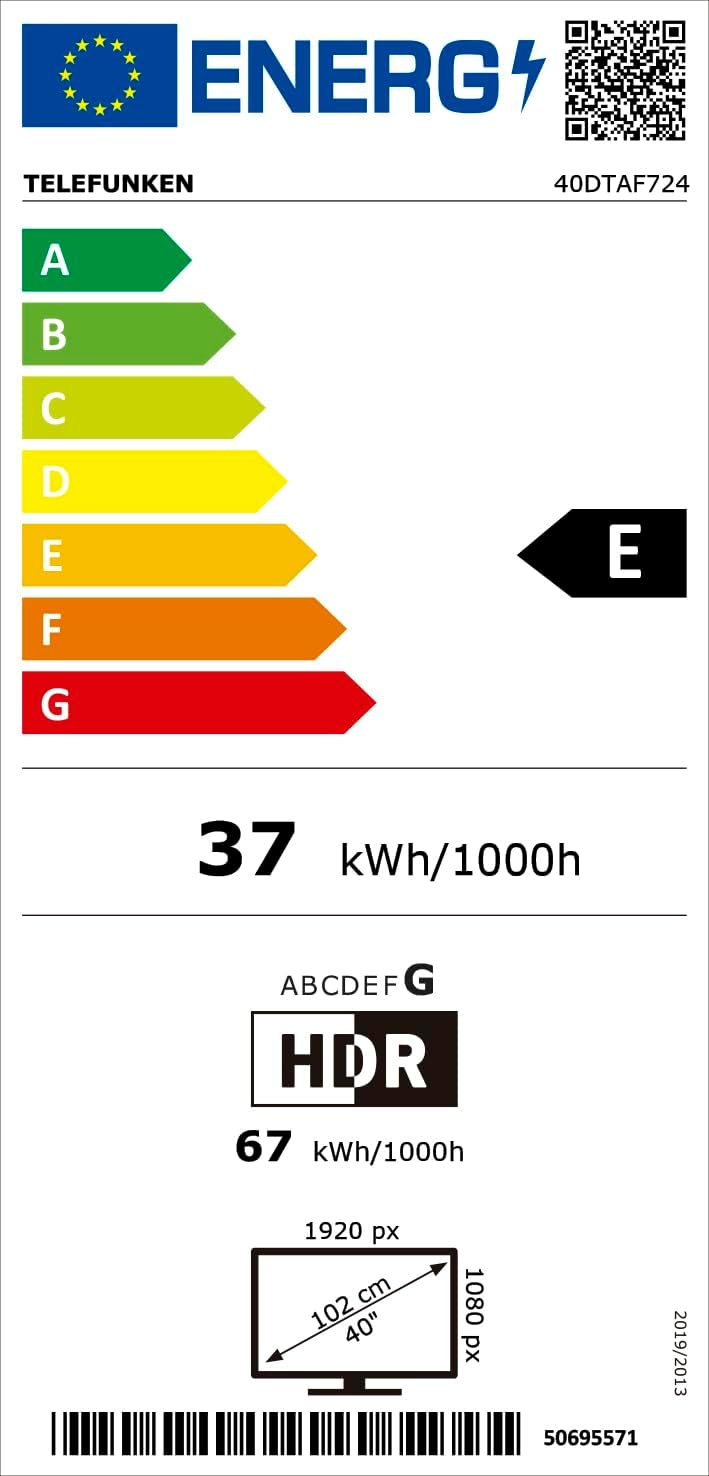
Figure 8.1: Energy efficiency label for the Telefunken 40DTAF724 TV, showing its 'E' rating and power consumption.
For more details, scan the QR code or visit eprel.ec.europa.eu/qr/1860952.
9. Warranty and Support
Your Telefunken 40DTAF724 TV comes with a standard manufacturer's warranty. Please refer to the warranty card included in the packaging for specific terms and conditions. For technical support, service, or warranty claims, please contact your local Telefunken customer service center. Contact information can typically be found on the Telefunken official website or in the warranty documentation.