1. Introduction
Thank you for choosing the Fromann 71-Inch L-Shaped Electric Standing Desk. This manual provides essential information for the safe assembly, operation, and maintenance of your new desk. This electric ergonomic desk is designed to promote a healthier work environment by allowing you to alternate between sitting and standing positions, reducing discomfort from prolonged sitting.
The desk features a powerful, smooth motor lift system for height adjustment from 27.5 inches to 47 inches. Its spacious 71-inch L-shaped desktop can accommodate multiple monitors, computers, and office supplies. The sturdy steel frame supports up to 180 lbs. Additional features include a drawer, cup holder, and hooks for headsets or bags, helping to keep your workspace organized.
2. Safety Information
- Weight Limit: Do not exceed the maximum weight capacity of 180 lbs (81.6 kg) on the desktop. Overloading can cause damage or injury.
- Stable Surface: Always use the desk on a flat, stable, and level surface.
- Assembly: Follow all assembly instructions carefully. Ensure all screws and fasteners are securely tightened before use.
- Movement: Keep hands, feet, and objects clear of moving parts during height adjustment to prevent pinching or crushing.
- Children and Pets: Keep children and pets away from the desk during operation.
- Power Cord: Ensure the power cord is not pinched or damaged. Do not operate the desk with a damaged cord or plug.
- Environment: Use the desk in a dry indoor environment. Avoid exposure to moisture or extreme temperatures.
- Discomfort: Prolonged use in one position may cause discomfort. Adjust your position regularly.
3. Package Contents
Verify that all components are present before beginning assembly. Refer to the assembly video for visual identification of parts.
- Desktop panels (3 pieces)
- Desk legs and frame components
- Electric motor and control box
- LED handset
- Drawer assembly
- Cup holder
- Headset/bag hooks
- All necessary screws, nuts, wooden pins, and tools (e.g., screwdriver, Allen wrench)

Image: All components of the Fromann L-shaped standing desk, including desktop pieces, frame, motor, and hardware.
4. Assembly Instructions
Please watch the official assembly video for a detailed visual guide. Ensure you have ample space and the necessary tools before starting.
Video: Official assembly guide for the Fromann 71-inch Electric Height Adjustable Standing Desk.
Step-by-Step Guide:
- Assemble the Crossbar: Connect the crossbar sections (parts 5, 6, 7) using M6x10 screws (part 16).
- Attach Legs to Crossbar: Secure the desk legs (parts 2, 3) to the assembled crossbar using M6x10 screws (part 16).
- Install Feet: Attach the feet (parts 4, 9) to the bottom of the desk legs using M6x10 screws (part 16).
- Connect Drive Rod: Insert and secure the drive rod (part 8) into the motor mechanism and the opposite leg, ensuring it is properly aligned.
- Assemble Desktop Panels: Join the three desktop panels using wooden pins (part 21) and 2&1 stud screws (part 20).
- Secure Desktop Connectors: Fasten the desktop connectors using nuts (part 24).
- Attach Desktop Brackets: Secure the metal brackets to the underside of the desktop using ST4.8x16 screws (part 19).
- Mount Desk Frame to Desktop: Carefully place the assembled desk frame onto the underside of the desktop. Align the screw holes and secure the frame to the desktop using ST4.8x16 screws (part 19).
- Install Additional Desktop Screws: Add remaining ST4.8x16 screws (part 19) to fully secure the desktop to the frame.
- Attach Side Supports: Secure the side supports (part 1) to the desktop using M6x16 screws (part 17).
- Assemble Drawer Sides: Attach the drawer sides to the drawer base using 2&1 screws (part 25).
- Secure Drawer Nuts: Fasten the drawer components using nuts (part 24).
- Attach Drawer Front: Secure the drawer front to the assembled drawer using ST4x35 flat head screws (part 23).
- Install Drawer Glides: Attach the drawer glides to the drawer using ST4x35 flat head screws (part 23).
- Mount Drawer to Desk: Secure the drawer assembly to the underside of the desk using 2&1 screws (part 25).
- Install Power Hanger: Attach the power hanger (part 12) to the underside of the desk using ST4.8x16 screws (part 19).
- Attach Headset Hook: Secure the headset hook (part 11) to the desk using ST4.8x16 screws (part 19).
- Install Cup Holder: Attach the cup holder (part 10) to the desk using ST4.8x16 screws (part 19).
- Mount LED Handset: Secure the LED handset (part 14) to the desk using ST3.5x16 screws (part 18).
- Connect Power: Connect the motor cable to the control box and then connect the control box to the power supply. Plug the power supply into a wall outlet.

Image: Detailed view of the power hanger, LED handset, cup holder, and drawer features on the Fromann desk.
5. Operating Instructions
Height Adjustment
The Fromann Electric Standing Desk features an LED handset for easy height adjustment. The desk can be adjusted between 27.5 inches (minimum) and 47 inches (maximum).
- Raise Desk: Press and hold the "Up" arrow button on the LED handset. The desk will move upwards. Release the button at your desired height.
- Lower Desk: Press and hold the "Down" arrow button on the LED handset. The desk will move downwards. Release the button at your desired height.
- Memory Presets: Your desk may include memory preset buttons (e.g., 1, 2, 3). To save a height, adjust the desk to the desired position, then press and hold a memory button until the display confirms the setting is saved. To recall a saved height, simply press the corresponding memory button.
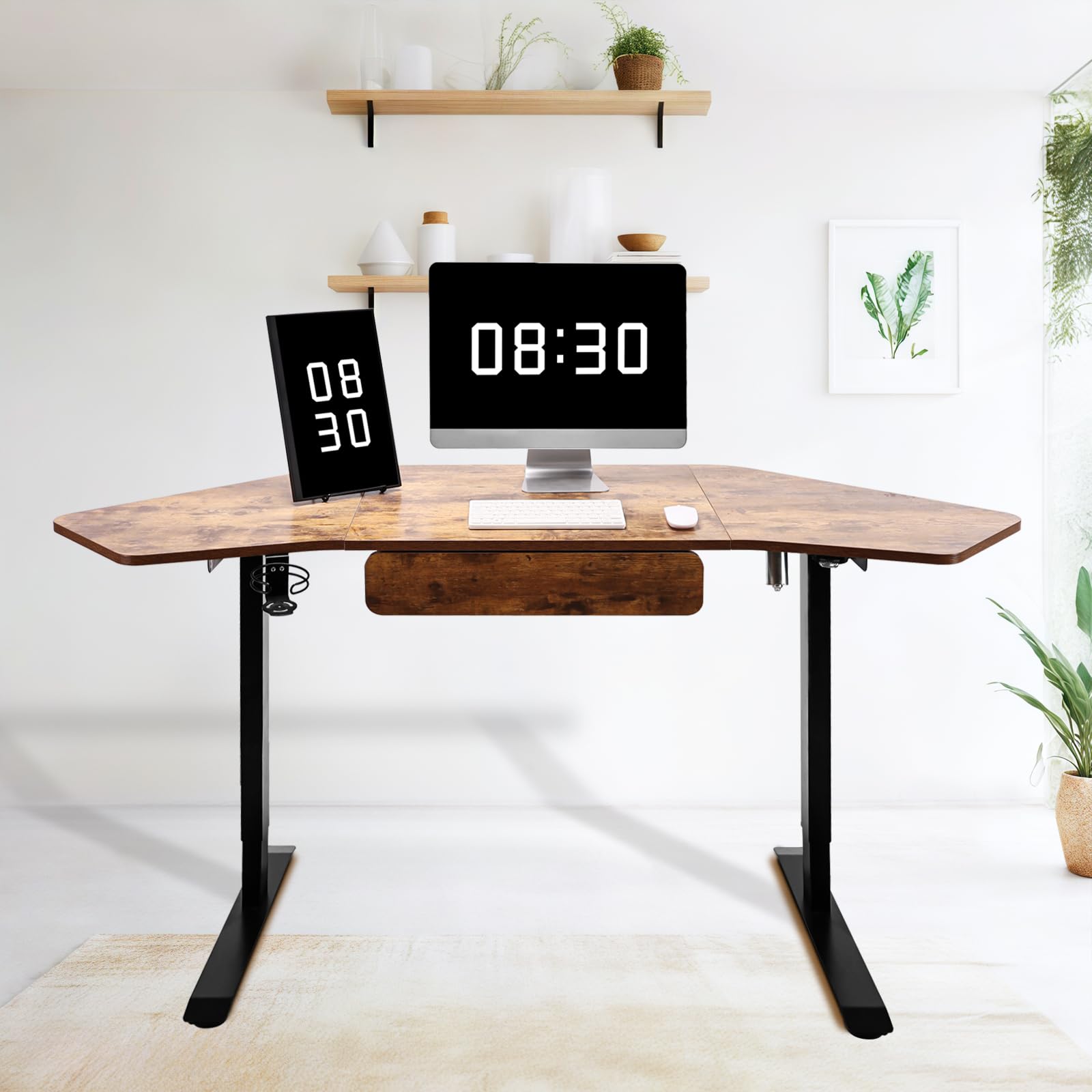
Image: The Fromann L-shaped standing desk illustrating its height adjustment range (27.5" to 47") and 180 lbs weight capacity.
6. Maintenance
- Cleaning: Wipe the desk surfaces with a soft, damp cloth. Avoid harsh chemicals or abrasive cleaners.
- Inspection: Periodically check all screws and connections to ensure they remain tight. Retighten if necessary.
- Cable Management: Ensure all cables are neatly managed and not interfering with the desk's movement or posing a tripping hazard.
- Motor Care: The electric motor is designed for durability. Avoid spilling liquids on the motor or control box.
7. Troubleshooting
| Problem | Possible Cause | Solution |
|---|---|---|
| Desk does not move | Power cable disconnected; Motor overload; Control box error. | Check power connections. Unplug and replug the desk. Reduce weight on the desk. Contact customer support if the issue persists. |
| Uneven height adjustment | Obstruction; Unbalanced load. | Clear any obstructions. Redistribute weight evenly on the desktop. Perform a reset (refer to specific handset instructions if available). |
| Noise during operation | Normal motor sound; Loose components. | A slight motor sound is normal. Check and tighten all assembly screws if excessive noise occurs. |
8. Specifications
- Brand: Fromann
- Model Number: 4.98.0305000
- Shape: L-Shape
- Desk Design: Standing Desk
- Product Dimensions (D x W x H): 23.6" x 71" x 27.5" (minimum height)
- Height Adjustment Range: 27.5" to 47"
- Maximum Weight Recommendation: 180 Pounds
- Base Material: Alloy Steel
- Top Material Type: Metal (with wood finish)
- Number of Drawers: 1
- Included Components: Cup Holder, Drawer
- Special Feature: Electric Height Adjustment
9. Warranty and Support
For warranty information, technical support, or replacement parts, please contact Fromann customer service through the retailer where the product was purchased. Keep your purchase receipt as proof of purchase.


