Introduction
This manual provides detailed instructions for the GOWENIC ME-MPP303 Stylus Active Pen. Designed for precision and ease of use, this stylus offers 4096 levels of pressure sensitivity and two customizable buttons, enhancing your digital writing and drawing experience on compatible devices.
Package Contents
Please verify that all items listed below are included in your package:
- 1 x GOWENIC ME-MPP303 Stylus Pen
- 2 x Replacement Pen Tips
- 1 x Instruction Book

Image: The GOWENIC ME-MPP303 Stylus Pen shown alongside its replacement tips and the battery compartment cap.
Specifications
| Feature | Detail |
|---|---|
| Stylus Model | ME-MPP303 |
| Material | Aluminum Alloy |
| Color | Deep Sky Gray |
| Pressure Sensitivity | 4096 Levels |
| Buttons | 2 Customizable Buttons |
| Battery Type | 1 x AAAA Alkaline Battery (Not Included) |
| Dimensions | Approximately 15 x 5 x 2 cm (Parcel Dimensions) |
| Weight | Approximately 30 g (Parcel Weight) |
Compatibility
The GOWENIC ME-MPP303 Stylus Active Pen is compatible with a range of devices. Please refer to the list below to ensure your device is supported:
- For ENVY 17 Aexxx series
- For ENVY X2 12 E0xx series
- For ENVY X2 12 G0xx series
- For ENVY X360 13z Ag0xxx series
- For ENVY X360 15 Ar0xxx series
- For ENVY X360 15 Bp0xx series
- For ENVY X360 15 Bq0xx series
- For ENVY X360 15 Cn0xxx series
- For ENVY X360 15 Cp0xxx series
- For ENVY X360 15 Dr0xxx series
- For ENVY X360 15 Ds0xxx series
- For Pavilion X360 11 Ap0xxx series
- For Pavilion X360 11m Ad0xx, 11 Ad0xx series
- For Pavilion X360 14 Dh0xxx series
- For Pavilion X360 14m Ba0xx, 14 Ba0xx series
- For Pavilion X360 14m Cd0xx series
- For Pavilion X360 15 Br0xx series
- For Pavilion X360 15 Cr0xx series
- For Pavilion X360 15 Dq0xxx series
- For Spectre Folio 13 Ak0xxx series
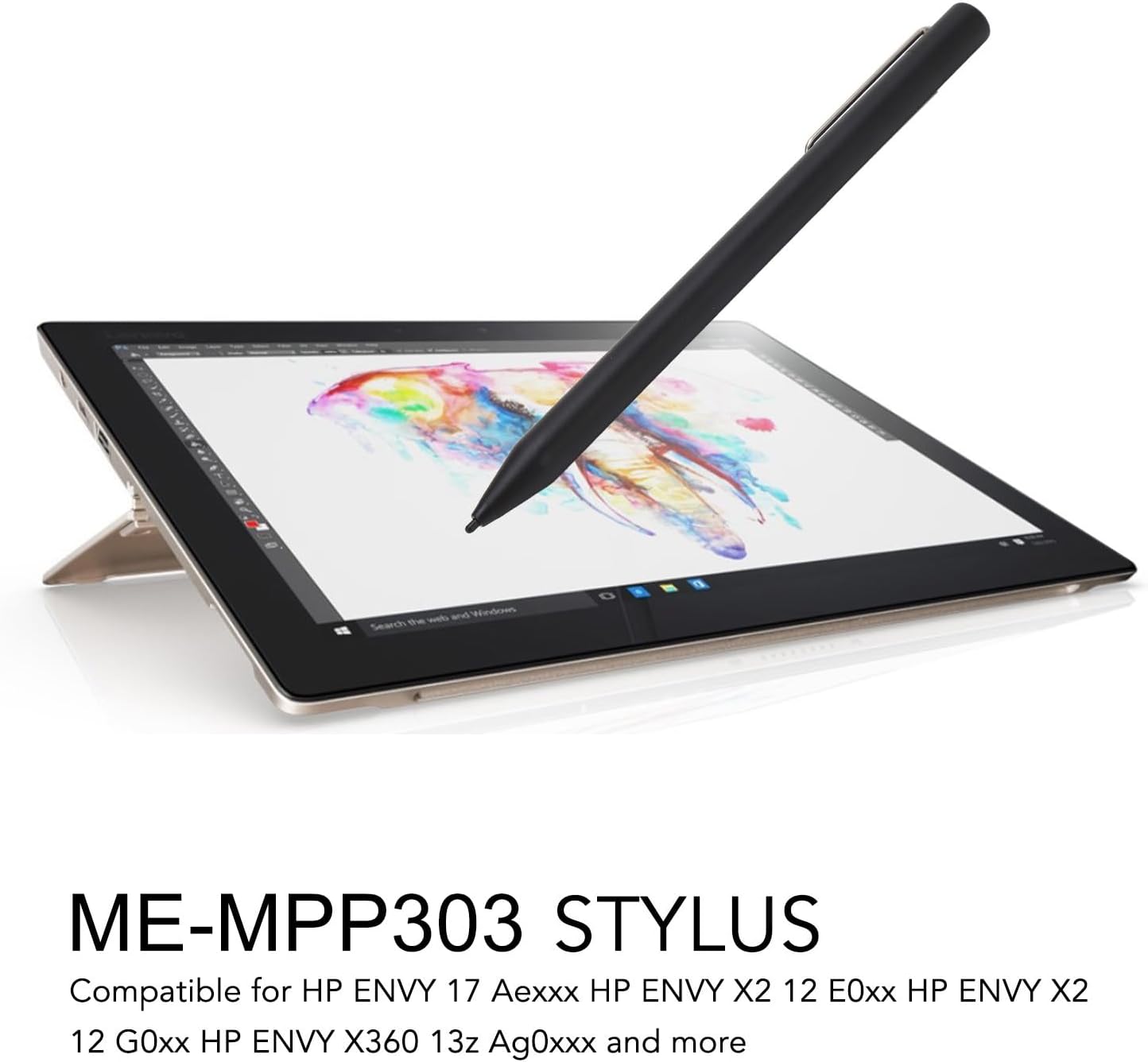
Image: The stylus being used on a tablet, demonstrating its application for creative tasks.

Image: The stylus positioned next to a laptop, illustrating its use with various compatible devices.
Setup
1. Battery Installation
- Unscrew the top cap of the stylus to reveal the battery compartment.
- Insert one AAAA alkaline battery (not included) into the compartment, ensuring correct polarity.
- Screw the top cap back on securely.
2. Initial Use
Once the battery is installed, the stylus is ready for direct use with compatible devices. No pairing or additional setup is typically required.
Operating Instructions
Using the Stylus
The GOWENIC ME-MPP303 Stylus is designed for intuitive use, mimicking the feel of a traditional pen on paper.
- Writing and Drawing: Simply touch the pen tip to the screen of your compatible device. The 4096 levels of pressure sensitivity allow for varied line thickness and shading based on the pressure applied.
- Customizable Buttons: The stylus features two personalized buttons. These buttons can be configured within your device's settings or specific applications to perform various functions, such as erasing, right-clicking, or launching shortcuts. Refer to your device's operating system or application settings for customization options.

Image: A user actively writing notes on a digital screen using the stylus, highlighting its precision.

Image: A hand demonstrating the use of the stylus for drawing on a graphic tablet, emphasizing its ergonomic design.

Image: A detailed view of the stylus tip and its two side buttons, illustrating their placement for easy access.
Maintenance
Replacing Pen Tips
Over time, the pen tip may wear down. Replace it with one of the provided spare tips to maintain optimal performance.
- Gently pull the old pen tip straight out from the stylus.
- Insert a new pen tip firmly into the stylus until it clicks into place.
Cleaning the Stylus
To clean the stylus, wipe it with a soft, dry, lint-free cloth. Avoid using harsh chemicals or abrasive materials.
Troubleshooting
Stylus Not Responding
- Check Battery: Ensure the AAAA battery is correctly installed and has sufficient charge. Replace the battery if necessary.
- Check Compatibility: Verify that your device is listed as compatible with the ME-MPP303 stylus.
- Restart Device: Sometimes, restarting your device can resolve connectivity issues.
- Check Pen Tip: Ensure the pen tip is securely inserted and not damaged. Replace if worn or broken.
Inaccurate or Intermittent Input
- Clean Screen: Ensure your device's screen is clean and free of smudges or debris.
- Replace Pen Tip: A worn tip can affect accuracy. Replace it with a new one.
- Environmental Factors: Strong electromagnetic interference can sometimes affect stylus performance. Try using the stylus in a different environment.
Warranty and Support
For warranty information and technical support, please refer to the documentation provided with your purchase or contact GOWENIC customer service. Keep your proof of purchase for any warranty claims.
