
1. Introduction
Thank you for choosing the Drchop X20 Solar Camping Fan. This portable fan is designed for both indoor and outdoor use, featuring a high-capacity 20000 mAh battery, a 10W solar charging panel, and an integrated LED lantern. This manual provides essential information for the safe and efficient operation, maintenance, and troubleshooting of your device. Please read it thoroughly before use.
Package Contents:
- 1 x Drchop X20 Solar Camping Fan
- 1 x Type-C USB Charging Cable
- 1 x Solar Panel
- 1 x User Manual
2. Product Overview and Features
The Drchop X20 is engineered for versatility and durability, providing cooling and illumination in various environments. Its robust design and multiple power options make it an ideal companion for camping, outdoor activities, or emergency situations.
Key Features:
- 20000 mAh High-Capacity Battery: Offers 15 to 60 hours of continuous operation depending on fan speed.
- 10W Solar Charging Panel: Provides sustainable power outdoors and can serve as an emergency charger for other devices.
- Type-C USB Charging: Fast and efficient charging via a standard USB-C cable.
- High-Speed Brushless Motor: Delivers powerful airflow with minimal noise.
- 3-Level LED Lantern: Adjustable brightness for various lighting needs.
- 270° Adjustable Fan Head: Manually rotate the fan head to direct airflow.
- Foldable Hook: Allows for hanging the fan in tents, on branches, or other structures.
- Split Design: The detachable solar panel can be positioned for optimal sun exposure while the fan remains in a shaded area, preventing overheating and extending battery life.
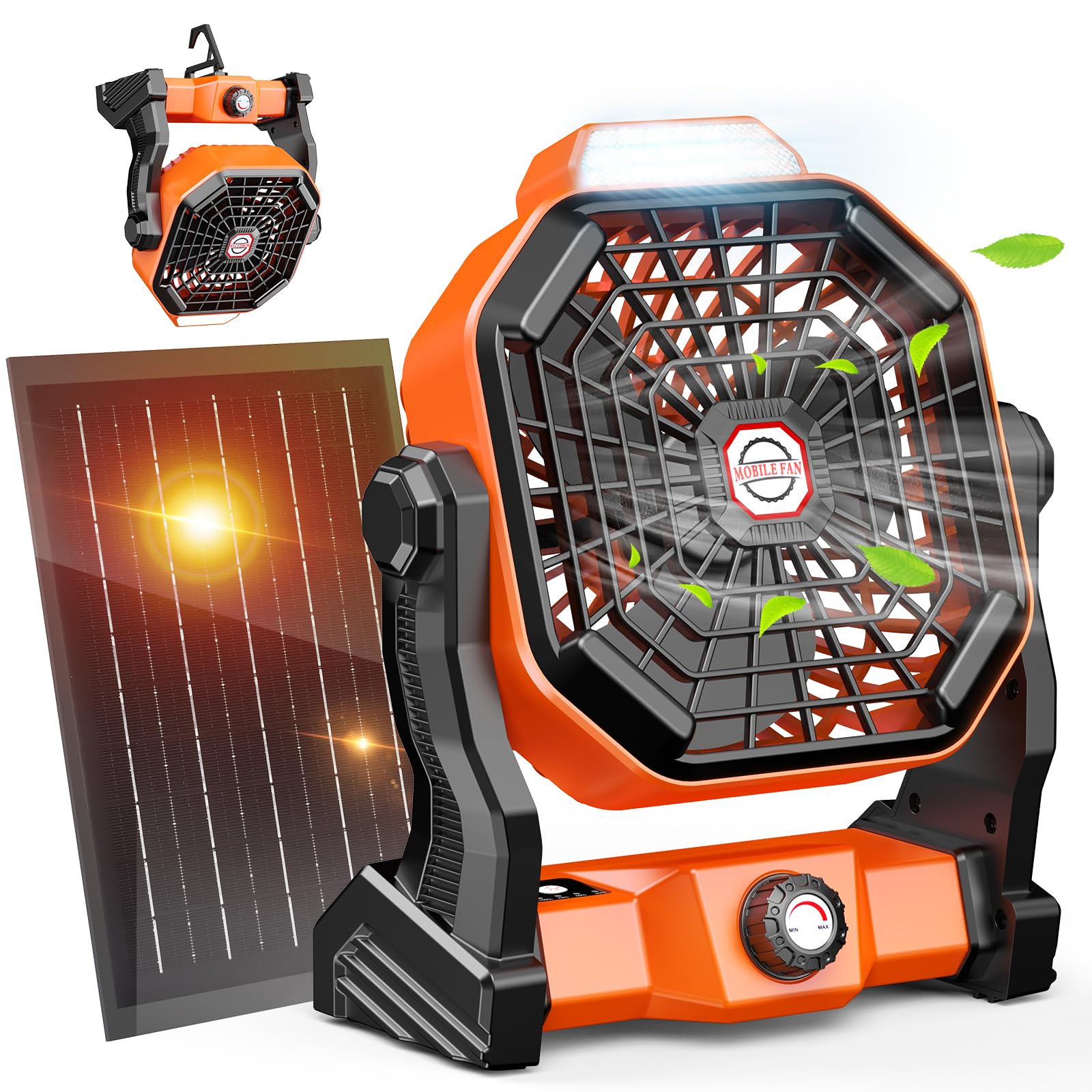
Figure 1: Drchop X20 Solar Camping Fan. This image shows the main unit of the fan, highlighting its compact and portable design with the integrated LED light and fan blades.
3. Setup
3.1 Initial Charging
Before first use, fully charge the fan's internal battery using the provided Type-C USB cable. Connect the cable to the fan's Type-C port and plug the other end into a 5V/2A USB power adapter (not included) or a compatible USB port. A full charge typically takes 6-8 hours.

Figure 2: Indoor and Outdoor Charging Methods. This image illustrates both Type-C USB wall charging and solar panel charging for the fan, demonstrating its versatile power options.
3.2 Connecting the Solar Panel
The external solar panel connects to the fan via a dedicated port. For optimal charging, place the solar panel in direct sunlight. The split design allows you to place the fan in a shaded area while the solar panel is exposed to the sun, which helps prevent the fan's battery from overheating and prolongs its lifespan.

Figure 3: High-efficiency Solar Panels. This image shows the solar panel connected to the fan, placed outdoors in sunlight, emphasizing its role as an emergency charging station.
3.3 Placement Options
- Tabletop: Place the fan on any flat, stable surface.
- Hanging: Utilize the foldable hook to hang the fan from tent poles, ropes, or tree branches. Ensure the hanging point is secure.

Figure 4: Hang and Stand Usage Methods. This image demonstrates the fan being used both freestanding on a table and hanging from above, showcasing its flexible placement options.
4. Operating Instructions
4.1 Powering On/Off and Fan Speed Adjustment
Locate the rotary knob on the front of the fan. Rotate the knob clockwise to turn the fan on and gradually increase the fan speed. Rotate counter-clockwise to decrease speed and turn the fan off. The fan offers continuously variable speed settings.

Figure 5: Brushless High-Speed Motor. This image illustrates the internal components of the fan, highlighting the brushless motor and turbine-structured blades that provide strong, low-noise airflow.
4.2 LED Lantern Operation
The fan is equipped with an integrated LED lantern. Press the dedicated light button (usually located near the fan control knob) to cycle through the three brightness levels: Low, Medium, and High. Press again to turn the light off.

Figure 6: 3-Level Adjustable Lighting. This image shows the fan's integrated LED light operating at three different brightness levels (Lv.1, Lv.2, Lv.3) inside a tent, demonstrating its utility as a lantern.
4.3 Adjusting Fan Head Angle
The fan head can be manually rotated up to 270 degrees. Gently tilt the fan head to your desired angle to direct the airflow.
4.4 Power Bank Functionality
The fan's 20000 mAh battery can also be used to charge other small electronic devices, such as smartphones or tablets, via its USB output port. Connect your device using a compatible USB cable.
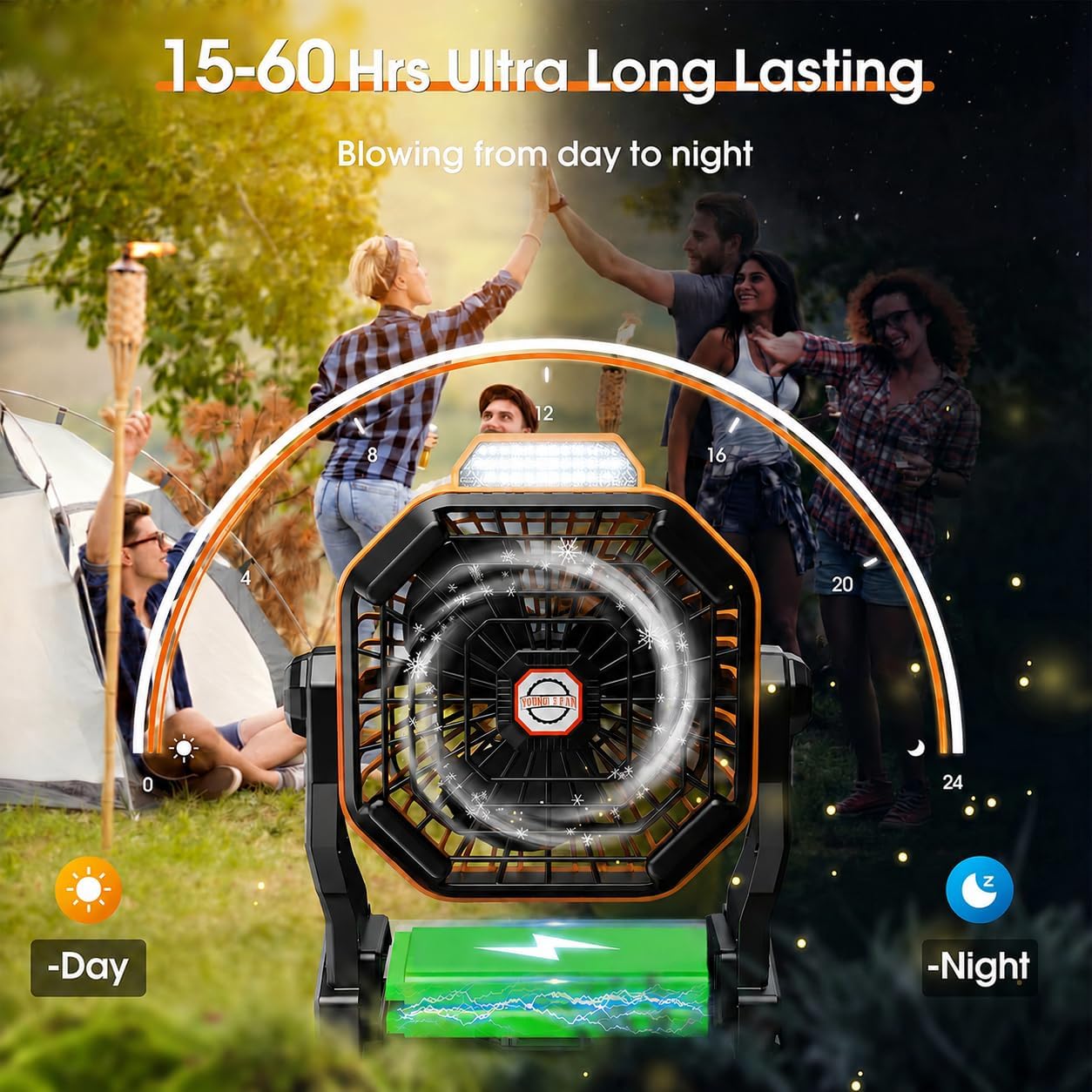
Figure 7: 15-60 Hours Ultra Long Lasting Battery. This image visually represents the fan's long battery life, showing it operating from day to night in a camping setting, indicating its endurance.
5. Maintenance
5.1 Cleaning
- Ensure the fan is turned off and unplugged before cleaning.
- Wipe the exterior of the fan and solar panel with a soft, dry cloth.
- For stubborn dirt, a slightly damp cloth can be used, followed by immediate drying.
- Do not use abrasive cleaners, solvents, or immerse the fan in water.
5.2 Battery Care
- To prolong battery life, avoid fully discharging the battery frequently.
- Charge the fan regularly, even if not in use, to maintain battery health.
- Store the fan in a cool, dry place when not in use for extended periods.
5.3 Storage
When storing the fan, ensure it is clean and fully charged. Keep it in a protective bag or box to prevent dust accumulation and physical damage.
6. Troubleshooting
| Problem | Possible Cause | Solution |
|---|---|---|
| Fan does not turn on. | Battery is depleted. | Charge the fan using the Type-C USB cable or solar panel. |
| Fan does not charge. | Charging cable or adapter faulty. Solar panel not in direct sunlight. | Try a different Type-C USB cable and power adapter. Ensure the solar panel is positioned in direct sunlight. |
| LED light does not work. | Battery is depleted. Light button not pressed correctly. | Charge the fan. Press the light button firmly to cycle through modes. |
| Weak airflow. | Fan speed set too low. Obstruction in front/back of fan. | Increase fan speed using the rotary knob. Clear any obstructions around the fan. |
7. Specifications
| Feature | Specification |
|---|---|
| Model Number | X20 |
| Brand | Drchop |
| Battery Capacity | 20000 mAh |
| Operating Time | 15 - 60 hours (depending on speed) |
| Type-C Charge Time | Approx. 6 - 8 hours (with 5V/2A adapter) |
| Solar Panel Power | 10 Watts |
| Motor Operating Voltage | 5 V |
| Motor Operating Current | 2 A |
| Charging Interface | Type-C USB |
| Product Dimensions (L x W x H) | 9.14 x 20.29 x 25.4 cm (3.6 x 8.0 x 10 inches) |
| Item Weight | 1.11 Kilograms (2.45 lbs) |
| Electric Fan Design | Table Fan |
| Power Source | Battery Powered |
| Special Features | LED Light, Solar Panel, Portable |
| Mounting Type | Tabletop and Hanging |
| Controller Type | Button Control (for light), Rotary Knob (for fan) |
| Material | Plastic |
| Number of Speeds | Variable (3 power levels) |
| Noise Level | 45 Decibels |
| Number of Blades | 3 |
| Usage | Outdoor or Indoor |
| Wireless | Yes |
8. Warranty and Support
For warranty information, please refer to the documentation included with your purchase or visit the official Drchop website. If you encounter any issues or require technical assistance, please contact Drchop customer support through the retailer where the product was purchased or via the contact information provided on the official Drchop website.