
1. Introduction
Thank you for purchasing the T&G TG-516 Portable Bluetooth Speaker. This device is designed for high-quality audio playback and portability, featuring Bluetooth 5.3 connectivity, TF card and USB drive support, FM radio, and a built-in microphone for hands-free calls. Its waterproof design makes it suitable for various environments. Please read this manual carefully to ensure proper use and to maximize your speaker's performance.
2. Product Features
- Portable and Lightweight: Designed for easy transport and use on the go.
- Bluetooth 5.3 Connectivity: Provides a stable and fast wireless connection up to 10 meters.
- Multiple Playback Modes: Supports TF (Micro SD) cards, USB drives, FM radio, and AUX input.
- Hands-Free Calling: Built-in microphone allows for answering calls directly through the speaker.
- TWS Function: Connect two TG-516 speakers wirelessly for enhanced stereo sound.
- Waterproof Design: IPX5 rating protects against splashes and light rain, making it suitable for outdoor activities.
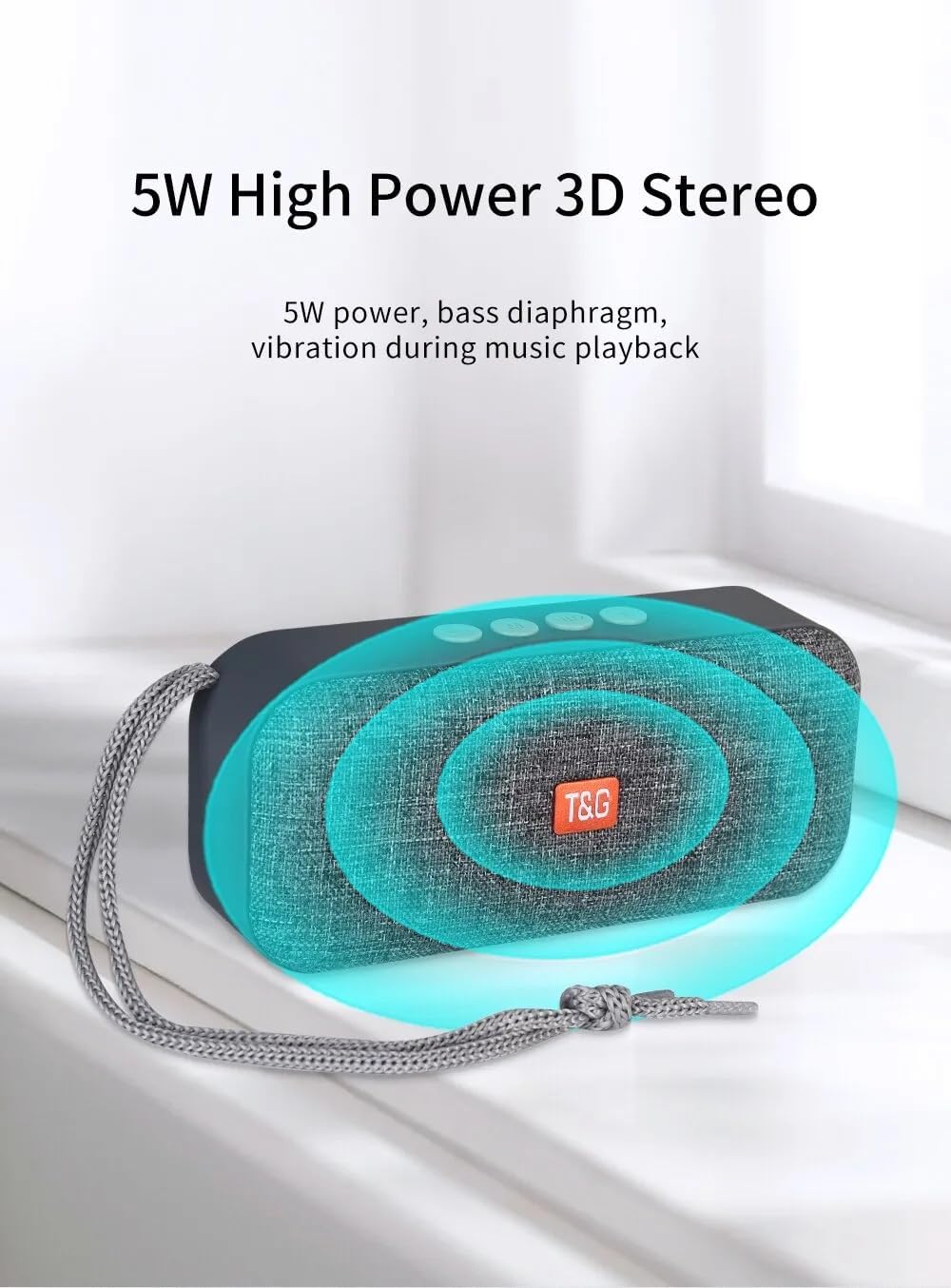
- 5W High Power 3D Stereo: Delivers clear audio with a bass diaphragm for enhanced sound.
- Long-lasting Battery: Integrated 500mAh battery provides approximately 1 hour of playback at moderate volume.

3. Package Contents
- 1 x T&G TG-516 Portable Bluetooth Speaker
- 1 x USB Charging Cable
4. Device Layout and Controls

- Volume Down / Previous Track: Short press for previous track (in music mode), long press to decrease volume.
- Mode Switch: Short press to switch between modes (USB drive, TF card, FM radio, Bluetooth, LINE IN). Long press for hard searching in FM mode.
- Play/Pause / Call Control: Short press to play/pause music. In Bluetooth mode, short press to answer a call, long press to end a call. In FM mode, short press to automatically search for radio stations, and short press during search to cancel.
- Volume Up / Next Track: Short press for next track (in music mode), long press to increase volume.
- ON/OFF Switch: Power button.
- DC 5V Power Interface: Micro USB charging port.
- TF Card Input Interface: Decodes MP3 format audio playback when a TF card is inserted.
- AUX Input Interface: 3.5mm audio jack for external audio input.
- USB Drive Input Interface: Decodes MP3 format audio playback when a USB drive is inserted.
5. Setup and Initial Use
5.1 Charging the Speaker
Before first use, fully charge the speaker. Connect the provided USB charging cable to the DC 5V power interface (6) on the speaker and the other end to a USB power source (e.g., computer, USB wall adapter). The charging indicator light will illuminate during charging and turn off when fully charged.

5.2 Powering On/Off
To power on the speaker, slide the ON/OFF switch (5) to the "ON" position. To power off, slide it to the "OFF" position.
5.3 Bluetooth Pairing
- Ensure the speaker is powered on and in Bluetooth mode (indicated by a flashing blue light). If not, short press the Mode Switch button (2) until it enters Bluetooth mode.
- On your mobile device (smartphone, tablet, etc.), enable Bluetooth and search for available devices.
- Select "TG-516" from the list of devices.
- Once paired, the speaker will emit a confirmation sound, and the blue light will stop flashing.

5.4 TWS (True Wireless Stereo) Pairing
To connect two TG-516 speakers for a stereo experience:
- Ensure both TG-516 speakers are powered on and in Bluetooth mode, but not yet paired with any device.
- On one of the speakers (this will be the primary speaker), long press the Play/Pause button (3) for a few seconds until you hear a pairing tone.
- The two speakers will automatically connect to each other. Once connected, you will hear a confirmation sound.
- Now, pair your mobile device with the primary speaker as described in section 5.3. Audio will play through both speakers in stereo.

6. Operating Instructions
6.1 Switching Playback Modes
Short press the Mode Switch button (2) to cycle through available modes: Bluetooth, TF Card, USB Drive, FM Radio, and AUX Input. The speaker will announce the current mode.
6.2 Music Playback
- Play/Pause: Short press the Play/Pause button (3).
- Next Track: Short press the Volume Up / Next Track button (4).
- Previous Track: Short press the Volume Down / Previous Track button (1).
- Volume Adjustment: Long press the Volume Up / Next Track button (4) to increase volume. Long press the Volume Down / Previous Track button (1) to decrease volume.
6.3 FM Radio Operation
- Switch to FM Radio mode using the Mode Switch button (2).
- For better reception, connect the USB charging cable to the speaker; it acts as an antenna.
- Automatic Station Search: Short press the Play/Pause button (3) to start an automatic search for radio stations. The speaker will scan and save available stations. Short press again during the search to cancel.
- Navigate Stations: Short press the Volume Up / Next Track button (4) or Volume Down / Previous Track button (1) to switch between saved stations.
6.4 Hands-Free Calling
When connected via Bluetooth to your phone:
- Answer Call: Short press the Play/Pause button (3) when an incoming call rings.
- End Call: Long press the Play/Pause button (3) during a call to end it.
- Reject Call: Long press the Play/Pause button (3) when an incoming call rings to reject it.

7. Maintenance
- Cleaning: Use a soft, dry cloth to clean the speaker. Do not use harsh chemicals or abrasive cleaners.
- Water Resistance: The speaker is IPX5 waterproof, meaning it is protected against low-pressure water jets from any direction. Do not submerge the speaker in water or expose it to heavy rain for extended periods. Ensure all port covers are securely closed before exposure to water.
- Battery Care: To prolong battery life, avoid fully discharging the speaker frequently. Charge it regularly, even if not in use for extended periods. Store in a cool, dry place.
- Storage: When not in use, store the speaker in a cool, dry place away from direct sunlight and extreme temperatures.
8. Troubleshooting
| Problem | Possible Cause | Solution |
|---|---|---|
| Speaker does not turn on. | Battery is depleted. | Charge the speaker using the provided USB cable. |
| Cannot pair via Bluetooth. | Speaker is not in pairing mode or too far from device. | Ensure speaker is in Bluetooth mode (flashing blue light). Move speaker closer to your device. Turn off and on Bluetooth on your device. |
| No sound. | Volume is too low or muted. Incorrect mode selected. | Increase volume on both speaker and connected device. Ensure correct playback mode (Bluetooth, TF, USB, AUX) is selected. |
| Poor FM radio reception. | No antenna connected or weak signal. | Connect the USB charging cable to the speaker; it acts as an antenna. Try moving to a location with better signal. |
| TWS pairing fails. | Speakers already paired to a device or not in TWS pairing mode. | Ensure both speakers are not connected to any device. Follow TWS pairing steps carefully (Section 5.4). |
9. Specifications
| Model: | TG-516 |
| Bluetooth Version: | V5.3 |
| Wireless Distance: | Up to 10 meters (33 feet) |
| Speaker Size: | 5.2 cm (Woofer) |
| Output Power: | 5 Watts |
| Frequency Response: | 50 Hz - 20 KHz |
| Signal-to-Noise Ratio: | ≥ 85 dB |
| Battery: | 3.7 V, 500 mAh |
| Playback Time (moderate volume): | Approximately 1 hour |
| Dimensions: | 145 mm x 46.5 mm x 66 mm (5.7 x 1.8 x 2.6 inches) |
| Weight: | 210 grams (0.46 lbs) |
| Waterproof Rating: | IPX5 |
| Supported Media: | Bluetooth, TF Card, USB Drive, AUX, FM Radio |
10. Warranty and Support
The T&G TG-516 Portable Bluetooth Speaker comes with a manufacturer's warranty. Please refer to your purchase documentation or contact your retailer for specific warranty terms and conditions. For technical support or further assistance, please contact the vendor or manufacturer directly.


