Introduction
The NADRQQE 9-in-1 Multi-Tool Pen is a versatile and compact instrument designed to assist with various everyday tasks. This manual provides comprehensive instructions for the proper setup, operation, and maintenance of your multi-tool pen, ensuring optimal performance and longevity.
Your multi-tool pen integrates the following functions:
- Ballpoint Pen
- LED Light
- Stylus Pen
- Flat Head Screwdriver (2mm)
- Phillips Screwdriver (2.5mm)
- Bubble Level
- Metric & Inch Ruler
- Bottle Opener
- Phone Stand
Setup
Unpacking and Initial Inspection
Upon receiving your NADRQQE 9-in-1 Multi-Tool Pen, carefully remove it from its packaging. Inspect the pen for any visible damage. Ensure all included accessories are present: 4 extra ink refills and 6 extra LR44 batteries.
LED Light Battery Activation/Installation
The LED light typically comes with batteries pre-installed, often with a small plastic tab to prevent discharge. If the light does not activate, follow these steps:
- Unscrew the top section of the pen where the LED light is located.
- Remove any protective plastic tab from the battery compartment.
- Insert three LR44 batteries with the correct polarity (+/-).
- Securely screw the top section back onto the pen.

Image: Detailed view of the LED light and screwdriver components.
Operating Instructions
1. Ballpoint Pen
To use the ballpoint pen, simply twist the lower barrel of the pen to extend or retract the writing tip. The pen is designed for a smooth writing experience.
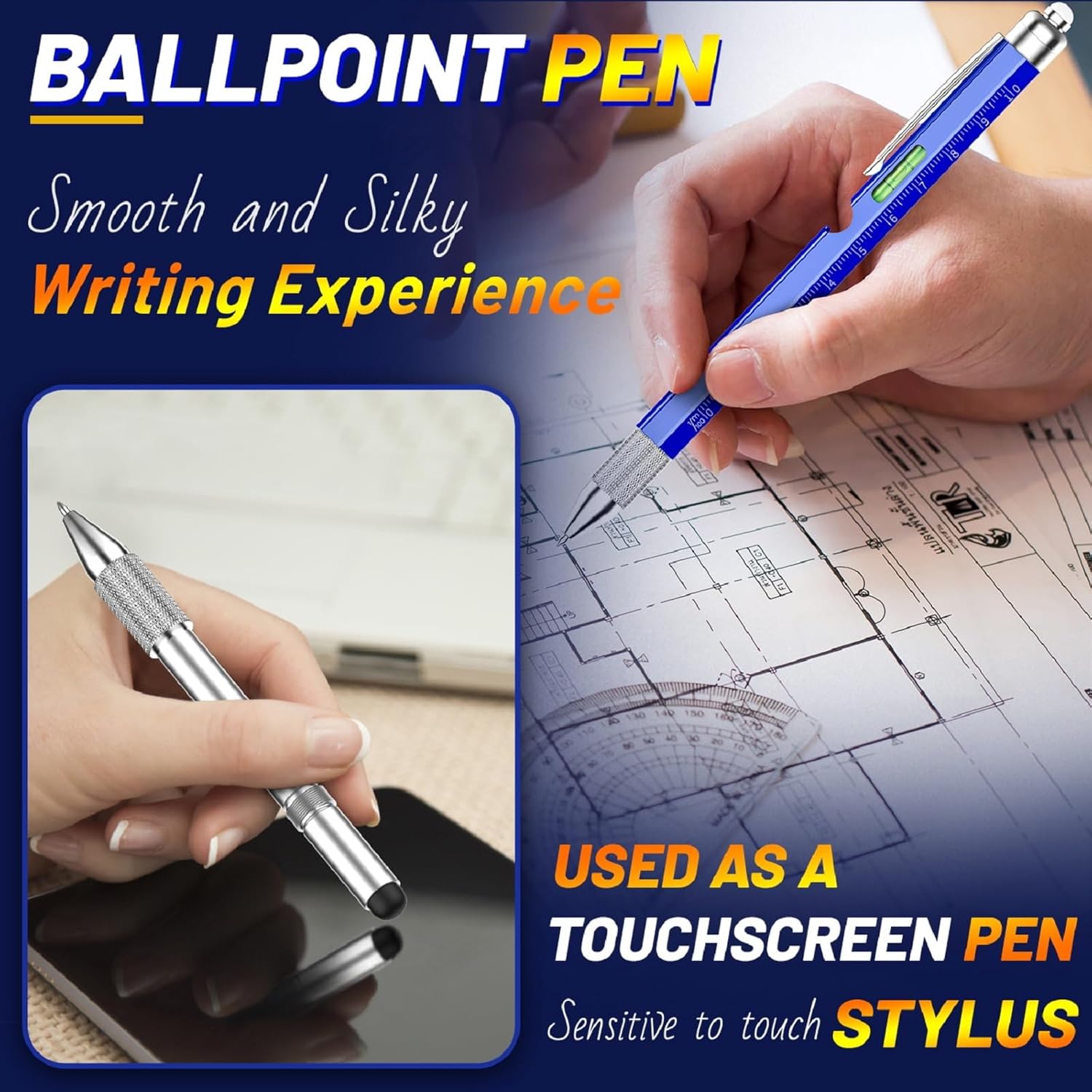
Image: Demonstrating the ballpoint pen and stylus functions.
2. LED Light
Press the button located at the very top of the pen to turn the LED light on or off. This provides illumination for dark areas or when writing in low light conditions.
3. Stylus Pen
The stylus tip is located at the end of the pen, opposite the ballpoint. It can be used for precise navigation, drawing, or typing on touchscreens, reducing fingerprints and improving accuracy.
4. Flat Head Screwdriver (2mm) & 5. Phillips Screwdriver (2.5mm)
The reversible screwdriver bit is concealed under the stylus cap. To access it:
- Unscrew the stylus cap from the pen body.
- Carefully remove the screwdriver bit. It has a Phillips head on one end and a flat head on the other.
- Insert the desired screwdriver head into the pen's tip.
- After use, return the bit to its storage position and re-attach the stylus cap.
Image: Demonstrating the LED light and screwdriver functions.
6. Bubble Level
The integrated bubble level is located on the side of the pen barrel. Place the pen on a surface to check if it is level. The bubble indicator will center between the two lines when the surface is perfectly horizontal.

Image: Using the bubble level and ruler features of the pen.
7. Metric & Inch Ruler
Both metric (centimeters) and imperial (inches) rulers are printed along the body of the pen. Use these for quick measurements.
8. Bottle Opener
The bottle opener is integrated into the pen's design. Position the opener under the cap of a bottle and apply leverage to remove the cap.
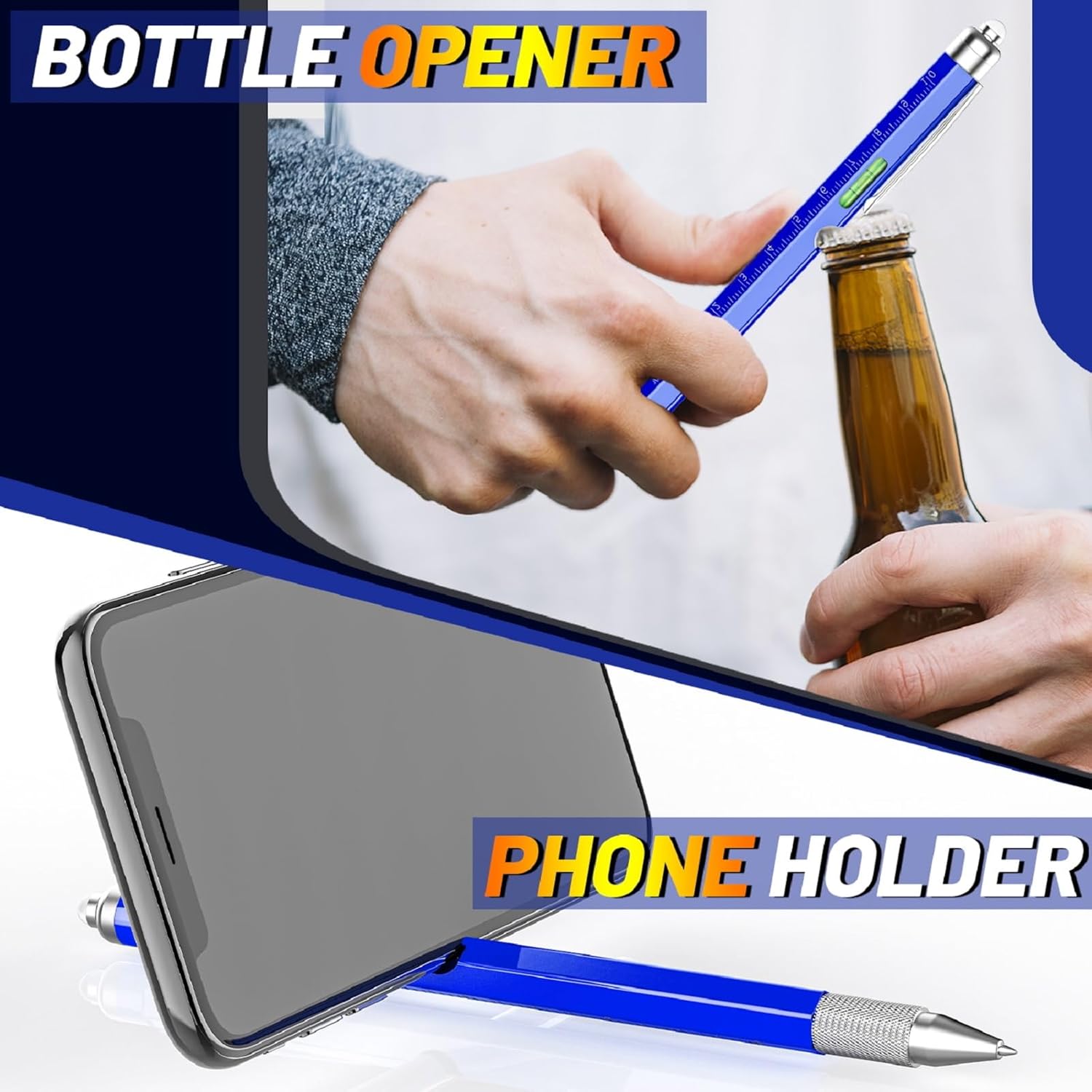
Image: Demonstrating the bottle opener and phone stand functions.
9. Phone Stand
The pen can be used as a temporary phone stand. Position your phone in the groove of the pen to prop it up for hands-free viewing.
Maintenance
Ink Refill Replacement
When the pen's ink runs out or becomes inconsistent, replace the ink refill:
- Unscrew the pen barrel to separate the upper and lower sections.
- Carefully remove the old ink refill.
- Insert a new ink refill (4 extra refills are provided).
- Screw the pen barrel back together securely.
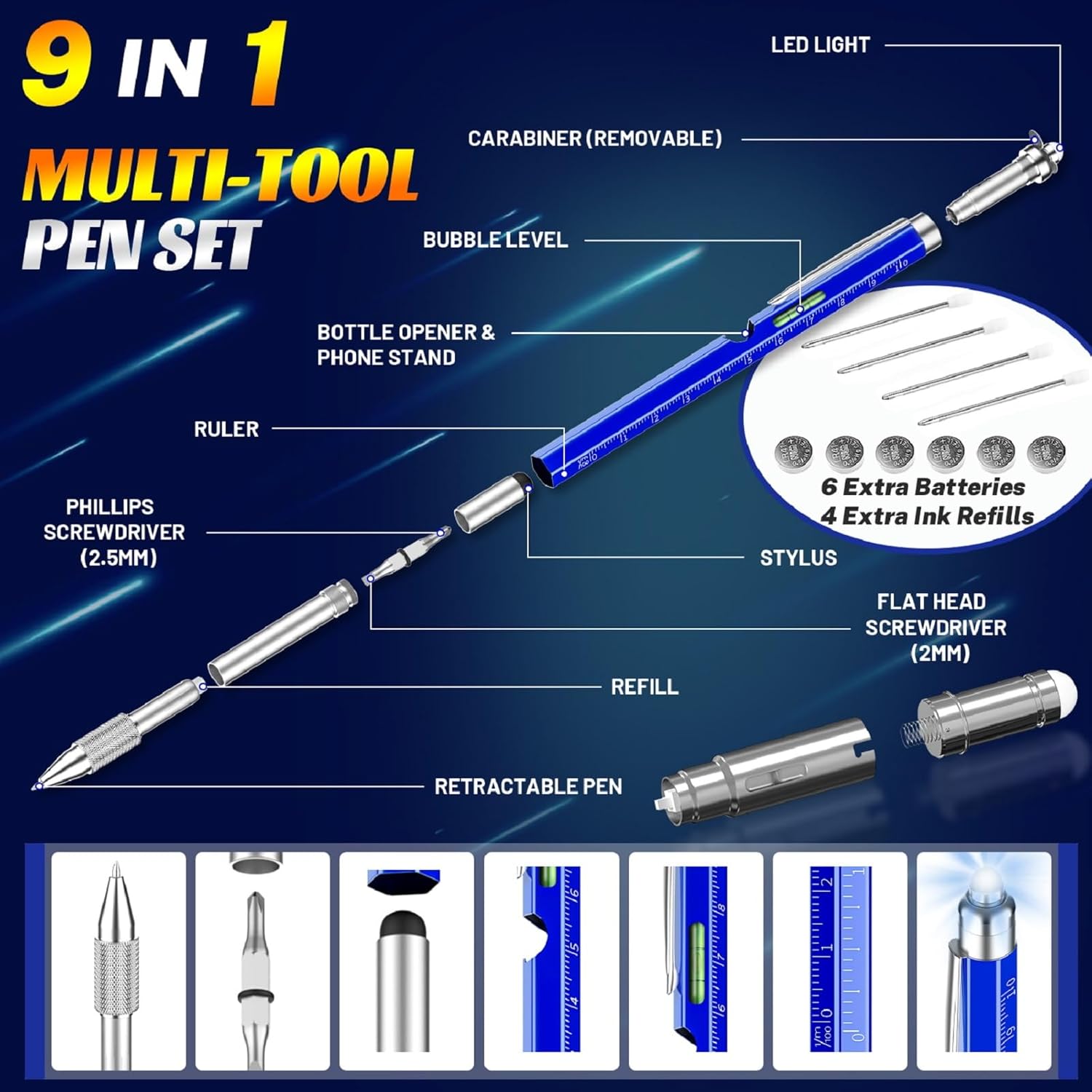
Image: Exploded view of the multi-tool pen, highlighting the refill and battery locations.
LED Light Battery Replacement
If the LED light dims or stops working, replace the batteries:
- Unscrew the top section of the pen where the LED light is located.
- Remove the old LR44 batteries.
- Insert three new LR44 batteries, ensuring correct polarity. (6 extra batteries are provided).
- Securely screw the top section back onto the pen.
Cleaning
Wipe the pen with a soft, dry cloth to remove dust or smudges. Avoid using harsh chemicals or abrasive materials that could damage the finish.
Troubleshooting
LED Light Not Working
- Check Batteries: Ensure the LR44 batteries are correctly installed with the proper polarity and are not depleted. Replace if necessary.
- Protective Tab: Verify that any protective plastic tab has been removed from the battery compartment.
- Connection: Ensure the top section is screwed on tightly to establish proper electrical contact.
Pen Not Writing Smoothly or Ink Skipping
- Ink Level: The ink refill may be empty. Replace with a new refill.
- Tip Clog: Gently try writing on a scrap piece of paper to dislodge any dried ink.
- Refill Installation: Ensure the ink refill is properly seated within the pen barrel.
Screwdriver Bit Difficult to Remove or Insert
- Alignment: Ensure the bit is aligned correctly with the hexagonal opening.
- Force: Avoid excessive force. If the bit is stuck, try gently wiggling it while pulling.
- O-ring: Check if the O-ring on the bit is properly seated and not obstructing insertion/removal.
Specifications
| Brand | NADRQQE |
| Model Number | NADRQQE68 |
| Item Weight | 2.39 ounces |
| Package Dimensions | 7.4 x 2.52 x 0.67 inches |
| Batteries | 1 LR44 required (included), 6 extra provided |
| Ink Color | Blue (4 extra refills provided) |
| Line Size | 0.5mm |
| Material | Aluminum Iron |
| Functions | Ballpoint Pen, LED Light, Stylus, Flat Head Screwdriver (2mm), Phillips Screwdriver (2.5mm), Bubble Level, Metric & Inch Ruler, Bottle Opener, Phone Stand |
Warranty and Support
For warranty information, technical support, or any inquiries regarding your NADRQQE 9-in-1 Multi-Tool Pen, please refer to the seller or manufacturer's official website or contact their customer service directly. Contact details are typically provided with your purchase documentation or on the product packaging.