

Introduction
The Audionic Airbud 425 are advanced wireless earbuds designed to provide a superior audio experience. Featuring Quad Microphones and Environmental Noise Cancellation (ENC) technology, these earbuds ensure crystal-clear calls and immersive sound. With a dedicated Gaming Mode, they offer low latency for an enhanced gaming experience. They are also IPx4 water-resistant, making them suitable for various activities.

The Audionic Airbud 425 earbuds in their charging case.
Package Contents
Please check the box for the following items:
- Audionic Airbud 425 Earbuds (Left and Right)
- Wireless Charging Case
- Type-C Charging Cable
- Ear Cushions (various sizes)
- User Manual
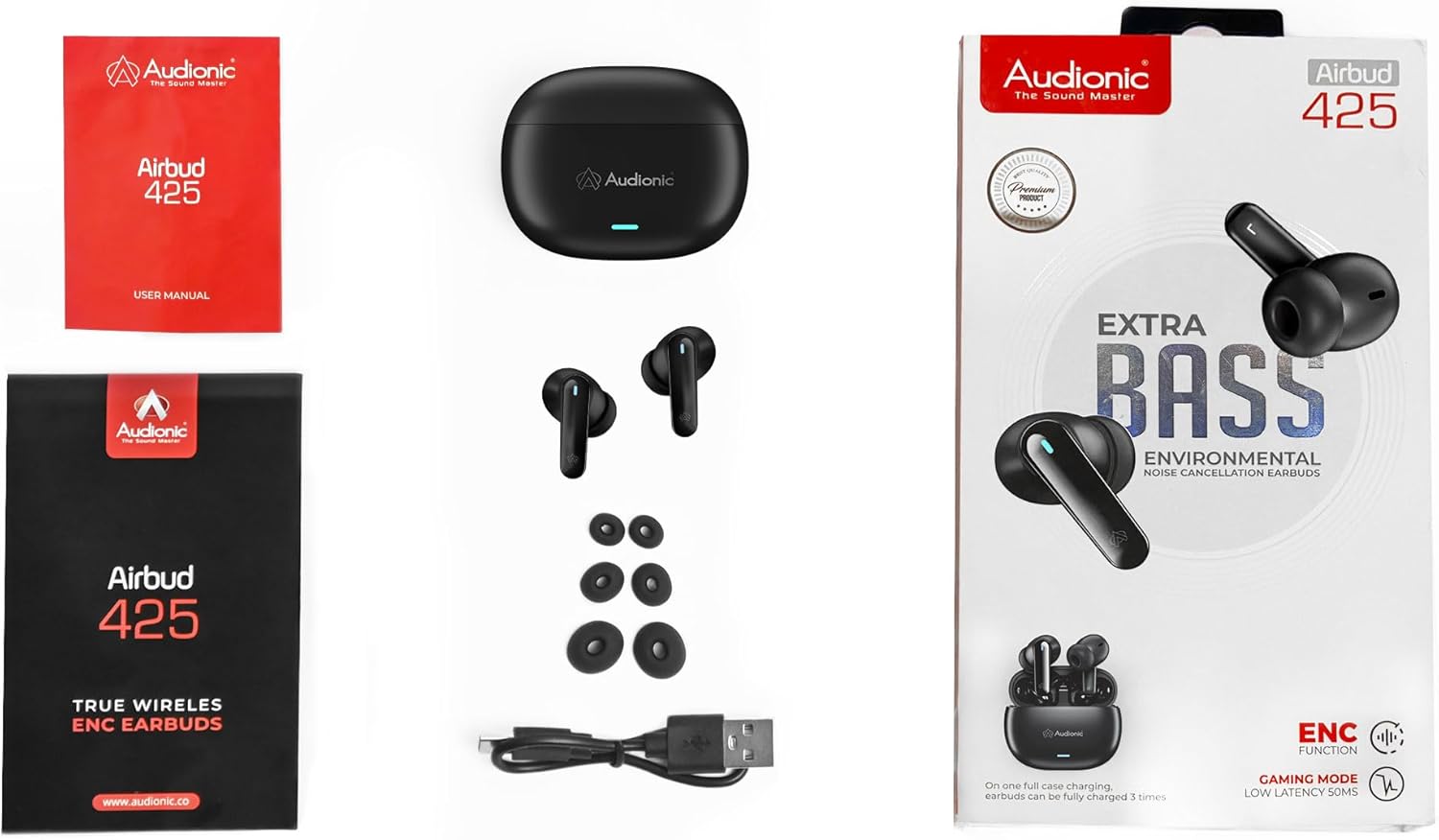
All components included in the Audionic Airbud 425 package.
Charging the Earbuds and Case
Before first use, fully charge the earbuds and the charging case. A full charge provides up to 7 hours of playtime for the earbuds, with the 300mAh battery case extending total playtime significantly.
Charging the Case:
- Connect the provided Type-C USB cable to the charging port on the back of the case.
- Plug the other end of the cable into a USB power adapter (not included) or a computer's USB port.
- The indicator light on the case will show charging status. It will turn solid when fully charged.
Charging the Earbuds:
- Place the earbuds into their respective slots in the charging case. Ensure the charging contacts align.
- Close the lid of the charging case. The earbuds will automatically begin charging.
- The indicator lights on the earbuds (if present) or the case will indicate charging status.

The Audionic Airbud 425 charging case connected via USB-C cable for fast charging.
Pairing and Connection
Follow these steps to pair your Audionic Airbud 425 with your device:
- Initial Pairing: Open the charging case. The earbuds will automatically enter pairing mode, indicated by a flashing light on the earbuds.
- Activate Bluetooth: On your smartphone or other Bluetooth-enabled device, go to the Bluetooth settings and turn on Bluetooth.
- Select Device: Look for "Audionic Airbud 425" (or similar name) in the list of available devices and select it to connect.
- Confirmation: Once connected, the earbud indicator lights will stop flashing, and you may hear an audible confirmation.
- Automatic Reconnection: After the initial pairing, the earbuds will automatically connect to the last paired device when taken out of the case, provided Bluetooth is enabled on the device.
Controls and Functions
The Audionic Airbud 425 features intuitive touch controls on each earbud.
Touch Controls:
- Play/Pause: Single tap on either earbud.
- Next Track: Double tap on the right earbud.
- Previous Track: Double tap on the left earbud.
- Answer/End Call: Single tap on either earbud during an incoming call.
- Reject Call: Press and hold either earbud for 2 seconds during an incoming call.
- Activate Voice Assistant: Triple tap on either earbud.
Gaming Mode:
The Audionic Airbud 425 includes a dedicated Gaming Mode for ultra-low latency audio, crucial for competitive gaming. To activate/deactivate Gaming Mode, refer to your specific model's touch control instructions (often a long press or specific tap sequence).
Voice Assistant:
Access your device's voice assistant (Siri, Google Assistant, etc.) by triple tapping on either earbud. This allows for hands-free control of your device.
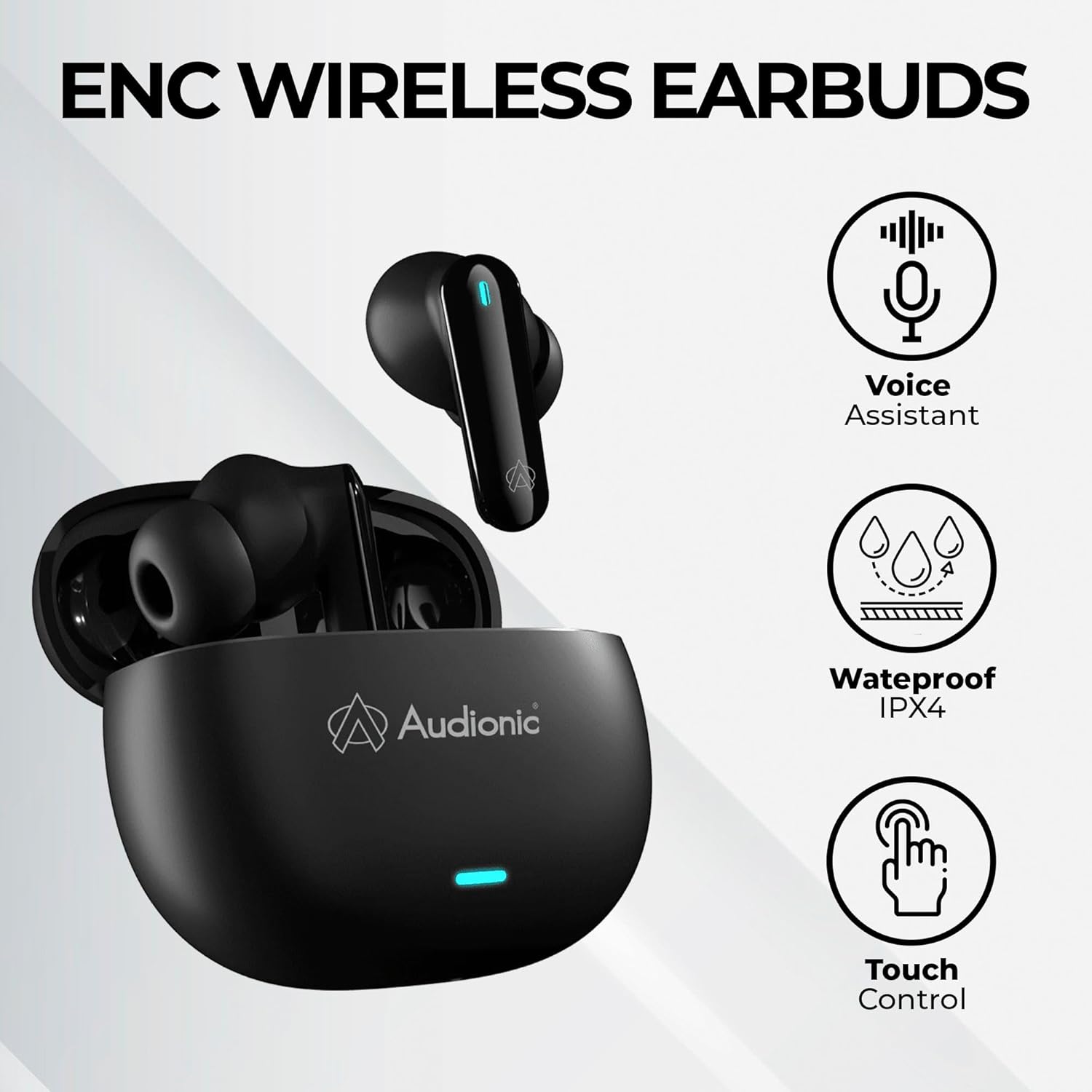
Key features of the Audionic Airbud 425: Voice Assistant, IPx4 Waterproof, and Touch Control.
Wearing the Earbuds
For optimal sound quality and comfort, ensure the earbuds are properly seated in your ears.
- Choose the Right Ear Tips: Experiment with the included ear cushion sizes to find the best fit for your ears. A good seal is essential for bass response and noise isolation.
- Insert and Twist: Gently insert each earbud into your ear canal and twist slightly to secure it in place. The curved surface and angle are designed to conform to the ear's structure.
- Comfort Check: The earbuds should feel snug but not uncomfortable. If they feel loose or cause discomfort, try a different size ear tip.

The Audionic Airbud 425 are designed for a comfortable and stable wearing experience.
Maintenance and Care
Proper care will extend the lifespan of your Audionic Airbud 425 earbuds.
- Cleaning: Regularly clean the earbuds and charging case with a soft, dry, lint-free cloth. Do not use harsh chemicals or abrasive materials. Gently remove any earwax or debris from the ear tips and speaker mesh using a small, soft brush or cotton swab.
- Water Resistance (IPx4): The earbuds are IPx4 water-resistant, meaning they are protected against splashing water from any direction. They are suitable for workouts and light rain but should not be submerged in water or exposed to strong jets of water. Dry them thoroughly before placing them back in the charging case.
- Storage: When not in use, always store the earbuds in their charging case to protect them and keep them charged. Store in a cool, dry place away from extreme temperatures.
- Avoid Drops: Protect the earbuds and case from drops and impacts, which can damage internal components.
Troubleshooting
If you encounter issues with your Audionic Airbud 425, try the following solutions:
- Earbuds Not Pairing with Each Other: Place both earbuds back into the charging case, close the lid, wait a few seconds, then open the lid again. This often resets their connection.
- Earbuds Not Connecting to Device:
- Ensure Bluetooth is enabled on your device.
- Make sure the earbuds are charged.
- Forget/delete "Audionic Airbud 425" from your device's Bluetooth list and try pairing again.
- Restart your device.
- No Sound or Low Volume:
- Check the volume levels on both your device and the earbuds.
- Ensure the earbuds are properly seated in your ears and the ear tips provide a good seal.
- Clean any debris from the earbud speaker mesh.
- Charging Issues:
- Ensure the charging cable is securely connected to both the case and the power source.
- Try a different charging cable or power adapter.
- Clean the charging contacts on both the earbuds and inside the case.
Specifications
| Feature | Detail |
|---|---|
| Model Name | Audionic Airbuds-425 |
| Connectivity Technology | Wireless (Bluetooth) |
| Ear Placement | In Ear |
| Form Factor | In Ear |
| Noise Control | Active Noise Cancellation (ENC) |
| Microphones | Quad Mic |
| Water Resistance | IPx4 |
| Playtime | 7 Hours (earbuds), 40 Hours (with charging case) |
| Charging Case Battery | 300mAh |
| Headphone Jack | No Jack |
| Product Dimensions | 16 x 7 x 3 cm; 100 g |
| Manufacturer | Oxijan Ltd |
Warranty and Support
For warranty information or technical support, please refer to the documentation included with your purchase or contact the manufacturer, Oxijan Ltd, directly. Keep your proof of purchase for any warranty claims.
For further assistance, you may also visit the official Audionic website or contact their customer service channels.


