
Safety Information
Read all instructions carefully before beginning installation. Failure to follow these instructions may result in electric shock, fire, or personal injury.
- Ensure the power is disconnected at the circuit breaker before installation or servicing.
- All wiring must be in accordance with national and local electrical codes. If you are unfamiliar with wiring, consult a qualified electrician.
- The mounting structure must be capable of supporting a minimum of 35 lbs (15.9 kg).
- Do not operate the fan with damaged blades or housing.
- Keep hands, hair, and clothing clear of the fan blades during operation.
- This fan is suitable for indoor and outdoor use in covered areas. Do not expose to direct water spray.
Package Contents
Verify that all components are present before beginning installation:
- Motor Housing Assembly
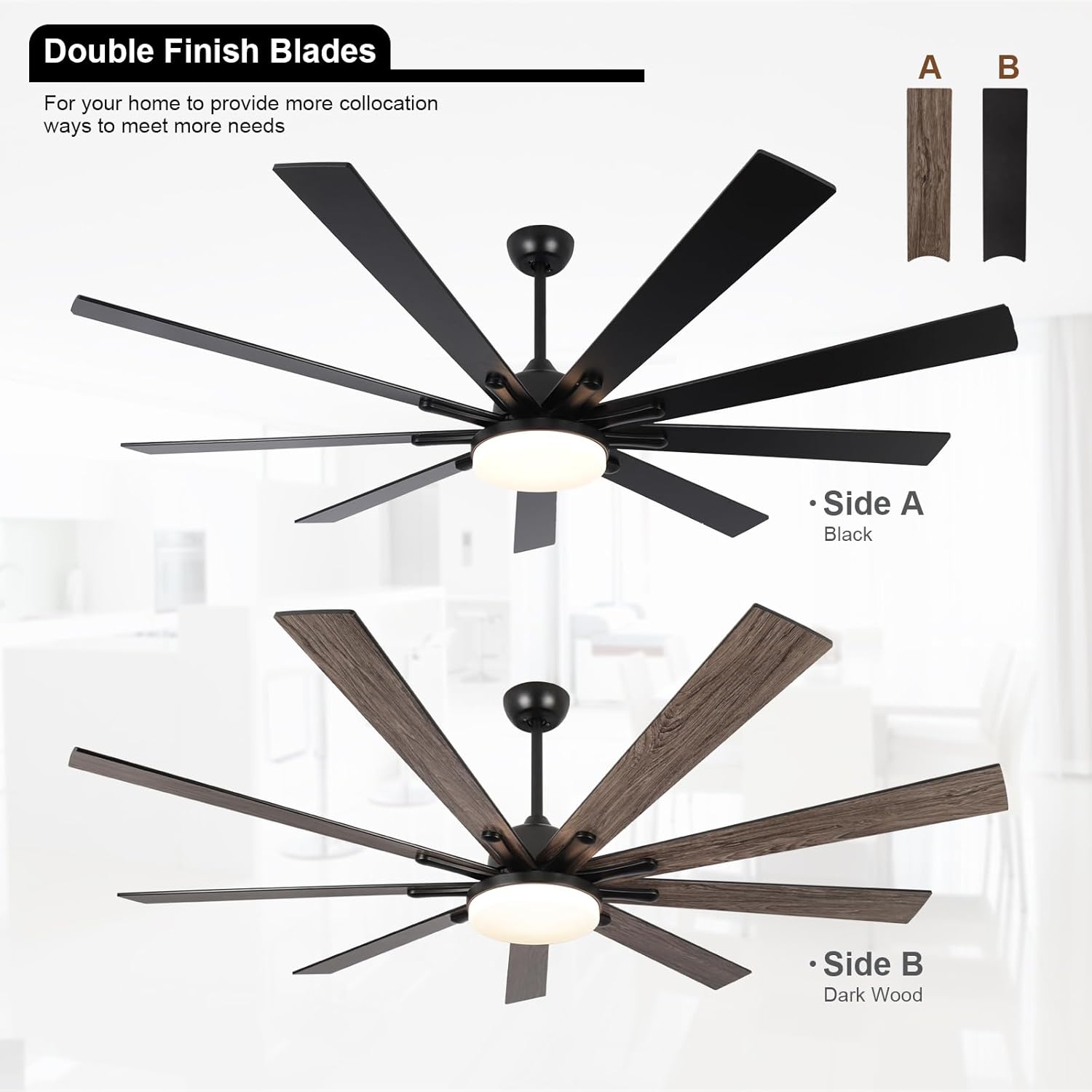
- Fan Blades (9 pieces, reversible black/dark wood)
- LED Light Kit
- Remote Control with Wall Mount
- Downrods (5-inch and 10-inch options)
- Mounting Bracket and Hardware
- Receiver Unit
- Instruction Manual

Installation Instructions
Professional installation is recommended. Ensure all electrical connections are secure and comply with local codes.
1. Mounting the Fan
- Turn off power at the circuit breaker.
- Secure the mounting bracket to the ceiling junction box. The junction box must be listed for fan support.
- Attach the chosen downrod (5-inch or 10-inch) to the motor housing.
- Carefully lift the fan assembly and hang it from the mounting bracket.
2. Wiring Connections
- Connect the fan's electrical wires to the household supply wires according to the wiring diagram provided in the full manual. Typically, this involves connecting live, neutral, and ground wires.
- Install the receiver unit into the mounting bracket canopy, ensuring all wires are properly connected and secured with wire nuts.
- Ensure no loose strands of wire are exposed.
3. Attaching Fan Blades and Light Kit
- Attach each of the nine fan blades to the motor housing using the provided screws. Ensure they are securely fastened. You can choose between the black or dark wood side of the blades.
- Connect the LED light kit wires to the fan's light wires.
- Secure the light kit to the bottom of the fan assembly.
Video 1: This video demonstrates the various functions of the SODSEA 72-inch black ceiling fan, including fan speed adjustments, light settings, and reversible motor operation.
Operating Instructions
The fan is controlled using the included remote control.
Remote Control Functions
- Power On/Off: Press the power button to turn the fan and light on or off.
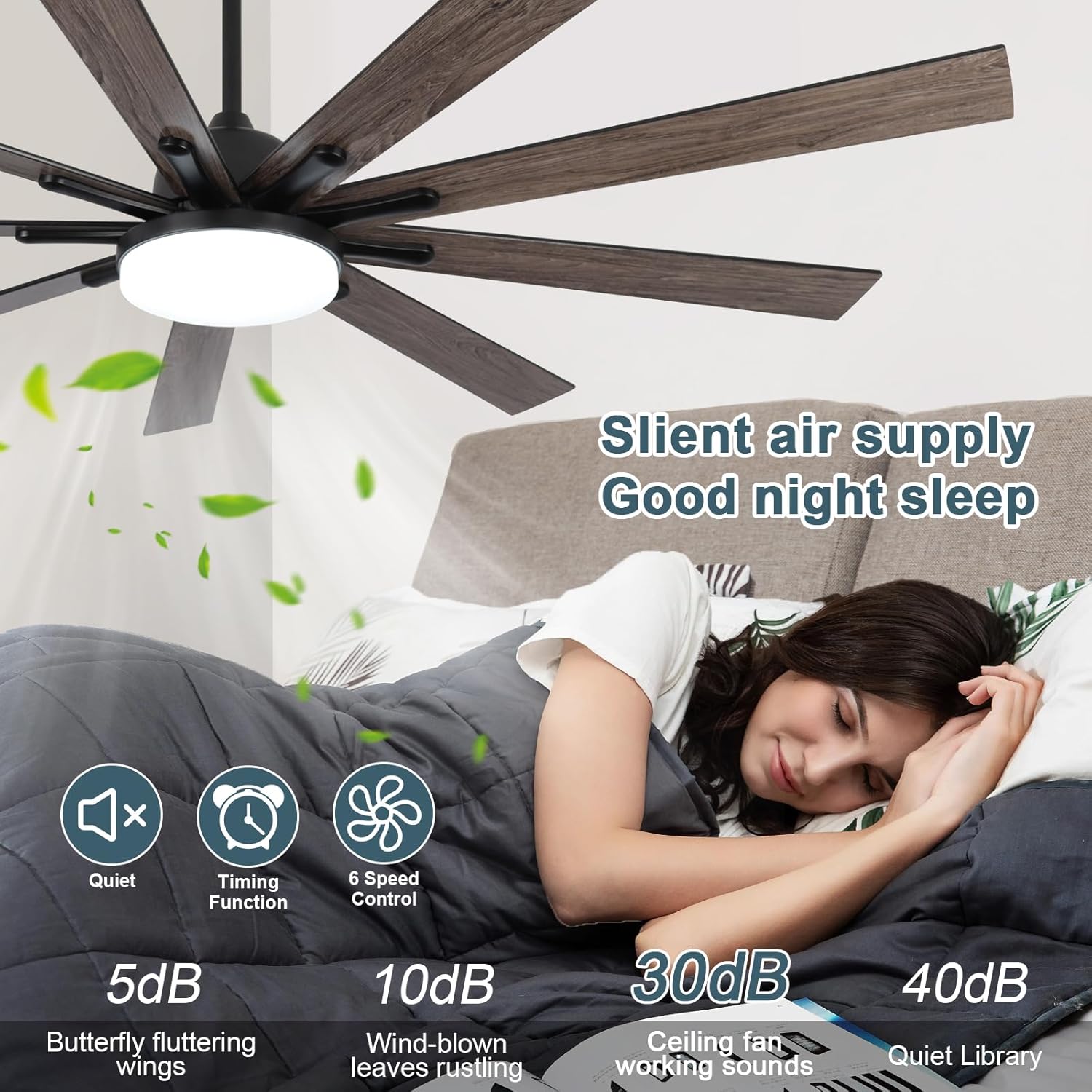
- Fan Speed (1-6): Select desired fan speed from 1 (lowest) to 6 (highest).
- Light On/Off: Press the light button to toggle the light.
- Brightness Adjustment: Use the '+' and '-' buttons to adjust light brightness from 0% to 100%.
- Color Temperature: Cycle through 3000K (Warm White), 4000K (Natural White), and 6500K (Cool White) light temperatures.
- Reverse Fan Direction: Press the reverse button to change the blade rotation direction for summer or winter mode.
- Timer: Set the fan to turn off automatically after 1, 3, or 6 hours.

Fan Speed Control
The fan offers 6 distinct speeds to suit various comfort levels and activities:
- Speed 1-2: Ideal for sleeping or gentle air circulation.
- Speed 3-4: Suitable for work or general entertainment.
- Speed 5-6: Provides strong airflow for cooling during physical activity or hot conditions.
Light Control
The integrated 24W LED light offers adjustable brightness and three color temperature options:
- Brightness: Dimmable from 0% to 100% using the remote control.
- Color Temperatures: Choose between 3000K (Warm Light), 4000K (Natural Light), and 6500K (Cold White Light) to match your preference or room ambiance.

Reversible Motor Function
The fan features a reversible DC motor to optimize air circulation for different seasons:
- Summer Mode (Downward Airflow): Blades rotate counter-clockwise, pushing cool air down to create a refreshing breeze.
- Winter Mode (Upward Airflow): Blades rotate clockwise, drawing cool air up and distributing warm air evenly throughout the room.


Timer Function
The fan includes a timer function allowing you to set it to automatically turn off after 1, 3, or 6 hours. This is useful for energy saving, especially during sleep.
Memory Function
The fan's memory function retains your last used fan speed and light settings (brightness and color temperature) when turned off and on again, eliminating the need to reset preferences.
Video 2: A showcase of the SODSEA 72-inch black ceiling fan's key features, such as its dimmable LED light, multiple fan speeds, and remote control capabilities.
Maintenance
Regular maintenance ensures optimal performance and longevity of your ceiling fan.
- Cleaning: Use a soft, damp cloth to clean the fan blades and motor housing. Do not use abrasive cleaners or solvents. Ensure power is off before cleaning.
- Blade Inspection: Periodically check that all blade screws are tight. Loose blades can cause wobbling and noise.
- Light Cover: Clean the light cover gently with a soft cloth to maintain light output.
- Annual Check: Annually inspect all connections and mounting hardware for tightness.
Troubleshooting
Refer to the table below for common issues and their solutions.
| Problem | Possible Cause | Solution |
|---|---|---|
| Fan does not start | No power supply; Loose wiring; Remote control not paired or faulty. | Check circuit breaker; Verify all wiring connections; Re-pair remote control (refer to full manual for pairing instructions); Replace remote batteries. |
| Fan wobbles | Loose blade screws; Unbalanced blades; Loose mounting bracket. | Tighten all blade screws; Use balancing kit (not included) if necessary; Ensure mounting bracket is securely fastened to the ceiling. |
| Light does not work | Loose wiring to light kit; Faulty LED module; Remote control issue. | Check light kit wiring connections; Contact customer support for LED module replacement; Verify remote control functionality. |
| Remote control not responding | Low or dead batteries; Remote not paired; Obstruction between remote and receiver. | Replace batteries; Re-pair remote control; Ensure clear line of sight to the fan's receiver. |
| Fan is noisy | Loose screws; Motor issue; Blades hitting an obstruction. | Tighten all screws; Ensure no obstructions are near blades; If motor noise persists, contact customer support. |
Specifications
| Feature | Detail |
|---|---|
| Model Number | 72-1203-BK-LIGHT |
| Size | 72 Inch |
| Color | Black |
| Number of Blades | 9 |
| Blade Material | Engineered Wood (Reversible Black/Dark Wood) |
| Motor Type | DC Reversible Motor |
| Number of Speeds | 6 |
| Noise Level | Less than 35 dB |
| Light Source | 24W LED |
| Light Features | Dimmable (0-100%), 3 Color Temperatures (3000K/4000K/6500K) |
| Control Method | Remote Control |
| Special Features | Memory Function, Timer (1/3/6 hours) |
| Included Downrods | 5 inch, 10 inch |
| Ceiling Compatibility | Flat Roof, Slanted Ceiling (up to 15 degrees) |
| Recommended Room Size | 400-550 square feet |
| Minimum Ceiling Height | 9 feet |
| Indoor/Outdoor Usage | Outdoor (covered areas) |
Warranty and Support
SODSEA is committed to providing quality products and customer service.
- Warranty: This product comes with a 12-month free warranty from the date of purchase.
- Customer Support: For any questions, technical assistance, or warranty claims, please contact SODSEA customer service. We aim to respond to all inquiries within 24 hours.
- Contact Information: Refer to the product packaging or the official SODSEA website for the most current customer support contact details.