
Introduction
Thank you for choosing the RECHOO SR5000 Rechargeable Flashlight. This manual provides essential information for the safe and efficient use of your new flashlight. Please read it thoroughly before operation and retain it for future reference.
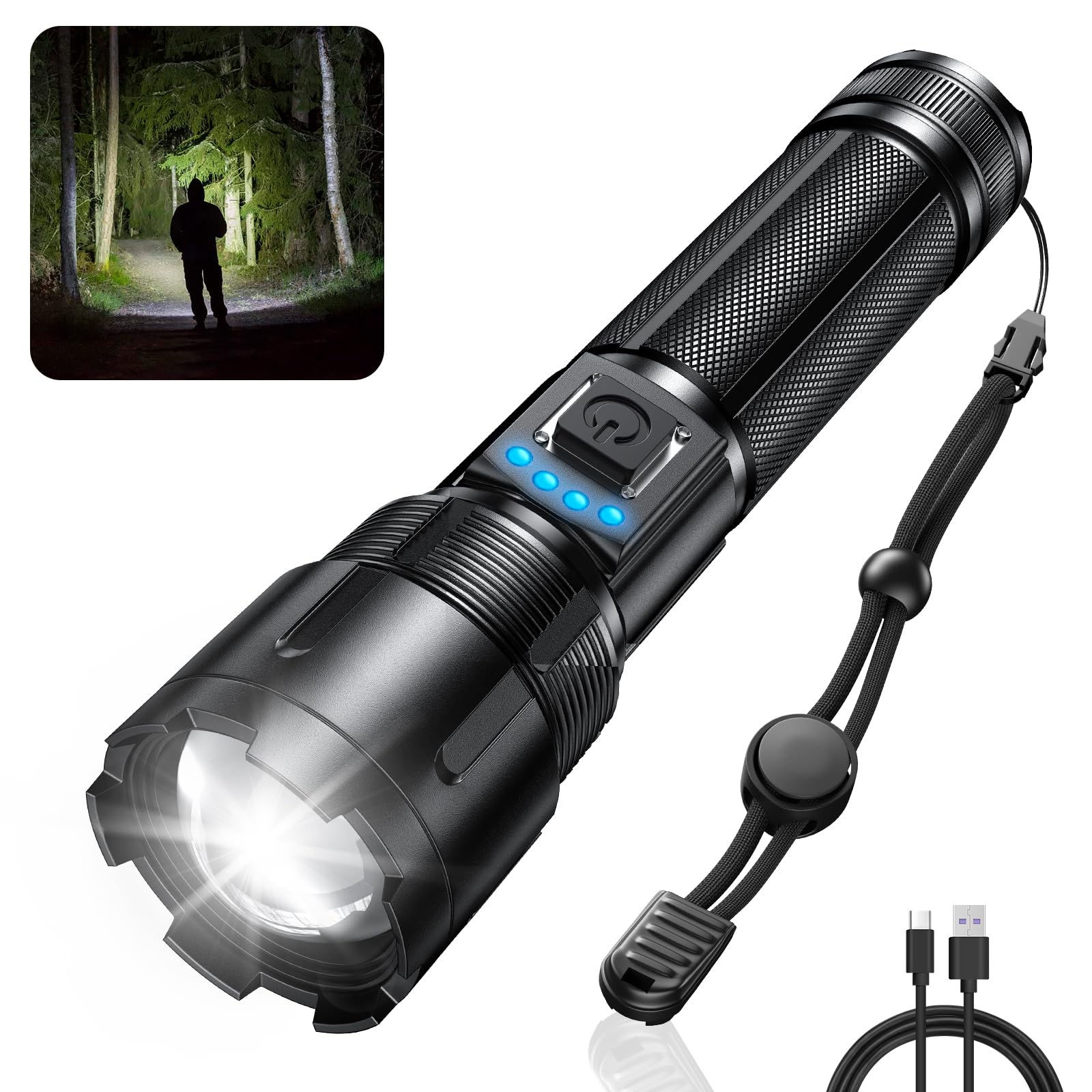
Image: The RECHOO SR5000 Rechargeable Flashlight, showcasing its design and bright beam in a dark environment.
Safety Information
- Do not shine the flashlight directly into eyes, as the high lumen output can cause temporary vision impairment.
- Keep out of reach of children.
- Do not disassemble or modify the flashlight. This may void the warranty and pose safety risks.
- Avoid exposing the flashlight to extreme temperatures or direct sunlight for prolonged periods.
- Ensure the charging port cover is securely closed when not charging to maintain IP65 waterproof rating.
Package Contents
Please check the package for the following items:
- RECHOO SR5000 Rechargeable Flashlight (1 unit)
- Built-in 4800mAh Rechargeable Battery (pre-installed)
- USB Charging Cable (Type-C)
- User Manual (this document)
Product Overview
The RECHOO SR5000 flashlight features a durable aluminum alloy body, a powerful LED, and a user-friendly interface.

Image: Diagram illustrating the USB-C charging port and the flashlight's capability to act as a power bank for other devices.
- LED Emitter: Provides up to 1000 lumens of bright light.
- Zoomable Head: Adjusts beam from wide flood to narrow spot.
- Power Button: Controls power and cycles through lighting modes.
- Battery Indicator Lights: Four blue LED lights show remaining battery capacity (25%, 50%, 75%, 100%).
- USB-C Charging Port: For recharging the flashlight's internal battery.
- USB-A Output Port: For using the flashlight as a power bank.
- Durable Casing: Constructed from aluminum alloy for impact resistance and IP65 waterproof rating.
Setup
Before first use, please follow these steps:
- Remove Insulating Foil: Unscrew the tail cap of the flashlight. Locate and remove the transparent insulating foil from the pre-installed battery.
- Reinsert Battery: Ensure the battery is placed with the positive (+) end facing the head of the flashlight and the negative (-) end towards the tail cap.
- Secure Tail Cap: Screw the tail cap back on tightly to ensure proper contact and maintain water resistance.
- Initial Charge: It is recommended to fully charge the flashlight before its first use. Refer to the "Charging" section for instructions.
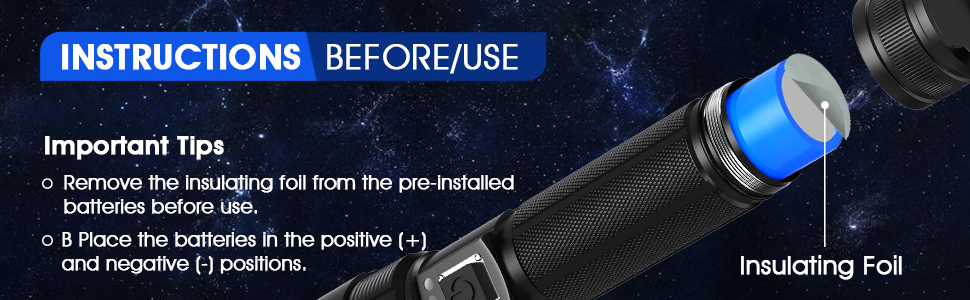
Image: Illustration demonstrating the removal of the insulating foil from the battery before initial use.
Charging
The RECHOO SR5000 features a built-in rechargeable battery and a Type-C charging port.
- Connect Charging Cable: Open the rubber cover of the USB-C charging port on the flashlight. Insert the provided Type-C charging cable into the port.
- Connect to Power Source: Connect the other end of the USB charging cable to a 5V/1A USB power source (e.g., wall adapter, power bank, computer USB port, car charger).
- Monitor Battery Indicator: The four blue LED indicator lights will illuminate sequentially during charging, indicating the charging progress.
- 1 LED: 0-25% charged
- 2 LEDs: 25-50% charged
- 3 LEDs: 50-75% charged
- 4 LEDs: 75-100% charged
- Charging Time: A full charge typically takes 4-6 hours.
- Disconnect: Once charging is complete, disconnect the cable and securely close the rubber cover to maintain water resistance.

Image: The flashlight displaying its battery indicator lights and illustrating its extended run time of up to 20 hours in low mode.
Operation
Power On/Off
Press the power button once to turn the flashlight on. Press it again to turn it off.
Lighting Modes
With the flashlight on, press the power button repeatedly to cycle through the 5 lighting modes:
- High: Maximum brightness (1000 lumens) for powerful illumination.
- Medium: Moderate brightness for general use.
- Low: Reduced brightness for extended run time or close-range tasks.
- Strobe: Flashing light for signaling or disorientation.
- SOS: International Morse code signal for emergencies.
Zoom Function
To adjust the beam focus, gently pull the head of the flashlight outwards for a narrow, focused spot beam (zoom in), or push it inwards for a wide floodlight beam (zoom out).

Image: Visual representation of the flashlight's zoomable head, showing the difference between a focused beam (zoom in) and a wide beam (zoom out), along with icons for the five lighting modes.
Power Bank Function
The RECHOO SR5000 can serve as an emergency power bank to charge other devices.
- Connect Device: Open the rubber cover of the USB-A output port on the flashlight. Connect your device's charging cable to this port.
- Charging: The flashlight will begin charging your device. The battery indicator lights on the flashlight will show its remaining power.
- Disconnect: Disconnect your device once charging is complete or when the flashlight's battery is low. Securely close the rubber cover.
Note: Using the power bank function will deplete the flashlight's battery. It is intended for emergency use.
Maintenance
- Cleaning: Wipe the flashlight with a soft, damp cloth. Do not use abrasive cleaners or solvents.
- Storage: Store the flashlight in a cool, dry place away from direct sunlight when not in use for extended periods.
- Battery Care: For optimal battery life, charge the flashlight at least once every three months if not used regularly.
- Water Resistance: Ensure all port covers and the tail cap are tightly sealed to maintain the IP65 waterproof rating.

Image: The RECHOO SR5000 flashlight shown with water splashing on it, highlighting its IP65 waterproof feature.
Troubleshooting
| Problem | Possible Cause | Solution |
|---|---|---|
| Flashlight does not turn on. | Battery is depleted. Insulating foil not removed. Battery inserted incorrectly. Loose tail cap. | Charge the flashlight. Remove the insulating foil from the battery. Ensure battery polarity is correct. Tighten the tail cap. |
| Flashlight does not charge. | Charging cable is faulty. Power source is not working. Charging port is dirty. | Try a different USB-C cable. Try a different power adapter or USB port. Gently clean the charging port. |
| Beam is weak or flickers. | Low battery. Loose connections. | Recharge the flashlight. Ensure the tail cap is tight. |
| Power bank function not working. | Flashlight battery is too low. Device cable is faulty. | Charge the flashlight fully. Try a different charging cable for your device. |
Specifications
- Model: SR5000
- Light Source: LED
- Brightness: Up to 1000 Lumens
- Lighting Modes: High, Medium, Low, Strobe, SOS
- Battery: Built-in 4800mAh Rechargeable Battery (NiMH)
- Charging Port: USB Type-C (5V/1A input)
- Output Port: USB-A (for power bank function)
- Material: Aluminum Alloy
- Water Resistance: IP65 (Dustproof and protected against water jets)
- Impact Resistance: 10-foot drop resistance
- Dimensions: 6.5" (Length) x 1.3" (Width) x 1.7" (Height)
- Weight: 11.7 ounces
Warranty and Support
RECHOO provides a limited warranty for this product. For detailed warranty information or if you encounter any issues with your RECHOO SR5000 Rechargeable Flashlight, please contact our customer support team. We are committed to providing excellent after-sales service and will respond to inquiries within 24 hours.
Please refer to the contact information provided with your purchase or visit the official RECHOO website for support.