1. Product Overview
The Lionel Mattel Thomas & Friends Battery O Gauge Toy Train Set offers an engaging and interactive experience for young engineers. This set features a battery-powered Thomas locomotive, controlled by a remote, and includes an exclusive 2-Rail Track System. Key functionalities include water-vapor smoke effects, a working headlight, and authentic Thomas & Friends sounds, bell, and whistle. The locomotive also comes with three interchangeable faces to customize Thomas's expression.

Image 1.1: Complete Lionel Thomas & Friends Battery O Gauge Toy Train Set.
Important Safety Information
WARNING: CHOKING HAZARD - Small parts. Not for children under 3 years of age. Recommended for ages 4 years and up. Adult assembly is required.
2. Package Contents
Please ensure all components listed below are present in your package before beginning assembly:
- 1 x Battery-powered Thomas Locomotive
- 2 x Passenger Cars
- 1 x Remote Control
- 3 x Interchangeable Faces (for Thomas)
- 10 x Straight Battery O Gauge Track Pieces
- 16 x Curved Battery O Gauge Track Pieces
- 2 x Right Interchange Battery O Gauge Track Pieces
- 2 x Left Interchange Battery O Gauge Track Pieces
- 1 x Figure 8 Crossover Battery O Gauge Track Piece
- 4 x Road Signs
- 2 x Trees
- 1 x Water Bottle Dropper
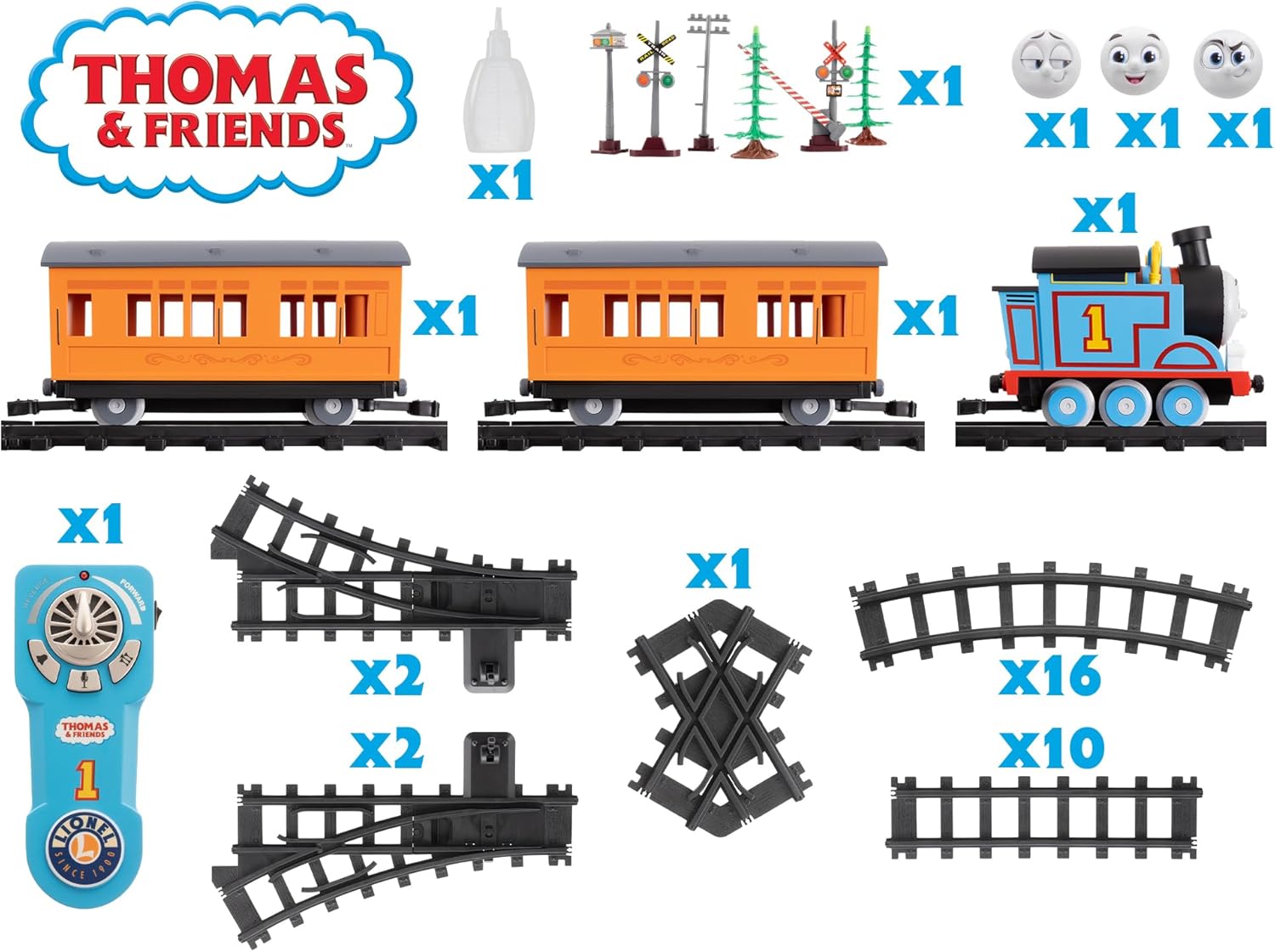
Image 2.1: All included components of the train set.
3. Setup and Assembly
3.1 Track Assembly
The track pieces are designed for easy interlocking assembly. Create your desired track layout by connecting the straight, curved, and crossover pieces. Ensure each piece clicks securely into place to form a continuous circuit.

Image 3.1: Thomas and passenger cars assembled on the track.
3.2 Battery Installation
Batteries are not included and must be installed before operation.
- Thomas Locomotive: Locate the battery compartment on the underside of the locomotive. Open the compartment cover. Insert 4 x AA batteries, ensuring correct polarity (+/-). Close the cover securely.
- Remote Control: Locate the battery compartment on the back of the remote control. Open the compartment cover. Insert 3 x AAA batteries, ensuring correct polarity (+/-). Close the cover securely.
Always use new batteries of the same type. Do not mix old and new batteries, or different types of batteries.
4. Operating Your Train Set
4.1 Remote Control Functions
The remote control allows you to operate Thomas with ease:
- Forward/Reverse Lever: Slide the lever to move Thomas forward or backward.
- Speed Control Dial: Rotate the dial to adjust Thomas's speed.
- Sound Button: Press this button to activate authentic Thomas & Friends announcements, bell, and whistle sounds.
- Smoke Button: Press this button to activate the water-vapor smoke effect (ensure water has been added).
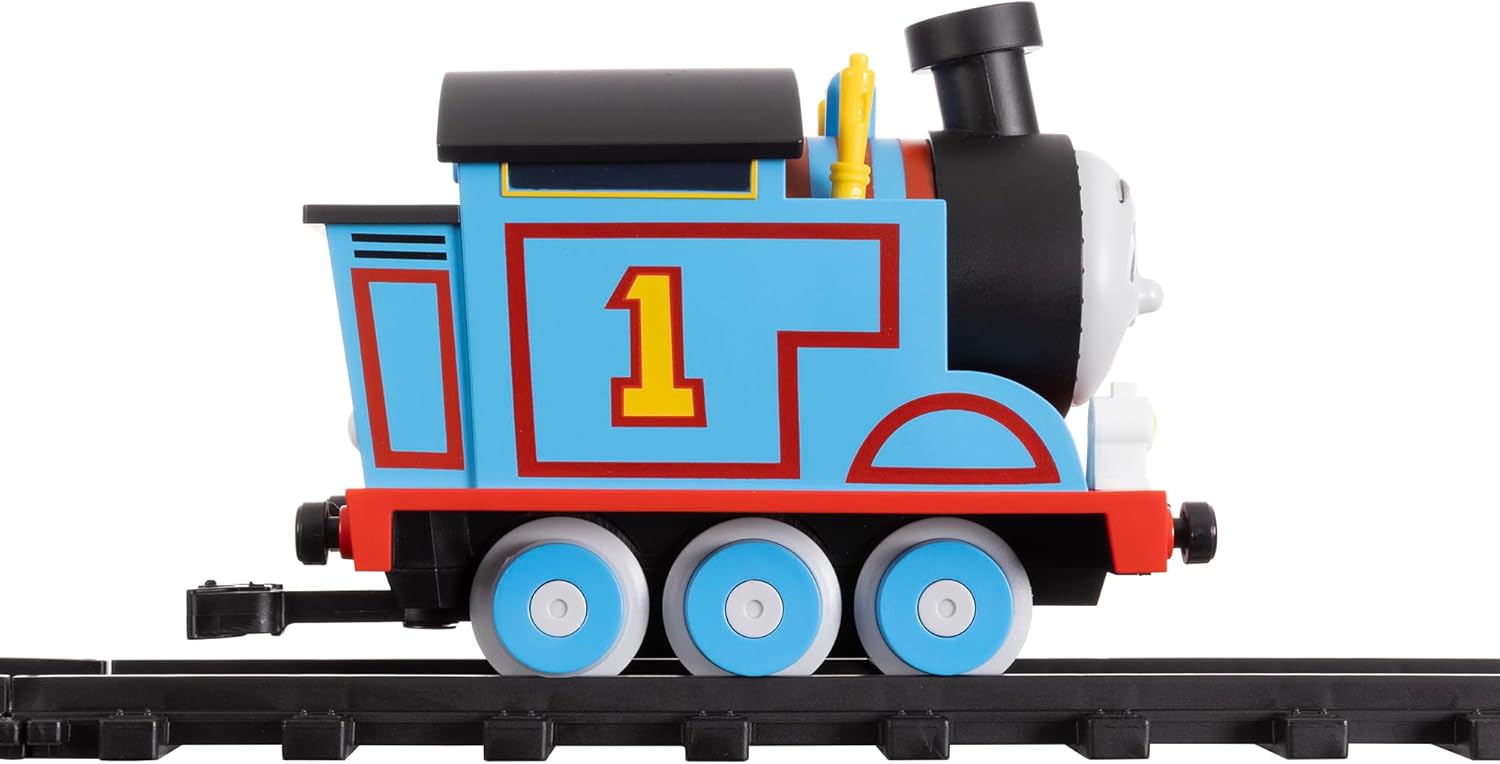
Image 4.1: Remote control for the train set.
4.2 Interchangeable Faces
Thomas comes with three interchangeable faces to express different emotions:
- Gently pull the current face off the front of the locomotive.
- Align the desired new face with the pegs on Thomas's front.
- Press firmly until the face snaps securely into place.
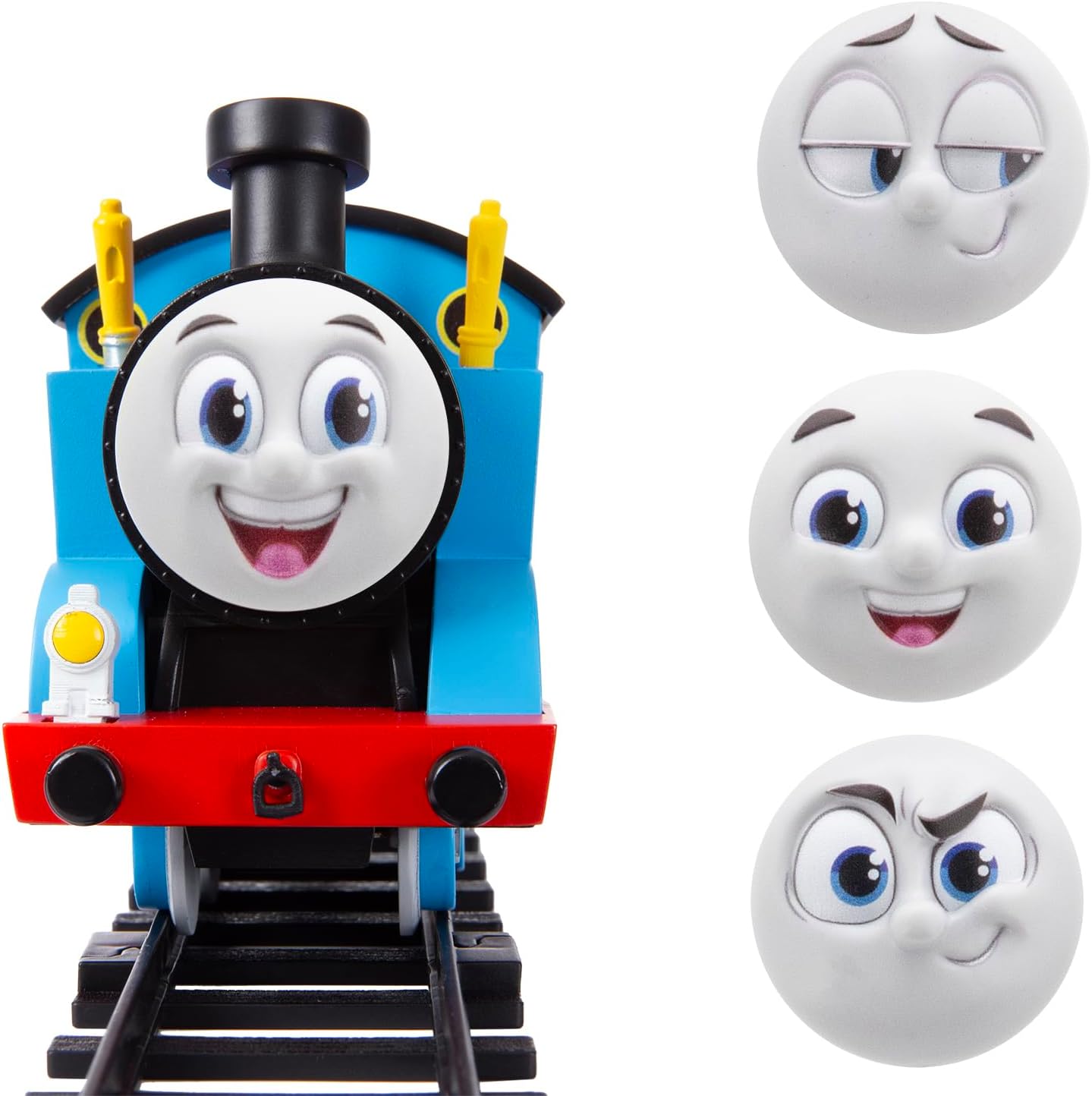
Image 4.2: Thomas with interchangeable faces.
4.3 Water-Vapor Smoke Effects
To activate the realistic water-vapor smoke effect:
- Using the provided water bottle dropper, carefully add a few drops of clean water into the designated opening on Thomas's smokestack. Do not overfill.
- Once water is added, use the remote control's smoke button to activate the effect.

Image 4.3: Adding water for smoke effect.
4.4 Authentic Sounds and Lights
Thomas is equipped with a working headlight and plays authentic sounds from the Thomas & Friends series, including character announcements, bell rings, and whistle toots. These features activate during operation and via the remote control's sound button.
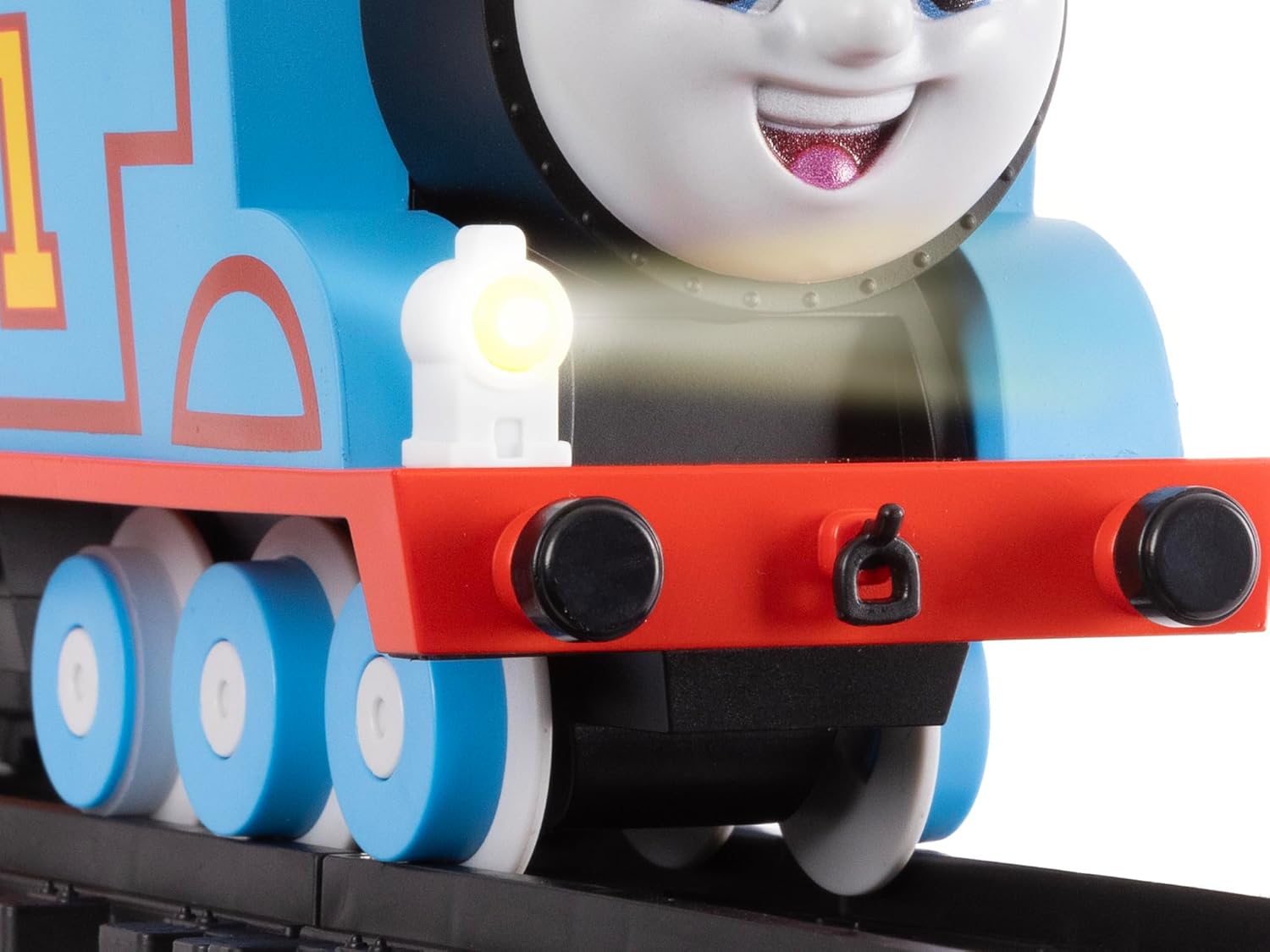
Image 4.4: Thomas's working headlight.
5. Care and Maintenance
- Cleaning: Wipe the train set components with a soft, dry cloth to remove dust and dirt. Do not use harsh chemicals or abrasive cleaners.
- Battery Care: Always remove all batteries from the locomotive and remote control when the train set is not in use for an extended period. This prevents battery leakage and potential damage to the electronics.
- Storage: Store the train set in a cool, dry place away from direct sunlight and extreme temperatures to preserve its condition.
6. Troubleshooting
| Problem | Possible Cause | Solution |
|---|---|---|
| Train does not move or respond to remote. | Batteries are low or incorrectly installed. Train is not properly on the track. Remote control is out of range or not paired. | Replace batteries in both train and remote. Ensure correct polarity. Place train firmly on the track, ensuring all wheels are on the rails. Move closer to the train. |
| No sounds or lights. | Batteries are low. Sound/light function is not activated. | Replace batteries. Press the sound button on the remote. Check if the headlight is obstructed. |
| Water-vapor smoke is not produced. | Water reservoir is empty. Smoke mechanism is clogged. | Refill the water reservoir using the provided dropper. Ensure only clean water is used. If clogged, gently clean the smokestack opening. |
| Train derails frequently. | Track pieces are not securely connected. Track is on an uneven surface. Train cars are not properly coupled. | Ensure all track connections are firm. Place the track on a flat, stable surface. Verify that all train cars are correctly coupled to each other and the locomotive. |
7. Product Specifications
| Feature | Detail |
|---|---|
| Model Number | 712118 |
| Product Dimensions | 15.75 x 6.5 x 16.73 inches |
| Item Weight | 5.59 pounds |
| Recommended Age | 4 years and up |
| Locomotive Batteries | 4 x AA batteries (not included) |
| Remote Control Batteries | 3 x AAA batteries (not included) |
| Track System | Battery O Gauge 2-Rail Track System |
| Compatibility | Compatible with Lionel Battery O Gauge. Not compatible with Lionel Ready-to-Play products. Can run on Lionel O Gauge 3-Rail FasTrack (sold separately, track power not required). |
8. Warranty and Support
For information regarding product warranty, technical support, or replacement parts, please visit the official Lionel website or contact their customer service department. Keep your purchase receipt as proof of purchase.
Official Lionel Website: www.lionel.com


