
ASHATA ASHATAy0kzud15io-19
ASHATA 5.0 MP3 Player User Manual
Model: ASHATAy0kzud15io-19
Portable HiFi Music Player with FM Radio, Recorder, and Alarm Clock
1. Product Overview
The ASHATA 5.0 MP3 Player is a versatile and portable device designed for a comprehensive multimedia experience. It features a 1.77-inch LCD screen and supports various audio, video, and text formats. With its built-in FM radio, voice recorder, and alarm clock functions, it serves multiple daily needs. The device is compact and lightweight, making it ideal for on-the-go use.
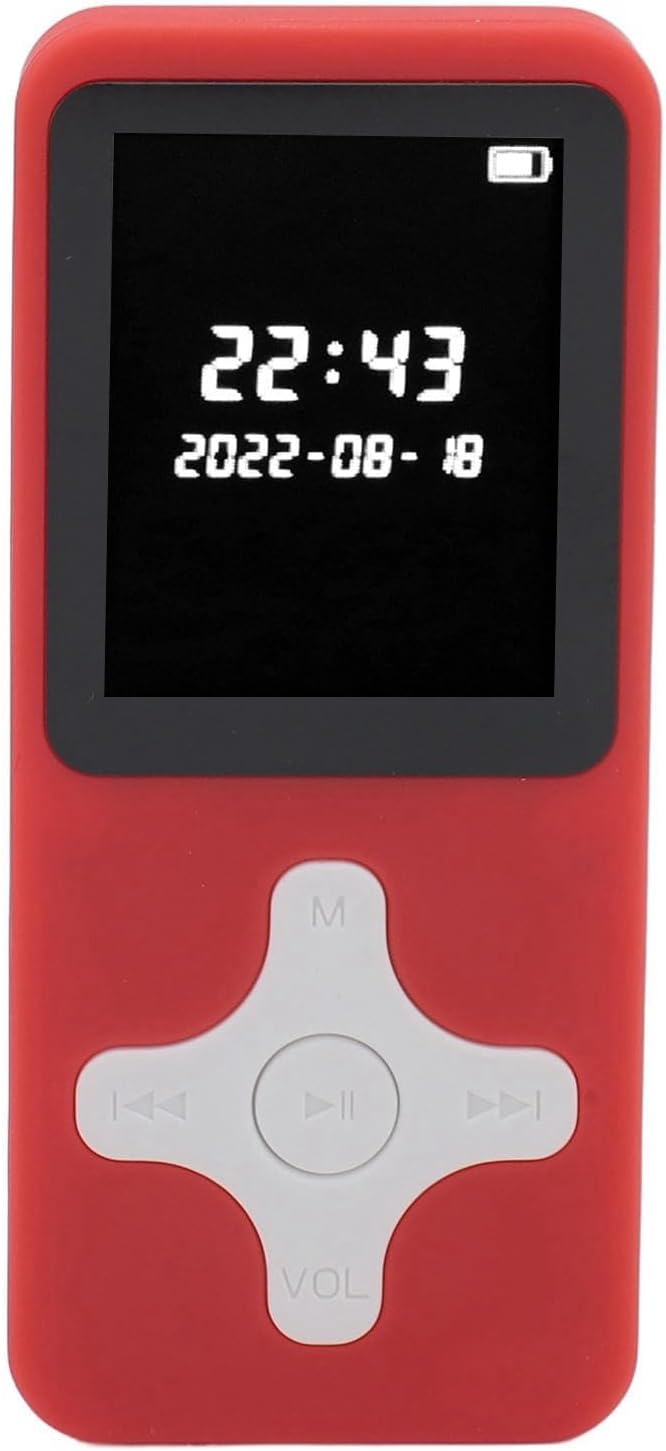
Figure 1: ASHATA 5.0 MP3 Player (Red)
Key Features:
- Multi-Functional: Supports music playback (APE, MP3, FLAC, WMA, WAV, AAC LC), FM radio, sound recording, alarm clock, electronic books (TXT), picture browsing (JPG, JPEG, BMP), and video playback (128 x 160 AVI).
- Bluetooth 5.0: Built-in Bluetooth 5.0 chip for stable and compatible wireless connections to headphones or speakers, ensuring lossless sound quality.
- Expandable Storage: Supports up to 128GB memory card expansion (memory card not included).
- Recording & FM Radio: High-fidelity recording function and integrated FM radio for listening to favorite stations. Wired earphones (not included) act as an antenna for FM reception.
- Portable Design: Lightweight (2.86oz) and compact, suitable for running, jogging, hiking, and other activities.
- Long Battery Life: Up to 30 hours of music playback and 3 months standby time on a full charge (1-2 hours).
2. Getting Started
2.1 Package Contents
Before using your device, please ensure all items are present:
- 1 x ASHATA Music Player
- 1 x User Manual
- 1 x USB Cable
- (Optional: 32G Small Memory Card, depending on purchased variant)

Figure 2: Player with USB Cable
2.2 Charging the Device
Before first use, fully charge the player. Connect the included USB cable to the player's charging port and the other end to a USB power adapter (not included) or a computer's USB port.
- Charging time: Approximately 1 to 2 hours for a full charge.
- The battery icon on the screen will indicate charging status.
2.3 Inserting a Memory Card
The player supports up to 128GB memory card (MicroSD/TF card) for expanded storage.
- Locate the memory card slot on the side of the player.
- Gently insert the memory card into the slot with the gold contacts facing down until it clicks into place.
- To remove, gently push the card in again until it springs out.
2.4 Powering On/Off
- Power On: Press and hold the Power button (usually located on the side or top) for a few seconds until the screen lights up.
- Power Off: Press and hold the Power button again until the device shuts down.
3. Operating Instructions
Navigate the player's menu using the directional buttons and the central 'OK' or 'Play/Pause' button. The 'M' button typically accesses menu options or returns to the previous screen, and 'VOL' adjusts volume.
3.1 Music Playback
The player supports APE, MP3, FLAC, WMA, WAV, and AAC LC formats.
- From the main menu, select "Music".
- Browse your music by "All Songs", "Artists", "Albums", "Genres", or "Playlists".
- Select a song and press the central button to play.
- Use the left/right buttons for previous/next track, and the central button to pause/resume.
- Adjust volume using the 'VOL' button.

Figure 3: Music Playback Feature
3.2 FM Radio
To use the FM radio, wired earphones (not included) must be plugged in as they serve as the antenna.
- Plug in your wired earphones.
- From the main menu, select "FM Radio".
- Choose "Auto Search" to scan and save available stations, or "Manual Search" to tune to a specific frequency.
- Use the left/right buttons to switch between saved stations or adjust frequency.

Figure 4: FM Radio and Recording Features
3.3 Sound Recording
The player features a built-in microphone for high-fidelity voice recording (MP3, WAV formats).
- From the main menu, select "Recorder" or "Voice Record".
- Choose "Start Voice Recording" to begin.
- Press the central button to pause/resume recording.
- Press the 'M' button to stop and save the recording.
- Recordings can be found in the "Recordings Library".
3.4 Bluetooth Connection
Connect your player wirelessly to Bluetooth headphones or speakers.
- From the main menu, select "Bluetooth".
- Turn Bluetooth "On".
- Ensure your Bluetooth device (headphones/speaker) is in pairing mode.
- The player will search for available devices. Select your device from the list to pair.
- Once paired, audio will be routed through the Bluetooth device.
3.5 Electronic Books (E-Book)
Supports TXT format e-books.
- Transfer TXT files to the "E-Book" folder on your player or memory card.
- From the main menu, select "E-Book".
- Select the desired TXT file to open and read.
- Use directional buttons to scroll through pages.
3.6 Picture Browsing
Supports JPG, JPEG, and BMP image formats.
- Transfer image files to the "Pictures" or "Photos" folder.
- From the main menu, select "Pictures" or "Photos".
- Select an image to view. Use directional buttons to navigate between images.
3.7 Video Playback
Supports 128 x 160 AVI format videos. Other formats may require conversion on a PC.
- Transfer compatible AVI video files to the "Video" folder.
- From the main menu, select "Video".
- Select a video to play.
3.8 Alarm Clock
Set alarms for reminders or wake-up calls.
- From the main menu, select "Tools" or "Settings", then "Alarm Clock".
- Set the alarm time, repeat options, and alarm sound.
- Ensure the alarm is enabled.
4. Care and Maintenance
- Cleaning: Use a soft, dry cloth to clean the device. Do not use liquid cleaners or aerosols.
- Storage: Store the player in a cool, dry place away from direct sunlight, extreme temperatures, and humidity.
- Battery Care: To prolong battery life, avoid fully discharging the battery frequently. Charge the device regularly, even if not in use for extended periods.
- Avoid Impacts: Protect the device from drops and impacts, which can damage internal components or the screen.
- Water Exposure: This device is not waterproof. Avoid exposure to water or excessive moisture.
5. Troubleshooting
| Problem | Possible Cause / Solution |
|---|---|
| Device does not turn on. | Battery may be depleted. Charge the device for at least 30 minutes. If still unresponsive, try resetting the device (if a reset pinhole is available, use a thin object to press it). |
| No sound from headphones/speaker. | Check volume level. Ensure headphones are properly plugged in. If using Bluetooth, ensure it's paired correctly and the volume on both devices is up. Test with different headphones/speakers. |
| Cannot transfer files to the device. | Ensure the USB cable is securely connected. Check if the device is in "Mass Storage" or "MTP" mode when connected to a computer. Try a different USB port or cable. |
| Memory card not recognized. | Ensure the memory card is inserted correctly. Reinsert the card. Try formatting the card (this will erase all data) on a computer or through the player's settings if available. Ensure the card is not larger than 128GB. |
| FM radio not working. | Ensure wired earphones are plugged in, as they act as the antenna. Try auto-scanning for stations again. Move to an area with better signal reception. |
6. Product Specifications
| Feature | Detail |
|---|---|
| Model | ASHATAy0kzud15io-19 |
| Material | ABS |
| Dimensions (Approx.) | 90.5 x 39.5 x 10mm / 3.6 x 1.6 x 0.4in |
| Weight (Approx.) | 3 ounces (85g) |
| Battery | Built-in 250mAh Lithium Ion Battery |
| Screen | 1.77 Inch LCD |
| Bluetooth Version | V 5.0 |
| Memory Card Support | Maximum 128GB (not included) |
| FM Receiving Frequency | 87.5 MHz - 108 MHz |
| Electronic Book Format | Supports TXT Format |
| Recording Format | MP3, WAV |
| Music Playback Formats | MP3, WAV, APE, FLAC, WMA, AAC LC |
| Image Viewer Formats | BMP, JPG |
| Video Format Support | MP4 Format (requires conversion on PC), 128 x 160 AVI |
| Speaker | Built-in |
| Language | Supports 9 Languages |
| Advanced Features | Recently Read Books, Bookmarks, Auto Browsing, Day/Night Mode |
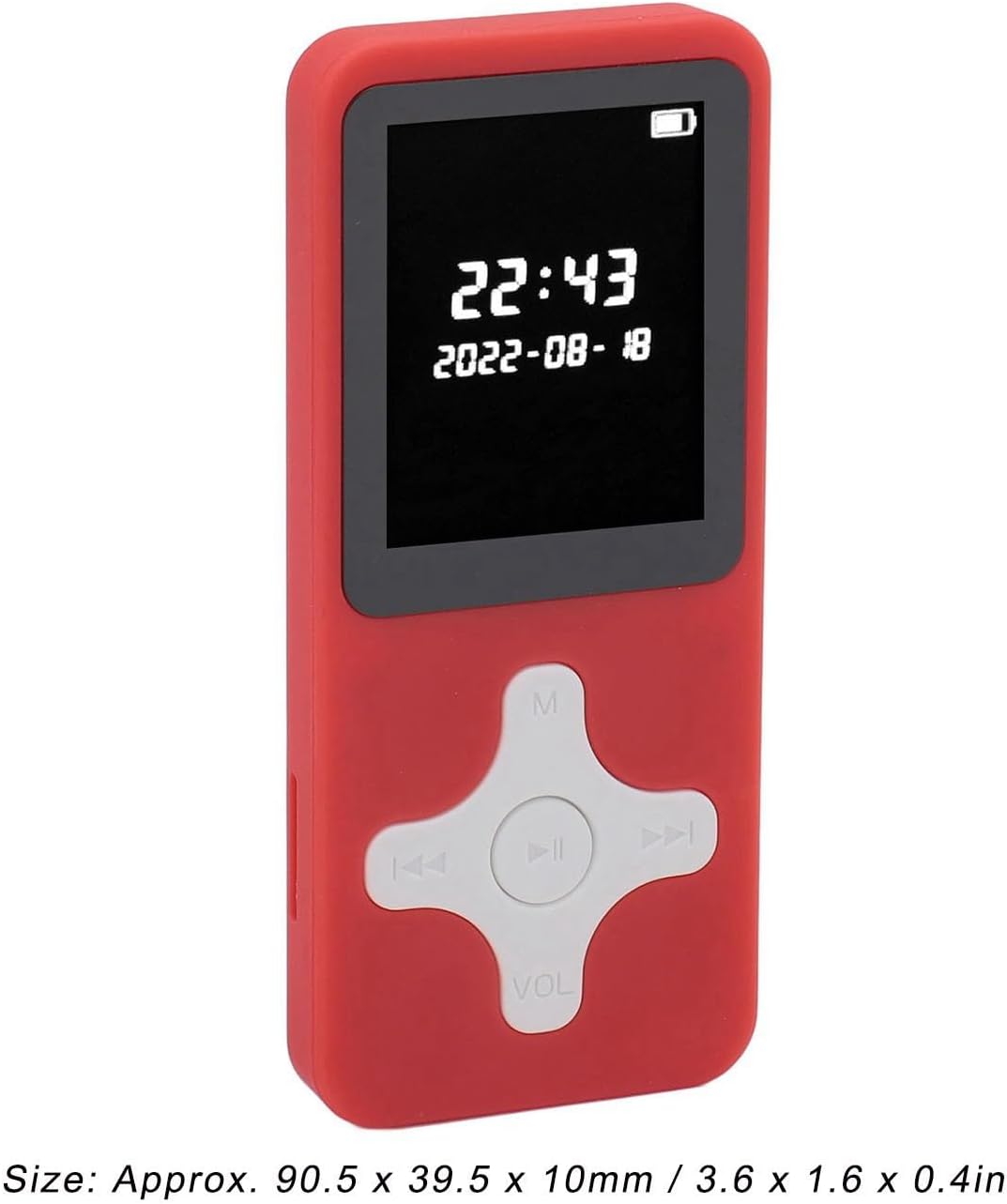
Figure 5: Player Dimensions
7. Warranty Information
This product comes with a standard manufacturer's warranty. Please refer to the specific warranty terms provided at the time of purchase or contact ASHATA customer support for detailed information regarding warranty coverage, duration, and claims process.
Typically, warranty covers defects in materials and workmanship under normal use. It does not cover damage caused by misuse, accidents, unauthorized modifications, or normal wear and tear.
8. Customer Support
For technical assistance, troubleshooting, or any inquiries regarding your ASHATA 5.0 MP3 Player, please contact ASHATA customer support.
- Online Support: Visit the official ASHATA website for FAQs, support resources, and contact forms.
- Email Support: Refer to your purchase documentation for specific email addresses.
- Amazon Support: For purchases made on Amazon, you can contact the seller "Richer-R" directly through your Amazon order history for assistance.
Please have your product model number (ASHATAy0kzud15io-19) and purchase details ready when contacting support.
Ask a question about this manual
Ask about setup, troubleshooting, compatibility, parts, safety, or missing instructions. Manuals+ will review the question and use this page’s manual context to help answer it.