
DJI 6941565974662
DJI RS 4 Gimbal Stabilizer
Instruction Manual
This manual provides essential information for the safe and effective use of your DJI RS 4 gimbal stabilizer.
Product Overview
The DJI RS 4 is a professional-grade 3-axis gimbal stabilizer designed for DSLR and mirrorless cameras. It offers advanced stabilization, intuitive controls, and a robust design to help capture smooth, dynamic footage. Compatible with a wide range of camera and lens combinations, the RS 4 is an ideal tool for content creators seeking precision and efficiency.
Key features include:
- 2nd-Gen Native Vertical Shooting: Effortlessly switch between horizontal and vertical shooting without additional accessories.
- Joystick Mode Switch: Quickly toggle between PF, PTF, and FPV modes for versatile gimbal control.
- Teflon-Coated Axis Arms: Ensures smoother balancing and reduced friction across all three axes.
- 3kg (6.6lbs) Payload Capacity: Supports mainstream mirrorless camera and lens combinations with an extended tilt axis.
- RSA Communication Port: Allows for connection of various accessories for expanded control.
- High-Capacity Battery Grip: Extends operational time significantly for prolonged shooting sessions.
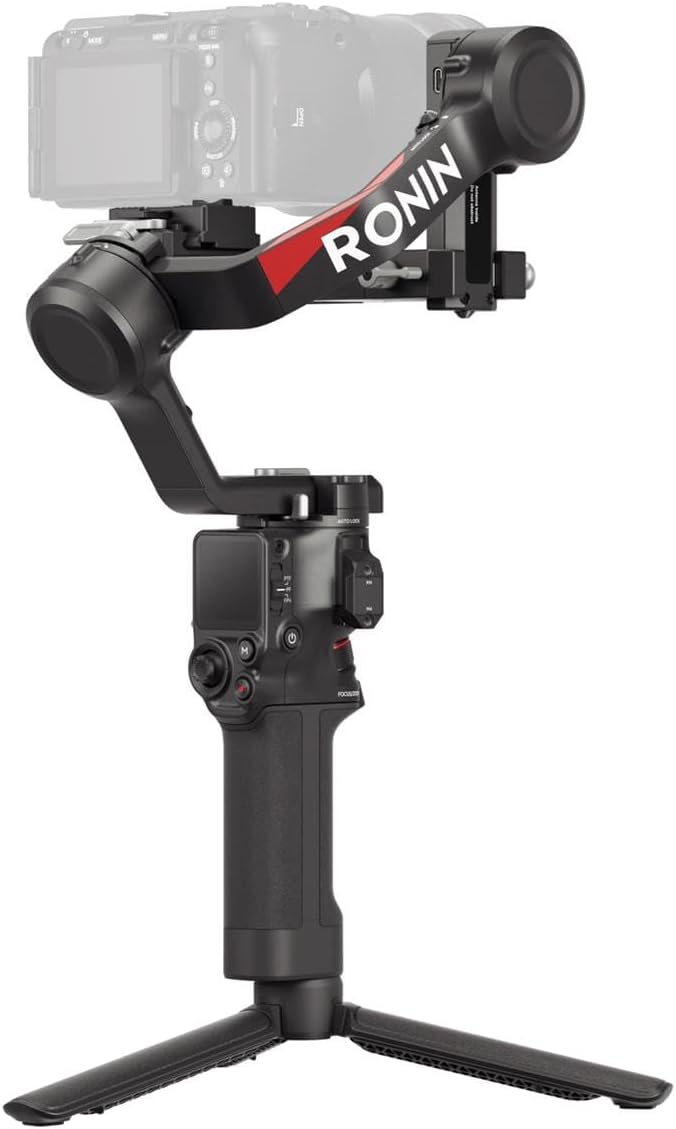
Figure 1: The DJI RS 4 Gimbal Stabilizer with a camera attached, showcasing its compact design and integrated tripod.
What's in the Box
The DJI RS 4 package includes the following components:
- Gimbal x1
- BG21 Battery Grip x1
- Quick-Release Plate (Arca-Swiss/Manfrotto) x1
- Extended Grip/Tripod (Plastic) x1
- Lens-Fastening Support x1
- Multi-Camera Control Cable (USB-C, 30 cm) x1
- USB-C Charging Cable (40 cm) x1
- Screw Kit x1

Figure 2: All components included in the DJI RS 4 standard package.
Setup and Balancing
Proper setup and balancing are crucial for optimal performance of your DJI RS 4. Follow these steps for initial configuration:
- Attach Battery Grip: Securely attach the BG21 Battery Grip to the main gimbal body.
- Mount Quick-Release Plate: Attach the quick-release plate to your camera's tripod socket.
- Mount Camera: Slide the camera with the quick-release plate onto the gimbal's mounting base.
- Balance Gimbal: Unlock all three axes (pan, tilt, roll) and carefully balance your camera setup. The Teflon-coated axis arms facilitate smoother adjustments. Ensure the camera remains level in all orientations.
- Automated Axis Locks: The DJI RS 4 features 2nd-Gen Automated Axis Locks, allowing the gimbal to quickly prepare for shooting or enter sleep mode for efficient transitions and storage.

Figure 3: A user performing the balancing procedure on the DJI RS 4 with a camera mounted.
Video 1: Demonstration of the DJI RS 4's 2nd-Gen Automated Axis Locks feature, showing quick setup and transition capabilities.
Operating Instructions
The DJI RS 4 offers various operating modes and controls for diverse shooting scenarios:
- Joystick Mode Switch: Utilize the integrated joystick to switch between Pan Follow (PF), Pan and Tilt Follow (PTF), and First Person View (FPV) modes. This allows for quick adaptation to different shot requirements.

Figure 4: The joystick and mode switch on the DJI RS 4 handle for precise control.
- Teflon-Coated Axis Arms: The smooth coating on the axis arms ensures fluid movement and precise balancing, even with heavier camera setups.
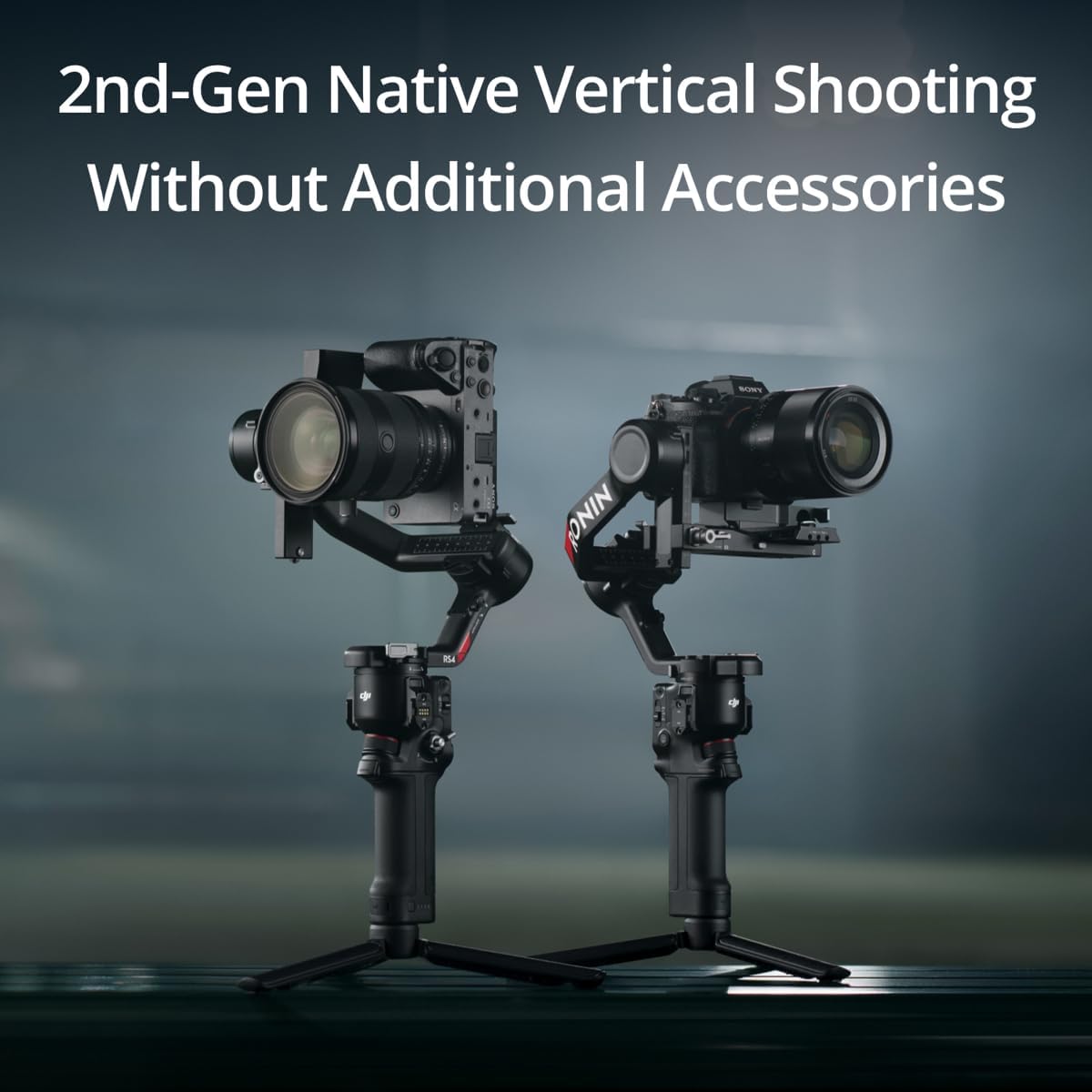
Figure 5: Detail of the Teflon-coated axis arms, designed for reduced friction and smoother operation.
- Payload Capacity: The RS 4 supports a payload of up to 3kg (6.6lbs), accommodating a wide range of mirrorless cameras and lenses. The extended tilt axis provides additional balancing space.
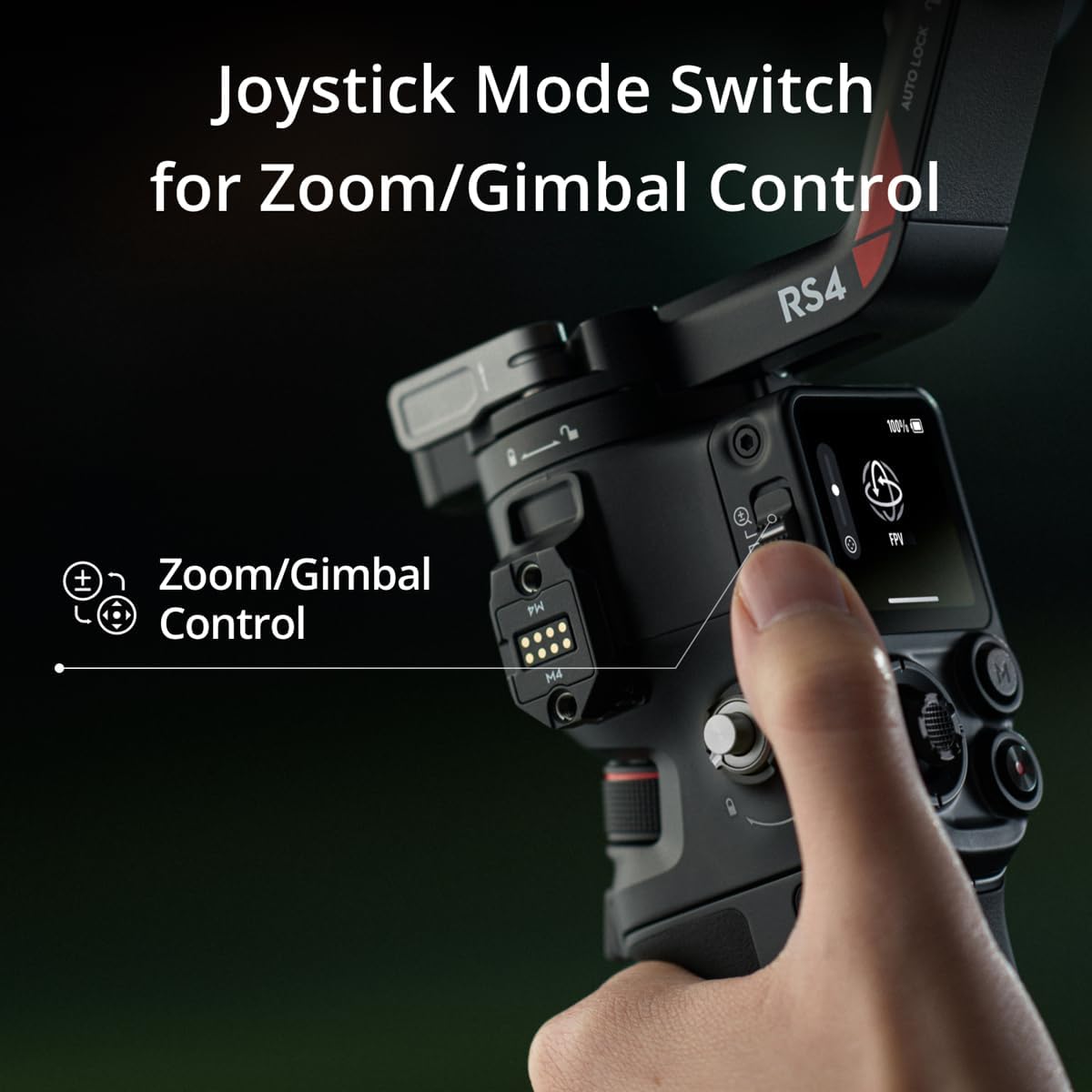
Figure 6: The DJI RS 4 handling a substantial camera and lens combination, highlighting its payload capabilities.
- RSA Communication Port: This port allows for the connection of various accessories, such as the DJI RS Tethered Control Handle or third-party accessories, expanding the gimbal's versatility.
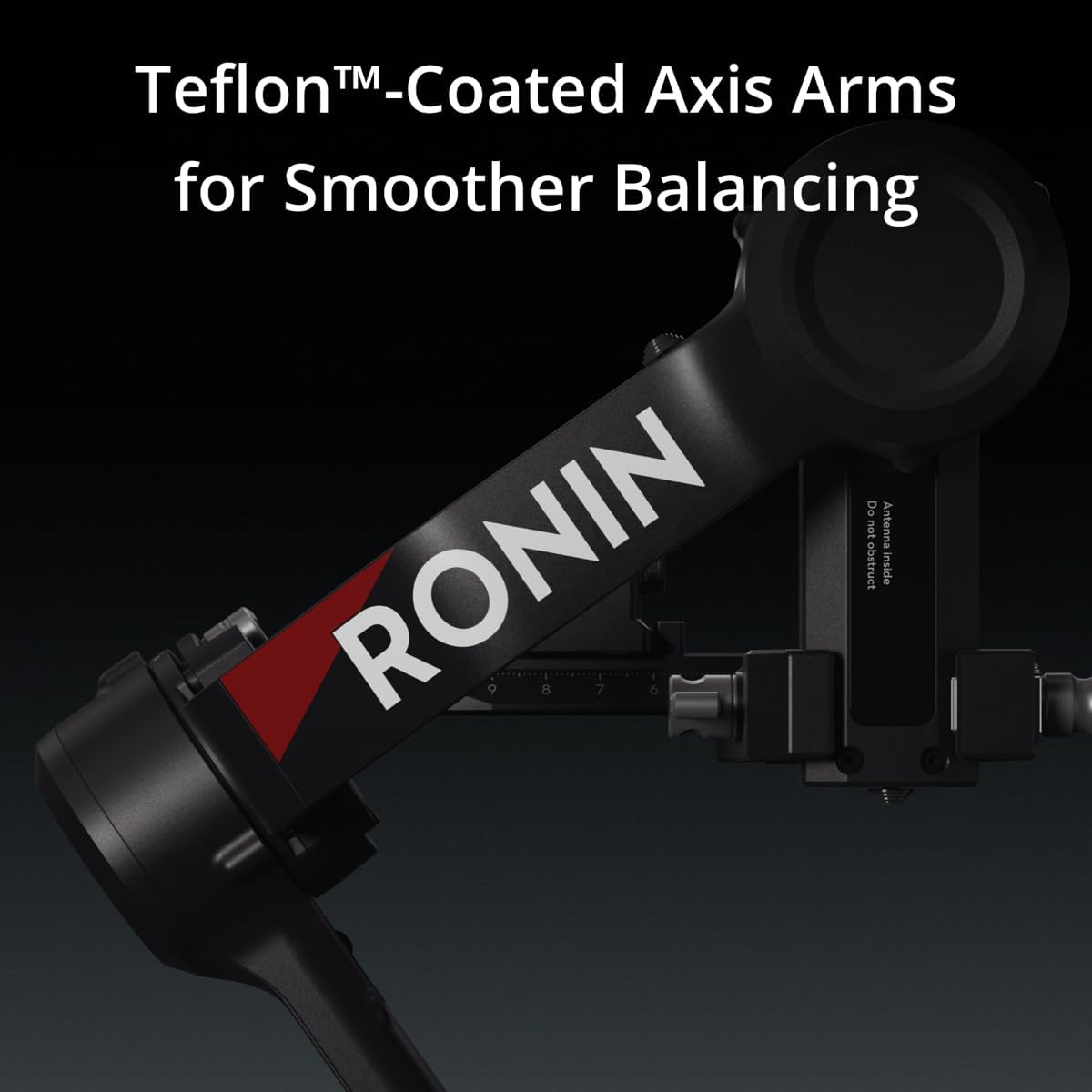
Figure 7: The RSA Communication Port, enabling expanded control and accessory integration.
- Battery Life: The BG21 Battery Grip provides an extended runtime of up to 29.5 hours, ensuring long shooting sessions without interruption.
Maintenance and Care
To ensure the longevity and optimal performance of your DJI RS 4, follow these maintenance guidelines:
- Cleaning: Regularly wipe the gimbal with a soft, dry cloth. Avoid using harsh chemicals or abrasive materials.
- Storage: Store the gimbal in a dry, dust-free environment. Utilize the automated axis locks to secure the gimbal arms during transport and storage.
- Firmware Updates: Periodically check the official DJI website for firmware updates to ensure your gimbal has the latest features and performance enhancements.
- DJI Ronin App: Due to platform compatibility issues, the DJI Ronin app is no longer available on Google Play. For the best user experience, please download the latest version directly from the official DJI website.
Troubleshooting
If you encounter issues with your DJI RS 4, consider the following common solutions:
- Balancing Issues: If the gimbal is not stable, ensure all axes are properly balanced. Rebalancing may be required after switching between horizontal and vertical shooting modes.
- Gimbal Entering Sleep Mode Unexpectedly: Some users have reported instances of the gimbal motors entering sleep mode. If this occurs, try restarting the gimbal. If the issue persists, contact DJI Support for further assistance as this may indicate a hardware concern.
- App Connectivity: Ensure you have downloaded the DJI Ronin app from the official DJI website, as it is no longer available on Google Play. Check your device's Bluetooth settings and ensure the gimbal is discoverable.
- Motor Overload: Ensure your camera and lens combination does not exceed the 3kg (6.6lbs) payload capacity. Remove any unnecessary accessories that might be adding excessive weight.
Technical Specifications
| Feature | Specification |
|---|---|
| Product Dimensions | 14.57 x 7.52 x 7.44 inches |
| Item Weight | 3.41 pounds (1.55 Kilograms) |
| Item Model Number | 6941565974662 |
| Batteries | 1 C battery required (included) |
| Maximum Weight Recommendation | 3 Kilograms (6.6 lbs) |
| Folded Size | 24.5×25.5×7.5 cm |
| Color | Black |
| UPC | 190021099760 |
Warranty and Support
For warranty information, technical support, and the latest software updates, please visit the official DJI website. You can also find additional user guides and safety information there.
Consider purchasing a protection plan for extended coverage:
- 2-Year Protection Plan: $49.99
- 3-Year Protection Plan: $64.99
- Complete Protect: $16.99/month (covers all eligible past and future purchases)
For detailed user guides, you may also refer to the Safety Information (PDF), User Manual (PDF), and User Guide (PDF) available online.
Related documents6941565974662


Ask a question about this manual
Ask about setup, troubleshooting, compatibility, parts, safety, or missing instructions. Manuals+ will review the question and use this page’s manual context to help answer it.