
1. Product Overview
The DATOUBOSS Infrared Paint Curing Lamp (Model DT-003) is a 2000W device designed for efficient paint curing in automotive body repair and other applications. It utilizes shortwave infrared technology to dry paint from the inside out, ensuring a high-quality finish.
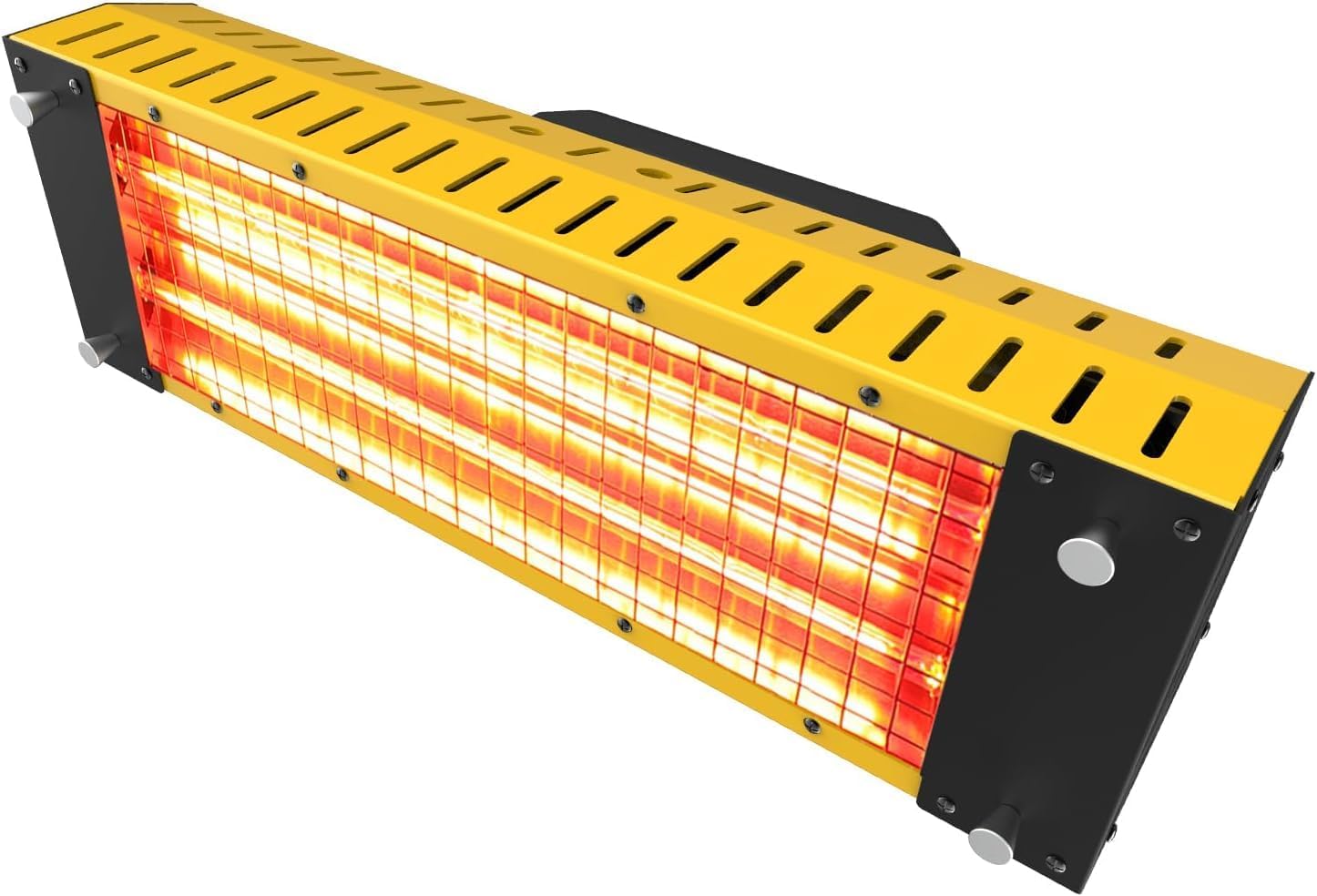
Figure 1: DATOUBOSS Infrared Paint Curing Lamp (Model DT-003)
Key Features:
- 2000W Power: Provides strong and effective infrared heating.
- Shortwave Infrared Technology: Ensures deep penetration for thorough drying, reducing rework.
- Dual Switch Control: Independent control for each lamp tube, enhancing operational flexibility.
- Efficient Heat Dissipation: Aluminum alloy body with ventilation holes for extended service life.
- Versatile Application: Suitable for auto spray paint rooms, local paint drying, putty drying, and car spray baking booths.
2. Safety Information
Always observe the following safety precautions to prevent injury or damage to the equipment:
- Ensure the power supply matches the lamp's requirements (110V).
- Do not touch the hot lamp surface during or immediately after operation. Allow sufficient cooling time.
- Wear appropriate personal protective equipment (PPE), including heat-resistant gloves and eye protection.
- Operate in a well-ventilated area.
- Keep flammable materials away from the lamp.
- Do not expose the lamp to water or excessive moisture.
- Unplug the unit when not in use or before performing any maintenance.
3. Setup
3.1 Unpacking
Carefully remove all components from the packaging. Inspect for any damage. Retain packaging for future storage or transport.

Figure 2: Product Information and Dimensions of the DT-003 Lamp.
3.2 Handle Installation
Attach the handle to the top of the lamp unit using the provided screws and tools. Ensure it is securely fastened for safe handling.
Video 1: Demonstrates the installation of the handle on the paint curing lamp.

Figure 3: Close-up of the dual switch control and handheld switch on the lamp.
3.3 Lamp Tube Installation
If the lamp tubes are not pre-installed, carefully insert them into their sockets. Ensure they are properly seated and secured. Refer to the video for visual guidance.
Video 2: Shows the installation process for the infrared paint curing lamp tubes.

Figure 4: The two 1000W paint lamp tubes and the protective safety net.
3.4 Stand Assembly (Optional)
If using a stand, attach the lamp unit to the stand's mounting bracket. Adjust the height and angle as needed for your application. Ensure the stand is stable before operation.
Video 3: Illustrates the assembly and wiring of the lamp with a stand.
4. Operating Instructions
4.1 Powering On and Off
Connect the lamp to a 110V power outlet. The unit features dual switch control, with each switch corresponding to a lamp tube. To activate, press the handheld switch. Release to turn off. For continuous operation, press the handheld switch and then engage the switch lock. Release the switch lock to turn off continuous operation.
4.2 Curing Process
The shortwave infrared technology provides high luminous efficiency and strong penetrating power, allowing paint to dry from the inside out. This results in a high surface gloss and strong coating adhesion, minimizing wrinkles and tears.

Figure 5: Explanation of shortwave infrared technology and its deep penetration for paint curing.
4.3 Application Guidelines
The lamp is suitable for various applications, including:
- Automotive spray paint rooms
- Local paint drying
- Drying putty
- Car spray baking booths
- Car film application
- Metal processing
- Furniture drying
- Advertising construction

Figure 6: Visual representation of the diverse applications for the infrared paint curing lamp.
5. Maintenance
5.1 Cleaning
Regularly clean the lamp's exterior with a soft, dry cloth. Ensure the unit is unplugged and completely cool before cleaning. Do not use abrasive cleaners or solvents.
5.2 Heat Dissipation
The aluminum alloy body and numerous small holes are designed for optimal heat dissipation. Keep these vents clear of obstructions to maintain efficient cooling and prolong the lamp's service life.

Figure 7: Illustration of the lamp's aluminum alloy shell and cooling holes for effective heat dissipation.
5.3 Lamp Tube Replacement
If a lamp tube needs replacement, ensure the unit is unplugged and cool. Carefully remove the old tube and install a new one, following the reverse steps of installation. Refer to the lamp tube installation video in Section 3.3 for guidance.
6. Troubleshooting
If you encounter issues with your DATOUBOSS Infrared Paint Curing Lamp, refer to the following common problems and solutions:
- Lamp not turning on: Check power connection, ensure switches are in the 'ON' position, and verify the power outlet is functional.
- Insufficient heat output: Ensure both lamp tubes are functioning. Verify the power setting (if applicable) is correct.
- Overheating: Check for obstructions around the ventilation holes. Ensure operation in a well-ventilated area.
For persistent issues, contact customer support.
7. Specifications
| Feature | Detail |
|---|---|
| Manufacturer | DATOUBOSS |
| Brand | DATOUBOSS |
| Model | DT-003 |
| Item Weight | 5.44 pounds |
| Package Dimensions | 18 x 9.7 x 7.8 inches |
| Item Model Number | DT-003 |
| Manufacturer Part Number | DT-003 |
| Date First Available | January 12, 2024 |
What's in the Box:
- Infrared paint curing lamp * 1
- Lamps * 1 (referring to the heating elements/tubes)
8. Warranty and Support
For warranty information or technical support, please refer to the documentation included with your product or visit the official DATOUBOSS website. Contact details for customer service are typically provided in the product packaging.