
BOSGAME H77
BOSGAME P3 Lite Mini PC User Manual
Model: H77
1. Product Overview
The BOSGAME P3 Lite Mini PC is a compact and powerful computing device designed for a wide range of applications, from everyday use and business tasks to gaming and multimedia editing. Featuring an AMD Ryzen 7 6800H processor and integrated AMD Radeon 680M Graphics, it offers high performance in a small form factor. This manual provides essential information for setting up, operating, maintaining, and troubleshooting your device.

Figure 1: BOSGAME P3 Lite Mini PC
2. Setup Guide
2.1 What's in the Box
- 1x BOSGAME P3 Lite Mini PC AMD Ryzen 7 6800H
- 1x HDMI Cable
- 1x VESA mount & Screws
- 1x Power Adapter
- 1x User Manual
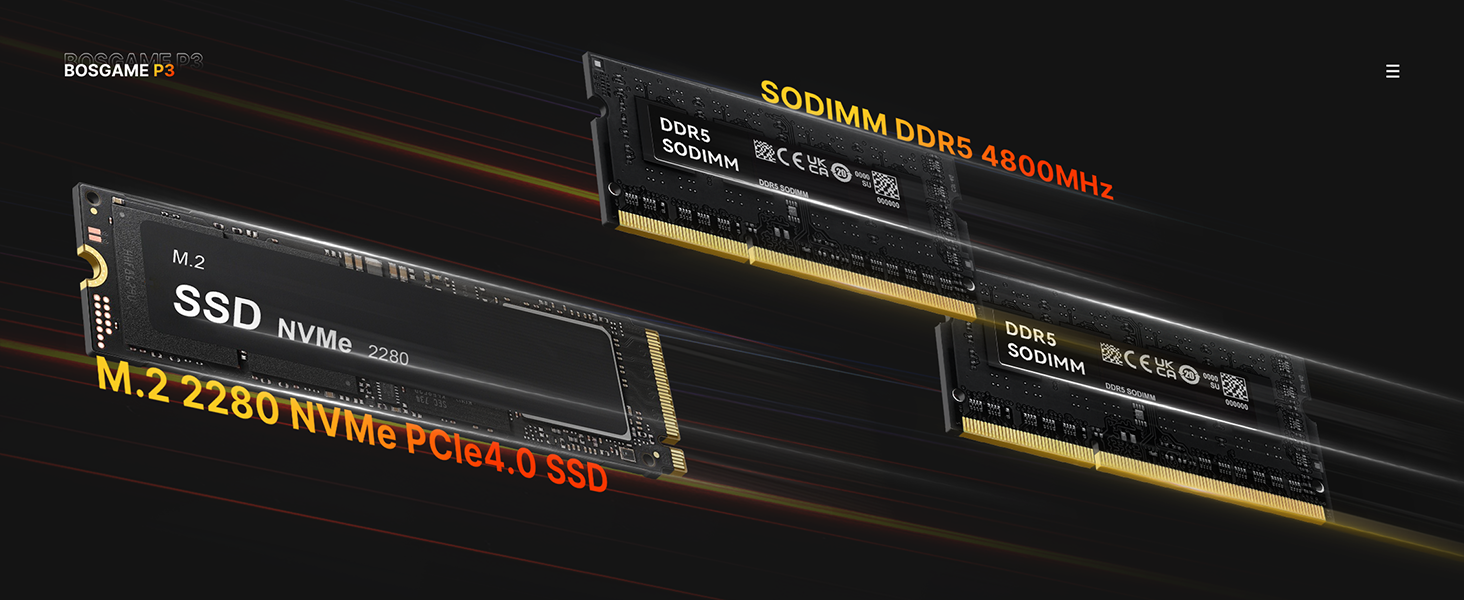
Figure 2: Included Accessories
2.2 Connecting Your Mini PC
- Power Connection: Connect the power adapter to the DC-in port on the rear of the Mini PC and plug it into a power outlet.
- Display Connection: Use the included HDMI cable to connect your monitor or TV to one of the HDMI or DisplayPort outputs on the Mini PC. The device supports Triple-4K displays and 8K resolution via USB 4.0, HDMI, and DisplayPort.
- Peripheral Connection: Connect your keyboard, mouse, and other USB devices to the available USB 3.0 ports. The Mini PC features multiple USB 3.2 Gen2 ports and a full-featured USB4 port for high-speed data transfer and display output.
- Network Connection: For wired internet, connect an Ethernet cable to one of the Dual 2.5GbE Ethernet ports. For wireless connectivity, the device supports Wi-Fi 6E and Bluetooth 5.2.

Figure 3: Rear and Front Ports
2.3 Initial Windows 11 Pro Setup
The BOSGAME P3 Lite Mini PC comes pre-installed with Windows 11 Pro. Upon first boot, you will be guided through the initial setup process. This includes selecting your language, region, keyboard layout, and setting up your user account. An internet connection is recommended for the setup process to ensure all necessary updates are downloaded.
Video 1: User Setup of Windows 11 Pro. This video demonstrates the step-by-step process of setting up Windows 11 Pro on your Mini PC, including language selection, region settings, keyboard layout, and user account creation.
3. Operating Your Mini PC
3.1 General Operation
The P3 Lite is designed for smooth and powerful multitasking. Its AMD Ryzen 7 6800H processor with 8 cores and 16 threads ensures exceptional speed and responsiveness for professional and personal use. The integrated AMD Radeon 680M Graphics provides crisp visuals for gaming, video editing, and other demanding applications.
3.2 Multi-Display Support
Enhance your productivity by connecting up to three displays simultaneously. The Mini PC supports Triple-4K displays and 8K resolution, allowing for an expansive workspace or immersive entertainment experience.

Figure 4: Multi-Screen Output Setup
3.3 Network Connectivity
Benefit from superfast networking with Dual 2.5GbE Ethernet ports for wired connections, ensuring high-speed data transfer for streaming, gaming, or large file handling. For wireless convenience, Wi-Fi 6E provides robust and fast wireless connectivity, complemented by Bluetooth 5.2 for connecting peripherals.

Figure 5: Dual 2.5G Ethernet Ports
3.4 Quiet Operation
The P3 Lite is engineered for outstanding quietness, allowing for a more enjoyable and less distracting computing experience. Its efficient design minimizes operational noise.

Figure 6: Quiet Operation Levels
4. Maintenance
4.1 Heat Dissipation
The Mini PC incorporates a highly efficient heat dissipation system to ensure stable performance and quiet operation. This system includes a cooling fan and heat conduits designed to manage thermal output effectively.

Figure 7: Efficient Heat Dissipation System
4.2 Storage and Memory Expansion
The P3 Lite features Dual-channel SO-DIMM DDR5 RAM, expandable up to 64GB (2x32GB), and dual SSD slots supporting up to 8TB NVMe PCIe 4.0 x4 2280 SSDs. This allows for significant upgrades to meet future performance and storage needs.

Figure 8: Expandable Storage
4.3 General Care
To ensure the longevity of your Mini PC, keep it in a well-ventilated area, away from direct sunlight and excessive dust. Regularly clean the exterior with a soft, dry cloth. Avoid blocking the ventilation openings.
5. Troubleshooting
This section addresses common issues you might encounter with your BOSGAME P3 Lite Mini PC.
5.1 No Display Output
- Ensure the HDMI/DisplayPort cable is securely connected to both the Mini PC and the monitor.
- Verify the monitor is set to the correct input source.
- Try a different display cable or monitor to rule out faulty equipment.
- Ensure the Mini PC is receiving power and the power indicator light is on.
5.2 System Not Waking Up from Sleep
- If the system does not wake up, try pressing the power button briefly.
- As a last resort, disconnect the power cord, wait 20 seconds, then reconnect and power on the device. This can resolve temporary power state issues.
5.3 Unusual Noise or Humming
- Ensure the Mini PC is placed on a flat, stable surface and that its ventilation openings are not obstructed. Adequate airflow is crucial for quiet operation.
- Check for any loose cables or objects near the fan.
- If a persistent humming sound occurs even when the device is shut down, it may indicate a power state issue. Unplug the power adapter completely to stop the sound. If this persists, contact support.
5.4 Overheating or Unexpected Shutdowns
- Ensure the Mini PC has sufficient ventilation space around it. Do not place it directly against a wall or in an enclosed space.
- Clean any dust accumulation from the vents using compressed air.
- Ensure all system drivers and Windows updates are current.
- If issues persist, consider checking the BIOS settings for display resolution or power management options, as some configurations might lead to increased heat.
6. Specifications
Detailed technical specifications for the BOSGAME P3 Lite Mini PC.
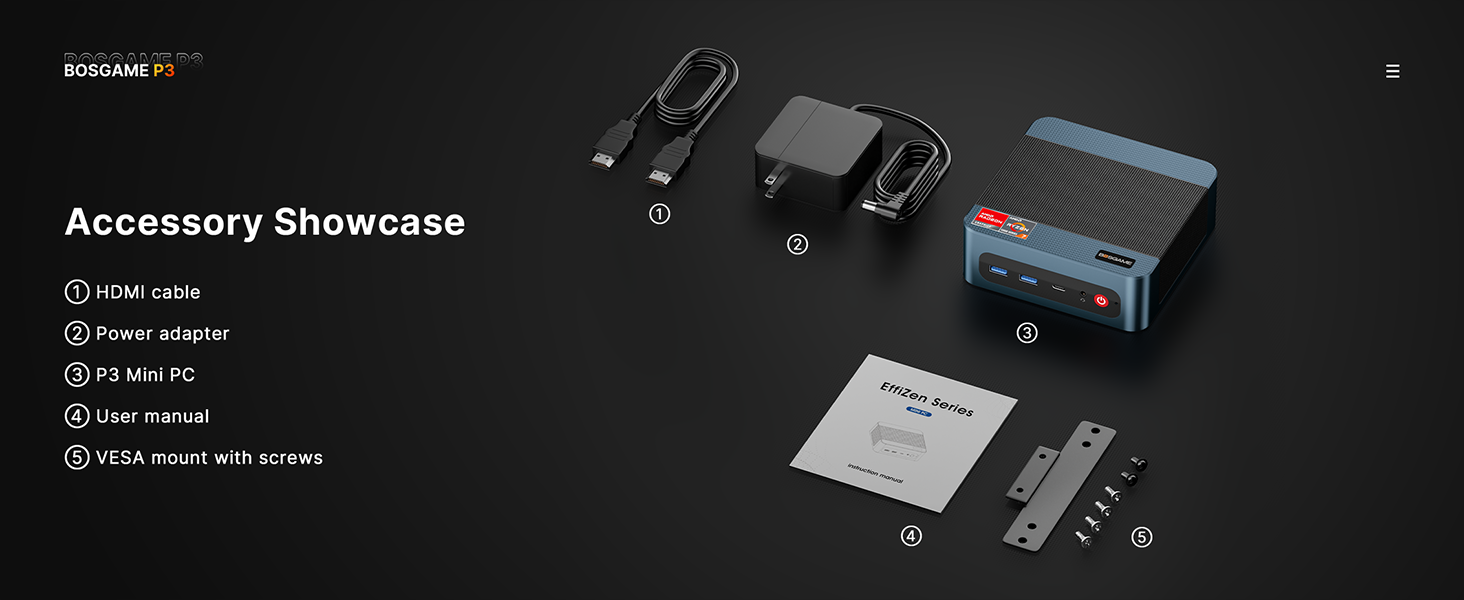
Figure 9: Product Specification Overview
| Feature | Detail |
|---|---|
| Brand | BOSGAME |
| Series | BOSGAME Ryzen 7 Mini PC P3 Lite |
| Model Number | H77 |
| Processor | AMD Ryzen 7 6800H (3.2 GHz, 8 Cores, 16 Threads, Max Boost Clock 4.7 GHz) |
| Graphics Coprocessor | AMD Radeon 680M (Integrated) |
| RAM | 32 GB DDR5 (4800 MHz, SODIMM, 2 slots available, expandable up to 64GB) |
| Hard Drive | 1 TB NVMe SSD (PCIe 4.0 x4 2280, dual SSD slots supporting up to 8TB) |
| Operating System | Support Win/Ubuntu/Linux (Pre-installed with Windows 11 Pro) |
| Max Screen Resolution | 3840 x 2160 pixels (4K), supports 8K resolution |
| Wireless Type | 802.11ax (Wi-Fi 6E), Bluetooth 5.2 |
| Ethernet Ports | Dual 2.5GbE RJ45 LAN |
| USB Ports | 3x USB 3.0, 1x USB4 (40Gbps transfer rate) |
| Video Output | HDMI 2.0, DisplayPort, USB4 (supports Triple-4K displays & 8K resolution) |
| Dimensions (LxWxH) | 4.72 x 4.72 x 1.73 inches (120 x 120 x 44 mm) |
| Item Weight | 2.77 pounds |
7. Warranty & Support
BOSGAME is committed to providing excellent customer service and support for your Mini PC.
7.1 Warranty Information
All BOSGAME PCs come with a 1-year warranty starting from the date of purchase. Additionally, you are eligible for 30 days of worry-free returns.
7.2 Technical Support
BOSGAME offers 24/7 lifetime technical support. If you encounter any issues or have questions regarding your Mini PC, please do not hesitate to contact our professional support team.
Contact Methods:
- Via Amazon: Log in to your Amazon buyer account, find your order, click "Get Help," and then select "Ask a question."
- Via Email: You can also reach us directly at support@bosgamepc.com. We aim to reply as soon as possible on working days.

Figure 10: Warranty & Support Contact Information
Ask a question about this manual
Ask about setup, troubleshooting, compatibility, parts, safety, or missing instructions. Manuals+ will review the question and use this page’s manual context to help answer it.