1. Introduction
Thank you for choosing the UGREEN HiTune H5 Wireless Earbuds. This manual provides detailed instructions on how to set up, operate, and maintain your earbuds to ensure optimal performance and longevity. Please read this manual carefully before use and retain it for future reference.
The UGREEN HiTune H5 earbuds feature Bluetooth 5.3 for stable connectivity, 13.6mm dynamic drivers for superior sound, 4 microphones with AI noise reduction for clear calls, and an IPX5 water-resistant design.
2. Package Contents
Ensure all items are present in your package:
- UGREEN HiTune H5 Wireless Earbuds (1 pair)
- Charging Case (1)
- User Manual (1)
- USB-C Charging Cable (1)
3. Product Overview
The UGREEN HiTune H5 earbuds are designed for comfort and high-quality audio. Each earbud is equipped with touch controls and microphones. The compact charging case provides additional battery life and protects the earbuds when not in use.

Image: UGREEN HiTune H5 Wireless Earbuds and their charging case, showcasing the product design.
4. Charging
Before first use, fully charge the earbuds and the charging case.
4.1 Charging the Earbuds
- Place the earbuds into the charging case, ensuring they are correctly seated.
- The indicator lights on the case will show the charging status.
4.2 Charging the Case
- Connect the charging case to a USB power adapter (not included) using the provided USB-C cable.
- The indicator lights on the case will show the charging progress.
A full charge for the earbuds takes approximately 1.5 hours, and the charging case takes about 2 hours. A 10-minute charge can provide up to 2 hours of music playback.

Image: Visual representation of the UGREEN HiTune H5 earbuds' battery life, showing 6 hours on a single charge and 26 hours with the charging case.
5. Setup and Pairing
5.1 First-Time Pairing
- Open the charging case. The earbuds will automatically enter pairing mode, indicated by flashing lights.
- On your device (smartphone, tablet, laptop), enable Bluetooth.
- Search for "UGREEN HiTune H5" in the list of available Bluetooth devices and select it to connect.
- Once connected, a voice prompt will confirm successful pairing.
5.2 Reconnecting
After the initial pairing, the earbuds will automatically connect to the last paired device when you open the charging case and Bluetooth is enabled on your device.
5.3 Single Earbud Mode
You can use either earbud independently. Simply take one earbud out of the case, and it will connect to your device. The other earbud can remain in the case or be used later for stereo mode.
6. Operating the Earbuds
The UGREEN HiTune H5 earbuds feature intuitive touch controls for various functions.
6.1 Touch Controls
| Action | Function |
|---|---|
| Single Tap (L/R) | Play/Pause Music, Answer/End Call |
| Double Tap (L) | Previous Track |
| Double Tap (R) | Next Track |
| Triple Tap (L/R) | Activate Voice Assistant |
| Long Press (L/R, 2s) | Reject Call |
| Long Press (L/R, 3s) | Switch between Normal Mode and Gaming Mode |
6.2 Call Features
The earbuds are equipped with 4 microphones and AI noise reduction technology to ensure clear voice calls by minimizing environmental interference.
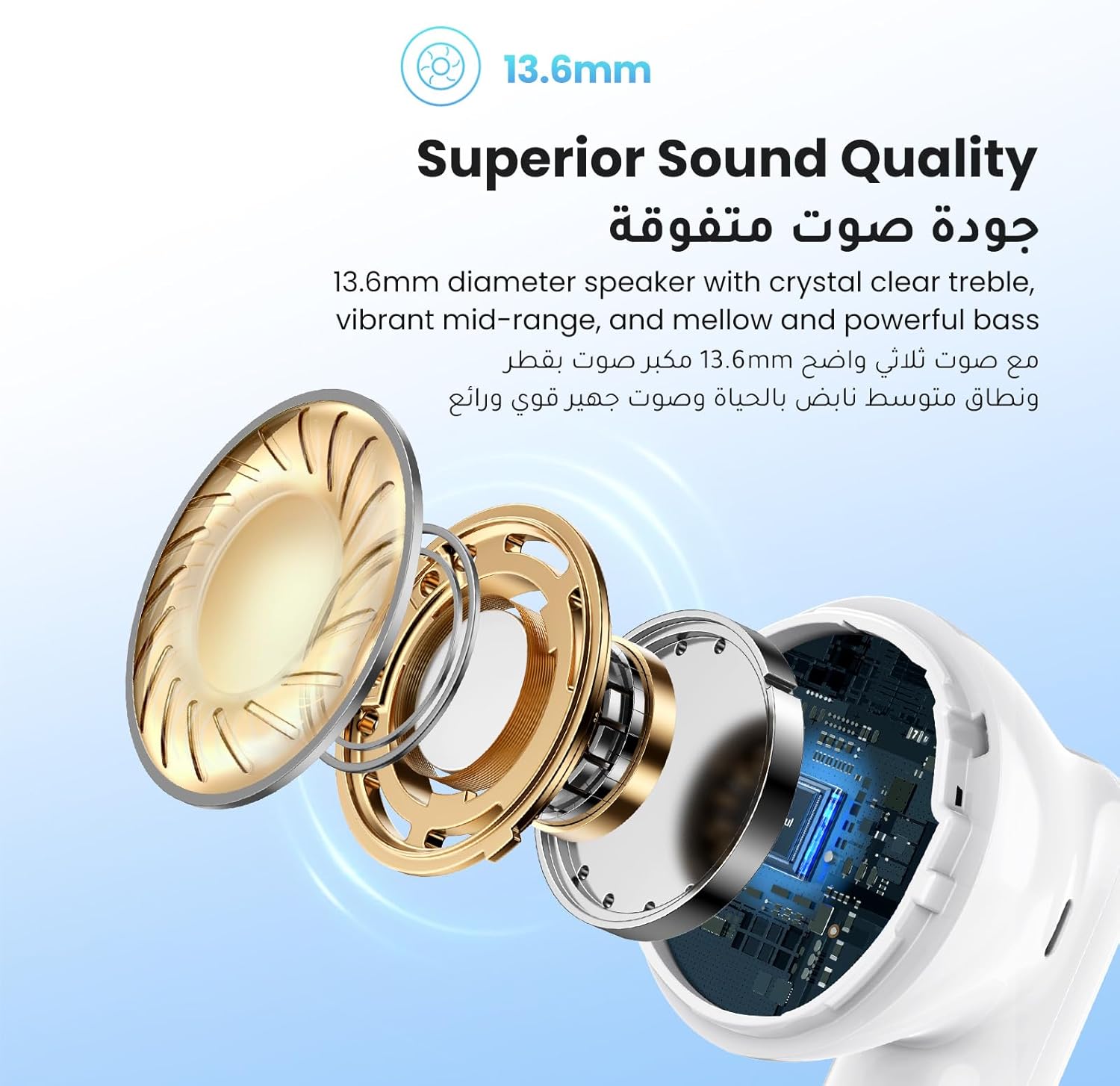
Image: A person wearing the UGREEN HiTune H5 earbuds, illustrating the 4-mic AI call noise reduction feature.
6.3 Gaming Mode
Activate Gaming Mode for ultra-low latency (less than 100ms) to ensure audio-video synchronization during gaming sessions. This allows for quick reactions without sound delay.

Image: A smartphone displaying a game, with the UGREEN HiTune H5 earbuds and a '100ms' indicator, highlighting the low-latency gaming mode.
7. Water Resistance (IPX5)
The UGREEN HiTune H5 earbuds are IPX5 water-resistant, meaning they can withstand splashes of water, light rain, and sweat. This makes them suitable for workouts and outdoor activities.
Note:
- The charging case is NOT waterproof.
- Do not submerge the earbuds in water.
- Ensure the earbuds are dry before placing them back into the charging case.
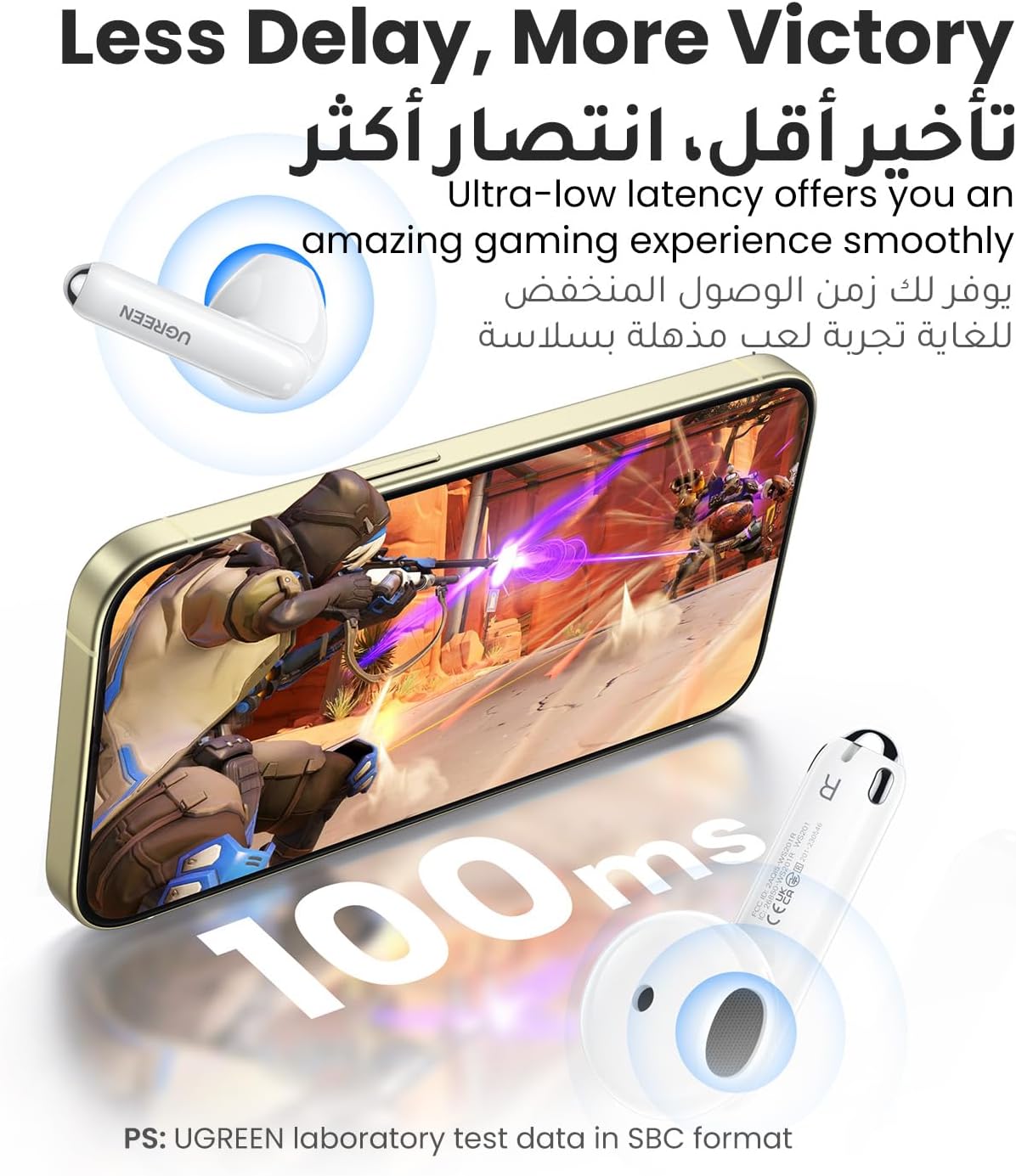
Image: A person wearing UGREEN HiTune H5 earbuds, with visual cues indicating resistance to light rain, accidental splashes, and sweat, highlighting the IPX5 water-resistant rating.
8. Maintenance
Proper maintenance ensures the longevity and performance of your earbuds.
- Cleaning: Regularly clean the earbuds and charging case with a soft, dry, lint-free cloth. Do not use harsh chemicals or abrasive materials.
- Storage: Store the earbuds in their charging case when not in use to protect them from dust and damage.
- Avoid Extreme Temperatures: Do not expose the earbuds or charging case to extreme temperatures (hot or cold) or high humidity.
9. Troubleshooting
If you encounter any issues, please refer to the following common solutions:
9.1 Earbuds Not Pairing/Connecting
- Ensure the earbuds are charged.
- Make sure Bluetooth is enabled on your device.
- Place the earbuds back into the case, close it, then open it again to re-enter pairing mode.
- Forget "UGREEN HiTune H5" from your device's Bluetooth list and try pairing again.
- Try pairing with a different device to rule out device-specific issues.
9.2 No Sound or Low Volume
- Check the volume level on both your device and the earbuds.
- Ensure the earbuds are properly connected to your device.
- Clean any debris from the earbud speakers.
9.3 Charging Issues
- Ensure the charging cable is securely connected to both the case and the power source.
- Try a different USB-C cable and power adapter.
- Clean the charging contacts on both the earbuds and the case.
10. Specifications
Here are the technical specifications for the UGREEN HiTune H5 Wireless Earbuds:
| Feature | Detail |
|---|---|
| Model Name | HiTune H5 (Model 15612) |
| Connectivity Technology | Wireless Bluetooth 5.3 |
| Driver Size | 13.6 mm |
| Earbud Playtime | Up to 6 hours (single charge) |
| Total Playtime (with case) | Up to 26 hours |
| Earbud Charging Time | Approx. 1.5 hours |
| Case Charging Time | Approx. 2 hours |
| Microphones | 4 (with AI Call Noise Reduction) |
| Water Resistance Rating | IPX5 (Earbuds only) |
| Control Method | Touch Control |
| Weight | 120 Grams (total package weight) |
| Compatible Devices | Laptop, Tablet, Mobile Phone |

Image: A detailed view of the UGREEN HiTune H5's internal components, highlighting the Bluetooth 5.3 chip for advanced wireless connectivity.

Image: An exploded view of the UGREEN HiTune H5 earbud, showcasing the 13.6mm diameter speaker for superior sound quality.
11. Warranty and Support
UGREEN products come with a standard warranty. For specific warranty terms and conditions, please refer to the warranty card included in your package or visit the official UGREEN website.
If you encounter any issues or have questions regarding your UGREEN HiTune H5 Wireless Earbuds, please contact UGREEN customer support through their official website or the retailer where you purchased the product. Please have your product model number (15612) and purchase details ready when contacting support.