
Introduction
This manual provides essential information for the safe and efficient operation, installation, and maintenance of your Avallon ARHI28PAA Range Hood Insert. Designed for optimal kitchen ventilation, this 30-inch stainless steel insert features a powerful 600 CFM blower, bright LED lighting, and easy-to-clean baffle filters. Please read this manual thoroughly before installation and use, and retain it for future reference.

Image: Front view of the Avallon ARHI28PAA Range Hood Insert, showcasing its sleek stainless steel design and integrated lighting.
Product Overview & Features
The Avallon ARHI28PAA Range Hood Insert is engineered to effectively remove cooking fumes, odors, and grease from your kitchen environment. Key features include:
- Powerful Blower: Delivers up to 600 Cubic Feet Per Minute (CFM) for efficient air extraction.
- Baffle Filters: Stainless steel baffle filters are designed to effectively trap grease and are dishwasher safe for convenient cleaning.
- LED Lighting: Integrated LED lights illuminate your cooking area, providing clear visibility.
- Convertible Ventilation: The hood can be configured for ducted or ductless (recirculating) operation, offering flexible installation options. (Ductless conversion requires a charcoal filter kit, sold separately).
- Knob Controls: Intuitive knob controls allow for easy adjustment of fan speeds and lighting.
- Four Fan Speeds: Multiple speed settings to match various cooking needs.
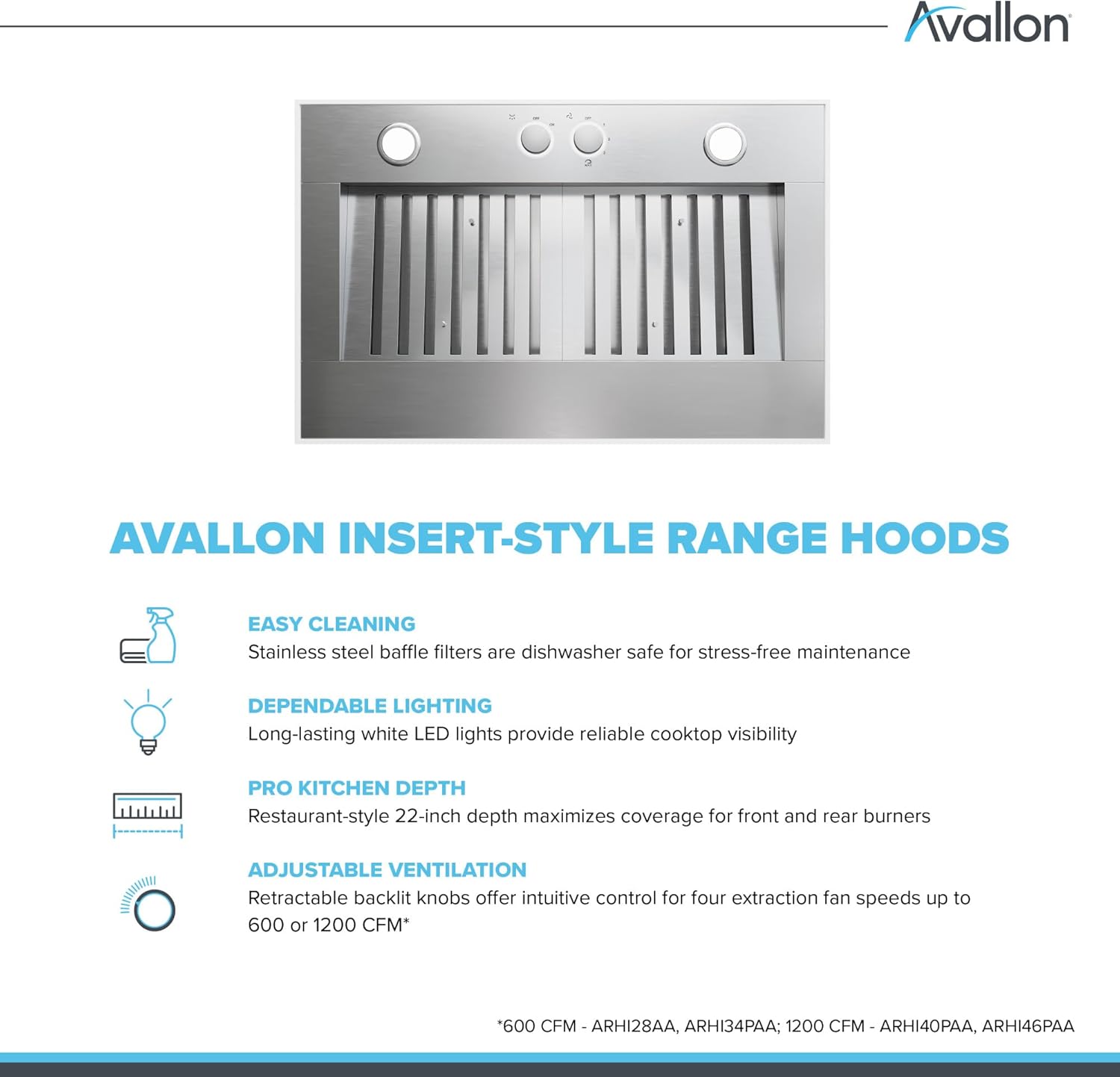
Image: A diagram highlighting the easy cleaning, dependable lighting, pro kitchen depth, and adjustable ventilation features of Avallon insert-style range hoods.
Specifications
| Feature | Detail |
|---|---|
| Model Number | ARHI28PAA |
| Air Flow Capacity | 600 Cubic Feet Per Minute (CFM) |
| Material | Stainless Steel |
| Noise Level | 10 Sones |
| Controls Type | Knob |
| Number of Speeds | 4 |
| Light Source Type | LED |
| Filter Type | Baffle |
| Ventilation Type | Ductless (Convertible) |
| Product Dimensions (D x W x H) | 22" x 28.5" x 11.88" |
| Item Weight | 50 Pounds |
| Voltage | 120 Volts |
| Amperage | 15 Amps |
| Wattage | 463 watts |
Installation
The Avallon ARHI28PAA is designed as an insert for custom hood enclosures. Proper installation is crucial for optimal performance and safety. It is recommended that installation be performed by a qualified professional.
General Installation Considerations:
- Ensure the mounting structure is capable of supporting the weight of the range hood.
- Verify that the ductwork (if ducted) is correctly sized and sealed to prevent air leaks.
- If converting to ductless operation, ensure the charcoal filter kit is properly installed.
- Connect the unit to a dedicated 120V, 15 Amp electrical circuit.
- Maintain appropriate clearance between the cooking surface and the bottom of the range hood as specified in the full installation guide.

Image: A kitchen view showing the Avallon Range Hood Insert seamlessly integrated into a custom wooden hood enclosure above a large range.
Operating Instructions
Your Avallon ARHI28PAA Range Hood Insert features intuitive knob controls for easy operation.
Fan Operation:
- Locate the fan speed control knob on the front panel of the unit.
- Turn the knob to select one of the four available fan speeds (1-4) to adjust the ventilation power according to your cooking needs.
- To turn off the fan, rotate the knob to the "Off" position.
Lighting Operation:
- Locate the light control knob on the front panel.
- Turn the knob to switch the LED lights on or off.
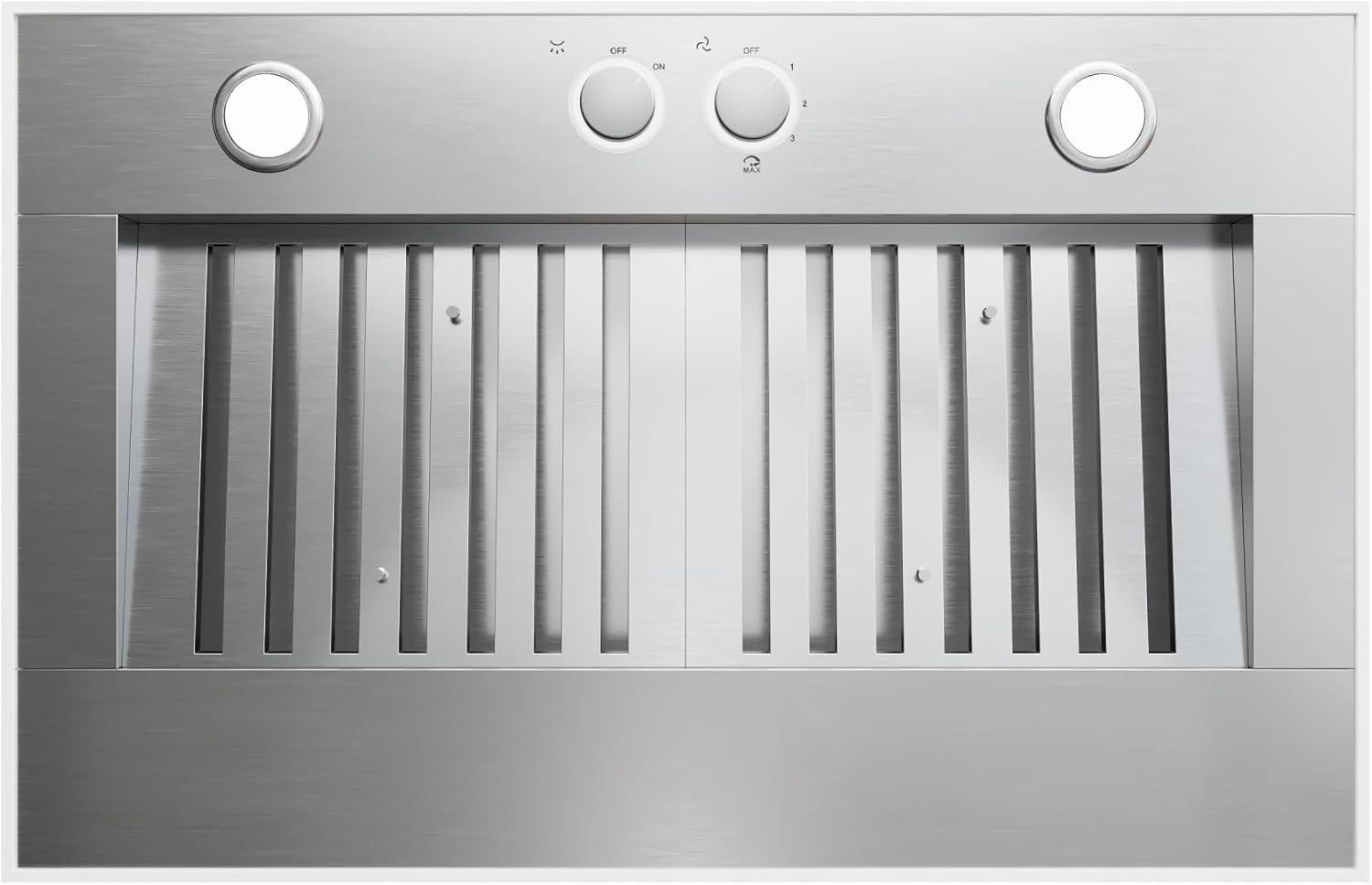
Image: A detailed view of the knob controls and stainless steel baffle filters on the Avallon Range Hood Insert.
Maintenance
Regular maintenance ensures the longevity and optimal performance of your range hood. The baffle filters are designed for easy cleaning.
Cleaning Baffle Filters:
- To remove a baffle filter, locate the release latch or handle on the filter.
- Pull the latch/handle and gently slide the filter out of its housing.
- The stainless steel baffle filters are dishwasher safe. Place them in your dishwasher for thorough cleaning. Alternatively, they can be hand-washed with hot, soapy water.
- Allow the filters to dry completely before re-installing them.
- To re-install, slide the dry filter back into its position until the latch engages securely.
A service indicator (e.g., a letter 'F' or similar) may illuminate on the control panel to remind you when filters require cleaning.
General Cleaning:
- Clean the exterior stainless steel surfaces regularly with a soft cloth and a non-abrasive stainless steel cleaner.
- Avoid using abrasive pads or cleaners that could scratch the surface.
Troubleshooting
If you encounter issues with your range hood, refer to the following common troubleshooting steps. For more complex problems, contact Avallon customer support or a qualified technician.
| Problem | Possible Cause | Solution |
|---|---|---|
| Fan does not turn on | No power, fan speed knob in "Off" position, circuit breaker tripped. | Check power supply, ensure knob is set to a speed, reset circuit breaker. |
| Lights do not turn on | No power, light knob in "Off" position, LED bulbs faulty. | Check power supply, ensure knob is set to "On", replace LED bulbs if necessary. |
| Poor suction performance | Clogged filters, improper ductwork, fan speed too low. | Clean or replace filters, inspect ductwork for obstructions or leaks, increase fan speed. |
| Excessive noise | Loose components, fan obstruction, improper installation. | Check for loose parts, clear any obstructions, ensure proper installation. |


