Introduction
This manual provides detailed instructions for the installation, operation, and maintenance of your Yunseity 1080P 2MP Video Doorbell. This device is designed to enhance your home security with features such as a 3.97-inch high-definition LCD screen, 1080p camera resolution, 135° wide-angle view, motion detection, automatic recording, and night vision. Please read this manual thoroughly before using the product to ensure proper functionality and safety.
Setup and Installation
Before installation, ensure your door meets the following requirements:
- Door Hole Diameter: Approximately 15-30 mm (0.59-1.18 inches)
- Door Thickness: Approximately 35-80 mm (1.38-3.15 inches)
Package Contents:
Verify that all components are present in the package:
- 1x Indoor Unit (Display Screen)
- 1x Outdoor Camera (Peephole Lens)
- 1x USB Cable
- 1x Mounting Plate
- 6x Screws
- 1x User Manual (English)
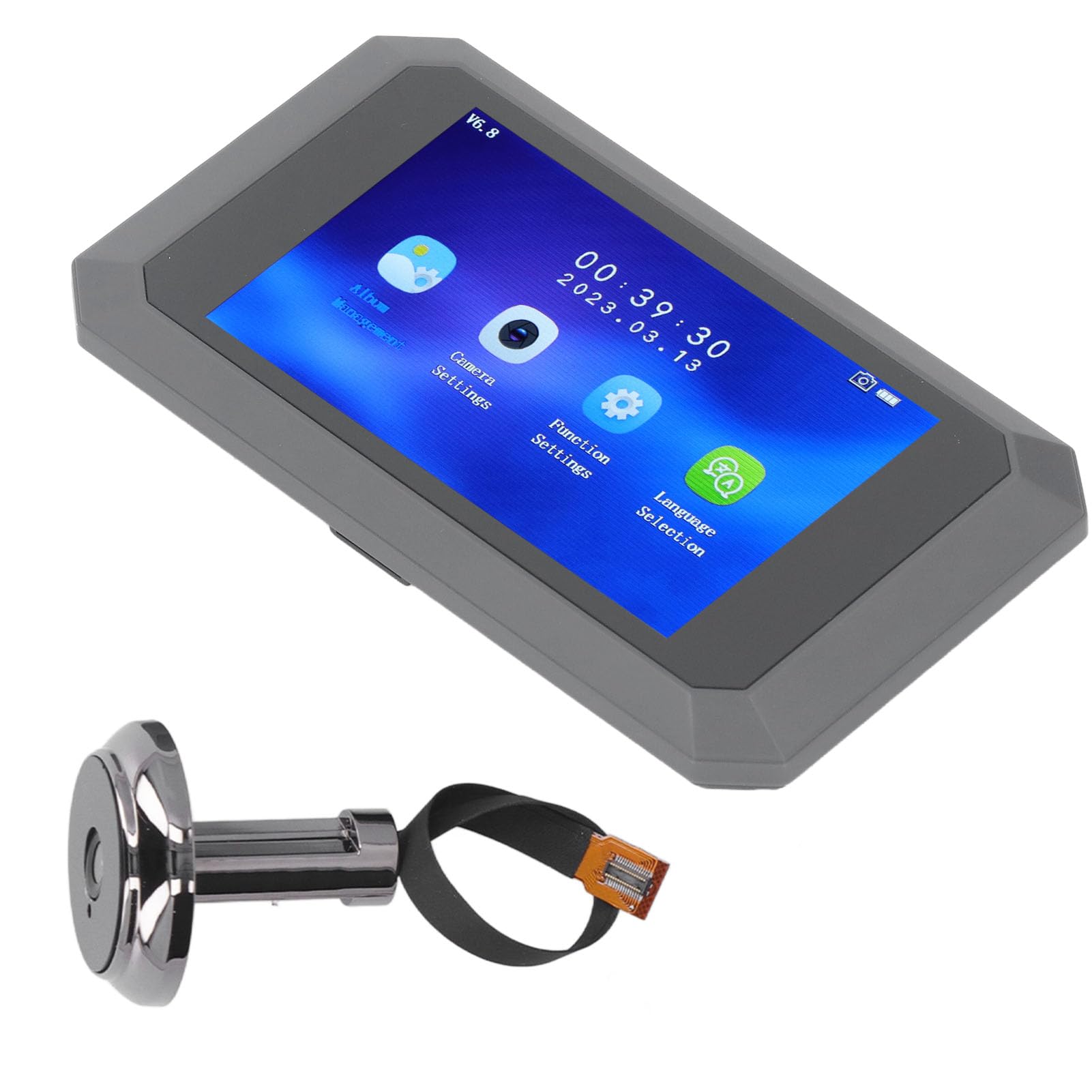
Image: All components included in the Yunseity Video Doorbell package.
Installation Steps:
- Prepare the Door: Ensure the door hole is within the specified diameter (15-30 mm) and the door thickness is between 35-80 mm.
- Install Outdoor Camera: Insert the outdoor camera lens through the door hole from the outside. Ensure the camera is facing outwards correctly.
- Secure Mounting Plate: From the inside of the door, attach the mounting plate over the outdoor camera's cable, aligning it with the door hole. Use the provided screws to secure the mounting plate to the door.
- Connect Indoor Unit: Connect the cable from the outdoor camera to the corresponding port on the indoor display unit.
- Mount Indoor Unit: Carefully attach the indoor display unit to the mounting plate. It should click into place or be secured with additional screws if applicable.
- Insert Micro SD Card: Locate the micro SD card slot on the indoor unit and insert a compatible micro SD card (8GB or more, 16GB/32GB recommended, not included) for recording.
- Power On: The device should power on automatically or can be turned on using the power button.

Image: Illustration of the outdoor camera and indoor display screen in position on a door.

Image: Dimensions of the indoor display unit for reference during installation.
Operating Instructions
Basic Functions:
- Live View: Press the button on the indoor unit to activate the screen and view the live feed from the outdoor camera.
- Motion Detection: The device features motion detection. When motion is detected, the camera will automatically record video or capture images.
- Visitor Recording: When a visitor presses the doorbell or motion is detected, the camera automatically records their portrait. These recordings are saved to the micro SD card.
- Video Messages: Visitors can leave video messages, which can be accessed and played back from the indoor unit.
- Night Vision: Equipped with high-power infrared fill light, the camera provides clear night vision, automatically activating in low-light conditions.

Image: Main interface of the indoor display unit, showing various settings and album access.

Image: The night vision capability of the outdoor camera, providing clear visibility in low light.
Menu Navigation:
The indoor unit features a user-friendly interface. Use the touch screen or physical buttons (if present) to navigate through the following options:
- Album Management: View recorded videos and photos.
- Camera Settings: Adjust camera parameters such as resolution, motion detection sensitivity, and recording duration.
- Function Settings: Configure general device settings, including date/time, screen brightness, and auto-off timer.
- Language Selection: Choose from supported languages including English, Chinese, Russian, French, Italian, German, Japanese, Korean, Czech, Turkish, and Arabic.
Charging the Battery:
The indoor unit is powered by a built-in 3.7-4.2V 1400mAh lithium-ion battery. To charge, connect the provided USB cable to the Type-C charging interface on the indoor unit and a suitable USB power adapter (not included).
Maintenance
- Cleaning: Use a soft, dry cloth to clean the indoor display screen and the outdoor camera lens. Avoid using abrasive cleaners or solvents.
- Battery Care: To prolong battery life, avoid fully discharging the battery frequently. Charge the device regularly.
- Software Updates: Check the manufacturer's website or product support for any available firmware updates to ensure optimal performance and security.
- Storage Card: Periodically review and manage the content on your micro SD card. Format the card if necessary to maintain recording efficiency.
Troubleshooting
| Problem | Possible Cause | Solution |
|---|---|---|
| No image on screen |
|
|
| Poor image quality |
|
|
| Motion detection not working |
|
|
| Cannot record videos/photos |
|
|
Specifications
| Feature | Detail |
|---|---|
| Screen Size | 3.97 inches (10.1 cm) |
| Screen Resolution | 480 x 800 |
| Camera Resolution | 1080p (2MP) |
| Video Recording Resolution | 720p (internal storage) |
| Wide Angle View | 135° |
| Infrared Light | 2 (for night vision) |
| Storage Method | Micro SD card (supports >8GB, 16GB/32GB recommended, not included) |
| Supported Languages | English, Chinese, Russian, French, Italian, German, Japanese, Korean, Czech, Turkish, Arabic |
| Applicable Door Hole | Approx. 15-30 mm |
| Applicable Door Thickness | Approx. 35-80 mm |
| Battery Type | Built-in 3.7-4.2V 1400mAh Lithium-ion battery |
| Charging Interface | Type-C |
| Wireless Communication Technology | Infrared |
| Connectivity Technology | Wired (for camera to display unit) |
| Power Consumption | 2 Watts |
| Model Name | Yunseityw48g765xse |
Warranty Information
Specific warranty details for the Yunseity 1080P 2MP Video Doorbell are not provided in the product information. Please refer to the retailer's return policy or contact Yunseity customer support for warranty inquiries. Information regarding spare parts availability is currently unavailable.
Customer Support
For further assistance, technical support, or product inquiries, please contact Yunseity customer service. You may also visit the official Yunseity store on Amazon for more information: Yunseity Store.