Introduction
This manual provides instructions for the safe and efficient use of your LG CordZero A949 Cordless Stick Vacuum Cleaner with Auto-Empty Base. Please read all instructions carefully before operating the appliance and retain this manual for future reference.
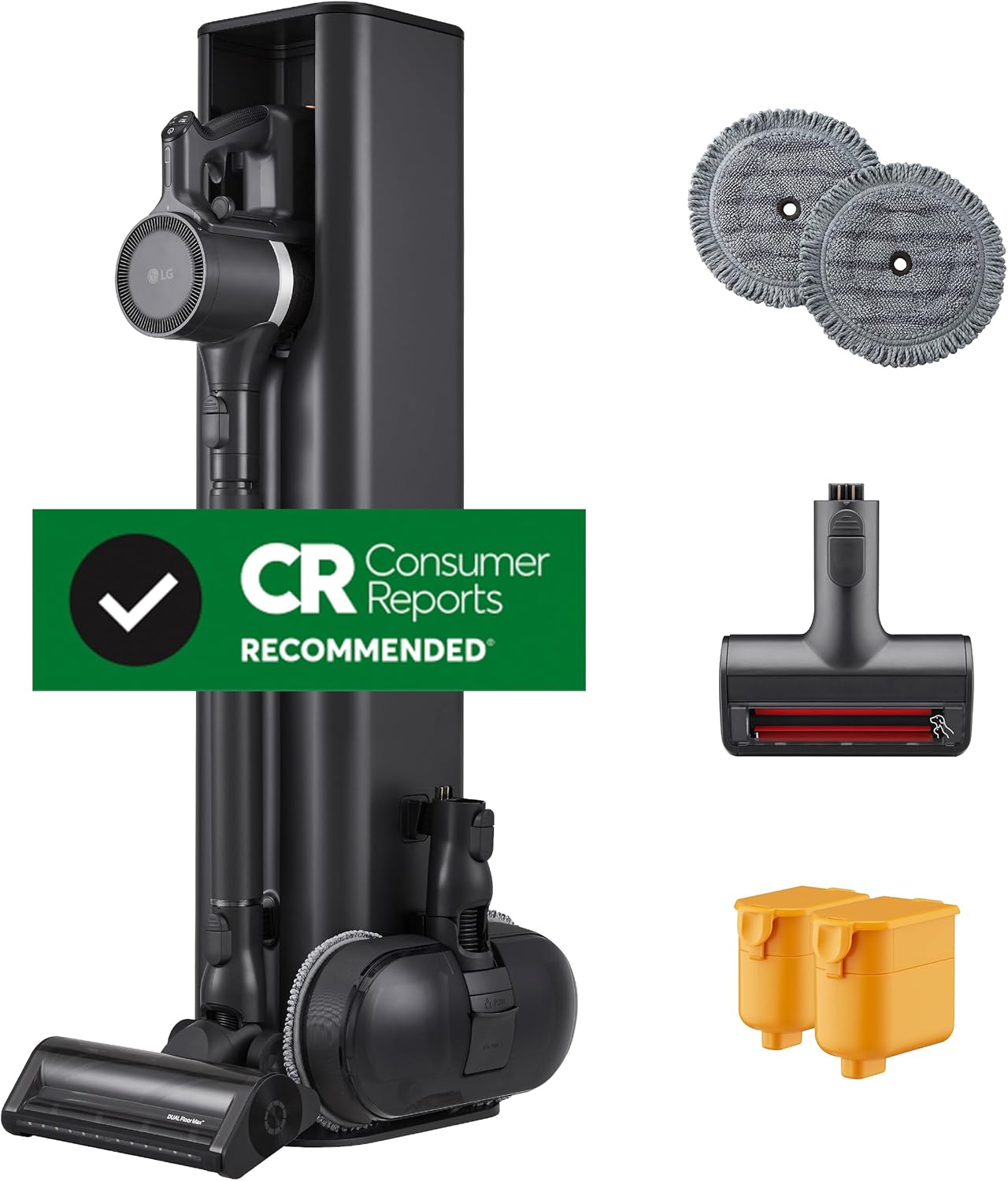
Image: The LG CordZero A949 Cordless Stick Vacuum Cleaner with its Auto-Empty Base, two mop pads, a Power Pet Nozzle, and two rechargeable batteries.
Important Safety Information
Always follow basic safety precautions when using electrical appliances to reduce the risk of fire, electric shock, or injury. This includes:
- Do not use outdoors or on wet surfaces.
- Do not allow to be used as a toy. Close attention is necessary when used by or near children.
- Use only as described in this manual. Use only manufacturer’s recommended attachments.
- Do not use with damaged cord or plug. If appliance is not working as it should, has been dropped, damaged, left outdoors, or dropped into water, return it to a service center.
- Do not pull or carry by cord, use cord as a handle, close a door on cord, or pull cord around sharp edges or corners. Do not run appliance over cord. Keep cord away from heated surfaces.
- Do not unplug by pulling on cord. To unplug, grasp the plug, not the cord.
- Do not handle plug or appliance with wet hands.
- Do not put any object into openings. Do not use with any opening blocked; keep free of dust, lint, hair, and anything that may reduce air flow.
- Keep hair, loose clothing, fingers, and all parts of body away from openings and moving parts.
- Do not pick up anything that is burning or smoking, such as cigarettes, matches, or hot ashes.
- Do not use to pick up flammable or combustible liquids, such as gasoline, or use in areas where they may be present.
- Do not use without dust bin and/or filters in place.
What's In The Box
Verify that all components are present before beginning assembly and operation.

Image: A visual representation of all included components: CordZero Stick Vacuum with Dual Floor Max Nozzle, All-in-One Tower, Power Mop Pro Nozzle, Power Mop Pro Pads (2 sets), Power Pet Nozzle, Crevice Tool, Combination Tool, 3 Dust Bags, All-in-One Tower Filters, 2 Pre-Filters, 2 Quick Release Batteries, and 1 High-Efficiency Fine Dust Filter.
- CordZero Stick Vacuum with Dual Floor Max Nozzle
- All-in-One Tower (Auto Empty Tower)
- Power Mop Pro Nozzle
- Power Mop Pro Pads (2 sets)
- Power Pet Nozzle
- Crevice Tool
- Combination Tool
- 3 Dust Bags (for Auto-Empty Tower)
- All-in-One Tower Filters
- 2 Pre-Filters
- 2 Quick Release Batteries
- 1 High-Efficiency Fine Dust Filter
Setup
1. Assembling the Vacuum and Tower
The LG CordZero A949 is designed for easy assembly. Connect the main body of the vacuum to the telescoping wand, and then attach the desired nozzle (e.g., Dual Floor Max Nozzle) to the end of the wand. The All-in-One Tower serves as a charging station and auto-empty base.

Image: The LG CordZero A949 stick vacuum cleaner is shown docked vertically in its All-in-One Tower, which also stores accessories.
2. Charging the Batteries
Insert one of the quick-release batteries into the vacuum's main body. The second battery can be charged simultaneously in the dedicated charging slot located at the top of the All-in-One Tower. A full charge takes approximately 4.5 hours. The vacuum comes with two batteries for extended runtime.

Image: A hand is shown inserting a yellow quick-release battery into the main body of the LG CordZero A949 vacuum cleaner.
3. Initial Dust Bag Installation (Auto-Empty Tower)
The Auto-Empty Tower requires a dust bag for collecting debris from the vacuum's dust bin. Open the front panel of the tower and insert a new dust bag into the designated slot. Ensure it is securely fitted.

Image: A person is shown replacing a white dust bag inside the open compartment of the LG CordZero Auto-Empty Tower.
Operating Instructions
1. Powering On and Suction Modes
Press the power button on the handle to turn on the vacuum. Use the '+' and '-' buttons to cycle through the three available suction settings: Low, Medium, and High. The current suction mode is indicated on the display.

Image: A close-up view of the vacuum's handle, showing the power button, Wi-Fi button, and '+' and '-' buttons for adjusting spray and suction settings.
2. Using the Dual Floor Max Nozzle
The Dual Floor Max Nozzle is designed for effective cleaning across various floor types, including carpets and hard floors, without requiring attachment changes. It features both a motorized soft roller and a motorized carpet agitator. An integrated LED headlight illuminates hidden debris.

Image: The Dual Floor Max Nozzle of the LG CordZero A949 vacuum is shown cleaning a floor scattered with colorful confetti, demonstrating its multi-surface capability. Insets show the motorized hard floor soft roller and motorized carpet agitator.
3. Using the Power Mop Pro Nozzle
Attach the Power Mop Pro Nozzle for wet cleaning of hard floors. Fill the reservoir with floor-safe detergent and water. The nozzle sprays cleaning solution and uses rotating mop pads to clean surfaces. LED lights on the nozzle help illuminate dark areas.

Image: The Power Mop Pro Nozzle of the LG CordZero A949 is shown actively cleaning a tiled floor, with spray visible and LED lights illuminated. Insets show how to fill the water reservoir and attach the mop pads.
4. Using the Power Pet Nozzle
For effective removal of pet hair from upholstery, bedding, and other surfaces, attach the Power Pet Nozzle. Its specialized design and rubber blade roller efficiently lift stubborn pet hair while protecting fabrics.

Image: The LG CordZero A949 vacuum, equipped with the Power Pet Nozzle, is shown cleaning scattered pet food from a rug and hard floor, with a dog resting nearby.
5. Auto-Empty Function
When the vacuum is docked in the All-in-One Tower, the auto-empty function automatically transfers collected debris from the vacuum's dust bin into the tower's larger dust bag. This minimizes contact with dust and ensures the vacuum's bin is empty for the next use.

Image: A cutaway diagram illustrates the auto-empty process, showing debris being suctioned from the vacuum's dust bin into the dust bag within the All-in-One Tower.
6. Kompressor Technology
To maximize the dust bin capacity before auto-emptying, press the Kompressor lever on the vacuum's main body. This compresses collected dirt, dust, and pet hair, increasing the bin's effective capacity by up to 2.4 times.

Image: A hand is shown operating the Kompressor lever on the side of the LG CordZero A949 vacuum, compressing debris within the transparent dust bin.
7. Wi-Fi Connectivity
The LG CordZero A949 features Wi-Fi connectivity. Refer to the LG ThinQ app for detailed instructions on connecting your vacuum to your home network and accessing smart features.
Maintenance
1. Filter System Overview
The vacuum features a 5-step filtration system, and the All-in-One Tower has a 3-step system. Regular cleaning of these filters is essential for maintaining optimal performance and air quality.

Image: An exploded diagram illustrates the 5-step filtration system of the LG CordZero A949 vacuum, showing the metal dust filter, 1st cyclone, 2nd cyclone, pre-filter, and fine dust filter.
2. Cleaning Washable Filters
The vacuum's cyclone system and filters, as well as the filters in the All-in-One Tower, are removable and washable. Rinse them under running water until clean, then allow them to air dry completely before reinserting. Do not use detergents or hot water.

Image: Four separate images show hands rinsing various components of the LG CordZero A949's filtration system under running water, including the cyclone and different filters.
3. Replacing Auto-Empty Tower Dust Bags
The All-in-One Tower uses disposable dust bags. When the 'Replace Bag' indicator illuminates on the tower's display, open the front panel and replace the full bag with a new one. Three disposable bags are included with the product.
4. Nozzle Maintenance
Periodically check the Dual Floor Max Nozzle and Power Pet Nozzle for tangled hair or debris. Remove any obstructions to ensure optimal performance. The Power Mop Pro Nozzle pads should be washed after each use.
Troubleshooting
If you encounter issues with your LG CordZero A949, refer to the following common solutions:
- No Power: Ensure the battery is fully charged and correctly inserted. Check that the All-in-One Tower is plugged into a working power outlet.
- Reduced Suction: Check the dust bin for fullness and empty if necessary. Inspect all filters (pre-filter, fine dust filter, cyclone system) for blockages or dirt and clean them as per the maintenance section. Ensure no blockages are present in the nozzle, wand, or main body.
- Auto-Empty Not Working: Verify that the vacuum is correctly docked in the All-in-One Tower. Check if the dust bag in the tower is full and needs replacement. Ensure the tower's filters are clean.
- Mop Nozzle Not Spraying: Ensure the water reservoir is filled with water and floor-safe detergent. Check for any blockages in the spray nozzle.
- Unusual Noise/Smell: Immediately turn off the vacuum. Check for any foreign objects or blockages in the nozzles, wand, or main unit. Ensure all filters are clean and properly installed. If the issue persists, contact customer support.
Specifications
| Feature | Detail |
|---|---|
| Brand | LG |
| Model Name | CordZero A949 |
| Item Model Number | A949KTMS |
| Special Features | All-in-One Tower with Tool Accessory Storage, Auto Empty, Dual Floor Max Nozzle, Power Mop Pro Nozzle, Power Pet Nozzle |
| Filter Type | 5-Step Filtration System (Vacuum), 3-Step Filtration System (Tower) |
| Included Components | Auto Empty All-in-One Tower, Dual Floor Max Nozzle, Power Pet Nozzle, Power Mop Pro Nozzle, Crevice Tool, Combination Brush Tool, Telescoping Wand, 2 Rechargeable Batteries, Filters, Charging Dock, Vacuum Bag |
| Cordless | Yes |
| Capacity | 2.1 Pounds (Dust Bin) |
| Wattage | 400 watts |
| Charging Time | 4.5 Hours |
| Recommended Uses | Carpet, Hard Floor, Tile Floor, Hardwood, Rug |
| Form Factor | Stick |
| Color | Graphite |
| Product Dimensions | 10.4"L x 11.7"W x 44.1"H |
| Battery Type | Lithium-Ion (2 included) |
| Noise Level | 84 dB |
| Battery Life | Up to 200 minutes (with 2 batteries) |
| Connectivity Technology | Wi-Fi |
| Number of Power Levels | 3 |
Warranty Information
The LG CordZero A949 includes a 10-year limited warranty on the Smart Inverter Motor. For detailed warranty terms and conditions, please refer to the warranty card included with your product or visit the official LG website.
Customer Support
For further assistance, technical support, or service inquiries, please contact LG Customer Service. You can find contact information on the official LG website or in the documentation provided with your product.