1. Introduction
This manual provides essential instructions for the safe and effective use of your Sony Cyber-Shot RX100 VII Digital Camera (DSC-RX100M7). Please read this manual thoroughly before operating the camera and retain it for future reference. This camera combines a 20.1MP 1-inch stacked CMOS sensor with a versatile ZEISS 24–200 mm zoom lens, offering high-quality imaging in a compact form factor.
2. Setup
2.1. Unboxing and Checking Contents
Before proceeding, ensure all items are present in the package:
- Sony Cyber-Shot DSC-RX100 VII Digital Camera (DSC-RX100M7)
- Rechargeable Battery Pack NP-BX1
- AC Adaptor
- Micro USB Cable
- Wrist Strap
- Instruction Manual (this document)
Note: Additional accessories like memory cards, cases, and extra batteries may be included depending on your specific bundle.
2.2. Charging the Battery
The supplied NP-BX1 battery pack is not fully charged. Charge it before first use.
- Insert the battery pack into the camera.
- Connect the camera to the AC Adaptor using the Micro USB cable.
- Plug the AC Adaptor into a wall outlet. The CHARGE lamp will light up.
- When charging is complete, the CHARGE lamp will turn off.
A full charge typically takes approximately 150 minutes.
2.3. Inserting the Battery and Memory Card
Open the battery/memory card cover on the bottom of the camera.
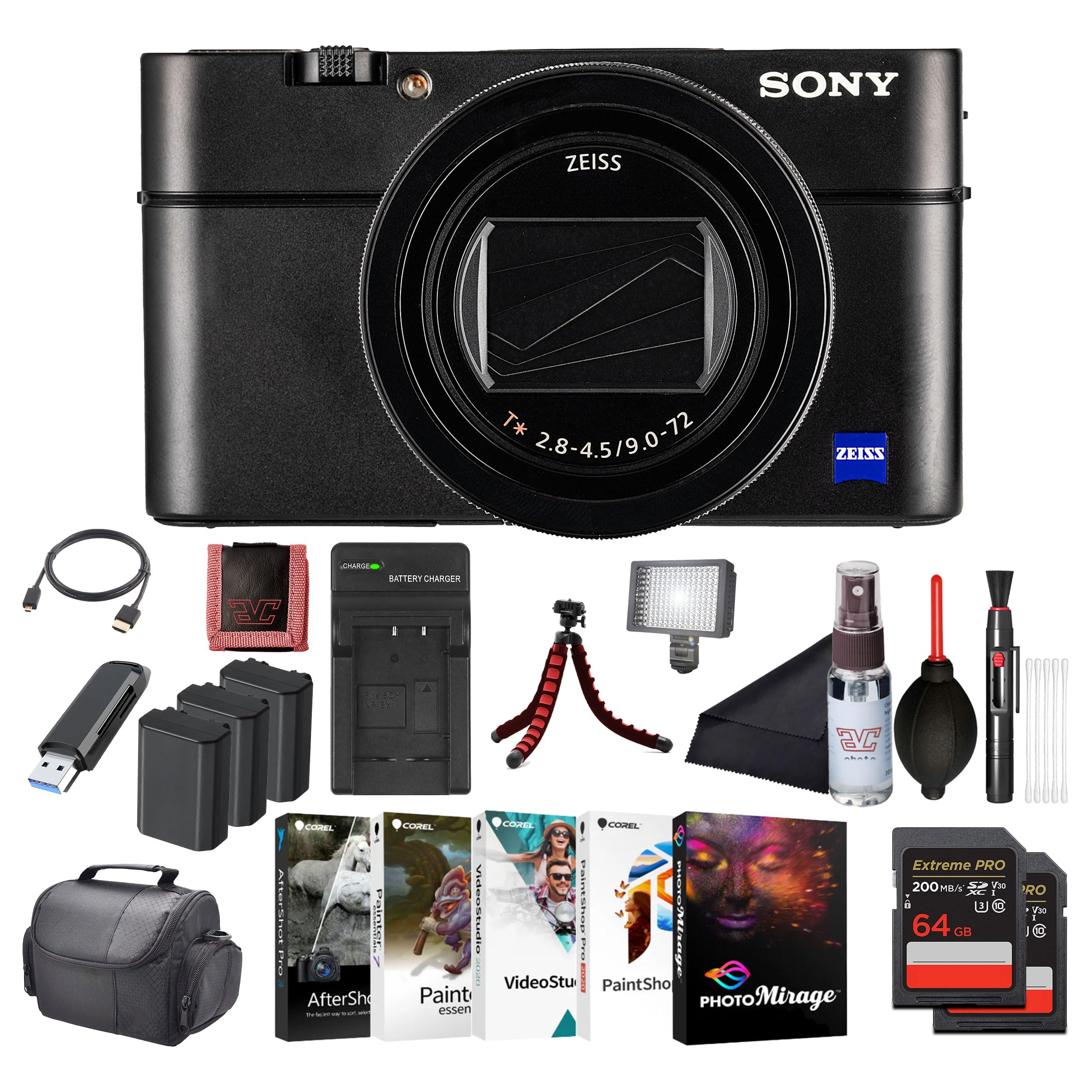
Image: Front view of the Sony Cyber-Shot RX100 VII camera, showcasing the ZEISS lens and compact body.
- Insert the battery pack with the arrow pointing into the camera until it clicks into place.
- Insert a compatible memory card (SDXC recommended) with the notched corner facing as shown in the diagram (refer to camera body for specific orientation) until it clicks.
- Close the cover securely.
2.4. Initial Settings
When you turn on the camera for the first time, the initial setup screen will appear.
- Date & Time: Set the current date and time.
- Area Setting: Select your geographical area.
- Language: Choose your preferred display language.
Follow the on-screen prompts to complete these settings.
3. Operating the Camera
3.1. Camera Parts and Controls
Familiarize yourself with the main components and controls of your camera.

Image: Rear view of the Sony Cyber-Shot RX100 VII, showing the LCD screen, control wheel, and various buttons like MENU, Fn, DISP, and MOVIE.
- Power Button: Located on the top panel, used to turn the camera on/off.
- Shutter Button: Half-press to focus, full-press to take a picture.
- Mode Dial: Select shooting modes (P, A, S, M, Auto, Movie, HFR, etc.).
- Control Wheel: Navigate menus and adjust settings.
- LCD Monitor: Display images, videos, and menu options. Can be tilted for various shooting angles.
- Viewfinder: Pop-up electronic viewfinder for eye-level shooting.

Image: Top view of the Sony Cyber-Shot RX100 VII with its ZEISS Vario-Sonnar T* lens fully extended, showing the mode dial, power button, and shutter button.
3.2. Basic Shooting
- Turn on the camera: Press the ON/OFF button.
- Select a shooting mode: Rotate the Mode Dial to your desired mode (e.g., Intelligent Auto for simple point-and-shoot).
- Frame your shot: Use the LCD monitor or pop-up viewfinder.
- Focus: Half-press the Shutter Button to focus. The focus frame will turn green when focus is achieved.
- Capture: Fully press the Shutter Button to take the picture.

Image: Front view of the Sony Cyber-Shot RX100 VII with its LCD screen tilted upwards, demonstrating its flexible viewing angles for various shooting positions.
3.3. Advanced Shooting Modes
- Program Auto (P): Camera sets aperture and shutter speed, you control other settings.
- Aperture Priority (A): You set aperture, camera sets shutter speed. Ideal for controlling depth of field.
- Shutter Priority (S): You set shutter speed, camera sets aperture. Ideal for controlling motion blur.
- Manual Exposure (M): You control both aperture and shutter speed.
- Movie Mode: Dedicated mode for video recording. Press the MOVIE button to start/stop recording.
- High Frame Rate (HFR): For capturing super slow-motion video.
3.4. Focusing and Autofocus Features
The RX100 VII features advanced autofocus capabilities:
- Real-Time Eye AF: Automatically detects and tracks human and animal eyes for precise focus.
- Real-Time Tracking: Uses AI-based subject recognition to track moving subjects accurately.
- Focus Area: Selectable focus areas (Wide, Zone, Center, Flexible Spot, Expanded Flexible Spot, Tracking).
Access these settings via the MENU button.
3.5. Video Recording
The camera supports high-quality video recording:
- 4K HDR Video: Record oversampled 4K video with full pixel readout.
- S-Log3/HLG: For advanced color grading and high dynamic range footage.
- External Microphone Input: Use an external microphone for improved audio quality (via multi-interface shoe).

Image: Side view of the Sony Cyber-Shot RX100 VII, showing the pop-up electronic viewfinder in its extended position, and the NFC logo.
4. Maintenance
4.1. Cleaning the Camera
- Camera Body: Wipe gently with a soft, dry cloth. For stubborn dirt, use a cloth lightly dampened with water and then wipe dry.
- Lens: Use a lens brush to remove dust, then a lens cleaning cloth with a small amount of lens cleaning fluid. Avoid touching the lens surface directly.
- LCD Monitor: Use a soft cloth specifically designed for LCD screens.
Caution: Do not use organic solvents such as alcohol, benzene, or thinner, as these may damage the camera's finish or lens coatings.
4.2. Battery Care
- Store batteries in a cool, dry place when not in use.
- Do not expose batteries to excessive heat or direct sunlight.
- If the battery will not be used for an extended period, charge it once every six months to maintain its performance.
4.3. Memory Card Care
- Always format new memory cards in the camera before first use.
- Do not remove the memory card while the camera is writing data (e.g., during shooting or playback).
- Back up important data regularly to prevent loss.
5. Troubleshooting
If you encounter issues with your camera, refer to the following common problems and solutions:
| Problem | Possible Cause / Solution |
|---|---|
| Camera does not turn on. | Battery is depleted. Charge the battery. Battery is inserted incorrectly. Reinsert the battery correctly. |
| Cannot take pictures. | Memory card is full. Delete unnecessary images or insert a new card. Memory card is not inserted. Insert a memory card. Lens cap is on. Remove the lens cap. |
| Images are blurry. | Camera shake. Use a faster shutter speed or image stabilization. Subject is out of focus. Ensure the camera has focused correctly. Lens is dirty. Clean the lens. |
| Battery drains quickly. | Frequent use of LCD/viewfinder. Reduce screen brightness or use power-saving modes. Battery life naturally degrades over time. Consider replacing the battery. |
For more detailed troubleshooting, please refer to the comprehensive help guide available on the Sony support website.
6. Specifications
Key technical specifications for the Sony Cyber-Shot RX100 VII (DSC-RX100M7):
- Model Name: DSC-RX100M7
- Brand: Sony
- Maximum Webcam Image Resolution: 20.1 MP
- Photo Sensor Technology: CMOS (1-inch stacked)
- Lens: ZEISS Vario-Sonnar T* 24–200 mm F2.8-4.5
- Maximum Focal Length: 200 Millimeters
- Maximum Aperture: 2.8 Millimeters
- Image Stabilization: Digital, Hybrid (Optical SteadyShot)
- Supported File Format: JPEG, RAW
- Aspect Ratio: 4:3

Image: Side profile of the Sony Cyber-Shot RX100 VII with its ZEISS lens fully extended, highlighting the compact design even with the zoom engaged.
7. Warranty and Support
This Sony product is covered by a limited warranty. For specific warranty terms and conditions, please refer to the warranty card included in your product packaging or visit the official Sony support website.
For technical support, product registration, or service inquiries, please visit the Sony support website or contact your local Sony customer service center. Keep your proof of purchase for warranty claims.
Online Support: www.sony.com/electronics/support