
Lefant M210PG
Lefant Robot Vacuum Cleaner User Manual
Model: M210PG
1. Product Overview
The Lefant M210PG Robot Vacuum Cleaner is designed to provide efficient and convenient automated cleaning for your home. Featuring powerful 2200Pa suction, this slim and quiet robot vacuum is ideal for tackling pet hair and various floor types, including mats. It offers versatile control options via remote control, Wi-Fi, Bluetooth, and compatibility with Alexa, ensuring a seamless cleaning experience. With a 120-minute autonomy, it can cover significant areas before self-charging.

Image: The Lefant M210PG Robot Vacuum Cleaner, showcasing its sleek design, alongside its remote control and a smartphone displaying the companion app interface.
2. What's in the Box
Please check the contents of your package to ensure all items are present:
- Lefant M210PG Robot Vacuum Cleaner
- Charging Dock
- Power Adapter
- Remote Control (with batteries)
- Side Brushes (2 pairs)
- HEPA Filter (pre-installed)
- Sponge Filter (pre-installed)
- Cleaning Tool
- User Manual
3. Setup Guide
3.1 Preparing the Robot Vacuum
- Remove Protective Films: Carefully remove all protective films from the robot and the charging dock.
- Install Side Brushes: Press the side brushes onto the posts at the bottom of the robot until they click into place.
- Charge the Battery: The robot comes with a pre-installed battery. For first use, fully charge the robot.
3.2 Setting Up the Charging Dock
- Place the charging dock against a wall in an open, uncluttered area.
- Ensure there is at least 0.5 meters (1.6 feet) of clear space on both sides of the dock and 1.5 meters (4.9 feet) in front of it.
- Connect the power adapter to the charging dock and plug it into a wall outlet. Ensure the power indicator on the dock lights up.
Image: The Lefant M210PG Robot Vacuum approaching its charging dock, illustrating proper placement for automatic return.
3.3 Connecting to the Lefant App
- Download the "Lefant Life" app from the App Store (iOS) or Google Play Store (Android).
- Register an account and log in.
- Ensure your phone is connected to a 2.4GHz Wi-Fi network.
- Follow the in-app instructions to add your M210PG robot vacuum. This typically involves pressing and holding the power button on the robot until it enters pairing mode.
- Once connected, you can control the robot, schedule cleanings, and monitor its status from your smartphone.
4. Operating Instructions
4.1 Starting a Cleaning Cycle
- Manual Start: Press the power button on the robot or the "Clean" button on the remote control. The robot will begin cleaning in Auto mode.
- App Control: Open the Lefant Life app and tap "Start Cleaning" or select a specific cleaning mode.
- Voice Control: If connected to Alexa, use voice commands like "Alexa, ask Lefant to start cleaning."
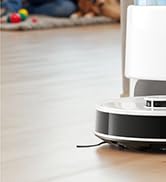
Image: The Lefant M210PG Robot Vacuum actively cleaning a hard floor surface, demonstrating its operational function.
4.2 Cleaning Modes
The M210PG offers various cleaning modes to suit different needs:
- Auto Cleaning: The robot cleans systematically, adjusting its path based on obstacles and floor type.
- Spot Cleaning: Focuses on a specific dirty area, cleaning in a spiral pattern.
- Edge Cleaning: Cleans along walls and furniture edges.
- Scheduled Cleaning: Set specific times for the robot to automatically start cleaning via the app.
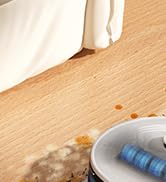
Image: An illustration depicting the different suction power levels (Low, Middle, High) available on the Lefant M210PG Robot Vacuum for varying cleaning needs.
4.3 Pausing and Returning to Dock
- To pause cleaning, press the power button on the robot or the "Pause" button on the remote/app.
- To send the robot back to its charging dock, press the "Home" button on the remote or the corresponding icon in the app.
5. Maintenance
Regular maintenance ensures optimal performance and extends the lifespan of your robot vacuum.
5.1 Emptying the Dustbin
- Press the dustbin release button and pull out the dustbin.
- Open the dustbin cover and empty its contents into a trash can.
- Rinse the dustbin with water if necessary (ensure it is completely dry before re-installing).
5.2 Cleaning Filters
- Remove the HEPA filter and sponge filter from the dustbin.
- Tap the HEPA filter to remove dust. Do not wash the HEPA filter with water.
- Rinse the sponge filter with water. Allow it to air dry completely before re-installing.
- Replace filters every 3-6 months, depending on usage.
5.3 Cleaning Side Brushes
- Pull the side brushes upwards to remove them.
- Remove any hair or debris wrapped around the brushes.
- Wipe the brush posts with a dry cloth.
- Re-install the side brushes.
5.4 Cleaning Sensors and Charging Contacts
- Wipe the cliff sensors (located on the bottom of the robot) and the charging contacts (on the robot and dock) with a clean, dry cloth.
- Ensure no dust or debris obstructs these components for proper operation.
6. Troubleshooting
| Problem | Possible Cause | Solution |
|---|---|---|
| Robot does not turn on. | Low battery; Power switch off. | Place robot on charging dock; Ensure power switch is ON. |
| Robot cannot return to charging dock. | Dock is obstructed; Dock is not powered; Robot is too far. | Clear area around dock; Check power connection; Manually place robot closer to dock. |
| Suction power is weak. | Dustbin full; Filter clogged; Main brush tangled. | Empty dustbin; Clean/replace filters; Clean main brush. |
| Robot gets stuck frequently. | Too many obstacles; Cliff sensors dirty. | Clear cables, toys, etc.; Clean cliff sensors. |
| Cannot connect to Wi-Fi/App. | Incorrect Wi-Fi password; Router is 5GHz; Robot not in pairing mode. | Verify password; Ensure 2.4GHz network; Reset robot and try pairing again. |
7. Specifications
| Feature | Detail |
|---|---|
| Brand | Lefant |
| Model Name | M210PG |
| Special Feature | HEPA Filtration |
| Color | Gray |
| Product Dimensions | 11"L x 11"W x 2.99"H |
| Included Components | Battery (and other standard accessories) |
| Filter Type | Cartridge |
| Battery Life | 120 minutes |
| Capacity (Dustbin) | 500 Milliliters |
| Power Source | Battery Powered |
| Control Method | App, Remote Control, Voice (Alexa) |
| Compatible Devices | Google Home, Amazon Alexa |
| Form Factor | Round |
| UPC | 780627998880 |
| Item Weight | 6.93 pounds |
8. Warranty and Support
Lefant products come with a standard manufacturer's warranty. For detailed warranty information, please refer to the warranty card included in your package or visit the official Lefant website.
For technical support, troubleshooting assistance, or spare parts inquiries, please contact Lefant Customer Service through their official website or the contact information provided in the product packaging. You can also visit the Lefant Store on Amazon for more information and product updates.
Related documentsM210PG


Ask a question about this manual
Ask about setup, troubleshooting, compatibility, parts, safety, or missing instructions. Manuals+ will review the question and use this page’s manual context to help answer it.