
1. Introduction
Thank you for choosing the HETP Magnetic Portable Charger Power Bank. This compact and powerful device is designed to provide convenient and reliable charging for your iPhone 15/14/13/12 series and other USB-C compatible devices. Featuring strong magnetic attachment, wireless charging, and a clear LCD display, it ensures you stay powered on the go. Please read this manual carefully before use to ensure optimal performance and safety.
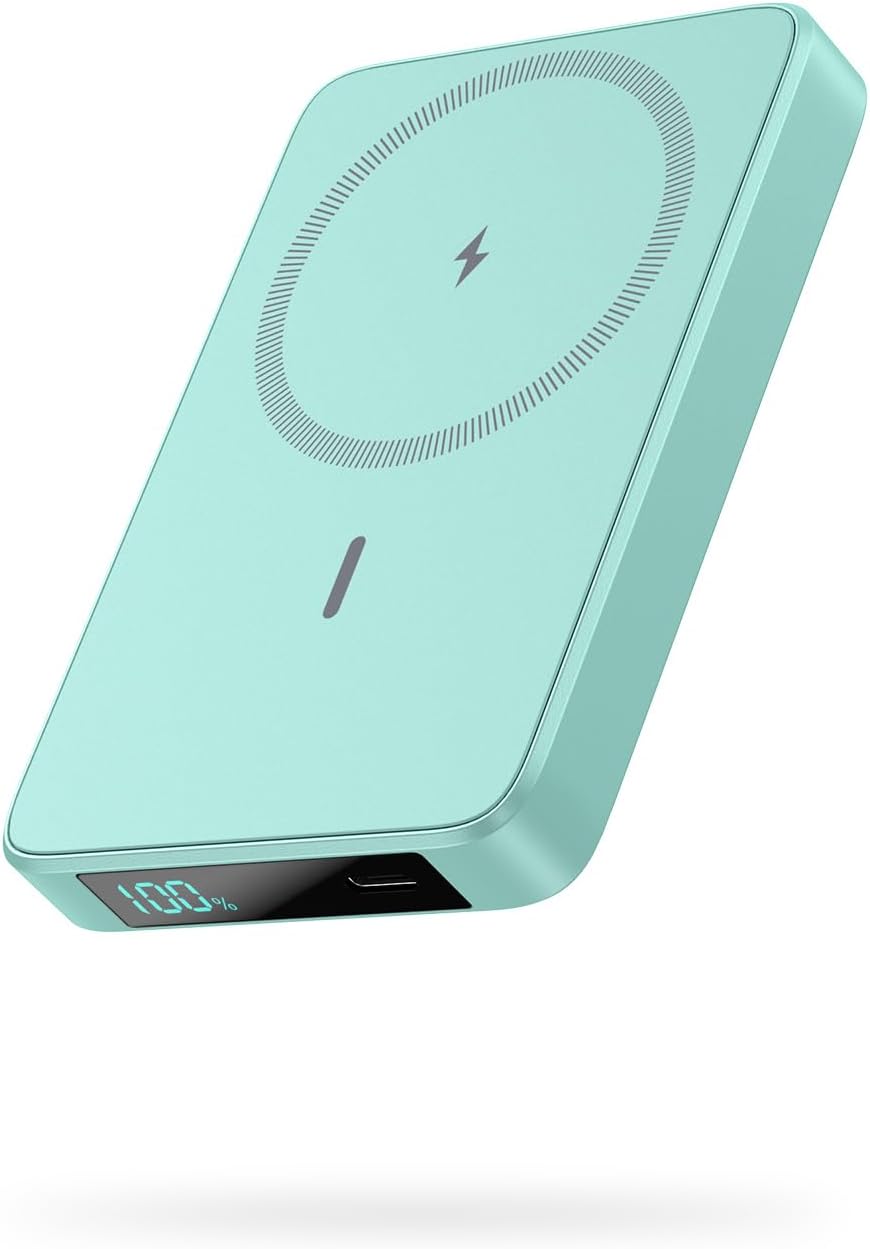
Image: The HETP Magnetic Portable Charger Power Bank in green, showcasing its sleek design and LCD display.
2. Package Contents
Please check the package for the following items:
- 1 x HETP Magnetic Wireless Power Bank (10800mAh)
- 1 x USB-C Charging Cable
- 1 x User Manual
- 1 x Dust-proof Portable Storage Bag
3. Product Features
- Magnetic Wireless Charging: Specifically designed for iPhone 15/14/13/12 series and MagSafe compatible cases, providing 7.5W magnetic wireless charging.
- High Capacity: Built-in 10800mAh battery capacity, capable of fully charging an iPhone 15 Pro up to 1.9 times.
- 20W PD USB-C Output: Fast charging for various devices via USB-C cable.
- LCD Display: Clear digital display showing remaining battery percentage.
- Compact & Portable: Ultra-slim design (3.99 x 2.59 x 0.78 inches, 0.39 lb) for easy portability.
- Pass-Through Charging: Charge your phone wirelessly or via USB-C while simultaneously recharging the power bank.
- Multi-Protect Safety System: Includes over-voltage, over-charge, over-current, and short-circuit protection.
4. Getting Started
4.1 Initial Charge
Before first use, fully charge your HETP Magnetic Portable Charger Power Bank. Connect the provided USB-C cable to the power bank's USB-C port and the other end to a compatible USB wall adapter (not included).
4.2 Checking Battery Level
The LCD display on the power bank will show the current battery percentage. It will illuminate automatically when charging or when a device is connected.
5. Operating Instructions
5.1 Charging the Power Bank
- Connect the USB-C charging cable to the power bank's USB-C port.
- Connect the other end of the cable to a USB-C wall charger or a computer's USB-C port.
- The LCD display will show the charging progress, indicating the battery percentage increasing.
5.2 Wireless Magnetic Charging (for iPhone 15/14/13/12 Series)
- Ensure your iPhone is a 15/14/13/12 series model or is equipped with a MagSafe compatible case.
- Align the back of your iPhone with the magnetic charging area of the power bank. The magnets will firmly snap into place.
- Wireless charging will begin automatically. The LCD display on the power bank will show the battery percentage.

Image: The power bank magnetically attaching to the back of an iPhone, demonstrating the "Power in a Snap" feature.
Note: For optimal magnetic attachment and charging, use with bare iPhone 15/14/13/12 series or MagSafe compatible cases. Non-magnetic cases may prevent proper attachment and charging.

Image: Illustration showing that the power bank charges effectively through magnetic cases, but not through non-magnetic cases.
5.3 Wired USB-C Charging
- Connect your device (e.g., smartphone, tablet) to the power bank's USB-C port using a compatible USB-C cable.
- The power bank will automatically detect the device and begin charging.

Image: Demonstrates simultaneous wireless charging and wired USB-C charging from the power bank, highlighting its versatility.
5.4 Pass-Through Charging
The power bank supports pass-through charging, allowing you to charge your phone (wirelessly or via USB-C) while the power bank itself is being recharged. Simply connect the power bank to a power source and then connect your phone to the power bank.
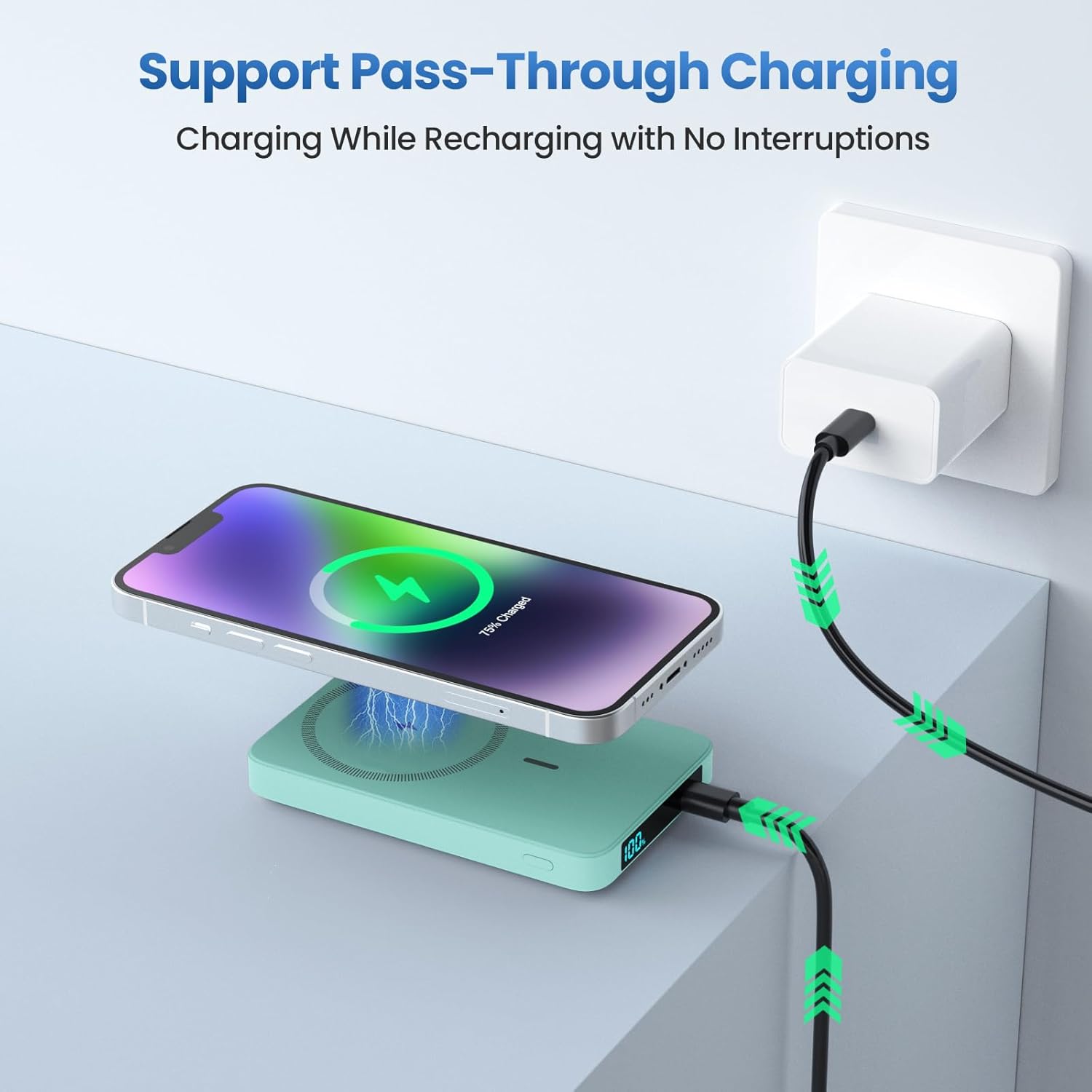
Image: Shows the power bank connected to a wall adapter for recharging, while simultaneously wirelessly charging an iPhone, illustrating the pass-through charging capability.
6. Safety Information
- Do not expose the power bank to extreme temperatures (hot or cold), direct sunlight, or high humidity.
- Do not disassemble, modify, or repair the device yourself. Refer to qualified service personnel.
- Keep away from water and other liquids.
- Avoid dropping or subjecting the power bank to strong impacts.
- Do not use if the power bank is damaged or swollen.
- Keep out of reach of children.
- Dispose of the power bank responsibly according to local regulations. Do not dispose of with household waste.
7. Maintenance and Care
- Clean the power bank with a soft, dry cloth. Do not use abrasive cleaners or solvents.
- Store the power bank in a cool, dry place when not in use.
- For optimal battery longevity, fully charge and discharge the power bank at least once every three months if not used regularly.
8. Troubleshooting
| Problem | Possible Cause | Solution |
|---|---|---|
| Power bank not charging. | Cable or adapter issue; power bank fully discharged. | Try a different USB-C cable or wall adapter. Ensure connections are secure. Allow a few minutes for the LCD to light up if fully discharged. |
| Device not charging wirelessly. | Misalignment; non-MagSafe case; device incompatibility. | Ensure proper alignment. Remove non-MagSafe cases. Confirm your device supports wireless charging. |
| Device not charging via USB-C. | Cable issue; power bank low on battery. | Try a different USB-C cable. Ensure the power bank has sufficient charge. |
| LCD display not working. | Power bank fully discharged; internal fault. | Charge the power bank. If the issue persists, contact customer support. |
9. Specifications
- Model: HX100M7
- Battery Capacity: 10800mAh
- Wireless Output: 7.5W (Magnetic)
- USB-C Input/Output: 20W PD (Power Delivery)
- Dimensions: 3.99 x 2.59 x 0.78 inches (approx. 10.1 x 6.6 x 2.0 cm)
- Weight: 0.39 lb (approx. 177g)
- Battery Type: Lithium Polymer
10. Warranty and Support
HETP provides a worry-free 24-month warranty and lifetime technical support for this product. If you encounter any issues or have questions, please do not hesitate to contact our friendly customer service team. Refer to the contact information provided on the product packaging or the official HETP website.
Thank you for choosing HETP.

