
Introduction
This manual provides essential instructions for the safe and effective operation, maintenance, and troubleshooting of your Henglong 1/24 RC Abrams M1A2 Battle Tank. Please read this manual thoroughly before operating the tank to ensure optimal performance and longevity of the product.
Package Contents
Verify that all items listed below are included in your package:
- 1/24 RC Tank Model (Abrams M1A2)
- Remote Controller (requires 3*AA batteries, not included)
- Infrared Combating System
- Tank Battery
- USB Charging Cable
- Instruction Manual

Image: Contents of the Henglong 1/24 RC Abrams M1A2 Battle Tank package.
Features
- 320-Degree Rotatable Turret: The tank's turret can rotate a full 320 degrees, allowing for broad targeting and enhanced maneuverability during operation. It also features elevation and depression capabilities for dynamic targeting.
- Infrared Battle Functionality: Equipped with an infrared battle system for interactive combat with other compatible RC tanks.
- Realistic Firing Effects: Experience authentic firing with simulated sound effects and a recoil effect in the tank's chassis after each shot.
- Simulated Lights and Sound Effects: Features operational lights and lifelike sound effects to enhance realism during use.
- Versatile Movement Options: The tank is capable of moving forward, backward, and turning, providing comprehensive control for strategic gameplay.
Setup
- Charge the Tank Battery: Connect the tank battery to the USB charging cable and plug it into a suitable USB power source. Ensure the battery is fully charged before first use.
- Install Remote Controller Batteries: Open the battery compartment on the remote controller and insert 3 AA batteries, observing correct polarity. Close the compartment securely.
- Install Tank Battery: Locate the battery compartment on the underside of the tank. Open it, connect the charged tank battery, and carefully place it inside. Close the compartment.
- Power On: Turn on the tank using the power switch, usually located near the battery compartment. Then, turn on the remote controller. The tank and controller should automatically pair.

Image: Front view of the tank with headlights illuminated.
Operating Instructions
Familiarize yourself with the remote controller layout and functions:
- Movement: Use the left joystick to control forward and backward movement. Push both sticks forward for forward, both backward for reverse.
- Turning: Use the left joystick to turn the tank. Push one stick forward and the other backward to turn in place.
- Turret Rotation: Use the right joystick to rotate the turret left or right (320-degree rotation).
- Barrel Elevation/Depression: Specific buttons on the remote control (refer to controller diagram in package) allow for adjusting the main gun barrel's vertical angle.
- Firing: Press the designated firing button to simulate a main gun shot with sound and recoil effects.
- Infrared Combat: When engaging with other compatible tanks, aim your tank's infrared emitter at the opponent's receiver. Hits will be indicated by lights and sounds.
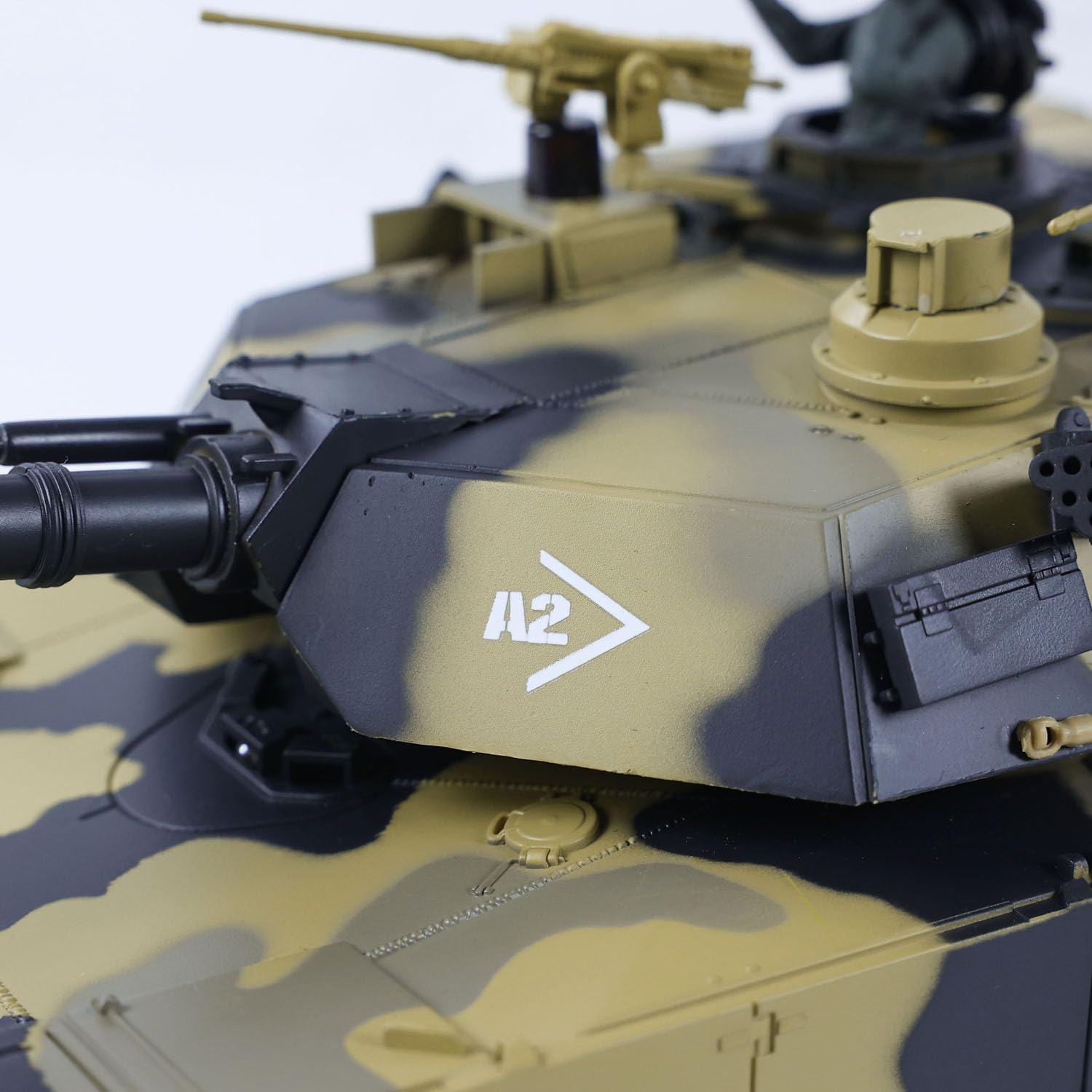
Image: Close-up of the tank's turret, highlighting its rotational capability.
Maintenance
- Cleaning: After use, gently wipe the tank with a dry, soft cloth to remove dust and debris. Avoid using water or chemical cleaners.
- Battery Care: Always disconnect and remove the tank battery when not in use. Store batteries in a cool, dry place. Do not overcharge or completely discharge the battery.
- Storage: Store the tank and remote controller in a dry environment, away from direct sunlight and extreme temperatures.
- Track Inspection: Periodically check the tracks for any foreign objects or damage. Ensure they move freely.
Troubleshooting
- Tank Not Responding:
- Ensure both the tank and remote controller are powered on.
- Check if the tank battery is charged and correctly installed.
- Verify that the remote controller has fresh AA batteries.
- Re-pair the tank and controller if necessary (refer to the quick start guide in your package for pairing instructions).
- Poor Movement/Performance:
- The tank battery may be low; recharge it.
- Check for obstructions in the tracks or wheels.
- Ensure you are operating within the recommended range of the remote control.
- Infrared Combat Issues:
- Ensure the infrared emitter and receiver are clean and unobstructed.
- Confirm that both tanks are compatible with the infrared battle system.
Specifications
| Brand Name | wheelfun |
| Model Number | 3816-2 (TH23394-AMZUS2-S) |
| Scale | 1/24 |
| Material Type | Plastic, Metal components |
| Power Source | Battery Powered |
| Battery Type | 1 Lithium Polymer battery (included) |
| Remote Controller Batteries | 3 AA batteries (not included) |
| Item Dimensions | 20 x 12 x 8.8 inches |
| Age Range Description | Adult (Manufacturer Minimum Age: 256 months) |
Warranty
This product comes with a 1 Year Warranty Against Manufacturer Defects. Please retain your proof of purchase for any warranty claims. The warranty covers defects in materials and workmanship under normal use. It does not cover damage resulting from misuse, accidents, unauthorized modifications, or normal wear and tear.
Support
For technical assistance, troubleshooting, or warranty inquiries, please contact wheelfun customer support. You can find contact information on the official wheelfun website or through your retailer. Our professional after-sales team and technical maintenance team are available to provide guidance.
