
1. Introduction
The EZVALO LT-01 Rechargeable RGB Puck Lights provide versatile and convenient lighting solutions for various indoor spaces. Featuring multiple color options, adjustable brightness, and dual control methods (touch and remote), these lights are designed for easy installation and long-lasting performance. This manual provides detailed instructions for setup, operation, and maintenance to ensure optimal use of your puck lights.

Figure 1: EZVALO LT-01 Puck Lights and Accessories
2. Package Contents
Please verify that all items listed below are included in your package:
- 6x Tap Lights
- 1x Remote Control
- 6x Adhesive Tapes
- 2x Charging Cables
- 1x Instruction Manual (this document)
3. Product Features
- Twelve RGB Colors & Two Color Temperatures: Offers 12 RGB colors, warm white (3500K), and cool white (5700K).
- Rechargeable 1200mAh Battery: Built-in battery provides 5-6 hours of illumination at brightest setting.
- Stepless Dimming: Smoothly adjust brightness from 10% to 100% (up to 100 lumens) by pressing and holding.
- Dual Control: Operate via intuitive touch control on the light's center lens or with the included remote control.
- Easy Installation: Wireless installation using 3M adhesive tapes, no tools required.
- Wide Application: Suitable for closets, cabinets, pantries, shelves, bedrooms, kitchens, and more.
- Type-C Charging Port: Enhanced rechargeability and compatibility.
4. Setup
4.1. Installation
The EZVALO Puck Lights are designed for simple, tool-free installation using adhesive pads.
- Prepare the Light: Twist the base of the puck light to separate it from the main light unit.
- Apply Adhesive: Peel off the protective film from one side of the 3M adhesive tape and firmly attach it to the separated base.
- Mount the Base: Peel off the protective film from the other side of the 3M adhesive tape. Press the adhesive-backed base firmly onto your desired clean, flat surface (e.g., under a cabinet, inside a closet).
- Attach the Light: Align the puck light with the mounted base and twist it until you hear a click, securing it in place.

Figure 2: Wireless Installation Steps
4.2. Initial Charge
Before first use, ensure your puck lights are fully charged.
- Locate the Type-C charging port on the side of each puck light.
- Connect the provided USB charging cable to the light and to a suitable USB power source (e.g., wall adapter, computer USB port).
- The indicator light will show red during charging and turn green when fully charged.
- A full charge typically takes approximately 2 hours.

Figure 3: Charging the Puck Light
5. Operating Instructions
5.1. Touch Control
The puck lights can be operated directly by touching the center lens:
- Turn On/Off: Short press the center lens to turn the light on or off.
- Change Color Temperature: While the light is on, short press repeatedly to cycle through warm white (3500K) and cool white (5700K).
- Adjust Brightness (Stepless Dimming): Long press the center lens to smoothly adjust the brightness from 10% to 100%. Release when the desired brightness is reached.

Figure 4: Tap Control Functionality
5.2. Remote Control
The included remote control offers comprehensive control over all light functions.
- ON/OFF: Press the 'ON' or 'OFF' button to power the lights.
- Color Selection: Choose from 12 RGB colors or warm white (3500K) and cool white (5700K) directly using the color buttons.
- Brightness Adjustment: Use the brightness adjustment buttons (sun icon with +/-) to increase or decrease light intensity.
- Dynamic Modes: Select 'FADE' for a smooth transition between colors or 'FLASH' for a quick color change effect.
- Timer Function: Set the lights to turn off automatically after 30, 60, or 120 minutes using the respective timer buttons.
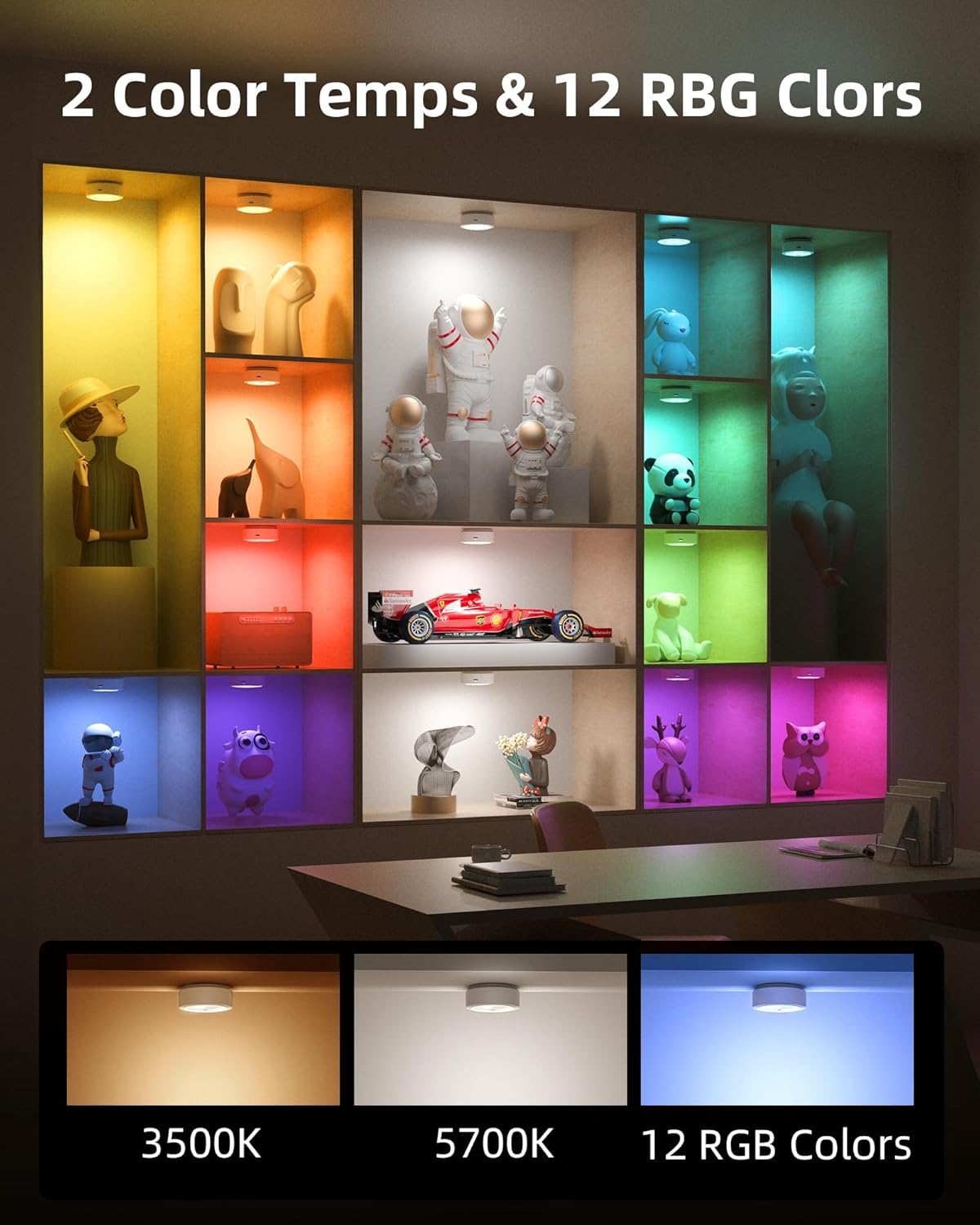
Figure 5: Remote Control for Color and Temperature Selection

Figure 6: Brightness Adjustment
5.3. Official Product Video
Video 1: EZVALO Tap Light Overview. This video demonstrates the wireless installation, easy charging, remote control with 14 adjustable colors, brightness adjustment, and timer settings of the EZVALO puck lights.
6. Placement and Application
The versatile design of EZVALO puck lights allows for placement in various locations to enhance illumination and ambiance.
- Kitchen: Install under cabinets for task lighting or in pantries for visibility.
- Closets & Wardrobes: Brighten dark storage areas for easy item retrieval.
- Shelves & Bookcases: Highlight decorative items or provide accent lighting.
- Bedrooms & Living Rooms: Create mood lighting or provide soft illumination.
- Display Cabinets: Showcase collectibles with adjustable colors and brightness.
- Other Areas: Suitable for drawers, hallways, stairwells, and even camping.

Figure 7: Kitchen Cabinet Lighting

Figure 8: Locker Illumination

Figure 9: Versatile Home Applications
7. Maintenance
To ensure the longevity and optimal performance of your EZVALO Puck Lights, follow these maintenance guidelines:
- Cleaning: Wipe the lights with a soft, dry cloth. Avoid using abrasive cleaners or solvents that may damage the surface.
- Charging: Recharge the lights when the brightness noticeably diminishes. Avoid completely draining the battery frequently to prolong its lifespan.
- Storage: If storing the lights for an extended period, charge them fully and then recharge every 3-6 months to prevent deep discharge.
- Adhesive Replacement: If you need to reposition the lights, new 3M adhesive tapes can be used to ensure secure mounting.
8. Troubleshooting
If you encounter any issues with your EZVALO Puck Lights, refer to the following common solutions:
- Light Not Turning On: Ensure the battery is charged. If using the remote, check if the remote's battery is functional and that there are no obstructions between the remote and the light.
- Remote Not Responding: Point the remote directly at the puck light. Ensure the remote's battery is not depleted. If multiple lights are close, the remote may activate all of them; try operating one at a time by getting closer.
- Inconsistent Color/Brightness: Recharge the lights. Ensure no other infrared devices (like TV remotes) are interfering with the signal.
- Lights Turning On/Off Unexpectedly: This could be due to interference from other infrared devices. Try repositioning the lights or the interfering device if possible.
- Adhesive Not Sticking: Ensure the mounting surface is clean, dry, and smooth before applying the 3M adhesive.
9. Specifications
| Feature | Specification |
|---|---|
| Brand | EZVALO |
| Model Name | LT-01 |
| Color | White |
| Material | Acrylonitrile Butadiene Styrene |
| Light Source Type | LED |
| Light Colors | 12 RGB Colors, Warm White (3500K), Cool White (5700K) |
| Brightness | Up to 100 Lumens (Stepless Dimming 10%-100%) |
| Battery | 1200mAh Lithium Ion (Rechargeable) |
| Charging Time | Approx. 2 hours |
| Control Method | Remote, Touch |
| Timer Function | 30min, 60min, 120min |
| Installation Type | Wireless, Adhesive Mount |
| Indoor/Outdoor Usage | Indoor |
10. Warranty and Support
EZVALO products come with a Lifetime Warranty, ensuring peace of mind regarding product quality and performance. For any questions, technical support, or warranty claims, please contact EZVALO customer service through the retailer's platform or the official EZVALO website.