1. Introduction
This manual provides comprehensive instructions for the LIEZHUA Lightning to HDMI Adapter (Model HD01-NW). This adapter allows you to mirror content from your Apple Lightning-enabled devices, such as iPhones and iPads, to HDMI-equipped displays like TVs, monitors, and projectors. It supports 1080P HD resolution and features a plug-and-play design for ease of use.
2. Product Overview
The LIEZHUA Lightning to HDMI Adapter is designed for seamless connectivity and high-definition output. Key features include:
- Plug & Play Functionality: No external power or complex setup required for basic mirroring.
- 1080P HD Display: Supports video signal transmission up to 1080P HD resolution at 60Hz for clear and vibrant visuals.
- Wide Compatibility: Compatible with various Apple Lightning devices running iOS 9.2 or above.
- Integrated Charging Port: Allows simultaneous charging of your device while mirroring (optional).
- Compact and Portable Design: Easy to carry for home, office, or travel use.
- Apple MFi Certified: Ensures compatibility and reliability with Apple devices.

Image: The LIEZHUA Lightning to HDMI Adapter, showcasing its compact design with Lightning input and HDMI output ports.
3. Package Contents
Verify that all items are present in your package:
- 1 x Lightning HDMI Adapter
- 1 x Instruction Manual
4. Setup Instructions
Follow these steps to connect your Lightning device to an HDMI display:
- Connect to Display: Plug the HDMI end of the adapter into an available HDMI port on your TV, monitor, or projector.
- Connect to Device: Plug the Lightning connector of the adapter into the Lightning port of your iPhone or iPad.
- Select Input: On your display device (TV, monitor, projector), select the corresponding HDMI input source.
- Trust Device (if prompted): If prompted on your Apple device, tap "Trust" and enter your passcode to allow the connection.
- Optional Charging: If your adapter model includes a charging port, you can connect a Lightning charging cable to the adapter's charging port and then to a power source to charge your device simultaneously.
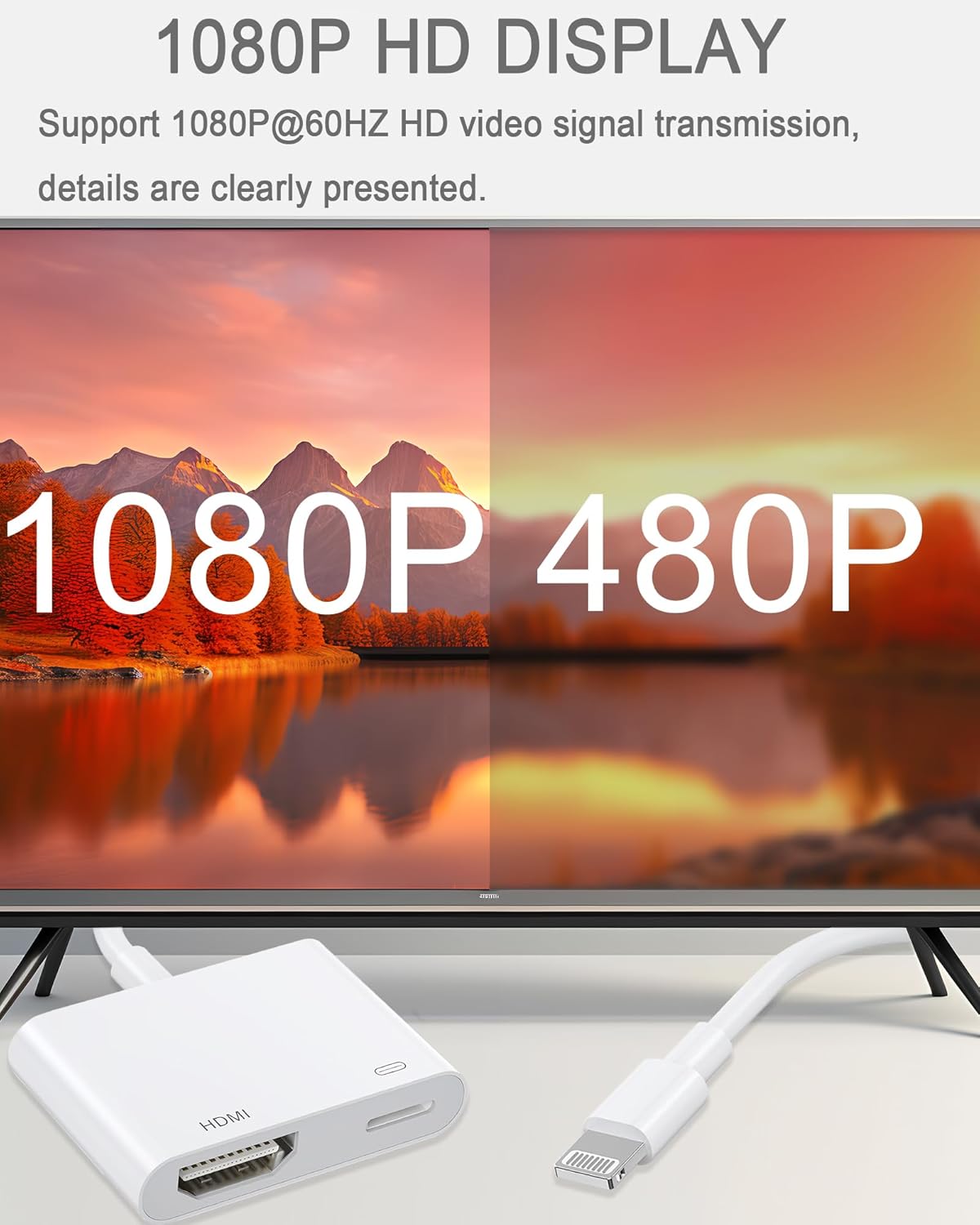
Image: A visual representation of connecting the Lightning to HDMI adapter to an iPhone and an HDMI display, illustrating the plug-and-play process.
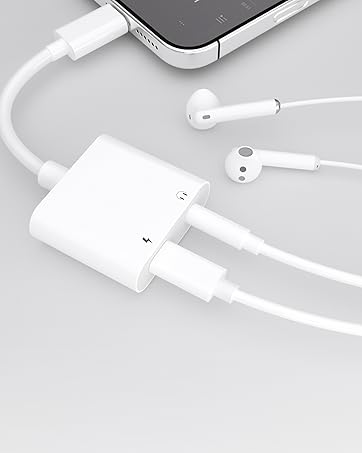
Image: A comparison showing the LIEZHUA adapter (left) working without external power, labeled 'Plug and Play, No Power Needed', versus another adapter (right) requiring external power.
5. Operating Instructions
Once connected, your device's screen will automatically mirror to the HDMI display. The adapter supports various uses:
- Screen Mirroring: All content displayed on your iPhone or iPad screen will be mirrored to the connected HDMI display.
- Video Playback: Stream videos, movies, and other media content from your device to a larger screen.
- Presentations: Use the adapter for business meetings or educational purposes to display presentations from your device.
- Gaming: Enjoy mobile games on a larger screen for an enhanced experience.

Image: A split screen demonstrating the visual difference between 1080P and 480P display quality, highlighting the adapter's 1080P HD capability.

Image: An illustration of the adapter connecting an iPad to a projector, demonstrating its use as an 'Ideal Projector Assistant' for enhancing work productivity.
6. Compatibility
6.1 Compatible Devices
The adapter is compatible with Apple devices featuring a Lightning connector and running iOS 9.2 or above. This includes:
- iPhone 14, 14 Pro, 14 Pro Max, 13, 13 Pro, 13 Pro Max, 12, 12 Pro, 12 Pro Max, 11, 11 Pro, 11 Pro Max, XR, XS, XS Max, X, 8, 8 Plus, 7, 7 Plus, 6s, 6s Plus, 6, 6 Plus, SE
- iPad Pro (Lightning models), iPad Air, iPad Air 2, iPad mini, iPad mini 2, iPad mini 3, iPad mini 4, iPad 4th gen
- iPod Touch 5th gen, iPod nano 7th gen
Note: This adapter does not work with the latest iPad Pro models that feature a USB-C connector.
6.2 Supported Applications
The adapter supports video streaming and mirroring from a wide range of applications, including:
- YouTube
- Quickflix
- IMDb
- Family On TV
- ABC, NBC, FOX
- Microsoft Office
- Chrome, Twitter, TikTok, FaceTime, Facebook, Instagram
6.3 Incompatible Applications
The Lightning to HDMI adapter does not work with applications protected by HDCP (High-bandwidth Digital Content Protection) video rights. These include, but are not limited to:
- Netflix
- Amazon Prime Video
- iTunes
- Hulu
- Comcast TV
- Xfinity
- Vudu
- DIRECTV

Image: A graphic illustrating applications that work with the adapter (e.g., YouTube, Chrome) and those that do not due to HDCP protection (e.g., Netflix, Amazon Prime).
7. Maintenance
To ensure the longevity and optimal performance of your adapter, follow these maintenance guidelines:
- Handle with Care: Avoid bending or twisting the cable excessively, especially near the connectors.
- Keep Clean: Use a soft, dry cloth to clean the adapter. Do not use liquid cleaners or solvents.
- Store Properly: When not in use, store the adapter in a cool, dry place away from direct sunlight and extreme temperatures.
- Avoid Moisture: Do not expose the adapter to water or high humidity.
8. Troubleshooting
If you encounter issues with your LIEZHUA Lightning to HDMI Adapter, refer to the following common solutions:
- No Display/Signal:
- Ensure all connections are secure.
- Verify the correct HDMI input source is selected on your display.
- Restart your Apple device and the display device.
- Try connecting the adapter to a different HDMI port or a different display.
- Flickering Screen/Poor Quality:
- Ensure your HDMI cable is in good condition.
- Check for any interference from other electronic devices.
- Ensure your device's iOS is up to date.
- "Trust" Prompt Not Appearing:
- Disconnect and reconnect the adapter.
- Ensure your device is unlocked when connecting.
- Audio Not Working:
- Check the audio output settings on your display device.
- Ensure your device's volume is not muted or too low.
- QR Code Appears (Non-English):
- This adapter is designed for plug-and-play operation and does not require a separate app. If a QR code appears, it may indicate a malfunction or a non-standard adapter. Try disconnecting and reconnecting. If the issue persists, contact customer support.
9. Specifications
| Model Number | HD01-NW |
| Product Dimensions | 5.1 x 1.48 x 0.35 inches |
| Item Weight | 0.705 ounces |
| Connector Type | Lightning (Input), HDMI (Output) |
| Resolution Support | Up to 1080P HD @ 60Hz |
| Material | PC material shell, TPE cable, Aluminum alloy connector |
| Compatibility | iOS 9.2 and above (Lightning devices) |

Image: A detailed view of the adapter's dimensions (5.16 inches total length, 1.5 x 1.18 x 0.35 inches for the main body) and internal components like the MFi chip and multi-shielded wire.
10. Warranty and Support
For warranty information or technical support, please refer to the contact details provided with your purchase or visit the official LIEZHUA website. Keep your proof of purchase for warranty claims.


