
nipify GS08-10
nipify Solar Spot Lights Outdoor Motion Sensor User Manual
Model: GS08-10
Introduction
Thank you for choosing the nipify Solar Spot Lights Outdoor Motion Sensor. This product is designed to provide efficient and reliable outdoor lighting for your garden, patio, walkway, and other landscape areas. Featuring 62 ultra-bright LEDs, a sensitive PIR motion sensor, and three distinct lighting modes, these lights offer versatile illumination and enhanced security. Their 2-in-1 design allows for both ground stake and wall-mounted installation, and the IP65 waterproof rating ensures durability in various weather conditions.
Please read this manual carefully before installation and operation to ensure optimal performance and longevity of your solar spot lights.
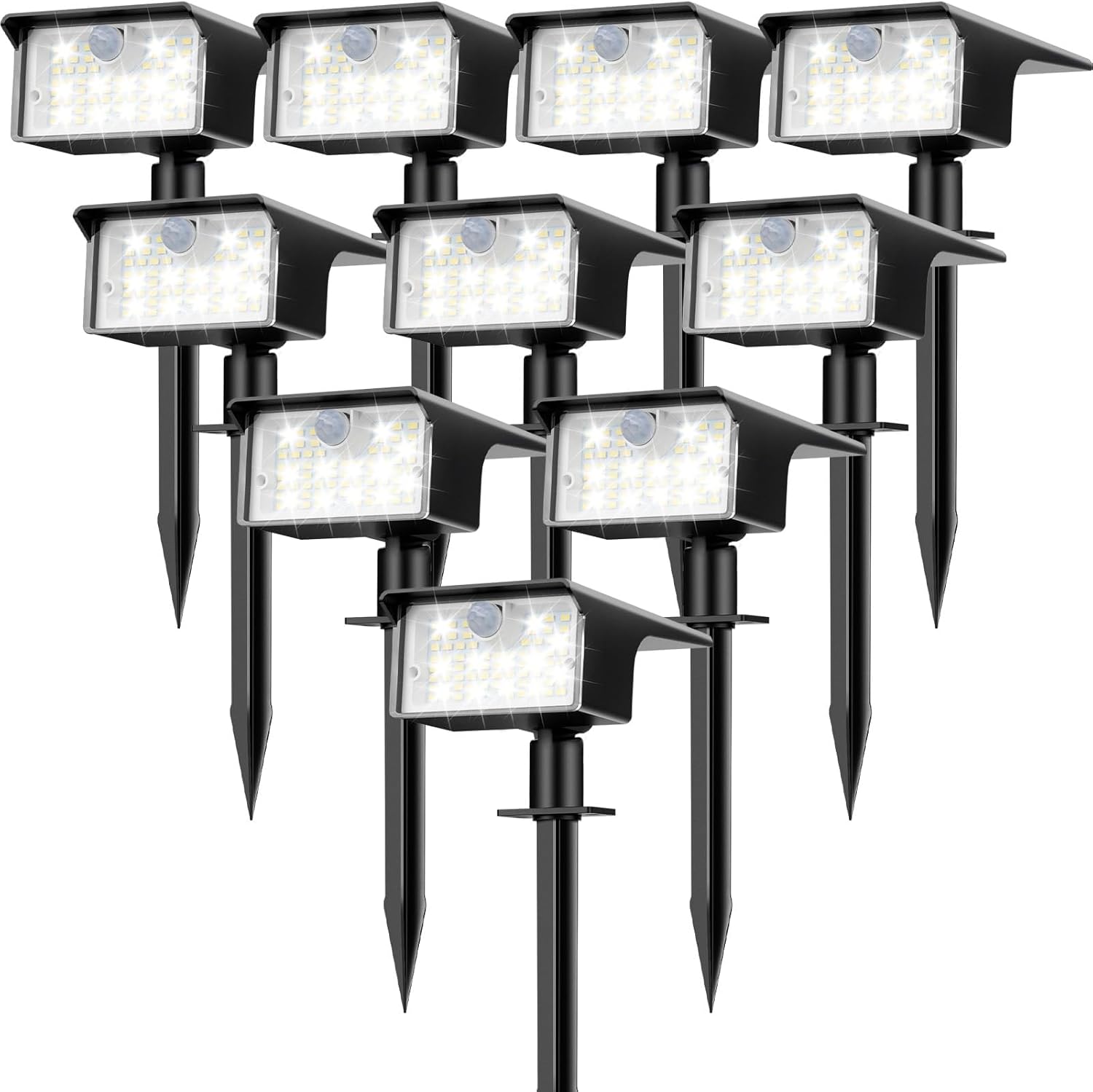
Image: A pack of ten nipify solar spot lights, showcasing their design and quantity.
Product Overview
Components Included
- 10 x Solar spot lights outdoor
- 10 x Ground stakes
- 20 x Screws
- 20 x Expansion plugs
- 1 x User manual

Image: An illustration of all components included in the product package.
Key Features
- Ultra-Bright & PIR Motion Sensor: Each light is equipped with 62 LEDs, providing up to 1000 lumens of 6500K cool white light. The sensitive PIR motion sensor offers a 120° detection angle for timely and efficient lighting.
- 3 Option Modes and Auto ON/OFF: Lights automatically turn on at dusk and off at dawn. Three selectable lighting modes cater to different needs: dim brightness without motion sensor, dim brightness with motion sensor, and security motion sensor mode (light off until motion detected).
- 2-In-1 Function and Multi-Purpose: Can be installed as solar spotlights by inserting into the ground or as solar wall lights by mounting on a wall.
- High-Efficient and Waterproof: High-quality solar panels ensure a conversion rate of up to 22%. Made from durable ABS material with an IP65 waterproof rating, suitable for extreme weather conditions.

Image: A close-up view highlighting the adjustable head, 62 LEDs, control button, and solar panel of the light.
Installation
The nipify Solar Spot Lights offer two convenient installation methods:
Method 1: Ground Stake Installation
- Attach the ground stake to the main light unit. Ensure it is securely fastened.
- Select a location in your garden, yard, or pathway that receives direct sunlight for 6-8 hours daily.
- Gently push the assembled light into the ground until the stake is fully embedded and the light is stable.
- Adjust the angle of the solar panel and light head to optimize sun exposure and illumination direction.
Method 2: Wall Mount Installation
- Choose a wall location that receives ample direct sunlight and where the light is desired.
- Mark the positions for drilling using the light's mounting bracket as a template.
- Drill holes at the marked positions. Insert the expansion plugs into the drilled holes.
- Align the light's mounting bracket with the holes and secure it to the wall using the provided screws.
- Adjust the angle of the solar panel and light head for optimal performance.
Important: For best performance, ensure the solar panel is clean and free from obstructions that might block sunlight. The initial charge may take 2-3 days of direct sunlight.

Image: Visual guide demonstrating both ground stake and wall mount installation methods.

Image: Guidance on selecting appropriate installation locations for optimal solar charging.
Operation
The nipify Solar Spot Lights are designed for automatic operation. They will charge during the day and illuminate at night. You can select from three distinct lighting modes using the button on the back of the light unit.
Initial Setup and Mode Selection
- Before first use, ensure the light is placed in direct sunlight for at least 6-8 hours to fully charge the battery.
- Locate the power/mode button on the back of the light unit.
- Press the button repeatedly to cycle through the three available modes:
- Mode 1: Dim Light Mode
The light stays at a dim brightness throughout the night without motion sensor activation. Ideal for continuous ambient lighting.
- Mode 2: Dim Light Sensor Mode
The light stays at a dim brightness at night. When motion is detected, it switches to high brightness for a period, then returns to dim light.
- Mode 3: High Light Sensor Mode (Security Mode)
The light remains off at night. When motion is detected, it switches to high brightness for a period, then turns off again. This mode is ideal for security and energy saving.
The light will remember the last selected mode for subsequent nights.

Image: Visual representation of the three operational lighting modes with motion sensor functionality.

Image: Depiction of the automatic charging during daytime and lighting up at night.
Maintenance
To ensure your nipify Solar Spot Lights continue to perform optimally, follow these maintenance guidelines:
- Clean Solar Panels: Regularly wipe the solar panel with a soft, damp cloth to remove dust, dirt, leaves, or snow. A clean panel ensures maximum sunlight absorption and efficient charging.
- Clear Obstructions: Ensure no trees, bushes, or other objects are blocking direct sunlight from reaching the solar panel, especially during peak charging hours.
- Check Placement: Periodically check that the lights are securely installed, whether in the ground or on the wall, to prevent accidental damage or displacement.
- Weather Resistance: The lights are IP65 waterproof and designed to withstand various weather conditions (working temperature range -20°C to 50°C). However, during extreme weather events like heavy storms or prolonged freezing temperatures, it is advisable to bring them indoors if possible to extend their lifespan.

Image: Illustrates the product's resilience to various weather conditions, including rain, snow, and heat.
Troubleshooting
If your nipify Solar Spot Lights are not functioning as expected, please refer to the following common issues and solutions:
| Problem | Possible Cause | Solution |
|---|---|---|
| Light does not turn on at night. | Insufficient solar charge. | Ensure the solar panel receives 6-8 hours of direct sunlight daily. Relocate if necessary. |
| Light does not turn on at night. | Solar panel is dirty or obstructed. | Clean the solar panel surface. Remove any debris or obstructions. |
| Light is dim or only stays on for a short time. | Battery not fully charged or degrading. | Allow several days of full sunlight charging. If problem persists after extended use, battery may need replacement (contact support). |
| Motion sensor not working or too sensitive. | Incorrect mode selected or sensor obstructed. | Cycle through modes to ensure the correct motion sensor mode is active. Ensure the sensor lens is clean and unobstructed. |
| Water inside the light unit. | Seal integrity compromised (rare). | While rated IP65, extreme conditions or manufacturing defects can occur. If water ingress is observed, discontinue use and contact customer support. |
Specifications
| Feature | Detail |
|---|---|
| Brand | nipify |
| Model Name | solar spotlight solar wall lights (GS08-10) |
| Color | Cool White |
| Material | Acrylonitrile Butadiene Styrene (ABS) |
| Light Source Type | LED (62 LEDs per light) |
| Brightness | 1000 Lumens (each) |
| Power Source | Solar Powered |
| Voltage | 12 Volts (DC) |
| Solar Conversion Efficiency | 22% |
| Water Resistance Level | IP65 Waterproof |
| Special Feature | Motion Sensor (PIR, 120° detection angle) |
| Installation Type | Wall Mounted / Ground Stake |
| Product Dimensions | 1"L x 1"W x 1"H (approximate, as per data) |
| Item Weight | 4.2 pounds (for 10 Pack) |
| Working Temperature | -20°C to 50°C |
Warranty & Support
Warranty: The nipify Solar Spot Lights come with a Lifetime Warranty. For specific details regarding warranty claims or coverage, please refer to the warranty information provided with your purchase or contact nipify customer support directly.
Customer Support: If you have any questions, concerns, or require assistance with your nipify Solar Spot Lights, please do not hesitate to contact our customer support team. You can typically find contact information on the product packaging, the official nipify website, or through your purchase platform.
We are committed to providing high-quality products and excellent customer service.
Ask a question about this manual
Ask about setup, troubleshooting, compatibility, parts, safety, or missing instructions. Manuals+ will review the question and use this page’s manual context to help answer it.