Introduction
The Carlinkit 5.0 2air Wireless Car Adapter converts your vehicle's existing wired Apple CarPlay or wired Android Auto system into a wireless connection. This device allows for seamless integration of your smartphone's features, including navigation, music playback, and voice assistants, directly onto your car's infotainment screen without the need for a physical cable connection after initial setup.
Compatibility
Vehicle Compatibility
This wireless adapter is compatible with approximately 98% of car models manufactured between 2017 and 2024 that feature factory-installed wired CarPlay or wired Android Auto. It supports over 600 car models. Please note that the device is incompatible with B-MW, Nissan, and Tesla vehicles.
Phone Compatibility
- For Apple CarPlay: Supported for iPhone 6 and later models running iOS 10 and later.
- For Android Auto: Supported for Android phones running Android 11.0 and above. Huawei phones may be incompatible.
The device supports the conversion of wired CarPlay to wireless CarPlay, and wired Android Auto to wireless Android Auto. It does not support converting wired Android Auto to wireless CarPlay, nor wired CarPlay to wireless Android Auto.
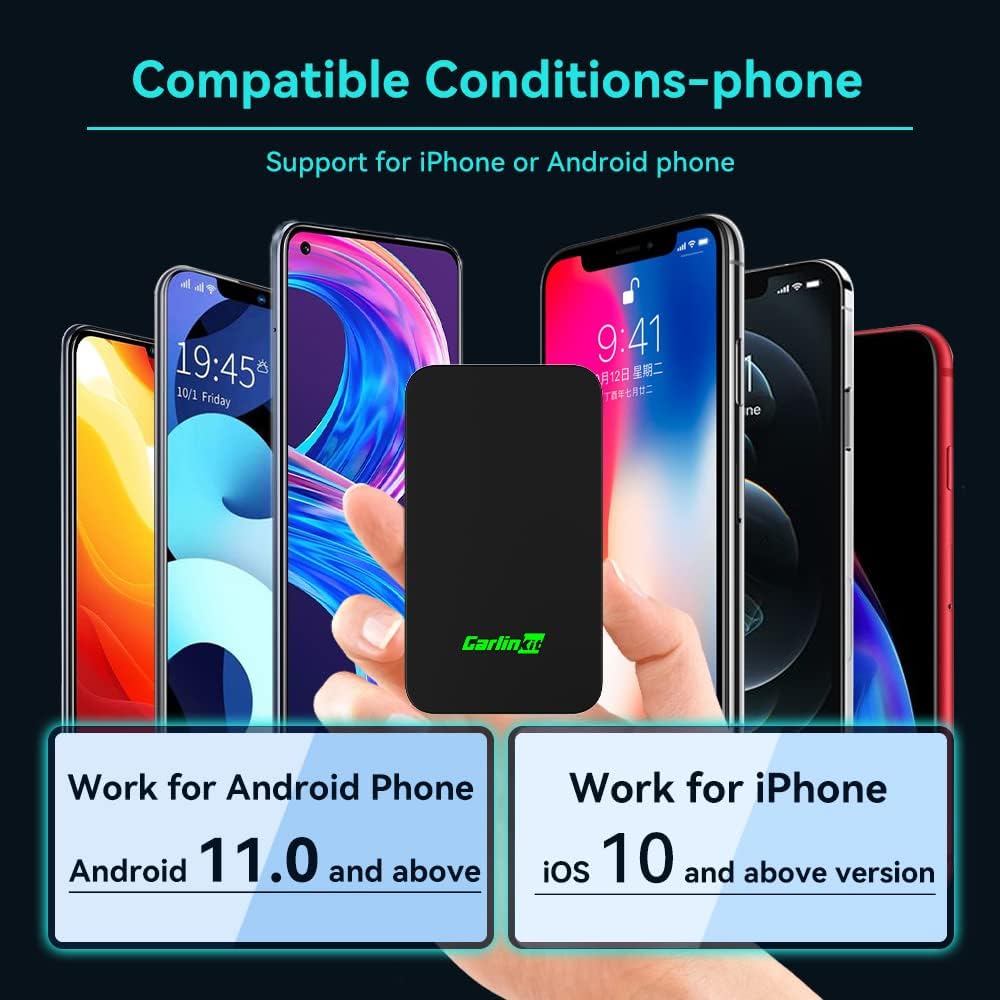
Image: Diagram illustrating car model compatibility, showing various car brands and the requirement for factory-wired CarPlay or Android Auto.

Image: Visual representation of compatible iPhone models (iPhone 6 and later, iOS 10+) and Android phone models (Android 11.0 and above).
Setup and Initial Connection
The Carlinkit 5.0 2air adapter features a plug-and-play design for easy setup. After the initial pairing, the adapter will automatically activate the wireless connection each time the car starts.
Connection Steps (General)
- Plug in the Adapter: Connect the Carlinkit 5.0 2air adapter into your car's USB port. Use the provided USB-A to USB-C adapter if your car has a USB-C port.
- Enable Bluetooth and Wi-Fi: On your smartphone, turn on both Bluetooth and Wi-Fi.
- Pair with the Adapter: Connect to the product's Bluetooth signal, typically named 'Autokit xxx'.
- Confirm Connection: Wait for a prompt on your car's display for CarPlay or Android Auto connection and enter the product's user interface. If using an iPhone, click 'Use CarPlay' when prompted.

Image: Visual guide showing the three steps: plugging in the adapter, pairing Bluetooth/Wi-Fi, and successful connection to the car's display.
Video: Wireless CarPlay Connection Steps
Video: Demonstrates the step-by-step process of connecting an iPhone to the Carlinkit 5.0 2air adapter for wireless CarPlay, including plugging in the device, enabling Bluetooth and Wi-Fi, and confirming the connection on the car's display.
Video: Wireless Android Auto Connection Steps
Video: Illustrates the connection process for Android Auto, showing how to plug in the adapter, enable Bluetooth and Wi-Fi on an Android phone, pair with the device, and access Android Auto on the car's screen.
Operating Instructions
Once connected, the Carlinkit 5.0 2air adapter allows you to utilize the full functionality of CarPlay or Android Auto wirelessly, maintaining original car operations.
Key Features
- Navigation: Access your preferred navigation apps directly on your car's display.
- Music Playback: Stream music and podcasts through your car's audio system.
- Voice Assistant: Use Siri or Google Assistant for hands-free control, calls, and navigation.
- Phone Calls: Make and receive calls directly from the car's interface.
- Original Car Control: The adapter supports existing car controls such as rotary knobs, touchscreens, and steering wheel buttons.

Image: Depicts the use of voice control (Siri, Google Voice) and retention of original car controls like rotary knobs, touchscreens, and steering wheel buttons.
Multi-Device Support
The device can save up to 5 devices for seamless auto-connectivity, eliminating repetitive setup. This feature allows for easy sharing among family and friends.
Multiple Phone Switching Logic: If you wish to switch from a previously connected phone, ensure the Bluetooth and Wi-Fi of the previous phone are turned off. The adapter will then automatically connect to another recent phone in its saved list.

Image: Illustrates the multi-device support feature, showing the adapter connecting to multiple smartphones for different users.
Firmware Updates
The Carlinkit 5.0 2air adapter supports online firmware updates (OTA - Over-The-Air) to ensure optimal performance and compatibility.
Update Procedure (Android Phone Only)
- Connect the Adapter: Plug the adapter into your car's USB port.
- Connect Phone to Adapter's Wi-Fi: On your Android phone, turn on Wi-Fi and search for a signal starting with 'VOLKSW' (or 'Auto'). The password is '12345678'.
- Access Device Background: Open your phone's web browser and enter the URL: 192.168.50.2 to access the device's settings page.
- Check for Updates: Navigate to the help page and click 'Check update' to upgrade the firmware online.
Important Note: Do not leave the update page or turn off your phone during the update process to prevent product damage. If there are no problems during use, and the current version has the highest compatibility with your car, there is no need to update.

Image: Shows a smartphone screen displaying the device background interface for checking and performing online updates.
Video: How to Update Product Version Online (Android Phone)
Video: Detailed instructions on how to update the firmware of the Carlinkit 5.0 2air adapter using an Android phone, including connecting to the device's Wi-Fi and navigating the update interface.
Troubleshooting
Device Not Connecting
If you are unable to connect the device, please verify the following conditions:
- Ensure your car is equipped with original factory-built-in wired CarPlay (for iPhone connection) or wired Android Auto (for Android phone connection).
- Confirm your phone meets the compatibility requirements (iPhone 6+/iOS 10+ or Android 11.0+).
- Try upgrading the device's firmware as described in the 'Firmware Updates' section.
Unstable Connection
The device utilizes a Wi-Fi tech module for seamless and stable connectivity. If you experience an unstable connection, consider the following:
- Wi-Fi cameras or other interferences in your vehicle may disrupt wireless CarPlay/Android Auto by redirecting your phone's connection. Try to avoid such situations for smoother usage.
Video Playback
The device functions to convert OEM wired CarPlay to wireless CarPlay and OEM wired Android Auto to wireless Android Auto. Due to CarPlay and Android Auto limitations, direct video playback is not supported. The device supports the use of all apps that CarPlay and Android Auto natively support.
Specifications
| Product Dimensions | 2.76 x 1.57 x 0.39 inches |
| Item Weight | 4.2 ounces |
| Model Number | 5.0 2air |
| Manufacturer | CarlinKit |
| Compatible Devices | iPhone 6 and later, Android phones with version 11.0 above (excluding HUAWEI) |
| Connector Type | USB Type A, USB Type C |
| Color | Black |
Technical Support
If you encounter any problems during the use of the Carlinkit 5.0 2air adapter, please contact our technical support team for assistance. We are committed to providing support to ensure a smooth user experience.


