
Introduction
Thank you for choosing the CalExotics Jack Rabbit Signature Heated Silicone Triple Fantasy Rabbit Vibrator. This manual provides essential information for the safe and effective use, care, and maintenance of your device. Please read it thoroughly before first use and retain it for future reference.
This device features a heated shaft, independent thrusting action, and flickering rabbit ears with multiple vibration functions, all designed for enhanced experience.
Safety Information
- Material Safety: This product is made from body-safe silicone. Clean thoroughly before and after each use.
- Water Resistance: The device is 100% waterproof. It can be safely used in the shower or bath and is easy to clean. Do not submerge for extended periods.
- Lubrication: Use only water-based lubricants with this product to prevent damage to the silicone material. Oil-based lubricants can degrade silicone.
- Storage: Store in a cool, dry place away from direct sunlight and extreme temperatures. Keep out of reach of children.
- Charging: Use only the provided USB charging cable. Do not use the device while it is charging.
- Discontinue Use: If you experience any discomfort or irritation, discontinue use immediately.
Package Contents
- CalExotics Jack Rabbit Signature Heated Silicone Triple Fantasy Rabbit Vibrator
- USB Charging Cord
- Instruction Manual (this document)
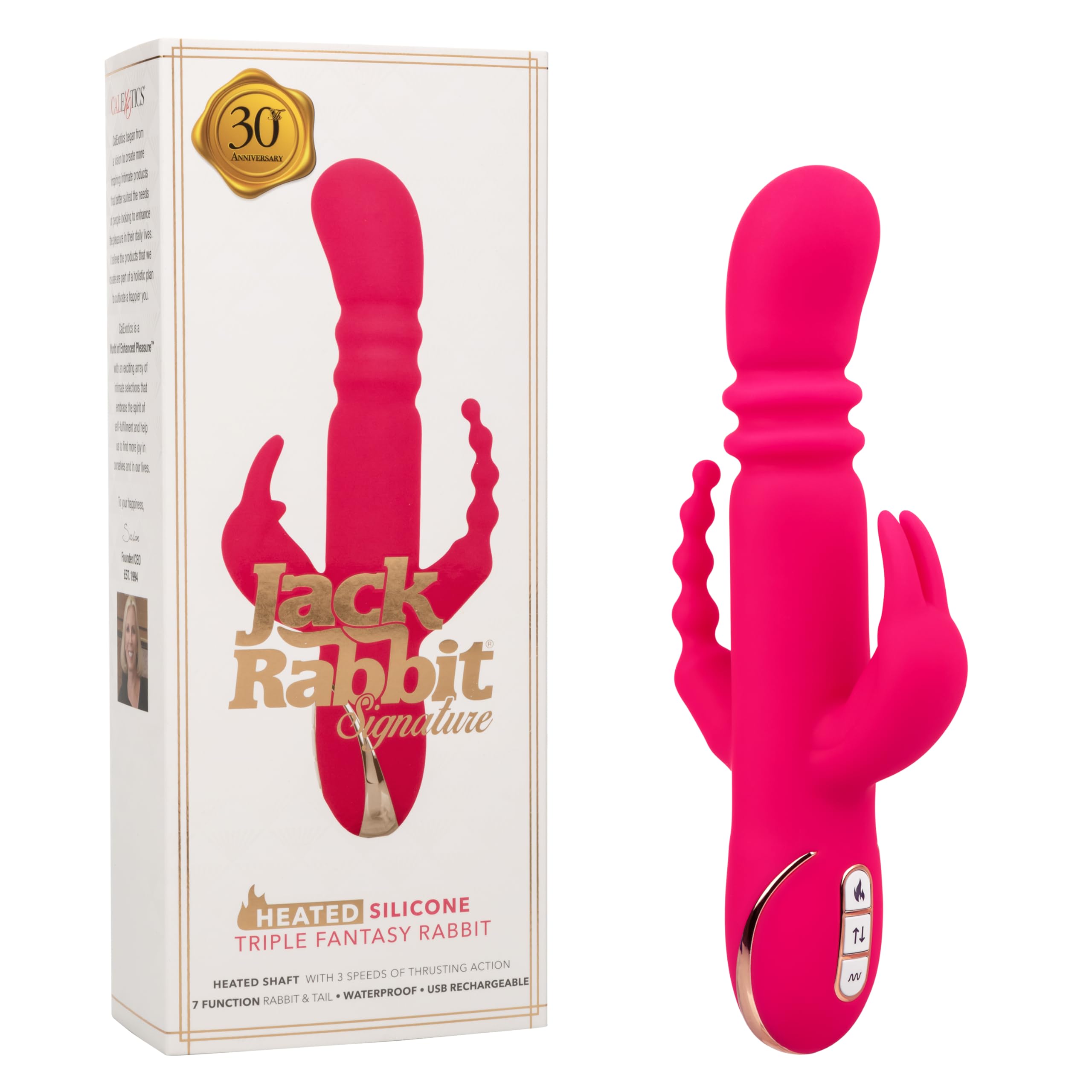
Image: CalExotics Jack Rabbit Signature Vibrator shown with its packaging, highlighting features like 7 functions, 3 speeds, silicone material, waterproof design, USB rechargeability, and 1-year warranty.
Setup
Charging the Device
- Locate the charging port on the device. It is typically a small, circular port at the base.
- Insert the small end of the provided USB charging cord into the device's charging port.
- Plug the larger USB end of the cord into a compatible USB power source (e.g., computer USB port, USB wall adapter).
- The LED indicator light on the device will illuminate or flash to indicate charging.
- A complete charge takes approximately 2.5 hours. The LED light will typically change or turn off when fully charged.
- Once fully charged, disconnect the charging cable. The device runs for approximately 45 minutes on high speed and 60 minutes on low speed.

Image: The CalExotics Jack Rabbit Signature Vibrator with its USB charging cable connected to the charging port at the base.
Operating Instructions
The CalExotics Jack Rabbit Signature features easy push-button controls for its various functions.

Image: Front view of the CalExotics Jack Rabbit Signature Vibrator, illustrating its dimensions and highlighting the control panel, heated thrusting action, and flickering bunny ears and tail.
Power On/Off and Thrusting Action
- To power on the device, press and hold the middle button (thrusting control) for 3 seconds.
- Press the middle button repeatedly to cycle through 3 speeds of precision thrusting action.
- To power off the device, press and hold the middle button for 3 seconds.
Vibration Functions
- With the device powered on, press the bottom button (vibration control) to activate the flickering bunny ears and tail.
- Press the bottom button repeatedly to cycle through 7 functions of vibration, pulsation, and escalation.
Heated Shaft Function
- Press the top button (heat control) to activate the heated shaft.
- The shaft will reach its maximum temperature in approximately 4 minutes.
- Press the top button again to deactivate the heating element. The heating element is independently controlled.
Security Travel Lock
To activate the travel lock, press and hold both the middle (thrusting) and bottom (vibration) buttons simultaneously for 3 seconds until the LED light flashes. To deactivate, repeat the process.
Operational Video Guide
Video: This video demonstrates the basic operation of the CalExotics Jack Rabbit Signature, including how to power on/off, activate thrusting speeds, and cycle through vibration functions using the control buttons.
Video: An instructional video showcasing the features and functions of the CalExotics Jack Rabbit Signature, including the heated shaft and independent controls.
Maintenance
Cleaning
- Always clean your device thoroughly before and after each use.
- Wash the device with warm water and a mild, toy-safe soap or a specialized toy cleaner.
- Rinse thoroughly to remove all soap residue.
- Pat dry with a lint-free cloth or allow to air dry completely before storing.
Storage
- Store the device in a clean, dry place.
- Avoid storing with other toys made of different materials, especially those made of PVC or jelly, as this can cause material degradation.
- Keep out of direct sunlight and extreme temperatures.
Troubleshooting
- Device not turning on: Ensure the device is fully charged. If it still doesn't turn on, try charging it for a longer period. Check if the travel lock is activated.
- Device not charging: Ensure the USB cable is securely connected to both the device and the power source. Try a different USB port or wall adapter.
- Weak performance: The battery may be low. Recharge the device fully.
- Buttons unresponsive: Ensure the travel lock is not activated. If issues persist, contact customer support.
Specifications
- Model Number:
- SE-0609-90-3
- Material:
- Body-safe Silicone
- Power Source:
- USB Rechargeable (1 Lithium Ion battery included)
- Charge Time:
- Approximately 2.5 hours
- Run Time:
- 45 minutes (high speed), 60 minutes (low speed)
- Heated Shaft:
- Reaches maximum temperature in 4 minutes
- Thrusting Speeds:
- 3
- Vibration Functions:
- 7 (in rabbit and tail)
- Water Resistance:
- 100% Waterproof
- Product Dimensions:
- 9 x 4 x 1.75 inches
- Weight:
- 1.35 pounds

Image: Detailed product information and specifications, including a QR code for additional resources. Scan the QR code for more information: https://qr.codes/cbVUMA
Warranty and Support
This CalExotics product is backed by a 1-year limited manufacturer warranty. Please retain your proof of purchase for warranty claims.
For further assistance, troubleshooting, or warranty inquiries, please visit the official CalExotics website or contact their customer support directly.