
Product Overview
Thank you for choosing the CalExotics Jack Rabbit Signature Silicone Wave Motion Rabbit Vibrator. This manual provides essential information for the safe and effective use, care, and maintenance of your device. Please read it thoroughly before first use and retain it for future reference.
Key Features:
- Sensual wavy action combined with flickering rabbit ears.
- 3 distinct speeds for wavy action.
- 7 functions of vibration, pulsation, and escalation in the rabbit ears.
- Constructed from body-safe silicone.
- 100% waterproof design (IPX7 rated).
- Intuitive push-button controls with LED indicators.
- Security travel lock feature.
- USB rechargeable with included charging cord.

Image: The CalExotics Jack Rabbit Signature Vibrator in blue, displayed alongside its retail packaging which highlights features like 7 functions, 3 wavy speeds, silicone material, IPX7 waterproof rating, USB rechargeable, 1-year warranty, and ease of use.
Product Demonstration Video:
Video: An overview of the CalExotics Jack Rabbit Signature, showcasing its design and various features in action. This video provides a visual introduction to the product's capabilities.
Setup and First Use
Charging the Device
Your Jack Rabbit Signature Vibrator is USB rechargeable. For optimal performance, fully charge the device before its first use and after each subsequent use.
- Locate the charging port on the device. This port is typically found near the base of the handle.
- Connect the small end of the included USB charging cord to the device's charging port.
- Connect the larger USB end of the cord to a compatible USB power source, such as a computer USB port or a USB wall adapter.
- The LED lights on the device will illuminate or change color to indicate that charging is in progress.
- A complete charge typically takes approximately 2 hours.
- Once fully charged, the device will run for about 90 minutes on high speed and 110 minutes on low speed.
- Disconnect the charging cable once charging is complete. Ensure the charging port is dry before and after charging.
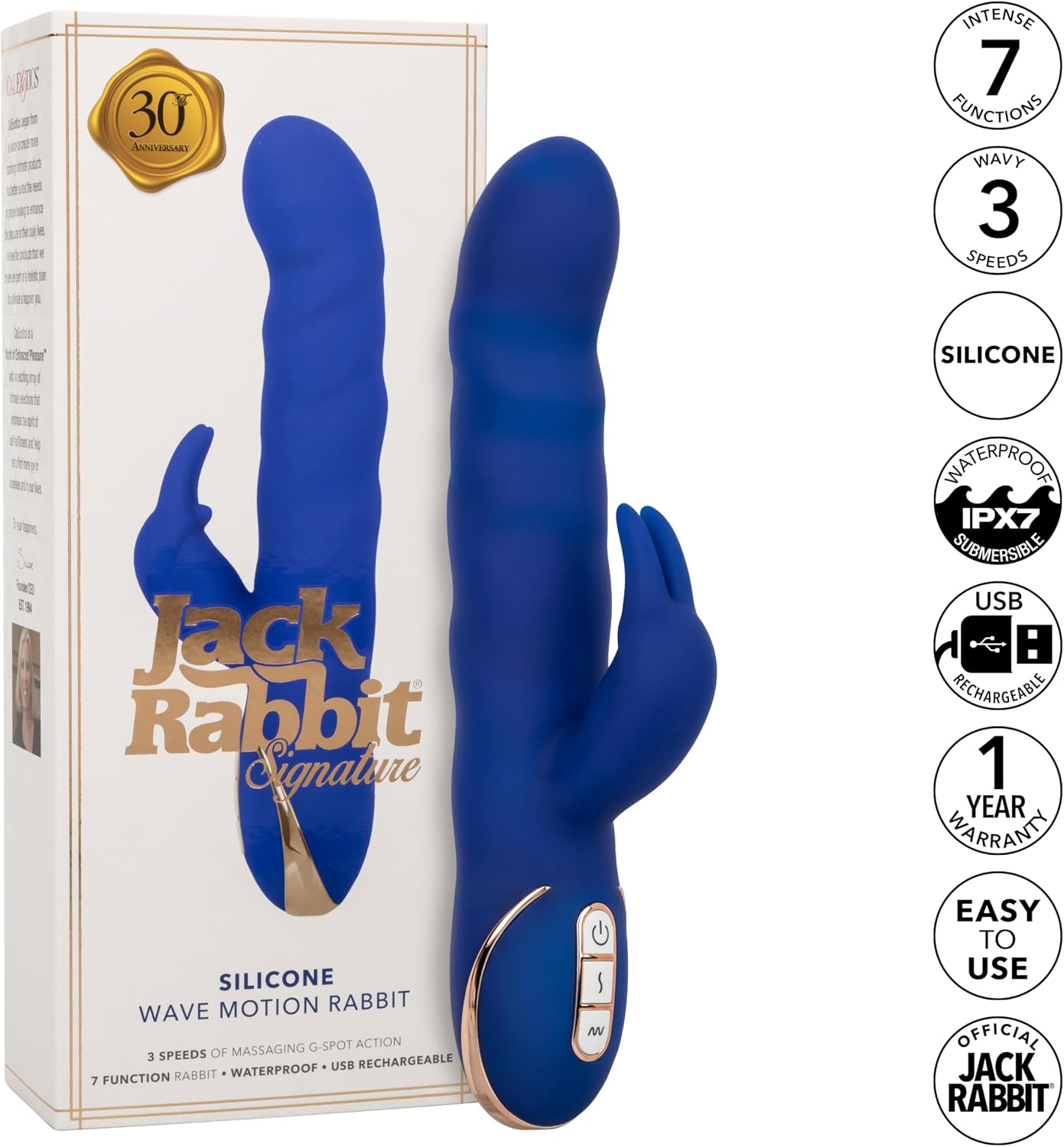
Image: The CalExotics Jack Rabbit Signature Vibrator in blue, demonstrating the connection of the USB charging cable to the device's base for recharging.
Operating Instructions
Power On/Off
- To power on the device, press and hold the power button (marked with a circular power symbol) for a few seconds until the device activates and the LED lights illuminate.
- To power off the device, press and hold the power button for approximately 3 seconds until the device stops and the LED lights turn off.
Controlling Functions
The Jack Rabbit Signature features intuitive push-button controls for its various functions:
- Wavy Action Control: Use the button marked with a wave symbol (often 'M' or similar) to cycle through the 3 speeds of sensual wavy action. Each press will advance to the next speed.
- Rabbit Ear Vibration Control: Use the button marked with a vibration symbol (often a lightning bolt or 'S') to cycle through the 7 functions of vibration, pulsation, and escalation in the rabbit ears. Each press will change the pattern.
- The main shaft's wavy action and the rabbit ears' vibration can be operated independently or simultaneously, allowing for a customizable experience.
Security Travel Lock
To prevent accidental activation during storage or travel, the device includes a security travel lock feature. To activate or deactivate this feature, refer to the specific instructions provided on the product packaging or the manufacturer's website. Typically, this involves holding down two buttons simultaneously for a few seconds.
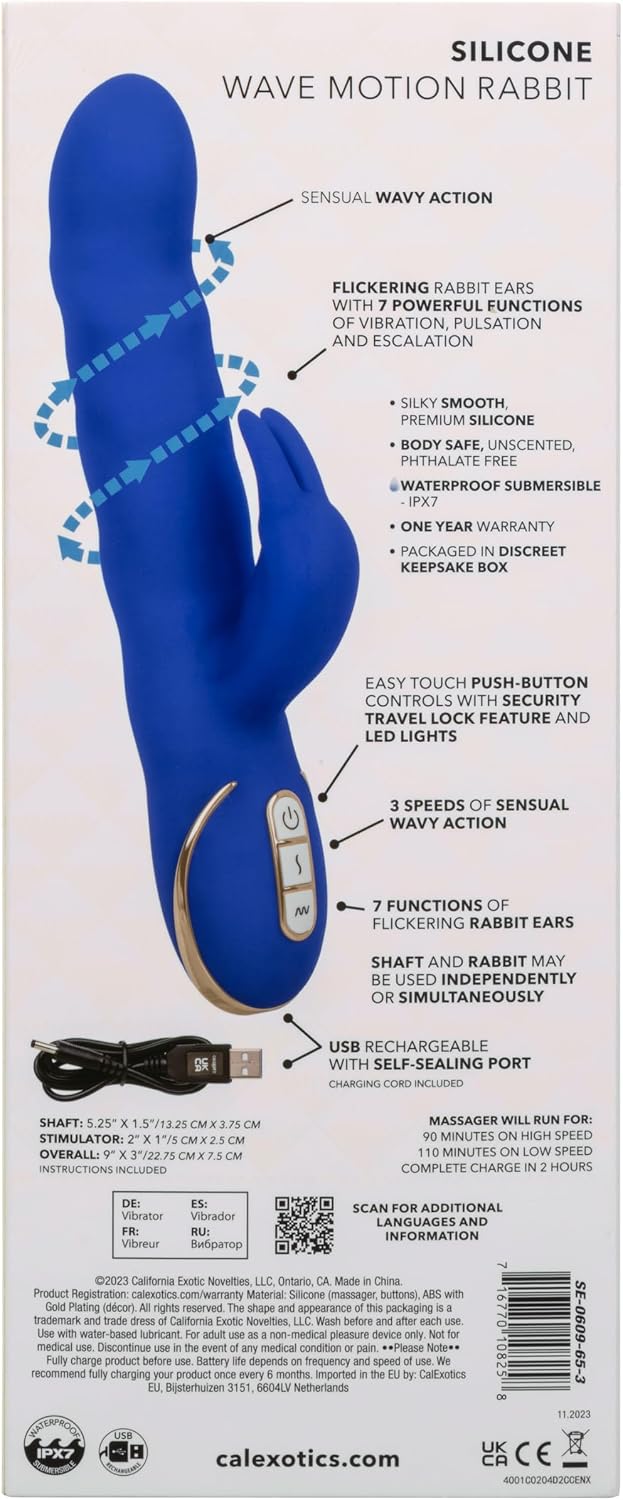
Image: A detailed graphic of the CalExotics Jack Rabbit Signature Vibrator, illustrating its dimensions, the location of the control buttons, and visual cues for the 3 speeds of wavy action and 7 functions of the flickering bunny ears.
Operating Controls Demonstration Video:
Video: A demonstration of the CalExotics Jack Rabbit Signature's controls, showing how to power on/off and cycle through the various vibration and wavy action modes.
Care and Maintenance
Cleaning
Proper cleaning is essential for hygiene and to extend the lifespan of your device:
- Always clean the device thoroughly before and after each use.
- Wash the device with warm water and a mild, toy-safe soap or a specialized toy cleaner.
- Rinse thoroughly with clean water, ensuring no soap residue remains.
- Pat dry with a lint-free cloth or allow it to air dry completely before storing.
- Do not use cleaners containing alcohol, petroleum, or acetone, as these chemicals can damage the silicone material.
Storage
Store your device in a clean, dry, and dust-free environment. Keep it away from direct sunlight and extreme temperatures. To prevent potential material degradation, store it separately from other toys made of different materials.
Waterproof Ability
The device is 100% waterproof (IPX7 rated), making it suitable for use in wet environments and ensuring easy cleaning. Always ensure the charging port is completely dry before connecting the charging cable.
Troubleshooting
If you encounter any issues with your device, please refer to the following common troubleshooting steps:
- Device not turning on: Ensure the device is fully charged. Connect it to the charger for at least 2 hours.
- Device not holding a charge: Verify that the charging cable and power source are functioning correctly. Check the charging port for any debris that might obstruct the connection.
- Weak or inconsistent vibration/wavy action: This often indicates a low battery. Recharge the device fully.
- Buttons unresponsive: Check if the security travel lock feature is engaged. Refer to the operating instructions to deactivate it.
- Unusual noise or smell: Discontinue use immediately. If the issue persists, contact customer support.
Product Specifications
| Feature | Detail |
|---|---|
| Model Name | Jack Rabbit Signature |
| Item Model Number | SE-0609-65-3 |
| Brand | CalExotics |
| Material | Silicone |
| Color | Blue |
| Product Dimensions | 9 x 3 x 1.75 inches; 1.2 pounds |
| Battery Type | 1 Lithium Ion battery (included) |
| Charge Time | Approximately 2 hours |
| Run Time | 90 minutes (high speed), 110 minutes (low speed) |
| Waterproof Rating | 100% Waterproof (IPX7) |
Warranty Information
This CalExotics Jack Rabbit Signature Vibrator is covered by a 1-year limited manufacturer warranty. This warranty covers defects in materials and workmanship under normal use. Please retain your original proof of purchase for any warranty claims.
For detailed warranty terms, conditions, and exclusions, please refer to the official CalExotics website or contact customer support directly.
Customer Support
For further assistance, questions, or to make a warranty claim, please contact CalExotics customer support:
- Manufacturer: California Exotic Novelties
- Official Website: calexotics.com
- QR Code for more information: Scan for additional language and information
- Contact Information: Please visit the official CalExotics website for the most current contact details, including phone numbers and email addresses.