
1. Introduction
This manual provides comprehensive instructions for the installation, operation, and maintenance of your Globe Electric Integrated LED Motion Sensor Security Flood Light. Designed for outdoor use, this flood light features motion activation, adjustable lamp heads, and bright LED illumination to enhance security around your property.
Please read these instructions carefully before installation and retain them for future reference.
2. Safety Information
WARNING: Risk of electric shock. Disconnect power at the fuse or circuit breaker before installation or servicing.
- Ensure all electrical connections comply with local codes and ordinances, as well as the National Electrical Code (NEC).
- If you are unfamiliar with electrical wiring, consult a qualified electrician.
- Do not install this fixture on surfaces that are unstable or prone to vibration.
- This product is designed for outdoor, wall-mounted installation only.
- Do not attempt to disassemble or modify the LED light source. It is integrated and not user-serviceable.
3. Package Contents
Verify that all components are present before beginning installation:
- Integrated LED Motion Sensor Security Flood Light
- Mounting Hardware (screws, wire nuts, gasket)
- Instruction Manual
4. Specifications
| Feature | Specification |
|---|---|
| Brand | GLOBE |
| Model | B0CS1RB3FY |
| Light Output | 1000 Lumens |
| Color Temperature | 4000 Kelvin (Daylight White) |
| Motion Detection Zone | 180 degrees |
| Motion Detection Range | Up to 40 feet (12 meters) |
| Power Source | Corded Electric |
| Indoor/Outdoor Usage | Outdoor |
| Material | Resin |
| Finish Type | Satin |
| Product Dimensions | 18L x 11.4W x 18H Centimetres |
| Included Components | Mounting Hardware |
This flood light is designed for use in various outdoor settings such as driveways, garages, gardens, pathways, and patios.

Figure 4.1: Dimensions of the flood light, showing measurements in centimeters.
5. Setup and Installation
The Globe Electric Motion Sensor Security Flood Light is designed for quick and easy wall-mount installation. All necessary mounting hardware is included.
5.1 Pre-Installation Steps
- Turn off Power: Before starting any electrical work, ensure the power to the installation area is turned off at the circuit breaker or fuse box.
- Select Location: Choose a suitable outdoor wall location that provides the desired coverage and is within reach of electrical wiring.
- Unpack Contents: Carefully remove all components from the packaging and inspect for any damage.
5.2 Mounting Instructions
- Attach the mounting bracket to the junction box using the provided screws.
- Connect the electrical wires (black to black, white to white, ground to ground) using the supplied wire nuts. Ensure connections are secure.
- Carefully tuck the wires into the junction box and align the flood light fixture with the mounting bracket.
- Secure the fixture to the mounting bracket using the provided screws. Ensure the gasket is properly seated to maintain weather resistance.

Figure 5.1: Wall mount installation and lamp head adjustment options.
5.3 Adjusting Lamp Heads
The lamp heads can be adjusted to customize the light coverage area. Gently grasp each lamp head and tilt it up, down, or side to side as needed. No tools are required for this adjustment.

Figure 5.2: Front view of the flood light, showing adjustable lamp heads.
6. Operating Instructions
Once installed and power is restored, the flood light will operate based on its integrated motion sensor.
6.1 Motion Activation
- The light is activated by motion within its 180-degree sensing zone.
- The motion sensor can detect movement up to 40 feet (12 meters) away.
- Upon detection, the 1000 lumen LED lights will illuminate, providing bright daylight white (4000 Kelvin) light.
- The duration the light stays on after motion detection is typically pre-set or adjustable via controls (refer to specific model details if available on the fixture).

Figure 6.1: Motion detection zone and range.
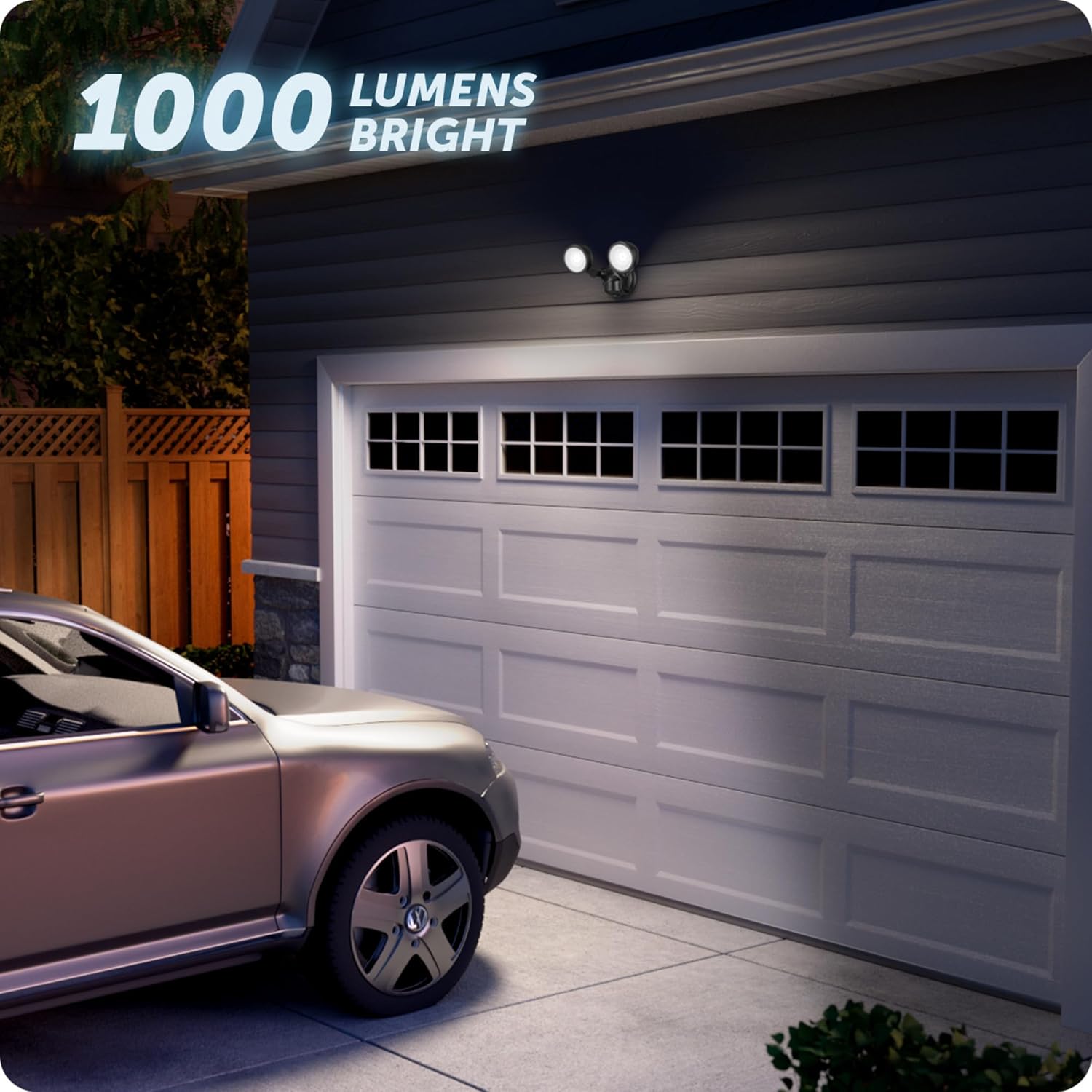
Figure 6.2: Flood light illumination at night.
7. Maintenance
Regular maintenance ensures optimal performance and longevity of your flood light.
- Cleaning: Periodically clean the fixture with a soft, damp cloth. Do not use abrasive cleaners or solvents, as they may damage the finish or electrical components.
- Inspection: Annually inspect the wiring and mounting hardware for any signs of wear, corrosion, or loosening. Tighten connections as necessary.
- LEDs: The integrated LED light source is designed for long life and does not require replacement.

Figure 7.1: The flood light is outdoor rated and weather resistant.

Figure 7.2: IP65 rating confirms robust outdoor protection.
8. Troubleshooting
If you experience issues with your flood light, refer to the following common problems and solutions:
| Problem | Possible Cause | Solution |
|---|---|---|
| Light does not turn on. | No power, faulty wiring, sensor obstruction. | Check circuit breaker. Verify wiring connections. Ensure sensor is clear of obstructions. |
| Light stays on constantly. | Continuous motion, sensor sensitivity too high, wiring issue. | Check for constant motion in detection zone. Adjust sensor sensitivity (if applicable). Consult an electrician. |
| Light turns on for no apparent reason. | Sensor detecting small animals, moving branches, or heat sources. | Adjust sensor angle or sensitivity. Clear vegetation from detection zone. |
| Detection range is poor. | Sensor obstruction, incorrect angle, extreme temperatures. | Clear obstructions. Adjust sensor angle. Performance may vary in extreme cold/heat. |
9. Warranty and Support
This Globe Electric Integrated LED Motion Sensor Security Flood Light is backed by a 5-year warranty, demonstrating our commitment to quality and durability.
For warranty claims, technical support, or further assistance, please contact Globe Electric customer service. Keep your proof of purchase for warranty validation.
Manufacturer: Globe Electric
Website: www.globe-electric.com (Note: This is a placeholder link, please refer to your product packaging for the official support website or contact information.)