1. Introduction
This manual provides essential instructions for the proper use and maintenance of your Sanpyl 1080P 16MP Digital Video Camera Camcorder. Please read this manual thoroughly before operating the device to ensure optimal performance and longevity. Keep this manual for future reference.
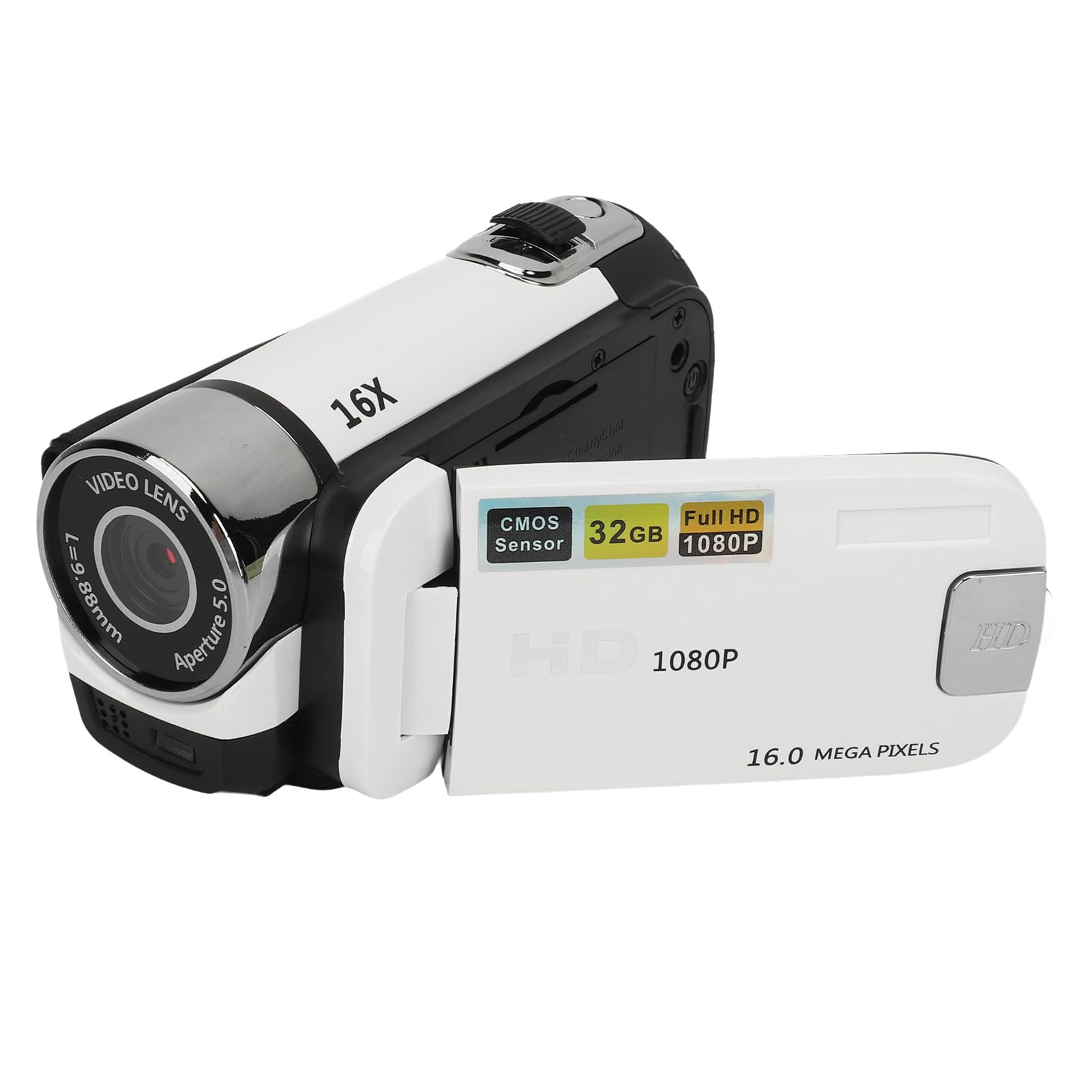
Image 1.1: The Sanpyl 1080P 16MP Digital Video Camera Camcorder.
2. Product Overview
2.1 Key Features
- 2.4-inch Rotatable Screen: Allows for flexible viewing angles, including self-recording.
- 1080P Video Resolution & 16MP Still Images: Captures clear and detailed video and photos.
- 16X Digital Zoom: Enables closer views of distant subjects.
- Integrated Fill Light: Provides additional illumination for low-light conditions.
- Multiple Functions: Supports selfies, electronic anti-shake, loop recording, and time watermarking.
- USB Connectivity: For connecting to a computer to view media and for charging.
- 1/4-inch Thread Hole: For mounting on a tripod (tripod not included).
- Recording While Charging: Allows continuous operation during charging.
2.2 Components and Controls
Familiarize yourself with the various parts and controls of your camcorder.

Image 2.1: Front view of the camcorder highlighting 1080P and 16MP capabilities.

Image 2.2: The camcorder with its 2.4-inch rotatable screen open, showing its flexibility.

Image 2.3: The camcorder lens area, indicating 16X digital zoom capability.

Image 2.4: Side view of the camcorder, illustrating the SD card slot and other ports.
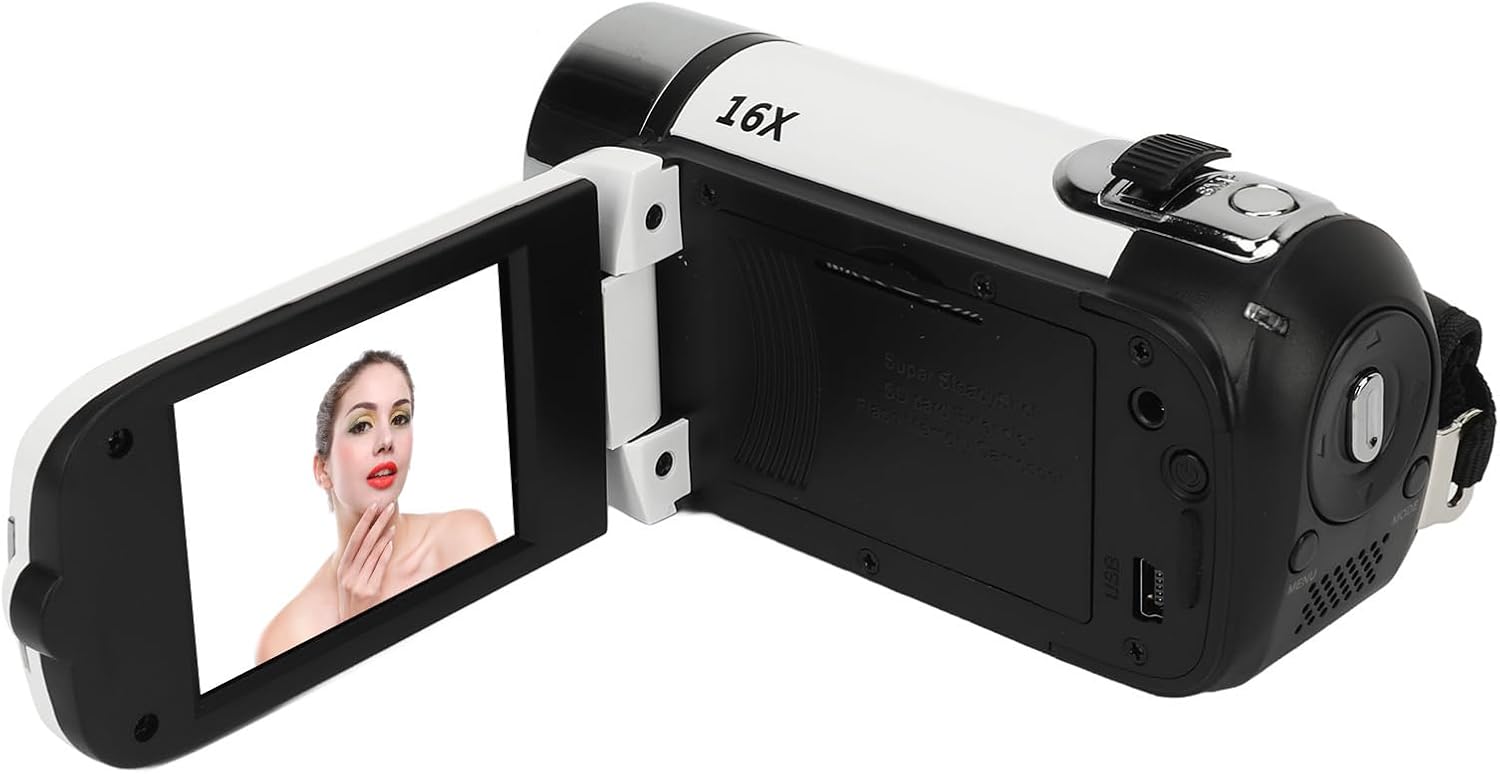
Image 2.5: Rear view of the camcorder with the screen open, displaying the menu, mode, and zoom controls.
Video 2.1: An overview of the Sanpyl camcorder, demonstrating its physical features and basic operation, including unboxing, screen rotation, and button functions.
3. Setup
3.1 Charging the Battery
The camcorder includes a built-in BL-5C Lithium Battery. Before first use, ensure the battery is fully charged. Connect the provided USB charging cable to the camcorder's charging port and then to a USB power adapter (not included) or a computer's USB port. The charging indicator will show the charging status.
3.2 Inserting a Memory Card
The camcorder requires a standard memory card (up to 32GB, not included) for storing photos and videos. Locate the SD card slot on the side of the camcorder. Gently insert the memory card into the slot until it clicks into place. Ensure the card is inserted in the correct orientation.
3.3 Powering On/Off
To power on the camcorder, open the rotatable screen and press and hold the power button for 2-3 seconds. To power off, press and hold the power button again until the device shuts down, or close the rotatable screen.
4. Operating Instructions
4.1 Basic Recording
- Power On: Open the screen and turn on the camcorder.
- Insert SD Card: Ensure a memory card is properly inserted. The screen will display "No card" if no card is detected.
- Select Mode: Use the MODE button to switch between video recording and photo capture modes.
- Start/Stop Recording: Press the Record button to start recording video. Press it again to stop.
- Capture Photo: In photo mode, press the Record button to take a picture.
4.2 Using the Rotatable Screen
The 2.4-inch screen can be rotated 270 degrees. This allows for various shooting angles, including self-recording where you can view yourself while filming.
4.3 Digital Zoom
Use the 16X digital zoom wheel, typically located near the top of the camcorder, to zoom in or out on your subject during recording or photo capture.
4.4 Menu Navigation
Press the MENU button to access the camcorder's settings. Use the directional buttons (often integrated with the zoom wheel) to navigate through options like resolution, image quality, EV (exposure value), and filters. Press the Record button to confirm selections.
4.5 Fill Light
The integrated fill light can be activated to provide additional illumination in dark environments. Refer to the on-screen menu or a dedicated button (if available) for activation.
4.6 Connecting to a Computer
Connect the camcorder to your computer using the provided USB cable. The camcorder will typically appear as a removable disk, allowing you to transfer photos and videos.
5. Maintenance
- Cleaning: Use a soft, dry cloth to clean the camcorder body. For the lens and screen, use a specialized lens cleaning cloth and solution. Avoid abrasive materials.
- Storage: Store the camcorder in a cool, dry place away from direct sunlight, extreme temperatures, and high humidity. Remove the memory card if storing for extended periods.
- Battery Care: Avoid fully discharging the battery frequently. Charge it regularly, even if not in use, to maintain battery health.
6. Troubleshooting
6.1 Common Issues and Solutions
| Problem | Possible Cause | Solution |
|---|---|---|
| Camcorder does not power on. | Low battery or battery not charged. | Charge the battery fully. |
| "No card" message displayed. | Memory card not inserted or inserted incorrectly. | Insert the memory card correctly. Ensure it is a compatible type and size. |
| Poor image/video quality. | Insufficient lighting, dirty lens, or incorrect settings. | Ensure adequate lighting, clean the lens, and check resolution/image quality settings in the menu. |
| Camcorder freezes or becomes unresponsive. | Software glitch. | Remove and reinsert the battery (if accessible) or hold the power button for an extended period to force a shutdown, then restart. |
7. Specifications
- Image Resolution: 1MP, 2MP, 3MP, 5MP, 12MP, 16MP
- Image Format: JPG
- Video Resolution: 1080P (maximum)
- Video Format: AVI
- Screen Size: 2.4 Inch (Rotatable)
- Digital Zoom: 16X
- Shutter: Electronic
- Storage: Supports up to 32GB standard memory card (not included)
- Camera Battery: 1 x BL-5C Lithium Battery, 1020mAh (built-in)
- Number of Languages: 17 Languages
- Item Weight: 4.8 ounces
- Package Dimensions: 5 x 4.5 x 3 inches
- Model Number: Sanpylz5cn2ufweg-12
- Manufacturer: Sanpyl
8. Warranty and Support
For warranty information and customer support, please refer to the documentation included with your purchase or contact the retailer. Keep your proof of purchase for any warranty claims.


