
1. Introduction
Thank you for choosing the KEPLUG Power Strip. This device is designed to provide convenient and safe power distribution for your electronic devices. It features multiple AC outlets, USB charging ports, individual switches for energy saving, and comprehensive surge protection. Please read this manual thoroughly before use to ensure proper operation and safety.
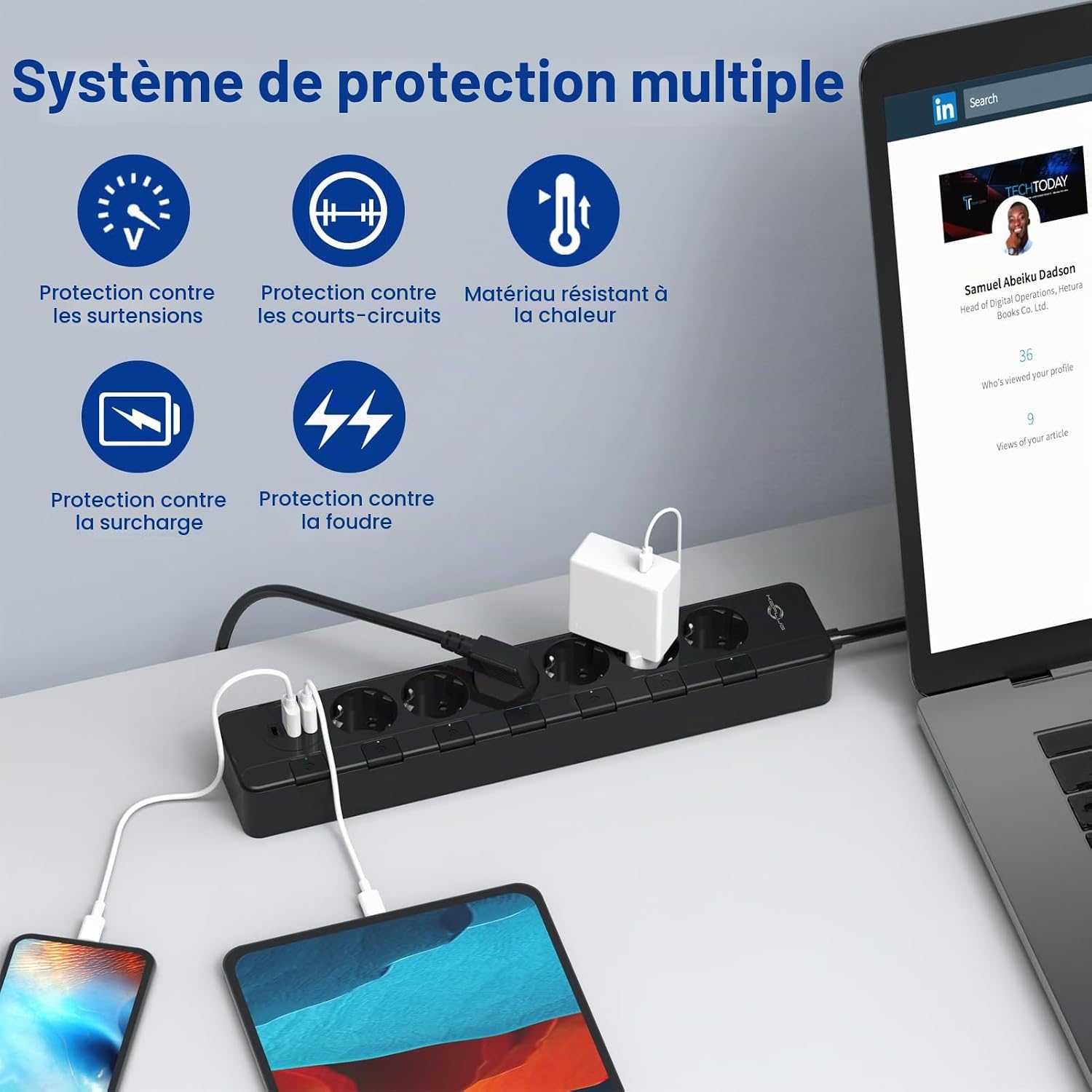
Image 1.1: KEPLUG Power Strip with multiple devices connected, highlighting its comprehensive protection system against surges, short-circuits, heat, overload, and lightning.
2. Safety Instructions
To prevent injury, electric shock, fire, or damage to the product, always follow these basic safety precautions:
- Do not exceed the maximum load capacity of 4000W / 16A. Overloading can cause overheating and fire.
- This product is designed for indoor use only. Do not use it in wet or damp environments.
- Keep the power strip away from water, heat sources, and direct sunlight.
- Do not disassemble, modify, or attempt to repair the power strip. Refer all servicing to qualified personnel.
- Ensure the power cord is fully inserted into the wall outlet and is not damaged or pinched.
- Unplug the power strip from the wall outlet when not in use for extended periods or during electrical storms.
- The power strip features child safety gates on AC outlets to prevent accidental insertion of objects. Do not force objects into the outlets.
- The device is constructed from ABS+PC heat-resistant material with a V0 fire rating for enhanced safety.

Image 2.1: The KEPLUG Power Strip features a child safety gate design to prevent electric shock and protect against dust and dirt.
3. Product Features
- 6 AC Outlets with Individual Switches: Each AC outlet has its own illuminated on/off switch, allowing you to control power to individual devices and save energy.
- 3 USB Charging Ports: Includes 3 USB ports (2 USB-C and 1 USB-A) providing up to 5V/2.4A per port, with a total output of 3.4A for efficient charging of mobile devices.
- High Power Capacity: Supports a maximum power output of 4000W and a current of 16A, suitable for various household and office appliances.
- 500 Joules Surge Protection: Protects your valuable electronics from power surges, voltage spikes, and lightning strikes.
- Multi-Protection System: Integrated protection against overvoltage, short-circuits, overload, and lightning.
- Durable 2-Meter Power Cord: Equipped with a robust 2m (1.5mm²) power cord for flexible placement and reliable power delivery.
- Wall-Mountable Design: Features four keyhole slots on the back for convenient wall or workbench mounting.
- Child Safety Gates: AC outlets are equipped with safety shutters to prevent accidental contact and dust ingress.

Image 3.1: The KEPLUG Power Strip offers 6 AC outlets and 3 USB ports (2 USB-C, 1 USB-A), designed for simultaneous charging at a 45-degree angle without interference.

Image 3.2: The KEPLUG Power Strip features individual switches for each outlet, promoting energy saving and enhanced safety compared to standard power strips.
4. Package Contents
- 1 x KEPLUG Power Strip (Model: B0CRYQ56H5)
5. Setup
- Placement: Choose a dry, stable location for the power strip, away from direct sunlight, heat, and moisture.
- Plug In: Insert the power strip's plug firmly into a grounded wall outlet.
- Wall Mounting (Optional): If desired, use the four keyhole slots on the back of the power strip to mount it securely to a wall or workbench using appropriate screws (not included). Ensure the mounting surface is sturdy enough to support the power strip and connected devices.

Image 5.1: The KEPLUG Power Strip can be mounted on a wall or table using the four keyhole slots located on its back.
6. Operating Instructions
- Connecting Devices: Plug your electronic devices into the AC outlets or USB ports.
- Using Individual Switches: Each AC outlet has an individual on/off switch. Press the switch corresponding to the desired outlet to turn it on or off. The switch will illuminate when the outlet is active.
- USB Charging: Connect your USB-powered devices (smartphones, tablets, etc.) to the USB-A or USB-C ports. The USB ports are always active when the power strip is plugged in.
- Power Indicator: A master power indicator light (if present, usually near the main cord) will show if the power strip is receiving power.
7. Maintenance
- Cleaning: Disconnect the power strip from the wall outlet before cleaning. Use a dry, soft cloth to wipe the surface. Do not use liquid cleaners or abrasive materials.
- Inspection: Regularly inspect the power cord and the power strip for any signs of damage, such as frayed wires, cracks, or loose connections. If damage is found, discontinue use immediately and contact customer support.
- Storage: When not in use, store the power strip in a cool, dry place, away from children and pets.
8. Troubleshooting
| Problem | Possible Cause | Solution |
|---|---|---|
| No power to outlets/USB ports. |
|
|
| USB devices not charging. |
|
|
| Surge protection indicator is off (if present). |
|
|
9. Specifications
| Brand | KEPLUG |
| Model | B0CRYQ56H5 |
| Color | Black |
| AC Outlets | 6 |
| USB Ports | 3 (2 USB-C, 1 USB-A) |
| Max Power Rating | 4000W |
| Max Current | 16A |
| USB Output | 5V/2.4A (per port), 3.4A (total) |
| Surge Protection | 500 Joules |
| Power Cord Length | 2 meters |
| Material | ABS + PC (V0 Fire Rating) |
| Plug Type | Type E (European Standard) |
| Special Features | Individual Switches, USB Ports, Surge Protection, Overload Protection, Short-Circuit Protection, Child Safety Gates, Wall-Mountable |
10. Warranty and Support
The KEPLUG Power Strip is covered by a 2-year manufacturer's warranty from the date of purchase. This warranty covers defects in materials and workmanship under normal use.
The warranty does not cover:
- Damage caused by accident, abuse, misuse, flood, fire, earthquake, or other external causes.
- Damage caused by operating the product outside the permitted or intended uses described by KEPLUG.
- Damage caused by service (including upgrades and expansions) performed by anyone who is not a representative of KEPLUG.
- Products or parts that have been modified to alter functionality or capability without the written permission of KEPLUG.
For warranty claims or technical support, please contact your retailer or visit the official KEPLUG website for contact information.