
Rollerhouse DD2702H
Rollerhouse DD2702H 15 Channel Bi-Directional Transmitter User Manual
Model: DD2702H
1. Introduction
This user manual provides detailed instructions for the operation and maintenance of the Rollerhouse DD2702H 15 Channel Bi-Directional Transmitter. This remote control is designed to operate bi-directional controlled curtain motors and rechargeable battery motors, offering convenient control for up to 15 motorized products such as awnings, shades, and rolling shutters.
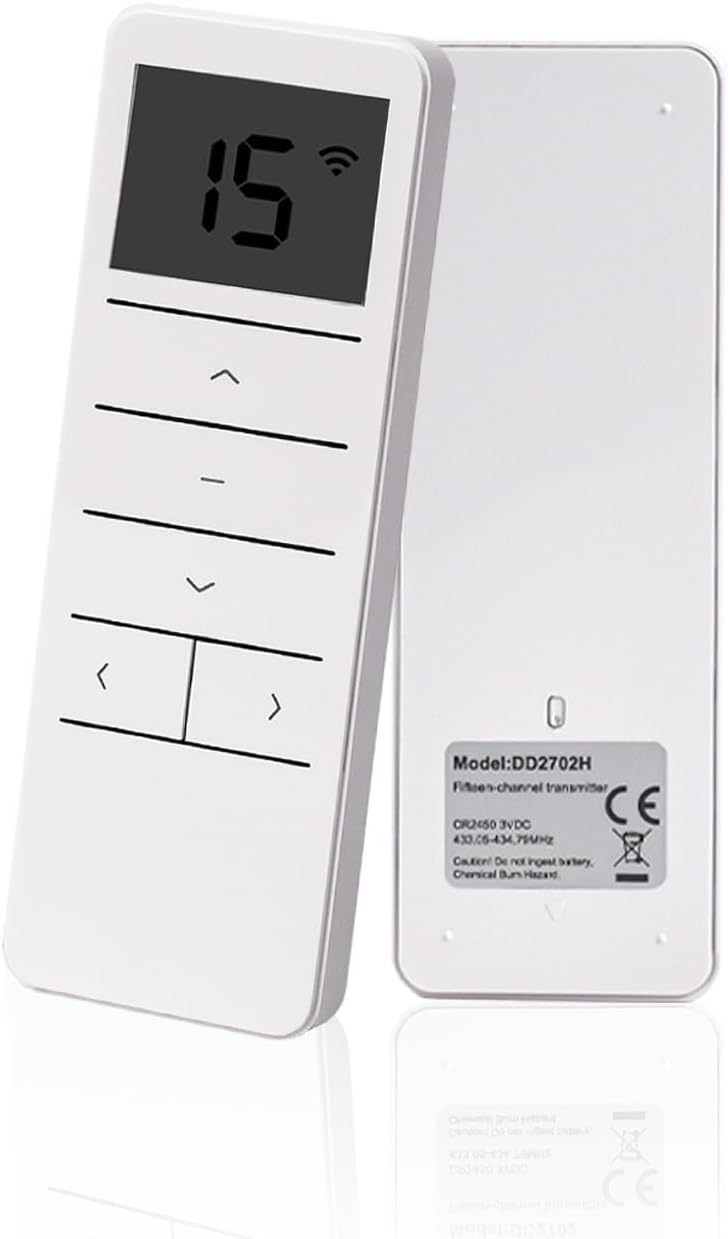
Figure 1: Front and back view of the DD2702H transmitter, showing the LCD display and control buttons on the front, and product information on the back.
2. Product Features
- 15-channel bi-directional remote control for versatile motor operation.
- Specifically designed for bi-directional motors (default factory setting).
- Capable of controlling up to 15 individual motorized products (e.g., awnings, shades, rolling shutters).
- Operates on an emission frequency of 433.92 MHz.
- Effective emission distance: up to 200 meters outdoors and 35 meters indoors (through 2 walls).
- Includes a CR2450 3V battery and a magnetic wall-mounted holder for convenient storage.
- Features an LCD display for channel indication.
3. Specifications
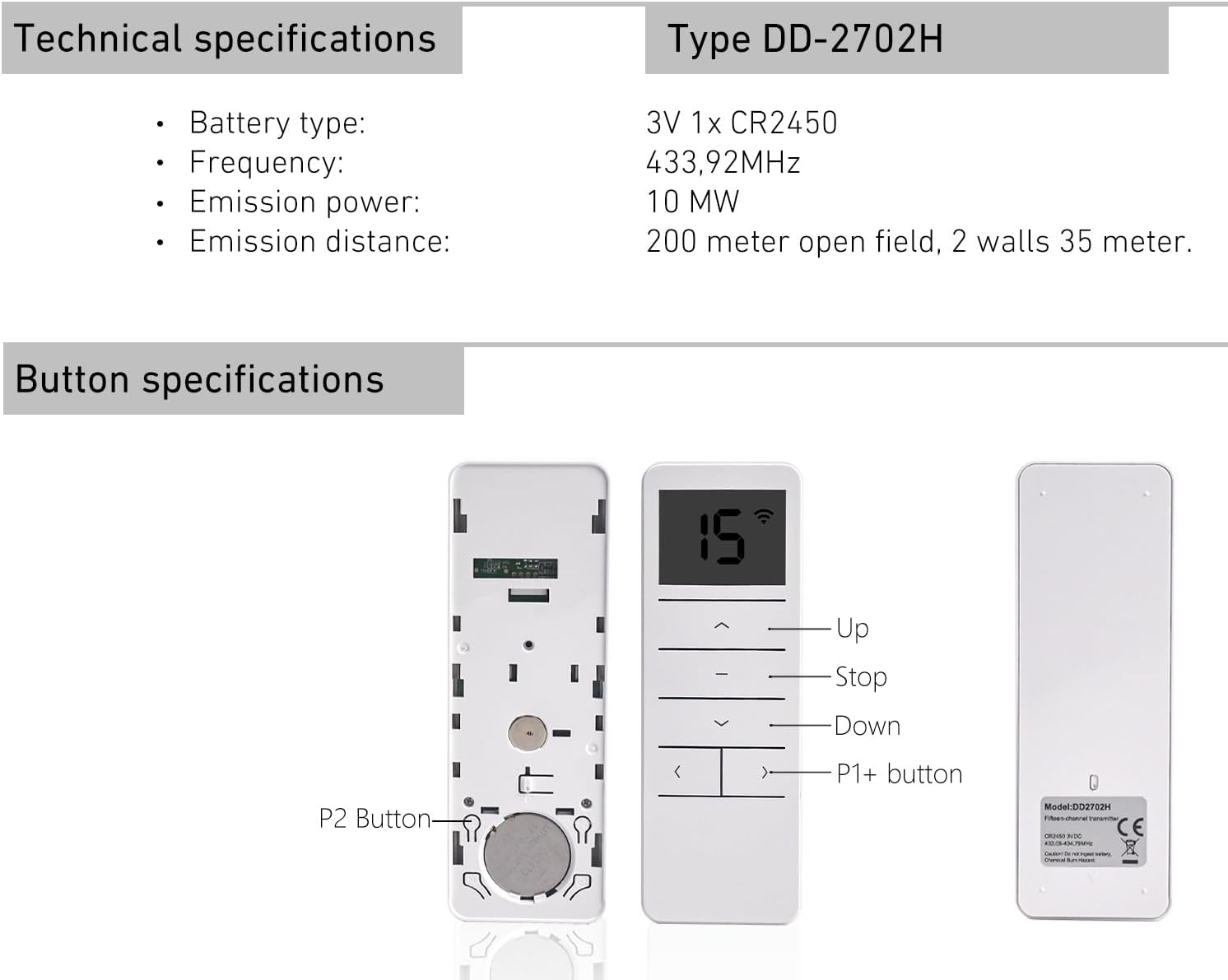
Figure 2: Detailed technical specifications and button identification for the DD2702H transmitter.
| Feature | Detail |
|---|---|
| Model | DD2702H |
| Battery Type | 1 x CR2450 3V Lithium Metal (included) |
| Emission Frequency | 433.92 MHz |
| Emission Power | 10 mW |
| Emission Distance | 200m outdoor, 35m indoor (through 2 walls) |
| Product Dimensions | 5.5"L x 2.2"W (2.2"W x 5.5"H) |
| Item Weight | 2.89 ounces |
| Color | White |
| Material | Plastic |
| Control Type | Motorized |
4. Setup and Installation
4.1 Battery Installation
The DD2702H transmitter comes with a CR2450 3V battery included. To install or replace the battery:
- Locate the battery compartment on the back of the transmitter.
- Use a small tool, such as a SIM card pin or a mini screwdriver, to gently press the elastic button inside the small hole to release the battery cover.
- Insert the CR2450 battery with the positive (+) side facing up.
- Replace the battery cover, ensuring it clicks securely into place.
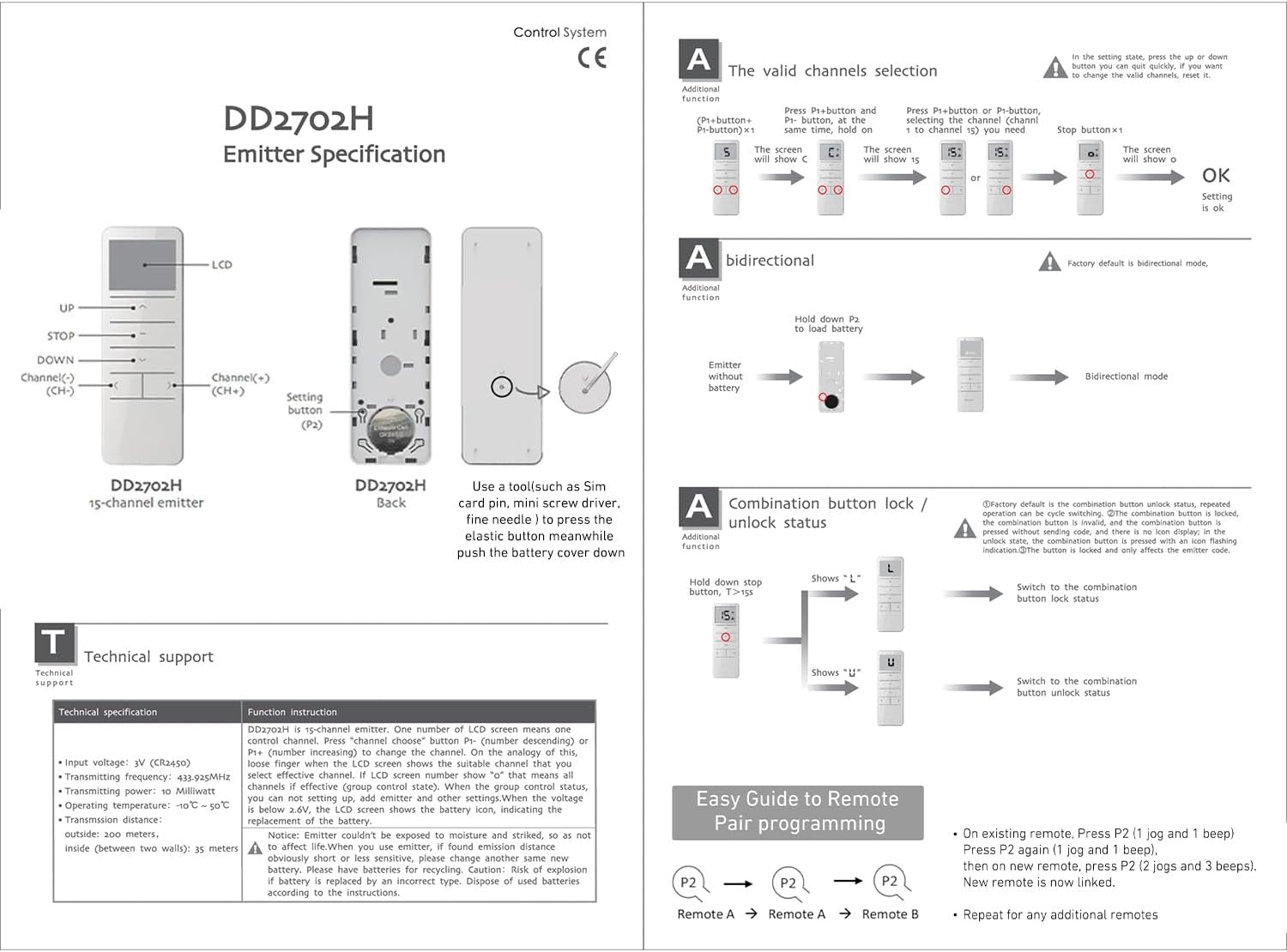
Figure 3: Detailed diagram of the DD2702H remote, illustrating the battery compartment access and button labels.
Note: Dispose of used batteries according to local regulations. If the remote is not used for an extended period, remove the battery to prevent leakage.
4.2 Remote Pairing (Linking a New Remote)
To link a new DD2702H remote to an existing motor or to another remote:
- On the existing remote that is already paired with the motor, press the P2 button once. The motor will respond with 1 jog and 1 beep.
- Press the P2 button on the existing remote again. The motor will respond with 1 jog and 1 beep.
- Within a few seconds, on the new remote you wish to link, press the P2 button. The motor will respond with 2 jogs and 3 beeps, indicating successful linking.
- The new remote is now linked and ready to control the motor. Repeat this process for any additional remotes you wish to link.

Figure 4: Visual guide for the easy remote pair programming process.
5. Operation
The DD2702H transmitter allows for precise control of your motorized products. Familiarize yourself with the main control buttons:
- UP (▲): Moves the curtain/shade upwards.
- STOP (—): Stops the motor at its current position.
- DOWN (▼): Moves the curtain/shade downwards.
- Channel Selection (< / >): Used to cycle through the 15 available channels. The current channel number is displayed on the LCD screen.
- P1+ Button: Located on the front, below the channel selection buttons. Used for advanced programming functions.
- P2 Button: Located inside the battery compartment. Used for pairing and other system settings.

Figure 5: The DD2702H remote in use, displaying channel 15 on its LCD screen.
5.1 Channel Selection
The DD2702H supports up to 15 channels, allowing you to control multiple motors independently or in groups. To select a channel:
- Press the < or > buttons to navigate through channels 1 to 15.
- The selected channel number will be displayed on the LCD screen.
- Ensure the correct channel is selected before operating a motor.
For detailed programming of channels and motor limits, refer to the comprehensive diagram in Figure 3, specifically the "The valid channels selection" and "A combination button lock / unlock status" sections.
6. Troubleshooting
If you encounter issues with your DD2702H transmitter, consider the following common solutions:
- Remote not responding:
- Check the battery. Replace it if it's low or depleted.
- Ensure the remote is within the effective emission distance (200m outdoor, 35m indoor).
- Verify that the correct channel is selected on the remote for the motor you are trying to control.
- Re-pair the remote with the motor if it has become unlinked (refer to Section 4.2).
- Motor not responding to commands:
- Confirm the motor is powered on and functioning correctly.
- Ensure there are no obstructions between the remote and the motor that could interfere with the signal.
- Compatibility Issues:
- The DD2702H is designed for bi-directional motors. Ensure your motor is compatible.
- This remote is primarily a replacement for the same model. It may not be compatible with other brands. Always double-check brand compatibility before purchase or use.
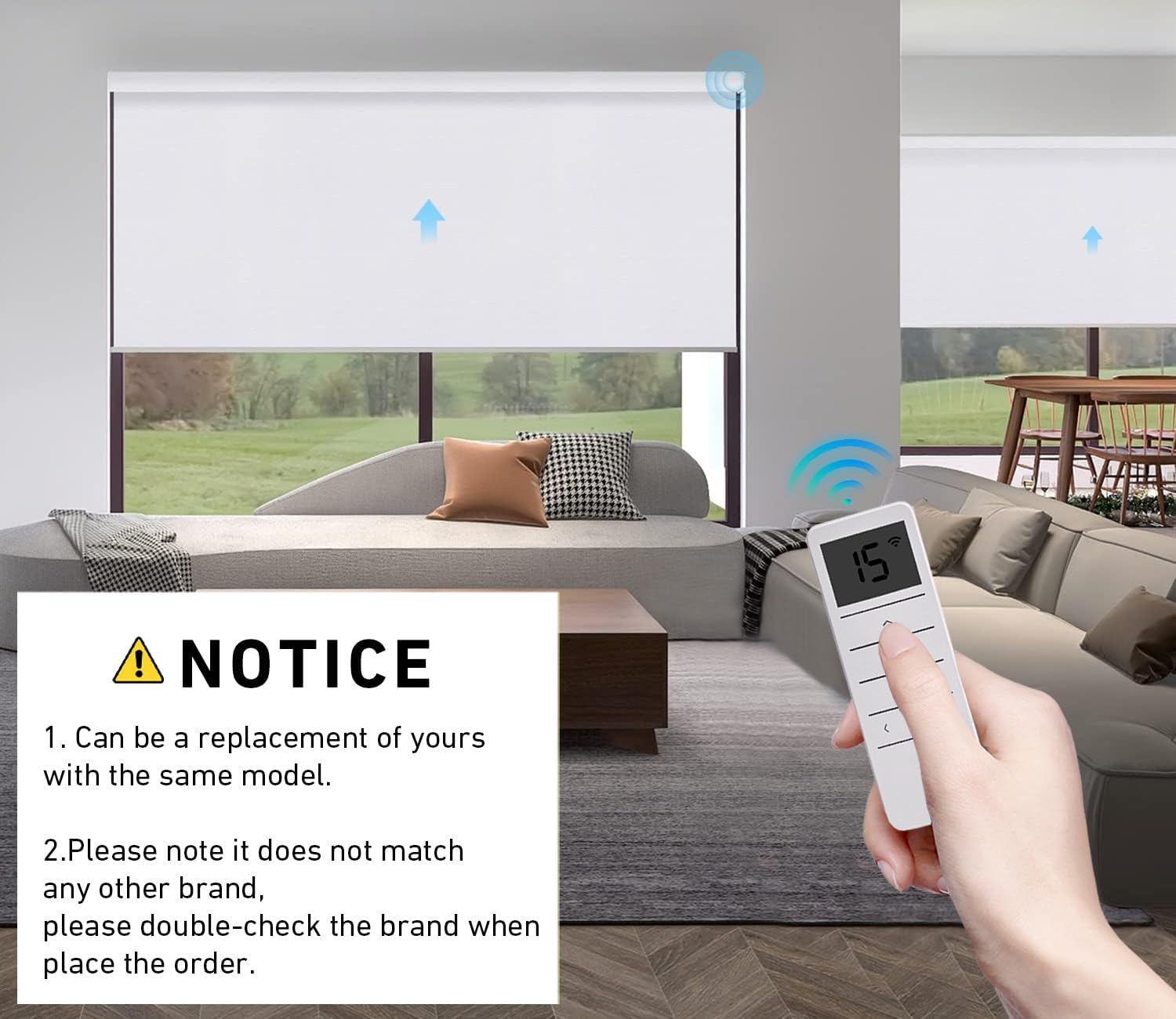
Figure 6: Important notice about the DD2702H's compatibility as a replacement and the need to verify brand.
7. Maintenance
- Cleaning: Use a soft, dry cloth to clean the surface of the transmitter. Avoid using abrasive cleaners or solvents.
- Battery Replacement: Replace the CR2450 3V battery when the LCD display becomes dim or the remote's range decreases. Refer to Section 4.1 for battery installation instructions.
- Storage: Store the transmitter in a cool, dry place away from direct sunlight and extreme temperatures. If storing for extended periods, remove the battery.
8. Safety Information
- Do not ingest the battery. Keep new and used batteries away from children.
- If the battery compartment does not close securely, stop using the product and keep it away from children.
- If you think batteries might have been swallowed or placed inside any part of the body, seek immediate medical attention.
- Do not expose the transmitter to water or excessive humidity. It is not water resistant.
- Do not attempt to disassemble or modify the transmitter. This will void the warranty and could cause damage or injury.
- Ensure the motor antenna is kept straight and away from metal objects to maximize signal reception.
9. Warranty and Support
For warranty information or technical support regarding your Rollerhouse DD2702H transmitter, please contact Rollerhouse customer service. Refer to the product packaging or the official Rollerhouse website for contact details.
Manufacturer: Rollerhouse
Country of Origin: USA

Figure 7: The DD2702H remote control alongside its retail packaging, displaying product information.
Related documentsDD2702H


Ask a question about this manual
Ask about setup, troubleshooting, compatibility, parts, safety, or missing instructions. Manuals+ will review the question and use this page’s manual context to help answer it.