
Introduction
Thank you for choosing the Aigostar 9-Blade Pedestal Fan. This manual provides essential information for the safe and efficient operation of your new fan. Please read it thoroughly before assembly and use, and retain it for future reference.
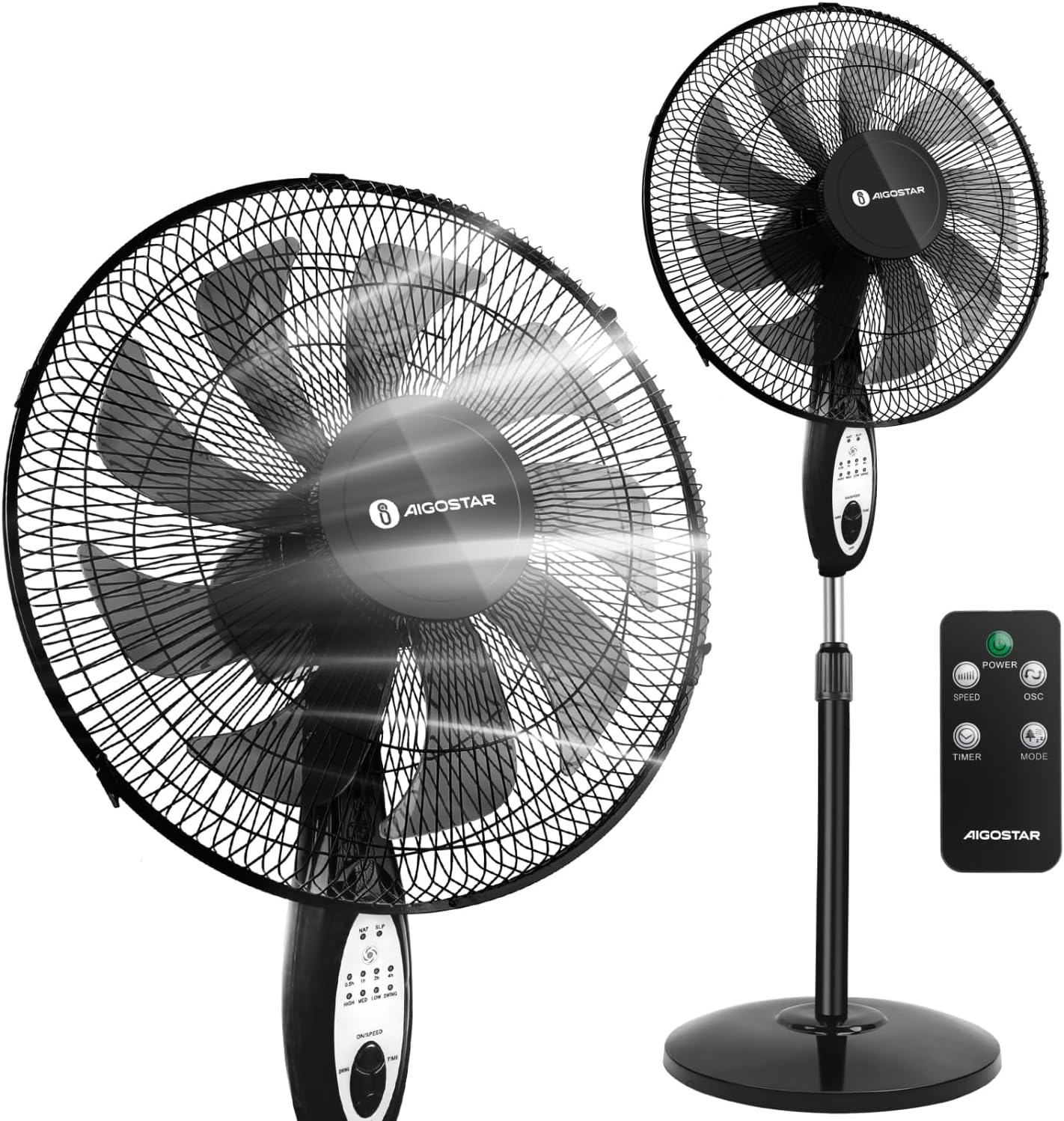
Figure 1: Aigostar 9-Blade Pedestal Fan and its remote control.
Important Safety Instructions
To reduce the risk of fire, electric shock, or injury, always follow basic safety precautions when using electrical appliances.
- Always unplug the fan from the power outlet before cleaning, disassembling, or servicing.
- Do not insert fingers or any other objects through the grill when the fan is operating.
- Ensure the fan is placed on a stable, level surface to prevent tipping.
- Keep the fan away from water or excessive humidity. Do not use in bathrooms or wet areas.
- Do not operate any fan with a damaged cord or plug. If the cord is damaged, it must be replaced by the manufacturer or a qualified service agent.
- This appliance is not intended for use by persons (including children) with reduced physical, sensory or mental capabilities, or lack of experience and knowledge, unless they have been given supervision or instruction concerning use of the appliance by a person responsible for their safety.
- Children should be supervised to ensure that they do not play with the appliance.
Package Contents
Verify that all components are present and in good condition upon opening the package:
- Front Grille
- Spinner
- Blade (9-blades)
- Mounting Nut
- Rear Grille
- Fan Body with Motor
- Pole
- Round Base
- Remote Controller
- Small Screws (for grille assembly)
- User Manual (this document)

Figure 2: Exploded view of fan components.
Setup: Assembly Guide
Follow these steps to assemble your Aigostar Pedestal Fan:
- Assemble the Base: Remove the base screw and washer from the bottom of the pole. Insert the stand pole into the base hole. Secure it with the washer and screw from underneath.
- Attach Fan Body: If the internal pole is inside the main pole, pull it out. Insert the fan body (motor unit) onto the top of the pole. Secure it with the thumb screw provided.
- Mount Rear Grille: Loosen the mounting nut from the motor shaft. Place the rear grille onto the motor unit, aligning the holes. Tighten the mounting nut to secure the rear grille.
- Install Fan Blades: Slide the 9-blade fan assembly onto the motor shaft, ensuring it is properly seated. Secure the blades with the spinner by turning it clockwise until tight.
- Attach Front Grille: Align the front grille with the rear grille. Secure the two grilles together using the clips around the edge and the small screw at the bottom.
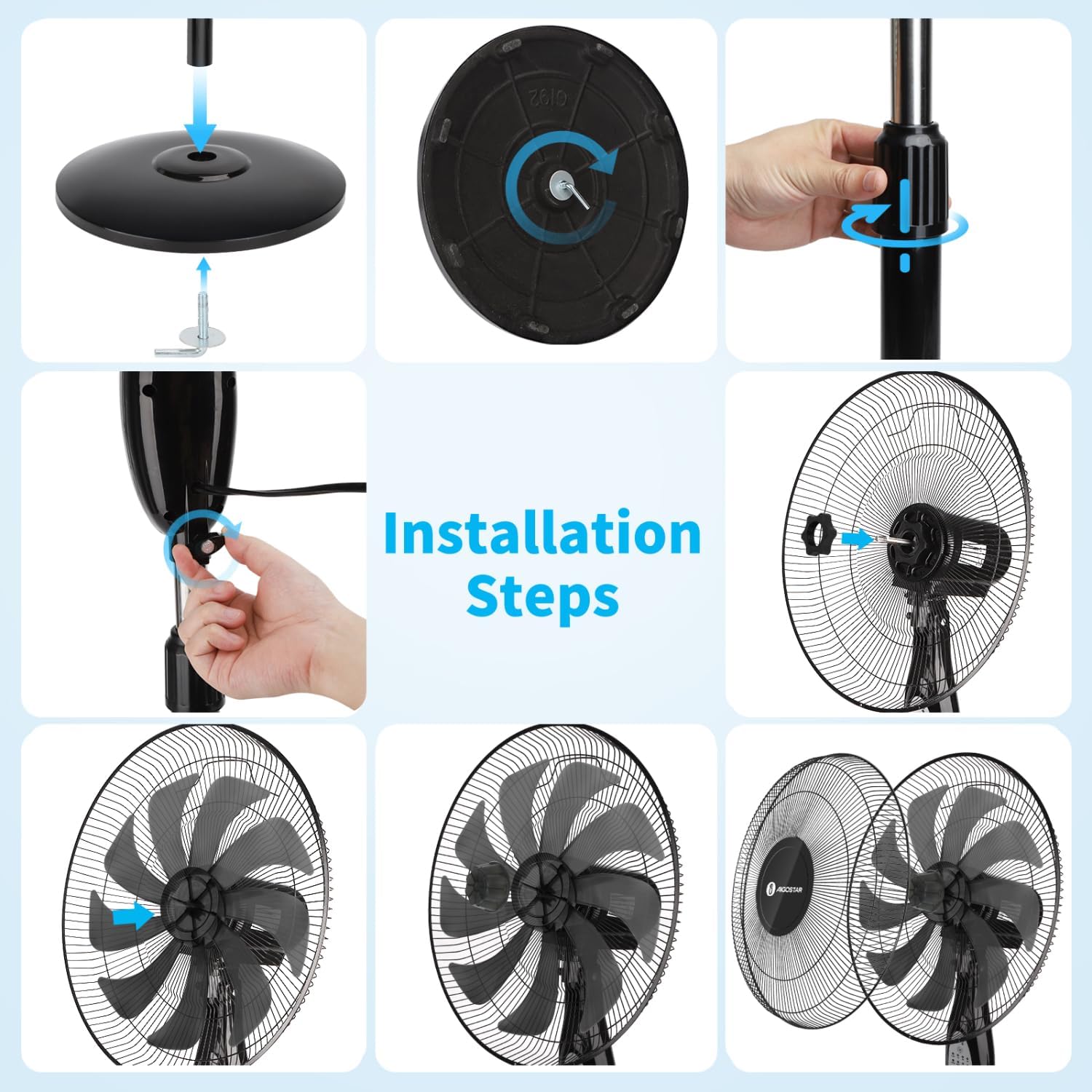
Figure 3: Visual guide for fan installation steps.
Installation Video Guide
Video 1: Detailed instructions on how to install the Aigostar 9-Blades Pedestal Fan with Remote.
Operating Instructions
Your Aigostar Pedestal Fan offers multiple settings for personalized comfort.
Control Panel and Remote Control
The fan can be operated using the intuitive control panel on the fan body or the included remote control.
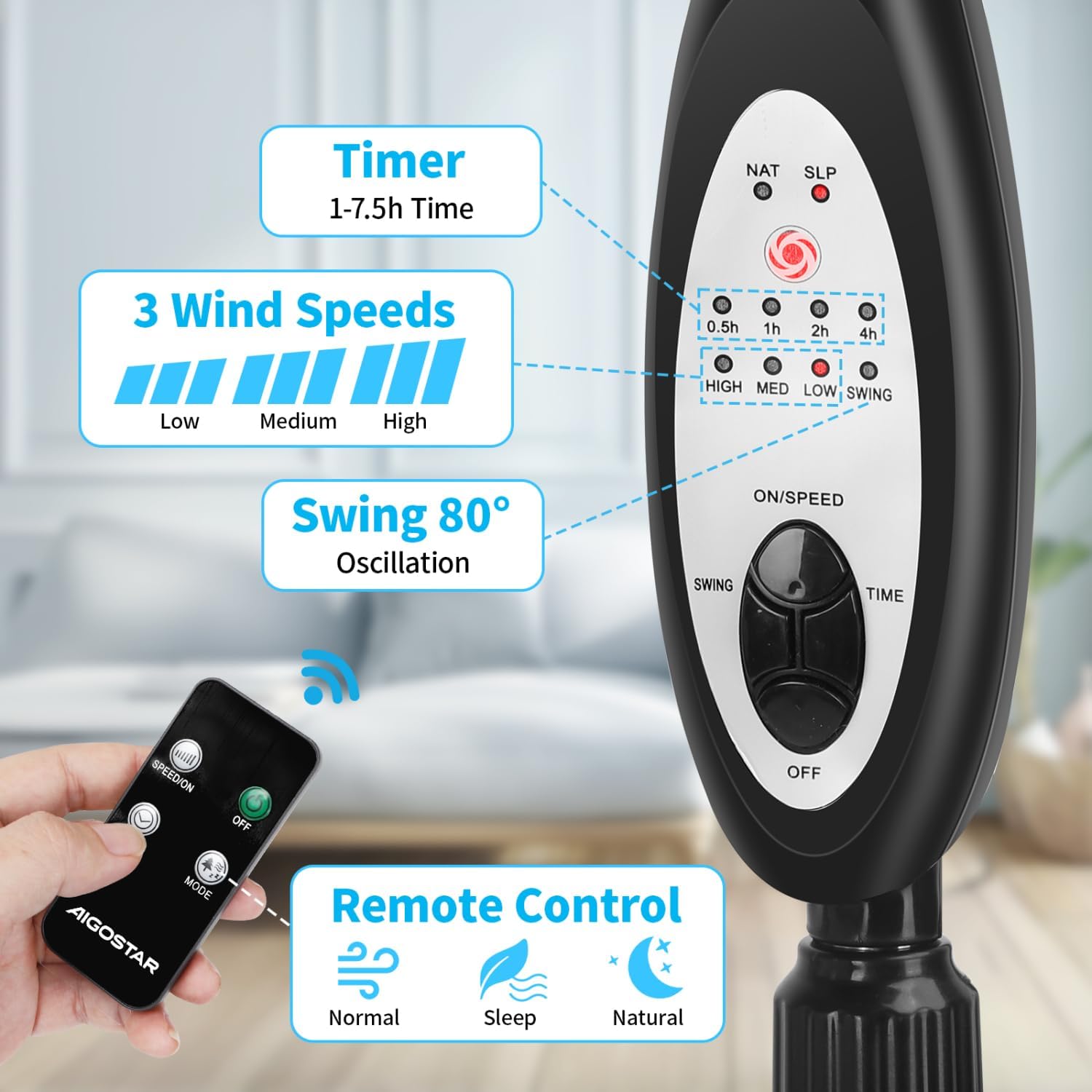
Figure 4: Fan control panel and remote control overview.
Speed Settings
Choose from three adjustable wind speeds: Low, Medium, and High. The 9-blade design ensures a powerful yet smooth airflow even at higher settings.
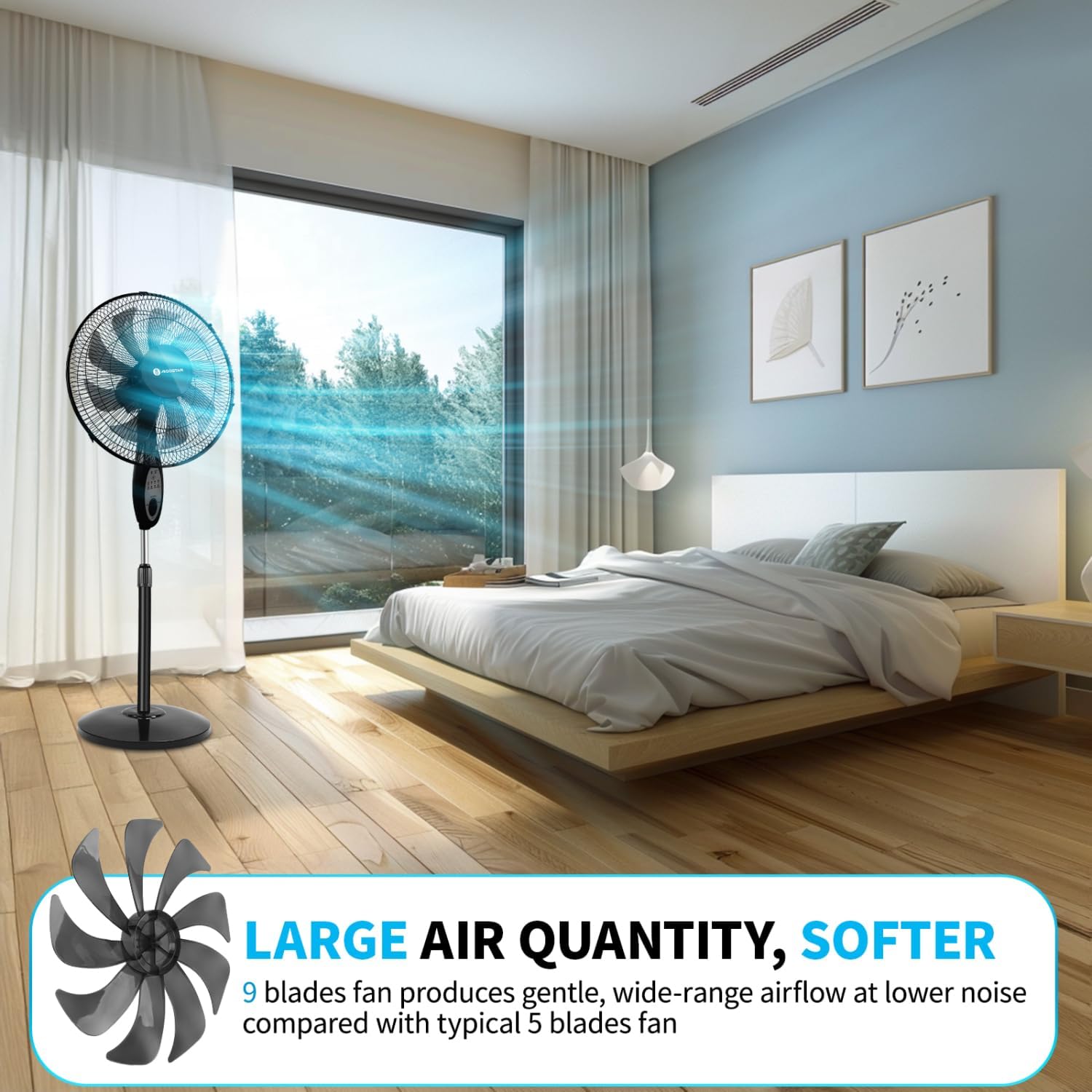
Figure 5: The 9-blade design provides enhanced airflow.
Wind Modes
Select from three distinct wind modes to suit your preference:
- Normal Mode: Provides a consistent, steady airflow.
- Natural Mode: Simulates a natural breeze with varying wind speeds.
- Sleep Mode: Offers a gentle, quiet airflow ideal for undisturbed sleep, gradually decreasing speed over time.
Video 2: Demonstration of the fan's 3 modes (Normal, Natural, Sleep) and adjustable height.
Oscillation and Tilt
The fan features an 80° oscillation angle to cover a wider area and an adjustable up-down tilt of 25° to direct airflow precisely where needed.
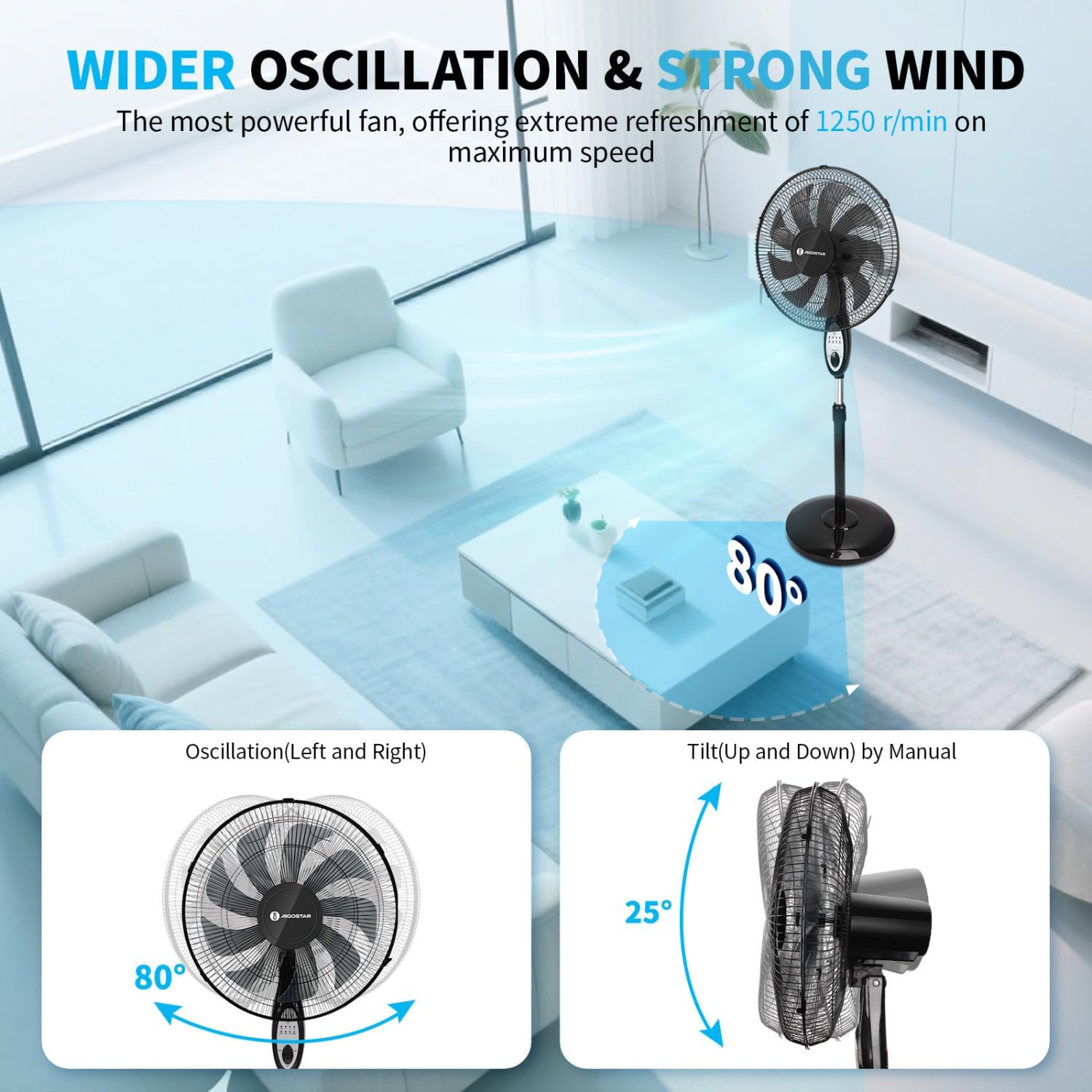
Figure 6: Oscillation and tilt capabilities.
Timer Function
Set the fan to automatically turn off after a specified period, up to 7.5 hours, in 0.5-hour increments. This feature helps conserve energy and provides convenience, especially during sleep.
Video 3: Overview of the fan's quiet operation and 7.5-hour timer function.
Adjustable Height
The fan's height can be adjusted between 41 to 48 inches (104 cm to 122 cm), allowing you to optimize airflow for various settings, whether standing, sitting, or lying down.
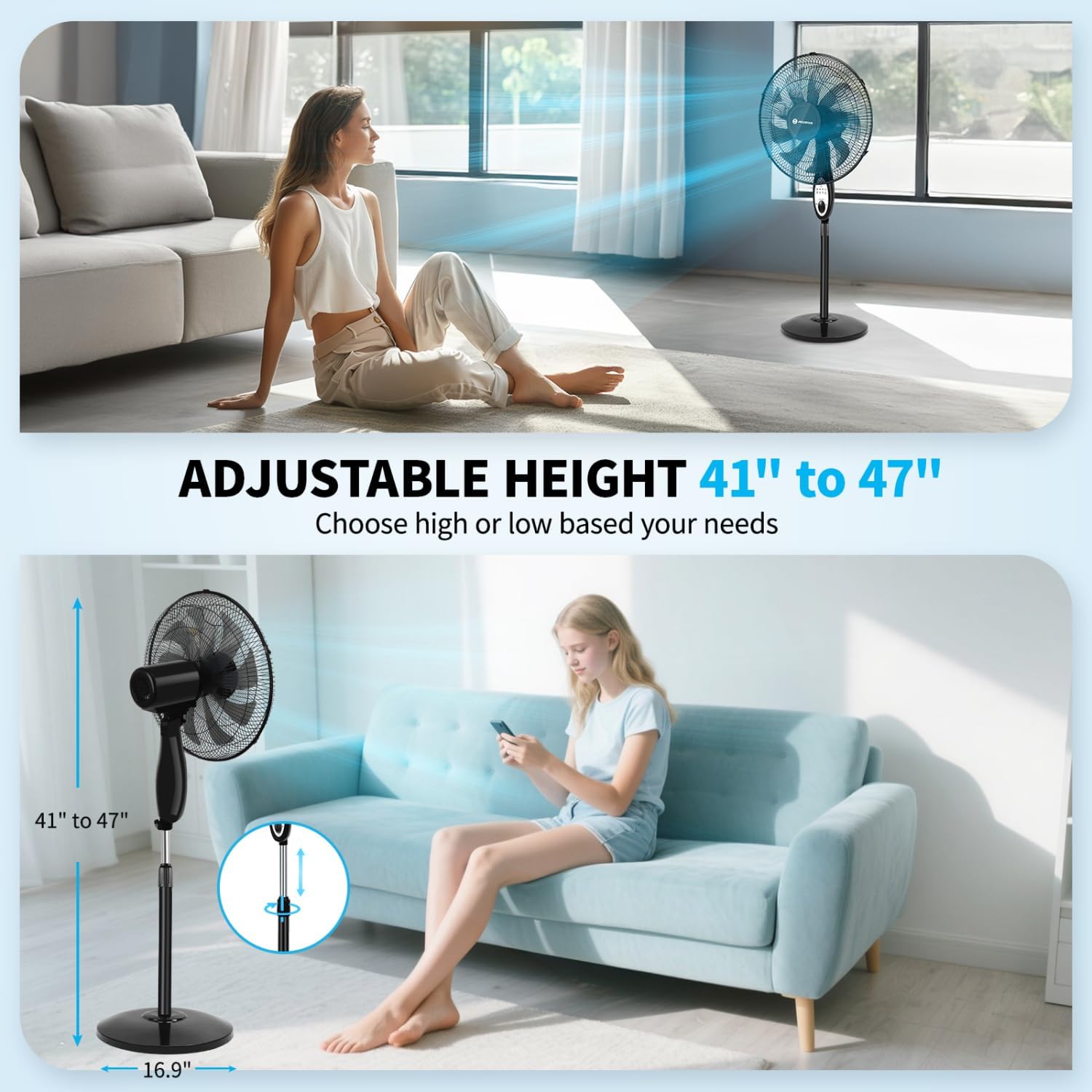
Figure 7: Adjustable height feature.
Maintenance and Care
Regular cleaning and proper storage will ensure the longevity and optimal performance of your fan.
Cleaning Instructions
- Always unplug the fan before cleaning.
- Use a soft, damp cloth to wipe the exterior surfaces. Do not use abrasive cleaners or solvents.
- To clean the blades, remove the front grille (refer to assembly steps in reverse). Wipe the blades with a damp cloth. Ensure blades are completely dry before reassembling the grille.
- The safety grill is designed to prevent direct contact with fan blades and is easy to clean.
Storage Tips
When not in use, store the fan in a cool, dry place, preferably in its original packaging, to protect it from dust and damage.
Troubleshooting
If you encounter any issues with your fan, please refer to the table below for common problems and solutions.
| Problem | Possible Cause | Solution |
|---|---|---|
| Fan does not turn on. | Not plugged in; Power outlet not working; Power button not pressed. | Ensure the fan is securely plugged into a working outlet. Press the Power button on the control panel or remote. |
| Weak airflow. | Fan speed is too low; Grilles or blades are dirty. | Increase the fan speed setting. Clean the grilles and blades as per maintenance instructions. |
| Fan is noisy. | Loose parts; Fan not on a level surface. | Check that all parts are securely assembled. Place the fan on a stable, level surface. |
| Remote control not working. | Batteries are dead or incorrectly inserted; Obstruction between remote and fan. | Replace batteries (2xAAA, not included). Ensure there is a clear line of sight to the fan's receiver. |
Technical Specifications
| Feature | Detail |
|---|---|
| Brand | Aigostar |
| Model Number | B30101AW8 |
| Color | Black |
| Electric Fan Design | Floor Fan |
| Power Source | Corded Electric |
| Product Dimensions | 15.75"D x 16.93"W x 47.24"H |
| Special Features | Remote Controlled, Adjustable Height, Timer, Adjustable Tilt, Oscillating |
| Noise Level | 28 dB |
| Wattage | 60 watts |
| Number of Blades | 9 |
| Air Flow Capacity | 2000 Cubic Feet Per Minute |
| Speed | 1250 RPM |
| Voltage | 120 Volts |
| Control Method | Push Button, Remote |
| Blade Material | Plastic |
| Item Weight | 12.07 pounds |
| UPC | 850027654317 |
Warranty and Support
Your Aigostar 9-Blade Pedestal Fan comes with a 1-year assurance from the date of purchase. Aigostar is committed to providing lifetime customer service for this product.
For any issues, questions, or support needs, please feel free to get in touch with Aigostar customer service. Contact information can typically be found on the official Aigostar website or through your purchase platform.
Please retain your proof of purchase for warranty claims.
