
1. Introduction
This manual provides essential information for the safe and efficient operation of your Luminous Optimus 4500+ Pure Sine Wave Inverter and the accompanying Luminous Inverlast ILTT28060 Tall Tubular Battery System. This system is designed to provide reliable power backup for homes, offices, and shops, ensuring continuous power supply during outages. Please read this manual thoroughly before installation and use.
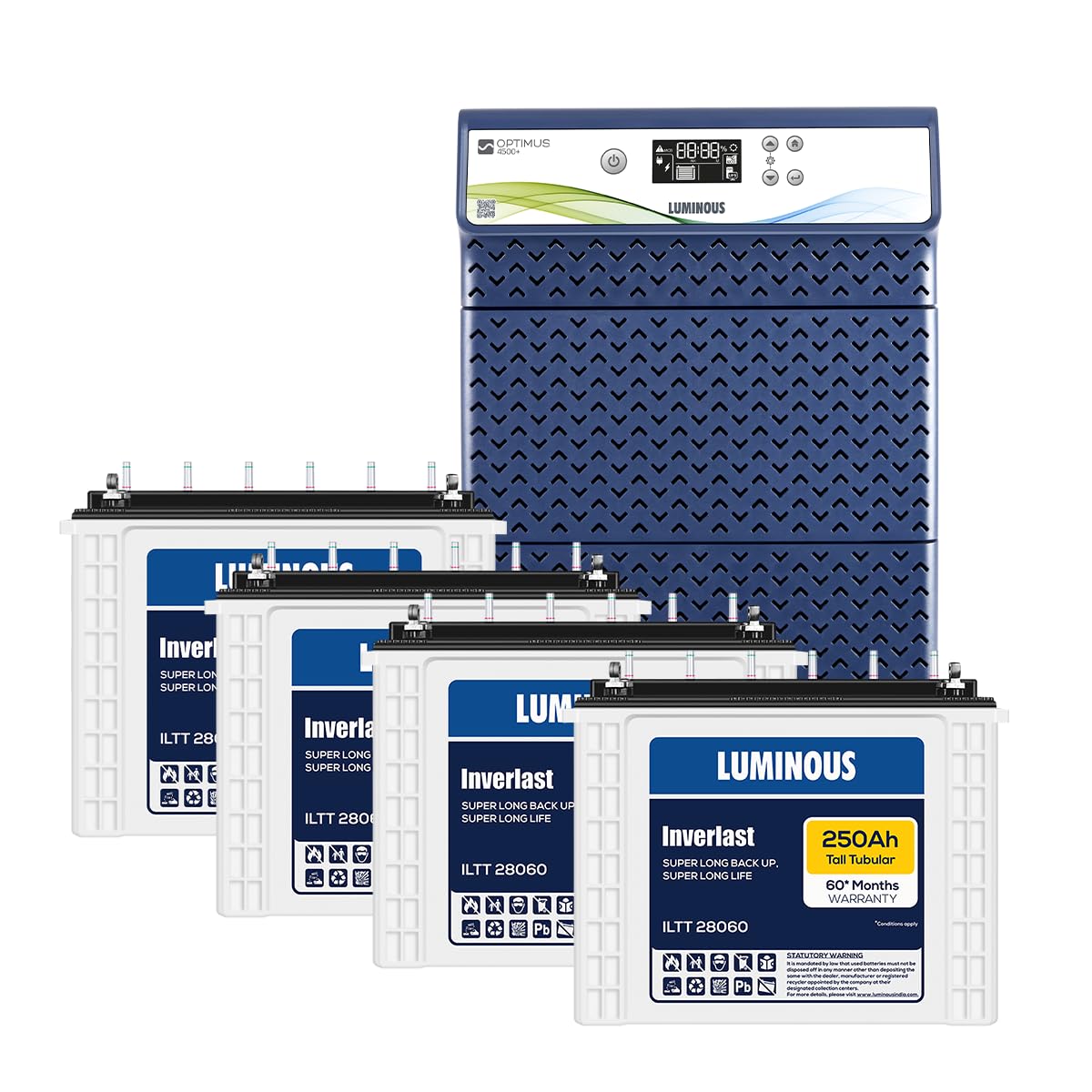
Image 1.1: The Luminous Optimus 4500+ Inverter unit shown with four Luminous Inverlast ILTT28060 Tall Tubular Batteries, forming a complete power backup system.
2. Safety Information
Adherence to the following safety guidelines is crucial to prevent injury and damage to the equipment:
- Electrical Hazard: Installation and servicing should only be performed by qualified personnel.
- Ventilation: Ensure adequate ventilation around the inverter and batteries to prevent overheating and accumulation of flammable gases.
- Battery Handling: Batteries contain corrosive acid. Wear protective eyewear and gloves during handling. Avoid contact with skin and eyes.
- Flammable Materials: Do not store or operate the system near flammable liquids or gases.
- Water Exposure: Keep the inverter and batteries away from water and excessive humidity.
- Overload Protection: Do not exceed the maximum rated load of 2850 W for the inverter.
- Children and Pets: Keep children and pets away from the inverter and batteries.
3. Setup and Installation
3.1 Unpacking and Inspection
Carefully unpack all components. Verify that all items are present and undamaged. The package should include the Luminous Optimus 4500+ Inverter unit and four Luminous Inverlast ILTT28060 Tall Tubular Batteries.
3.2 Placement
Choose a cool, dry, and well-ventilated area for installation. Ensure sufficient clearance around the inverter and batteries for airflow. Avoid direct sunlight or heat sources.
3.3 Battery Connection
The system requires four 12V batteries connected in series to achieve a 48V system. Follow these steps carefully:
- Ensure the inverter is turned OFF and disconnected from the mains supply.
- Connect the positive terminal of the first battery to the negative terminal of the second battery.
- Connect the positive terminal of the second battery to the negative terminal of the third battery.
- Connect the positive terminal of the third battery to the negative terminal of the fourth battery.
- Connect the remaining free positive terminal of the fourth battery to the positive terminal of the inverter.
- Connect the remaining free negative terminal of the first battery to the negative terminal of the inverter.
- Ensure all connections are tight and secure. Apply petroleum jelly to terminals to prevent corrosion.
3.4 Mains and Load Connection
Connect the inverter's input plug to a properly grounded mains power outlet. Connect your appliances (load) to the output sockets of the inverter. Do not exceed the maximum bulb load of 2850 W.
3.5 Initial Charging
After all connections are made, switch on the inverter. Allow the batteries to charge fully before using the system for backup. The LCD display will indicate the charging status.
4. Operating Instructions
4.1 Powering On/Off
- To Power On: Press and hold the power button on the inverter front panel until the display illuminates.
- To Power Off: Press and hold the power button until the display turns off.
4.2 LCD Display and Controls
The state-of-the-art LCD display provides real-time performance statistics. Key indicators include:
- Battery Charge Level: Indicates the current charge status of the connected batteries.
- Load Level: Shows the percentage of connected load.
- Charging Status: Indicates if the batteries are currently charging.
- Backup Time: Estimated remaining backup time based on current load and battery charge.
- Error Codes: Displays specific codes for system faults (refer to Troubleshooting section).

Image 4.1: The Luminous Optimus 4500+ Inverter highlighting its key features including Pure Sine Wave technology, Low Voltage Fast Charging (LVFC), a digital display with backup and charging time, and Eco/UPS mode selection.
4.3 Mode Selection (Eco/UPS)
The inverter offers two operational modes:
- UPS Mode: Provides a stable output voltage, ideal for sensitive electronic equipment like computers. The transfer time from mains to battery is minimal.
- Eco Mode: Allows for a wider input voltage range, reducing battery usage and saving energy. The transfer time may be slightly longer.
Use the mode selector button on the front panel to switch between Eco and UPS modes.
4.4 User-Settable Parameters
The Optimus 4500+ allows for optimization of performance:
- Charging Current: User-settable between 8A-21A. Adjust this based on battery capacity and desired charging speed. Higher current charges faster but can generate more heat.
- Output Voltage: User-settable between 200V-240V. This allows optimization between longer backup time and performance for connected appliances.
Refer to the inverter's display menu for instructions on how to adjust these parameters.
5. Maintenance
Regular maintenance ensures the longevity and optimal performance of your Luminous system.
5.1 Battery Maintenance (Inverlast ILTT28060 Tall Tubular Batteries)
- Water Level Check: For tall tubular batteries, regularly check the electrolyte level (typically every 1-2 months). Ensure the level is between the minimum and maximum marks. Use only distilled water to top up if necessary.
- Terminal Cleaning: Keep battery terminals clean and free from corrosion. Use a wire brush to remove any buildup and apply petroleum jelly to prevent future corrosion.
- Ventilation: Ensure the battery area is well-ventilated to dissipate hydrogen gas produced during charging.
5.2 Inverter Maintenance
- Cleaning: Keep the inverter unit clean and free from dust. Use a dry, soft cloth. Do not use liquid cleaners.
- Ventilation Openings: Ensure that the ventilation openings on the inverter are not blocked.
- Cable Inspection: Periodically inspect all cables for any signs of wear, damage, or loose connections.
6. Troubleshooting
The Luminous Optimus 4500+ features comprehensive safety protections and alarms. If an issue arises, the LCD display will often show an error code or message. Refer to the table below for common issues and their solutions.
| Problem/Alarm | Possible Cause | Solution |
|---|---|---|
| No Power Output | Inverter OFF, Mains supply absent, Low battery, Overload | Turn ON inverter, Check mains, Allow batteries to charge, Reduce load |
| Overload Alarm | Connected load exceeds inverter capacity (2850 W) | Disconnect some appliances to reduce the load. |
| Low Battery Alarm | Batteries are discharged below a safe level | Connect to mains power to recharge batteries. Reduce load if on backup. |
| Short Circuit Alarm | Short circuit detected in output wiring or connected appliance | Turn OFF inverter, disconnect all loads, check wiring for faults. Reconnect one by one. |
| Over Temperature Alarm | Inverter is overheating | Ensure adequate ventilation, reduce load, allow inverter to cool down. |
If the problem persists after attempting these solutions, please contact Luminous customer support.
7. Specifications
Detailed technical specifications for the Luminous Optimus 4500+ Inverter and Inverlast ILTT28060 Tall Tubular Batteries.
| Feature | Specification |
|---|---|
| Inverter Capacity | 4000 VA |
| Maximum Bulb Load | 2850 W |
| Technology | Pure Sine Wave |
| Battery Support | Four (4) 12V Batteries (48V system) |
| Battery Type Supported | Flat, Tubular, and SMF (80Ah-250Ah) |
| Battery Capacity (Included) | 250 Ah (each Inverlast ILTT28060 battery) |
| Charging Current | User settable (8A-21A) |
| Output Voltage | User settable (200V-240V) |
| Display | LCD (real-time statistics) |
| Modes | Eco and UPS |
| Safety Features | Short circuit, overload, over temperature, low battery protection |
| Item Model Number | Optimus 4500+ |
| Country of Origin | India |
8. Warranty and Support
The Luminous Inverlast ILTT28060 Tall Tubular Batteries come with a 60-month warranty. For specific warranty terms and conditions, please refer to the warranty card provided with your product or visit the official Luminous website.
For technical assistance, troubleshooting, or warranty claims, please contact Luminous customer support. Ensure you have your product model number (Optimus 4500+) and purchase details available when contacting support.