
Introduction
This manual provides comprehensive instructions for the installation, operation, and maintenance of your COOAU Q02 Outdoor Wireless Wi-Fi Camera. Designed for home security, this battery-powered camera offers flexible placement without power cable restrictions, ensuring wide coverage wherever 2.4 GHz Wi-Fi is available. Please read this manual thoroughly before using the product to ensure proper functionality and safety.
Product Overview
The COOAU Q02 camera is a versatile outdoor security device featuring advanced monitoring capabilities.
Key Features:
- 100% Wireless & Battery Powered: Integrated rechargeable lithium battery provides up to 3 months of operation on a single charge.
- 2K Full HD Video: Equipped with a 1/3 advanced CMOS color sensor and 2K optical lens for clear, detailed video.
- Color Night Vision: Four updated spotlights enable full-color night vision up to 15 meters.
- 360° PTZ Coverage: Remote control for 355° horizontal pan and 90° vertical tilt via the application.
- Human Motion Detection: Advanced motion sensor with 1-second real-time humanoid detection and alarm.
- Two-Way Audio: Built-in microphone and speaker for communication.
- Siren Alarm: Deter intruders with an audible siren.
- IP66 Weatherproof: Designed to withstand outdoor conditions.
- Storage Options: Supports local storage via microSD card (up to 128GB, not included) and optional cloud storage.
Package Contents:
- COOAU Q02 Camera Unit
- Wall Mounting Bracket
- Mounting Screws and Anchors
- USB Charging Cable
- User Manual (this document)

Figure 1: The COOAU Q02 camera unit, showing its compact design and two antennas.

Figure 2: Overview of the COOAU Q02 camera, its accessories including the charging cable and mounting hardware, and a smartphone displaying the camera's application interface. The image also highlights the microSD card slot.
Setup
Follow these steps to set up your COOAU Q02 camera.
1. Charging the Camera:
Before first use, fully charge the camera using the provided USB cable. Connect the cable to the camera's charging port and a standard USB power adapter (not included). The charging indicator light will show the charging status.
2. App Download and Account Registration:
Download the official COOAU security camera application from your smartphone's app store (iOS or Android). Register for a new account or log in if you already have one.
3. Connecting to Wi-Fi:
- Open the COOAU app and select "Add Device" or the '+' icon.
- Follow the on-screen prompts to select your camera model.
- Ensure your smartphone is connected to a 2.4 GHz Wi-Fi network. Note: This camera does not support 5 GHz Wi-Fi networks.
- The app will guide you through the process of connecting the camera to your Wi-Fi network, typically involving scanning a QR code displayed on your phone with the camera lens.
- Once connected, you can name your camera and begin live viewing.
Important Note: This product is not compatible with COOAU C7 products and cannot be connected to a C7 base station.
4. MicroSD Card Installation (Optional):
To enable local video recording, insert a microSD card (up to 128GB, Class 10 or higher recommended) into the designated slot on the camera. Ensure the camera is powered off before inserting or removing the card. Format the card via the app settings after insertion.
5. Mounting the Camera:
Choose a suitable outdoor location with good Wi-Fi signal coverage. Use the provided mounting bracket, screws, and anchors to securely attach the camera to a wall or other stable surface. The camera is designed for wall mounting. Adjust the camera's angle after mounting for optimal viewing.
Operating the Camera
Control and monitor your COOAU Q02 camera using the dedicated smartphone application.
1. Live View and PTZ Control:
Open the app and select your camera to access the live video feed. Use the on-screen controls to pan horizontally (355°) and tilt vertically (90°) to adjust the camera's viewing angle. The 4x digital zoom function allows for closer inspection of details.

Figure 3: The camera offers 355° horizontal and 90° vertical rotation for comprehensive 360° coverage without blind spots.

Figure 4: Demonstrates the superior clarity of 2K QHD resolution compared to 1080P, highlighting the camera's sharp image quality.
2. Motion Detection and Alerts:
Configure motion detection settings within the app. The camera features advanced human shape detection to minimize false alarms. When motion is detected, the camera can send instant notifications to your smartphone and begin recording. You can also set up customized detection zones to focus on specific areas of interest.

Figure 5: The camera's PIR motion detection accurately identifies human movement, as shown with a person and a dog.

Figure 6: Illustrates the ability to define specific detection zones (Zone 1, Zone 2) to focus monitoring on critical areas.
3. Two-Way Audio and Siren:
Use the two-way audio feature to communicate with visitors or deter unwanted guests. Tap the microphone icon in the app to speak, and the camera's speaker will broadcast your voice. You can also manually activate the built-in siren from the app to scare off potential intruders.

Figure 7: The camera's instant detection alarm feature, showing the siren activating and a smartphone receiving an alarm notification.
4. Night Vision:
The camera automatically switches to night vision mode in low-light conditions. With its 4 updated spotlights, it provides clear color night vision, allowing you to see details even in complete darkness.
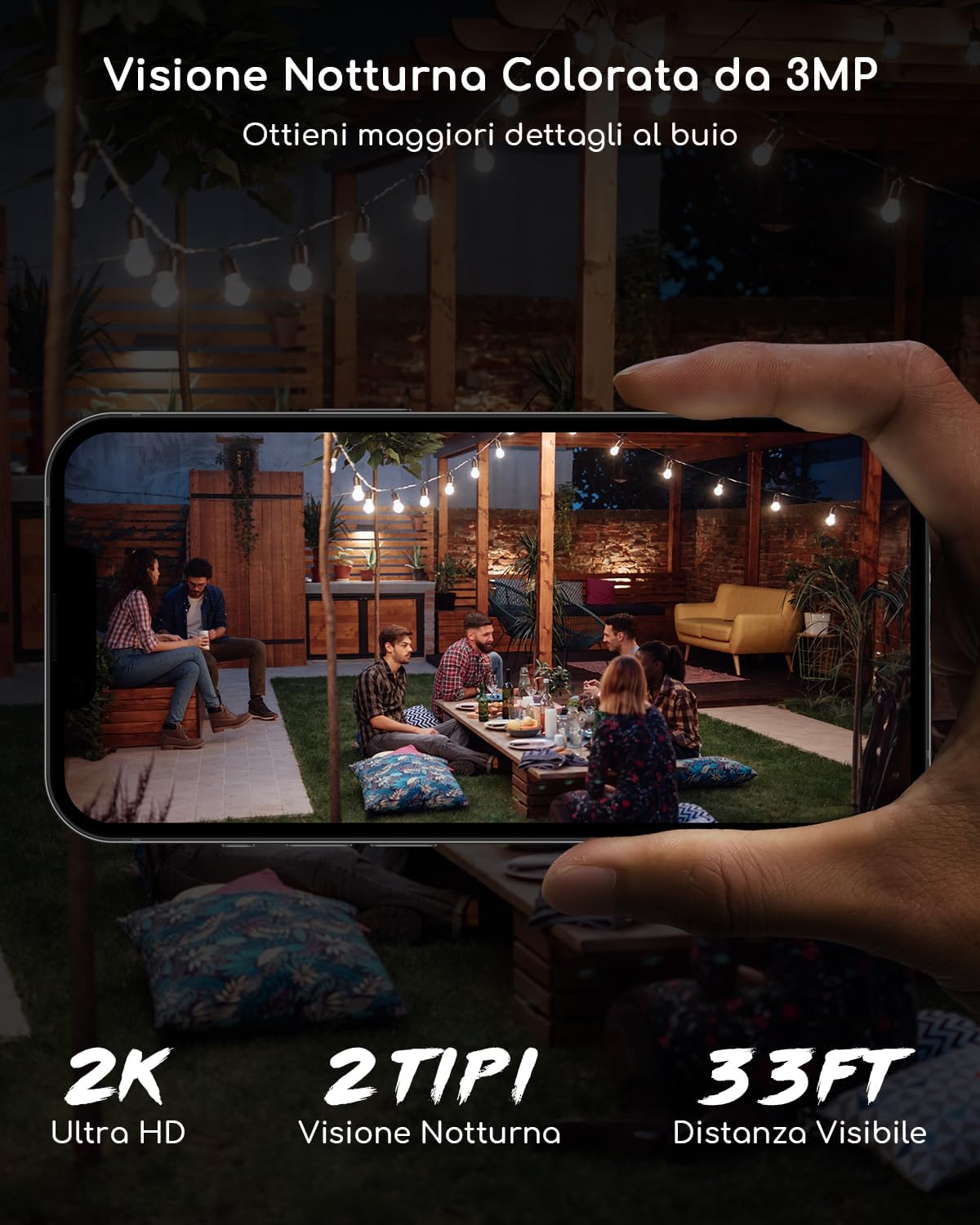
Figure 8: A smartphone displaying the camera's 2K Ultra HD color night vision, showing clear details in a dark outdoor setting.
Maintenance
Proper maintenance ensures the longevity and optimal performance of your camera.
1. Battery Management:
Monitor the battery level through the app. When the battery is low, detach the camera from its base and recharge it using the USB cable. Frequent motion detections and live viewing will consume battery faster. For optimal battery life, ensure the camera is fully charged before deployment.
2. Cleaning:
Periodically clean the camera lens and body with a soft, damp cloth. Avoid using harsh chemicals or abrasive materials that could damage the camera's surface or lens. Ensure the camera is powered off before cleaning.
3. Firmware Updates:
Check the app regularly for available firmware updates. Keeping your camera's firmware updated ensures access to the latest features, security enhancements, and bug fixes.
Troubleshooting
If you encounter issues with your COOAU Q02 camera, refer to the following common problems and solutions.
1. Camera Not Connecting to Wi-Fi:
- Ensure your Wi-Fi network is 2.4 GHz. The camera does not support 5 GHz networks.
- Check Wi-Fi signal strength at the camera's location. Move the camera closer to the router if the signal is weak.
- Verify that the Wi-Fi password entered in the app is correct.
- Restart your Wi-Fi router and the camera.
2. Frequent False Alarms:
- Adjust the motion detection sensitivity in the app settings.
- Define specific detection zones to exclude areas with irrelevant motion (e.g., busy streets, swaying trees).
- Ensure the camera lens is clean and free from obstructions.
3. Short Battery Life:
- Reduce the frequency of live viewing and recorded events.
- Lower the motion detection sensitivity or reduce the number of detection zones.
- Ensure the camera is fully charged before deployment.
- Extreme temperatures can affect battery performance.
4. Poor Image Quality:
- Clean the camera lens.
- Ensure adequate lighting, especially for night vision.
- Check your Wi-Fi connection speed. A weak connection can affect streaming quality.
Specifications
| Feature | Specification |
|---|---|
| Model Name | Q02 |
| Video Recording Resolution | 2K |
| Color | White |
| Wireless Communication Technology | Wi-Fi 2.4G (Does not support 5G) |
| Form Factor | Dome |
| Viewing Angle | 355 degrees (Pan), 90 degrees (Tilt) |
| Night Vision Range | 15 Meters |
| Item Dimensions (L x W x H) | 16 x 15 x 10 cm |
| Weight | 800 Grams |
| Water Resistance Level | Waterproof (IP66) |
| Power Source | Battery Powered (1 Lithium metal battery included) |
| Special Features | Two-way audio, Motion detector, HD Resolution, PTZ Technology, Night Vision |
| Recommended Product Use | Outdoor Security |
| Compatible Devices | Smartphone |
| Mounting Type | Wall Mount |
Warranty and Support
COOAU products are covered by a 2-year warranty from the date of purchase. This warranty covers defects in materials and workmanship under normal use.
For any questions regarding installation, Wi-Fi connection, or general use, please do not hesitate to contact our customer service team. Our professional technicians are ready to provide solutions.
Customer Support Email: support-eu@cooau.com