
1. Introduction
The SEQURE SI012 Soldering Iron Kit is a portable and efficient electric soldering tool designed for various applications, from hobby electronics to professional circuit repair. Featuring rapid heating, dual power input options, a digital OLED display, and intelligent temperature control, the SI012 provides a reliable and precise soldering experience. This manual provides essential information for the safe and effective use, setup, operation, and maintenance of your SI012 soldering iron.

A banner image promoting the SEQURE SI012 Soldering Iron Kit, emphasizing its key attributes such as 8-second tin melting, dual DC+PD power input, PID constant temperature control, automatic sleep function, audible warning system, upgradable firmware, compact pocket size, and a clear OLED display.
2. Package Contents
Please inspect the package contents upon receipt to ensure all items are present and undamaged. The standard kit includes the following components:
- SI012 Soldering Iron Host
- TS-B2 Soldering Iron Tip
- XT60 Power Cable
- Mini Soldering Iron Stand
- Solder Wire
- Installation Accessories (fasteners, wrench)
- Storage Bag
Note: A power adapter is NOT included and must be supplied separately.

This image provides a detailed view of the SEQURE SI012 Soldering Iron Kit's package contents. It clearly labels the SI012 controller, TS-B2 soldering tip, XT60 power cable, soldering wire, storage bag, installation accessories, and the mini soldering iron stand. Note that the power adapter is not included.
3. Key Features
The SEQURE SI012 Soldering Iron Kit incorporates advanced features for enhanced performance and user convenience:
- Fast Heating: Reaches melting point in approximately 8 seconds. Temperature range from 50°C-450°C (122°F-842°F).
- Dual Power Input: Supports Type-C and DC5525 power jacks, extending voltage range to 12V-25V. Compatible with 3S-6S LiPo batteries, PD chargers, and power adapters.
- Smart & Safe Operation: PID control system for precise temperature management. Automatic sleep mode activates after 3 minutes of inactivity, enhancing safety and extending lifespan.
- Constant Temperature: Features temperature calibration and compensation functions to monitor and correct real-time temperature, ensuring stable soldering performance.
- Digital OLED Display: Provides clear real-time information including working temperature, preset temperature, power progress bar, and working voltage.
- Upgradable Firmware: Allows for future updates and improvements to the device's functionality.
- Adjustable Display: Screen orientation can be adjusted for left-handed or right-handed users.
- Wide Application: Suitable for soldering projects, circuit board welding, appliance repair, electronic work, DIY soldering, and training.

The SEQURE SI012 Smart Soldering Iron is shown actively used on a circuit board, illustrating its key features such as rapid heating, dual power input (PD+DC), automatic sleep and standby functions, a clear OLED digital display, upgradable firmware, and temperature calibration and compensation capabilities.

This graphic illustrates the 68W output power of the SI012 soldering iron, demonstrating its ability to heat up from 30°C to 300°C in just 8 seconds. A table provides detailed heating times for various working voltages (12V, 19V, 24V) and corresponding power outputs (17W, 45W, 68W).
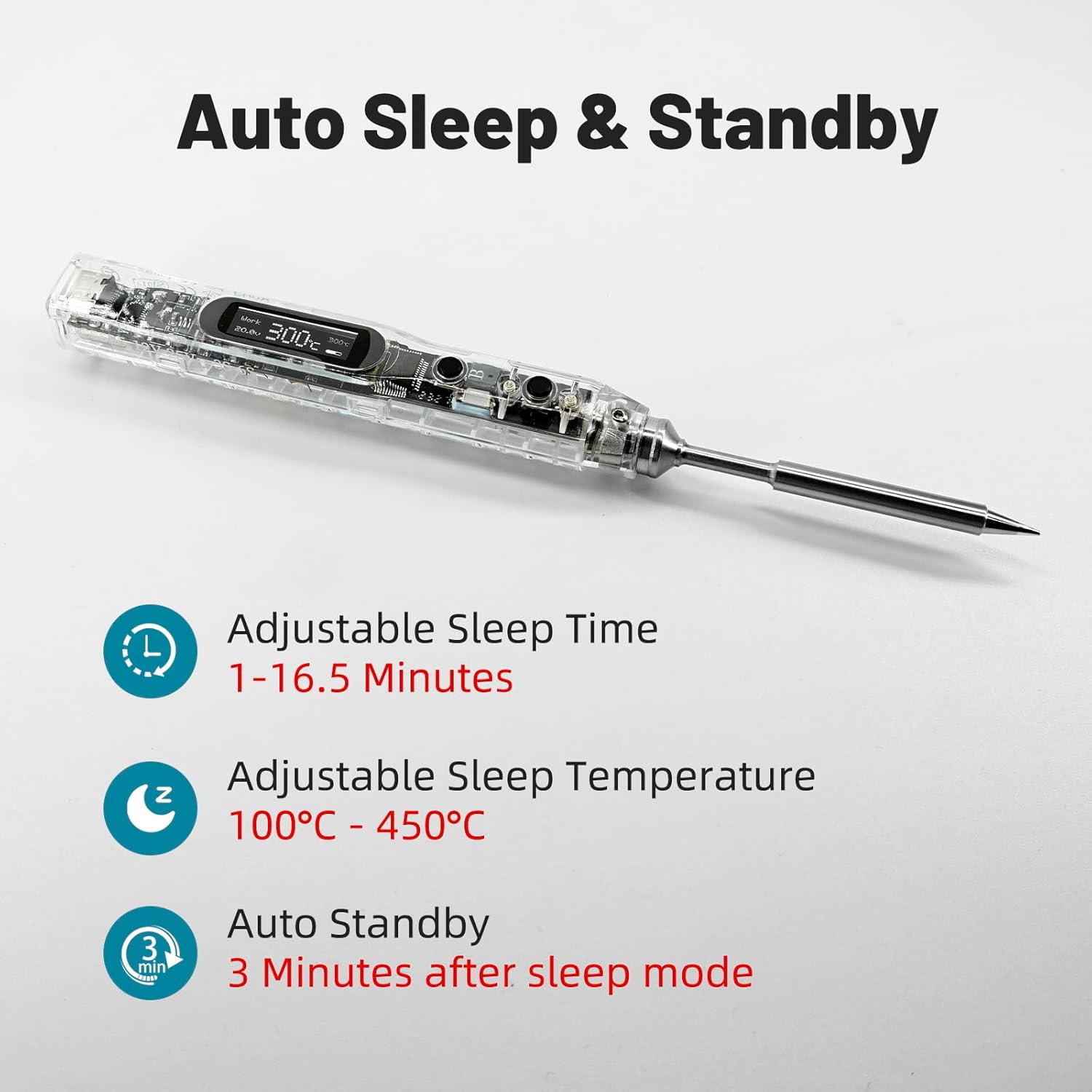
The image highlights the intelligent auto sleep and standby functions of the SI012 soldering iron. It details adjustable sleep times from 1 to 16.5 minutes, adjustable sleep temperatures from 100°C to 450°C, and an automatic standby mode that activates 3 minutes after the sleep mode.

This image demonstrates the versatile dual power input capabilities of the SI012 soldering iron, featuring both DC5525 and Type-C ports. It shows the iron being powered by a PD/QC power supply, a PD mobile power supply, a 12V-25V power adapter, and a 3S-6S LiPo battery, illustrating its adaptability to multiple power sources.
4. Technical Specifications
| Specification | Detail |
|---|---|
| Brand | SEQURE |
| Model Number | SI012-T12 |
| Wattage | 68 watts |
| Power Source | Corded Electric (DC+PD Input) |
| Voltage | 12V-25V (DC) |
| Temperature Range | 50°C - 450°C (122°F - 842°F) |
| Heating Time (30°C to 300°C) | Approx. 8 seconds (at 24V/68W) |
| Special Features | Heat Resistance Handles, Portable, Auto Sleep, Constant Temperature, OLED Display, Upgradable Firmware |
| Handle Material | Polycarbonate |
| Item Length | 7.1 Inches |
| Item Weight | 6.7 ounces |
| Burner Type | Ceramic |
| Included Components | Soldering iron host, TS-B2 soldering tip, XT60 power cable, mini soldering iron stand, solder wire, installation accessories |
5. Setup Instructions
Follow these steps to set up your SEQURE SI012 Soldering Iron:
- Insert Soldering Tip: Carefully insert the TS-B2 soldering tip into the front end of the SI012 soldering iron host. Ensure it is seated firmly. If using a TS tip, you will need to use the provided fastener. T12 tips do not require a fastener.
- Connect Power: Connect the XT60 power cable to a compatible power source (e.g., 3S-6S LiPo battery, PD charger, or 12V-25V power adapter). The SI012 supports both Type-C and DC5525 power inputs.
- Place on Stand: Always place the soldering iron on the included mini soldering iron stand when not actively soldering to prevent accidental burns or damage to surfaces.

This image compares the installation of T12 and TS soldering tips on the SI012. It clarifies that TS tips require an additional fastener for installation, whereas T12 tips can be used without one.
6. Operating Instructions
Operating the SI012 soldering iron is intuitive with its digital display and smart controls:
- Power On: Once connected to a power source, the OLED display will illuminate, indicating the device is powered on.
- Temperature Adjustment: Use the control buttons to adjust the desired working temperature within the range of 50°C to 450°C (122°F to 842°F). The display will show the preset and real-time temperatures.
- Temperature Unit Switch: The device allows switching between Celsius (°C) and Fahrenheit (°F) units. Refer to the device's menu for this setting.
- Smart Temperature Control: The built-in STM32 chip and PID control system ensure rapid heating and maintain a constant operating temperature with high accuracy. The device also features temperature calibration and compensation for optimal performance.
- Auto Sleep & Standby: If the soldering iron is inactive for 3 minutes, it will enter auto sleep mode. After another 3 minutes in sleep mode, it will enter auto standby. These times and the sleep temperature are adjustable in the settings.
- Display Orientation: The display can be adjusted to suit left-handed or right-handed users for better readability.

This graphic outlines the advanced smart temperature control features of the SI012 soldering iron. It specifies a temperature range of 50°C to 450°C (122°F to 842°F), a temperature compensation range of ±20°C, real-time temperature calibration, and the ability to switch between Celsius and Fahrenheit units.

A detailed view of the SI012's clear digital OLED display screen. The image labels the various indicators: current status, real-time working temperature, preset working temperature, a power progress bar, and the working voltage, providing comprehensive operational feedback.

This image demonstrates the SI012's adjustable display feature, allowing users to orient the screen for comfortable viewing whether holding the iron with their left or right hand.
7. Maintenance
Proper maintenance ensures the longevity and optimal performance of your soldering iron:
- Tip Cleaning: Regularly clean the soldering tip using a damp sponge or brass wool to remove excess solder and oxidation. A clean tip ensures efficient heat transfer.
- Tip Tinning: After cleaning and before storage, always tin the tip with a small amount of solder to prevent oxidation.
- Storage: Store the soldering iron in its protective carrying case when not in use to prevent damage.
- Firmware Upgrade: The SI012 supports firmware upgrades. Connect the soldering iron to a computer via its Type-C port and follow the instructions provided by SEQURE for updating the firmware. This can improve performance and add new features.

The SI012 soldering iron is shown connected to a laptop via its USB-C port, illustrating its capability for firmware upgrades to ensure optimal performance and access to new features.
8. Troubleshooting
If you encounter issues with your SI012 soldering iron, refer to the following common troubleshooting steps:
- Iron Not Heating:
- Ensure the power cable is securely connected to both the iron and a compatible power source.
- Verify the power source is providing adequate voltage (12V-25V).
- Check if the soldering tip is correctly inserted and making proper contact.
- Inconsistent Temperature:
- Ensure the soldering tip is clean and tinned. Oxidation can affect heat transfer.
- Perform a temperature calibration if available in the device settings.
- Check for stable power input. Fluctuating voltage can affect temperature stability.
- Display Not Working:
- Confirm the iron is receiving power.
- If the display is dim or flickering, try a different power source or cable.
- Iron Enters Sleep Mode Too Quickly:
- Adjust the auto sleep time settings in the device menu.
If problems persist after attempting these steps, please contact customer support.
9. Warranty and Support
SEQURE products are manufactured to high-quality standards. For specific warranty information, please refer to the documentation included with your purchase or visit the official SEQURE website. If you require technical assistance, have questions about product operation, or need to report a defect, please contact SEQURE customer support through their official channels. When contacting support, please have your product model number (SI012-T12) and purchase details ready.
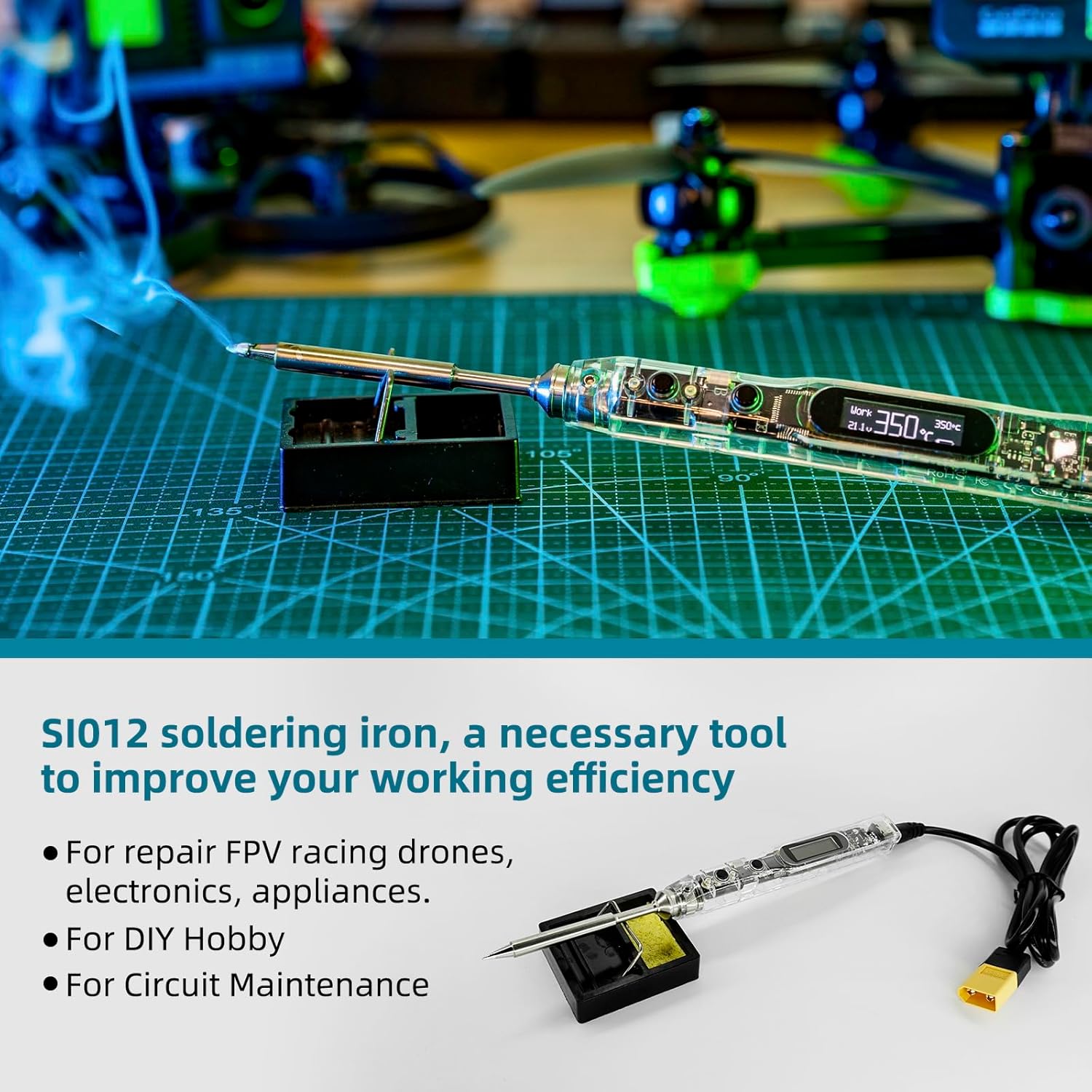
The image showcases the wide range of applications for the SI012 soldering iron, depicting its use in repairing FPV racing drones, general electronics, appliances, and for DIY hobbies and circuit maintenance.


