
1. Introduction
Thank you for choosing the GRIFEMA GD202 Solar Outdoor Light. This manual provides essential information for the safe and efficient operation of your device. Please read these instructions carefully before installation and use, and retain them for future reference.
2. Product Overview
The GRIFEMA GD202 is a triple-head solar LED outdoor light designed for enhanced security and illumination in outdoor spaces. It features a high-sensitivity motion sensor, multiple lighting modes, and a durable, weather-resistant design.

Image 2.1: Main view of the GRIFEMA GD202 Solar Outdoor Light and its remote control.
Package Contents:
- GRIFEMA GD202 Solar Outdoor Light Unit
- Remote Control
- Mounting Hardware (screws and rubber plugs)
- User Manual
3. Key Features
- Efficient Charging & Long Runtime: Equipped with 280 ultra-bright LEDs and a 1.8W solar panel for rapid charging. The 2400 mAh battery provides 8 to 12 hours of illumination. Actual performance may vary based on sunlight intensity.
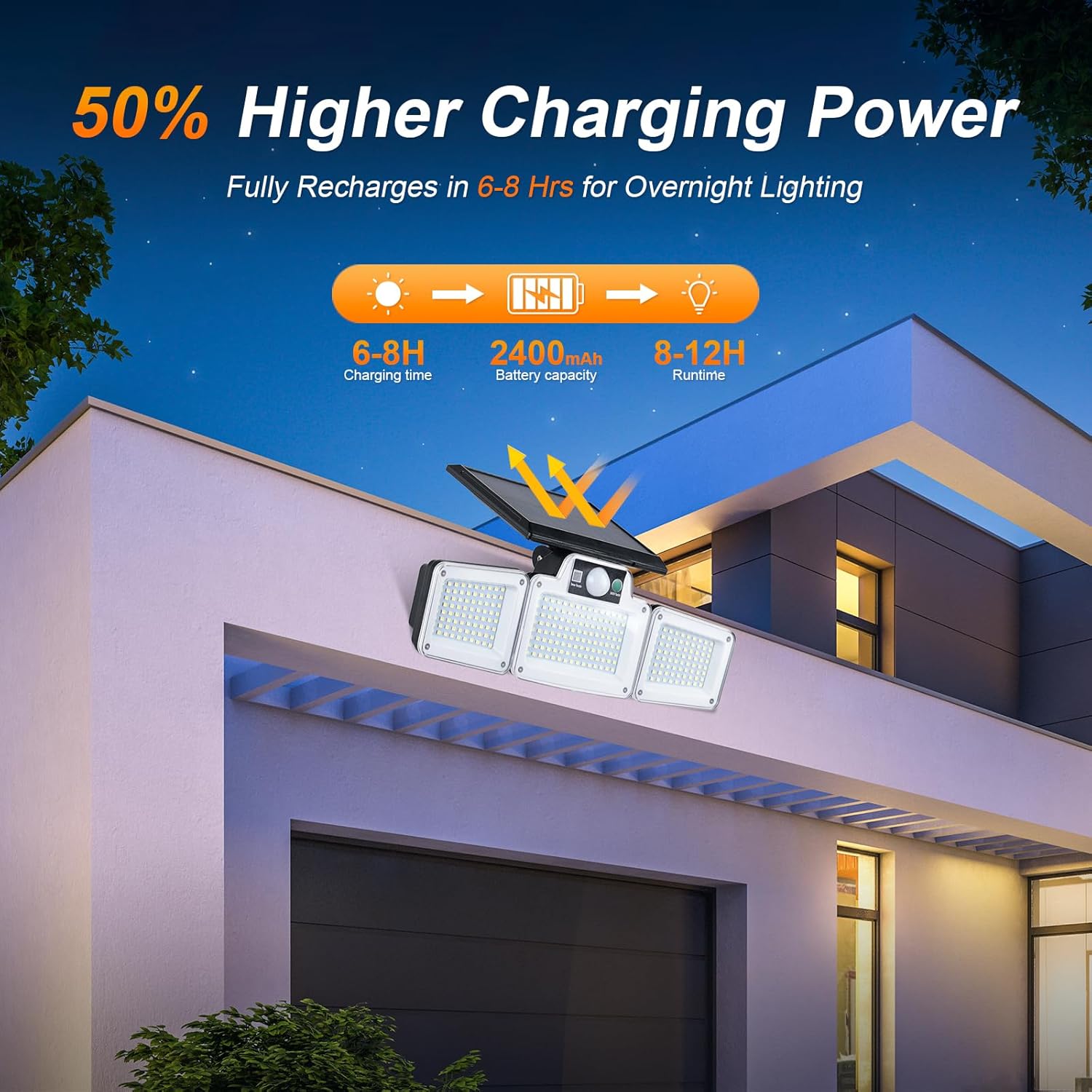
Image 3.1: Illustration of the solar light's charging efficiency and battery capacity, indicating 6-8 hours of charging for 8-12 hours of runtime.
- 3 Lighting Modes: Select from three distinct operational modes via the remote control.

Image 3.2: Visual guide to the three operational modes: Mode 1 (OFF-to-ON), Mode 2 (Dim-to-Bright), and Mode 3 (Always ON at 30% brightness).
- High-Sensitivity Motion Sensor: Integrated sensor detects motion up to 3-5 meters with a 180° detection range, activating the light for security and convenience. The 180° lighting angle ensures wide coverage.

Image 3.3: Illustration of the motion sensor's 180-degree detection angle and effective range, illuminating a wide area.
- IP65 Waterproof & Durable: Designed with an IP65 waterproof rating, ensuring resistance to various weather conditions for extended durability.

Image 3.4: The solar light demonstrating its IP65 waterproof capability, functioning reliably in rain.
- Rotatable Design: The triple-head design and solar panel are rotatable, allowing for flexible adjustment of light direction and optimal solar panel positioning.

Image 3.5: Depiction of the adjustable light heads and solar panel, enabling customization of illumination and charging angles.
4. Setup and Installation
Follow these steps for proper installation of your solar outdoor light:
- Choose a Location: Select a location that receives direct sunlight for at least 6-8 hours daily to ensure optimal charging. The solar panel and light unit are connected by a 15.5 ft (approximately 4.7 meters) power cable, allowing for flexible placement of the solar panel in direct sunlight and the light unit in the desired illumination area.
- Install the Base: Use the included screws and rubber plugs to securely mount the light's base to a wall or desired surface.
- Connect and Mount the Light: Plug the light unit into the solar panel and attach the light unit to the installed base. Ensure all connections are secure.
- Adjust Light Heads and Solar Panel: Rotate the light heads to cover the desired area and adjust the solar panel to face the sun for maximum exposure.

Image 4.1: Step-by-step visual instructions for installing the solar light, showing base installation and unit attachment.
5. Operating Instructions
The GRIFEMA GD202 can be operated using the remote control. Ensure the main ON/OFF switch on the light unit is in the 'ON' position before using the remote.
Remote Control Functions:
- ON/OFF Button: Turns the light on or off.
- Mode 1: Activates motion sensor mode. Light turns on at 100% brightness when motion is detected and turns off after 20-25 seconds of no motion.
- Mode 2: Activates dim-to-bright motion sensor mode. Light stays at 10% brightness constantly. When motion is detected, it brightens to 100% for 20 seconds, then returns to 10% dim light.
- Mode 3: Activates constant light mode. Light stays on at 30% brightness from dusk to dawn, without motion sensor activation.

Image 5.1: The remote control used to select the operating modes and power the light on/off.
6. Maintenance
To ensure the longevity and optimal performance of your GRIFEMA GD202 solar light, follow these maintenance guidelines:
- Clean the Solar Panel: Regularly wipe the solar panel with a soft, damp cloth to remove dust, dirt, and debris. A clean panel ensures maximum sunlight absorption and charging efficiency.
- Clean Light Heads: Periodically clean the LED light covers to maintain optimal light output.
- Battery Care: The integrated lithium-ion battery is designed for long-term use. Avoid prolonged storage in a completely discharged state. If storing for an extended period, ensure the battery is partially charged.
- Inspect for Damage: Periodically check the unit, wiring, and mounting for any signs of wear or damage. Address any issues promptly.
7. Troubleshooting
If you encounter issues with your GRIFEMA GD202 solar light, refer to the following common problems and solutions:
| Problem | Possible Cause | Solution |
|---|---|---|
| Light does not turn on at night. | Insufficient solar charge. | Ensure the solar panel is in direct sunlight for 6-8 hours daily. Clean the solar panel. |
| Light is dim or runtime is short. | Insufficient charge or dirty solar panel. | Verify solar panel placement and cleanliness. Ensure the main switch is ON. |
| Motion sensor not working. | Incorrect mode selected or obstruction. | Ensure Mode 1 or Mode 2 is selected. Check for obstructions in front of the sensor. |
| Remote control not responding. | Battery depleted or signal obstruction. | Replace remote control battery. Ensure direct line of sight to the light's sensor receptor. |
8. Specifications
| Feature | Detail |
|---|---|
| Brand | GRIFEMA |
| Model Number | GD202 |
| Product Dimensions | 32 x 11 x 11 cm |
| Item Weight | 668 grams |
| Material | ABS |
| Color | Black |
| LEDs | 280 ultra-bright LEDs |
| Solar Panel | 1.8W |
| Battery | 1 x 2400 mAh Lithium-ion (included) |
| Charging Time | 6-8 hours (direct sunlight) |
| Runtime | 8-12 hours (night lighting) |
| Motion Sensor Detection Distance | 3-5 meters |
| Motion Sensor Detection Angle | 180° |
| Lighting Angle | 180° |
| Waterproof Rating | IP65 |
| Specific Product Uses | Patio, courtyard, front doors, garage |
| Assembly Required | No |
| Included Components | Mounting hardware |
| Fixture Shape | Wall |
For detailed energy efficiency information, please refer to the EPREL database: EPREL Product Information Sheet
9. Warranty and Support
GRIFEMA products are manufactured to high-quality standards. This product is covered by a standard manufacturer's warranty against defects in materials and workmanship. Please refer to your purchase documentation for specific warranty terms and conditions.
For technical support, warranty claims, or any inquiries regarding your GRIFEMA GD202 Solar Outdoor Light, please contact GRIFEMA customer service through the retailer where the product was purchased or visit the official GRIFEMA website for contact information.