
Introduction
Thank you for choosing the Coby Sleep Earbuds. These wireless Bluetooth earbuds are designed for comfort during sleep, work, and music listening, featuring noise-cancelling capabilities and a compact, ergonomic design. This manual provides essential information for setting up, operating, maintaining, and troubleshooting your earbuds to ensure optimal performance and a comfortable user experience.
Package Contents
Please check the package for the following items:
- Coby Sleep Earbuds (Left and Right)
- Charging Case
- USB-C Charging Cable
- User Manual (this document)
Product Overview
The Coby Sleep Earbuds are engineered for comfort and convenience, especially for extended wear.
- Invisible, Mini Design: Engineered to fit comfortably and securely within the ear, allowing for rest on a pillow without discomfort.
- Ergonomic Fit: Conforms to the ear's shape, made from soft silicone for high-quality, compact, and lightweight wear.
- Bluetooth V5.3: Provides stable and seamless wireless connectivity.
- Touch Controls: Integrated controls for managing calls (answer/reject), music playback (play/pause), and track skipping.
- Long-Lasting Battery: Up to 4 hours of continuous play on a single charge, with the charging case providing up to 20 hours of total playtime.
- Passive Noise Cancelling: Designed to reduce ambient noise for a more focused listening experience.
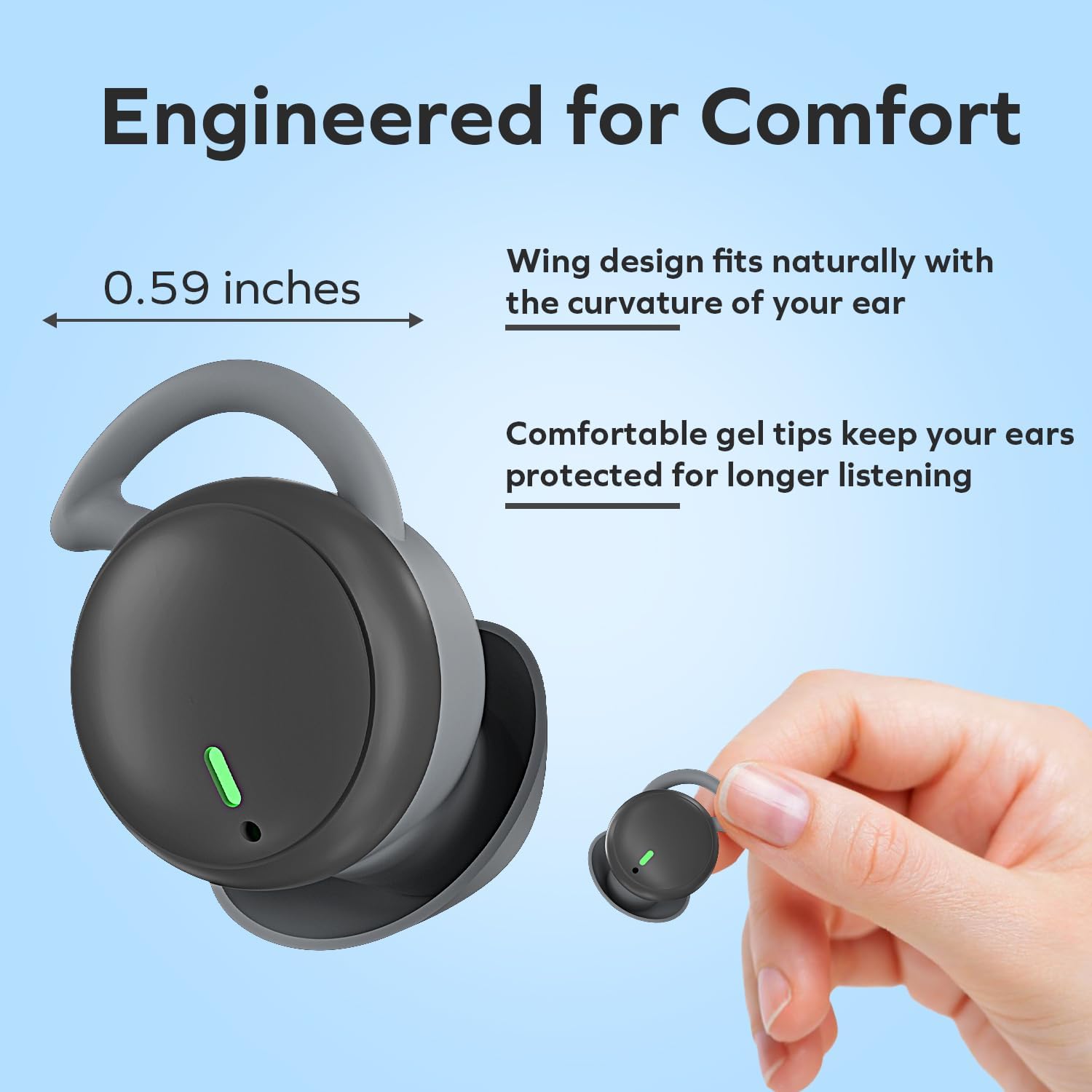
Image: Coby Sleep Earbuds, highlighting their compact size (0.59 inches) and wing design for a natural, comfortable fit within the ear. Comfortable gel tips are designed for longer listening.

Image: An exploded view of the Coby Sleep Earbud, illustrating its internal components. Text indicates it's powered by Bluetooth 5.3 for stable connection and features touch controls for calls and music playback.
Setup
1. Charging the Earbuds and Case
Before first use, fully charge the earbuds and the charging case.
- Place the earbuds into the charging case. Ensure they are correctly seated.
- Connect the USB-C charging cable to the charging port on the case and plug the other end into a compatible USB power source.
- The earbuds will indicate charging status (e.g., a red light, which should turn off or change color when fully charged). The charging case will also have an indicator.
- A full charge typically takes approximately 1 hour. The charging case can provide up to 5 full charges for the earbuds, extending total playtime to about 20 hours.
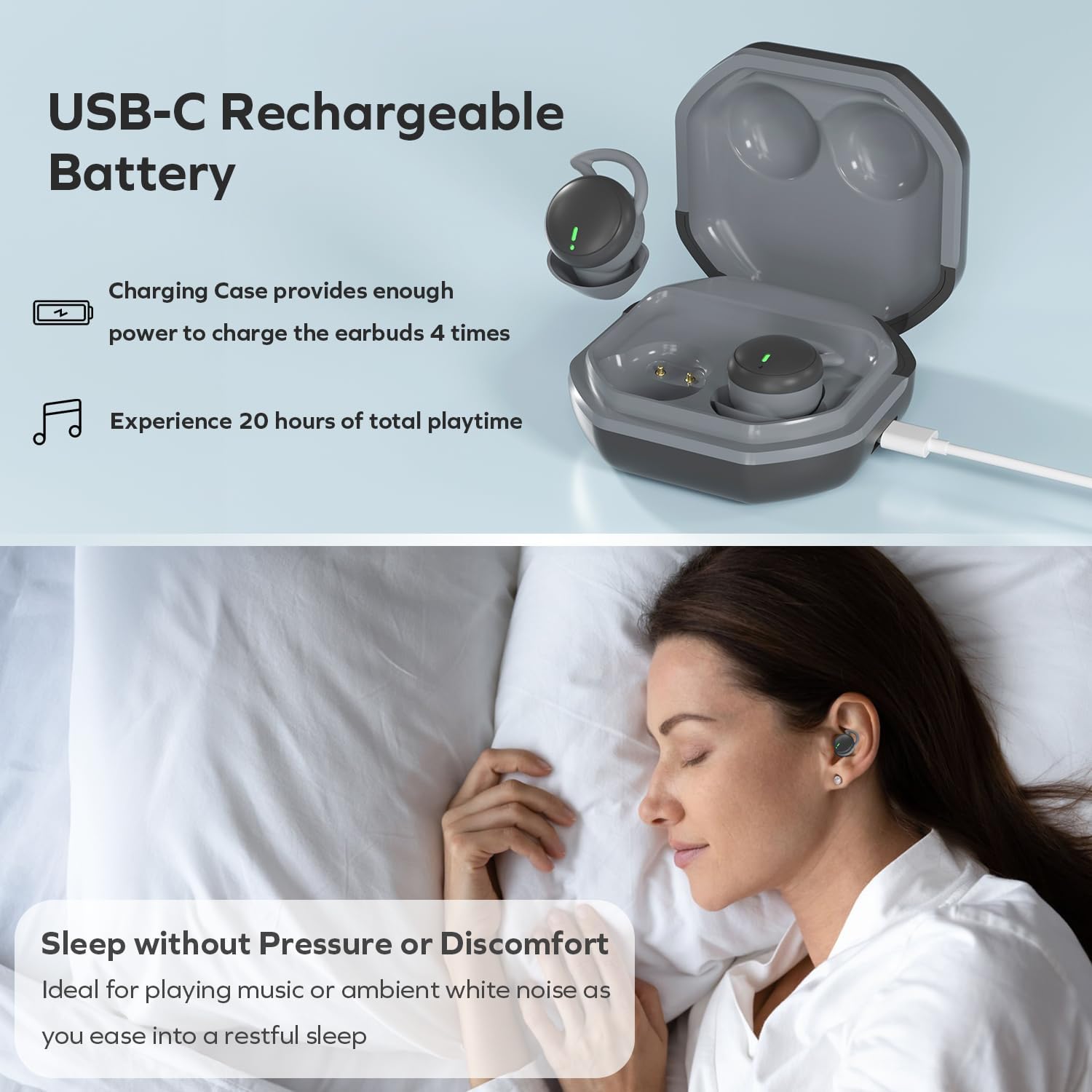
Image: Coby Sleep Earbuds in their charging case, connected via a USB-C cable. The image highlights the USB-C rechargeable battery and the case's ability to provide multiple charges for extended playtime.
2. Bluetooth Pairing
Pair your Coby Sleep Earbuds with your Bluetooth-enabled device.
- Ensure the earbuds are charged and placed in the charging case.
- Open the charging case. The earbuds will automatically enter pairing mode.
- On your smartphone or Bluetooth device, go to the Bluetooth settings.
- Search for available devices and select "CETW622" (or similar name) from the list.
- Once connected, the earbuds will automatically pair with your device when removed from the case for future use. A green light on the earbuds indicates they are connected and ready.
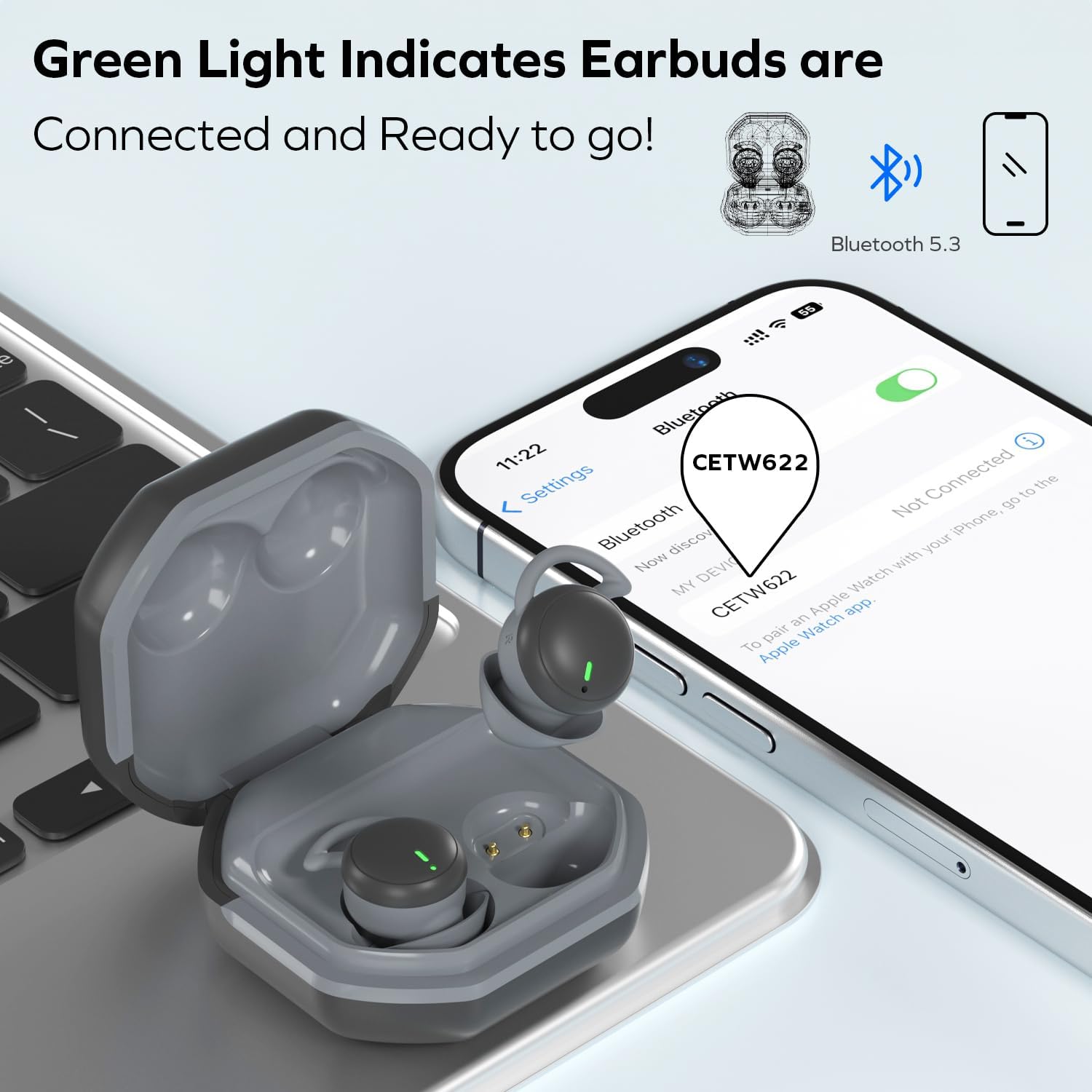
Image: Coby Sleep Earbuds in their open charging case, positioned next to a smartphone showing its Bluetooth settings. The device name "CETW622" is visible, indicating successful pairing. A green light on the earbuds signifies they are connected.
Operating Instructions
Wearing the Earbuds
The Coby Sleep Earbuds are designed for a secure and comfortable fit, even while sleeping.
- Gently insert each earbud into your ear canal.
- Adjust the earbud until it feels snug and comfortable, ensuring the wing design fits naturally with the curvature of your ear.
- The low-profile design ensures the earbuds do not protrude, allowing you to rest your head on a pillow without discomfort.

Image: A collage of individuals sleeping or resting comfortably with the Coby Sleep Earbuds in various settings, including bed and airplane. This illustrates the earbuds' design for comfort, especially during sleep, allowing users to rest their head on a pillow without pain or discomfort.

Image: A woman sleeping peacefully with Coby Sleep Earbuds in her ears. The image lists key features: Passive Noise Canceling, Designed for Sleep, Powerful Audio, Compact Design, and suitability for Sleeping, Traveling, and Commuting.
Touch Controls
The earbuds feature intuitive touch controls for easy management of audio and calls. Specific touch gestures may vary slightly; refer to the quick start guide or experiment for precise functions.
- Play/Pause Music: Single tap on either earbud.
- Skip Tracks: Double tap (e.g., right for next, left for previous).
- Answer/End Call: Single tap on either earbud during an incoming call.
- Reject Call: Press and hold on either earbud during an incoming call.
Maintenance
To ensure the longevity and optimal performance of your Coby Sleep Earbuds, follow these maintenance guidelines:
- Cleaning: Regularly wipe the earbuds and charging case with a soft, dry, lint-free cloth. Do not use harsh chemicals or abrasive materials.
- Storage: When not in use, store the earbuds in their charging case to protect them from dust and damage.
- Avoid Water: The earbuds are not water-resistant. Avoid exposure to water, moisture, or excessive humidity.
- Charging Contacts: Ensure the charging contacts on both the earbuds and the case are clean and free of debris to maintain proper charging.
Troubleshooting
If you encounter issues with your Coby Sleep Earbuds, try the following troubleshooting steps:
| Problem | Possible Cause | Solution |
|---|---|---|
| Earbuds not charging |
|
|
| Earbuds not pairing/connecting |
|
|
| Sound cutting out or uneven audio |
|
|
| Touch controls not responding |
|
|
Specifications
| Feature | Detail |
|---|---|
| Model Name | Sleep Earbuds |
| Model Number | CETW622BK |
| Connectivity Technology | Wireless (Bluetooth) |
| Bluetooth Version | 5.3 |
| Battery Life (Earbuds) | Up to 4 hours (continuous play) |
| Total Playtime (with Case) | Up to 20 hours |
| Charging Time | Approximately 1 hour |
| Control Method | Touch |
| Noise Control | Passive Noise Cancelling |
| Material | Silicone |
| Ear Placement | In Ear |
| Item Weight | 1.3 ounces |
| Water Resistance Level | Not Water Resistant |
| UPC | 810071496608 |
Warranty and Support
For warranty information or technical support, please refer to the official Coby website or contact Coby customer service directly. Keep your purchase receipt as proof of purchase for any warranty claims.