
PowerLocus pwl-p3
Contents
PowerLocus P3 Bluetooth Headphones User Manual
Model: pwl-p3
1. Introduction
The PowerLocus P3 Bluetooth Headphones are designed to provide a high-fidelity audio experience with extended playtime and versatile connectivity. Featuring 4 EQ modes, a built-in microphone, and a comfortable, foldable design, these headphones are suitable for various uses including travel, office work, and workouts.

Figure 1: PowerLocus P3 Bluetooth Headphones in Black Line color.
Key Features:
- Hi-Fi Sound Experience: Equipped with 40mm audio drivers for rich, superior audio performance with deep bass and extended treble.
- 4 EQ Music Modes: Customize your listening with Pop, Bass, Vocal, and Rock modes.
- Superior Comfort: Ergonomic design with soft memory foam earmuffs and a padded headband for extended wear.
- Long Playtime: Over 50 hours of wireless playtime on a single charge, with USB-C fast charging.
- Wired Mode Option: Use the included 3.5mm audio cable when the battery is depleted.
- Bluetooth 5.3: Industry-leading technology for instant pairing and stable connection with various devices.
- Built-in Microphone: Noise-cancelling microphone for clear calls and online meetings.
- Multi-Point Connection: Pair with two devices simultaneously.
- Foldable Design: Compact and portable for travel and storage.
2. What's in the Box
Upon opening your PowerLocus P3 headphone package, you will find the following items:
- 1x Wireless Headphones Over-Ear P3
- 1x USB-C Charging Cable
- 1x 3.5mm Audio Cable
- 1x Multilingual User Manual

Figure 2: Included items in the PowerLocus P3 headphone package.
3. Setup
3.1 Charging the Headphones
Before first use, fully charge your PowerLocus P3 headphones. Connect the provided USB-C charging cable to the headphone's USB-C port and the other end to a compatible USB power source. A full charge takes approximately 2 hours and provides over 50 hours of playtime.

Figure 3: The PowerLocus P3 offers over 50 hours of playtime and supports fast charging.
3.2 Adjusting for Comfort
The headphones feature an adjustable headband and flexible earcups to ensure a comfortable fit for extended periods. Gently slide the earcups up or down to adjust the headband length. The soft memory foam earmuffs are designed for superior comfort and noise isolation.

Figure 4: The PowerLocus P3 headphones are designed for superior comfort with adjustable and flexible components.
4. Operating Instructions
4.1 Powering On/Off and Bluetooth Pairing
To power on the headphones, press and hold the Power button until the LED indicator lights up. The headphones will automatically enter pairing mode. On your device (smartphone, tablet, laptop), enable Bluetooth and select "PowerLocus P3" from the list of available devices. The LED indicator will turn solid blue once connected.
4.2 Controls
The controls are intuitively placed on the earcup:
- Power Button: Press and hold to power on/off. Short press to play/pause music or answer/end calls.
- Volume Up (+): Short press to increase volume. Long press for next song.
- Volume Down (-): Short press to decrease volume. Long press for previous song.
- Mode Button: Press to cycle through 4 EQ Music Modes (Pop, Bass, Vocal, Rock).

Figure 5: Intuitive control layout on the PowerLocus P3 headphones.
4.3 EQ Music Modes
The PowerLocus P3 headphones offer four distinct EQ modes to optimize your listening experience:
- Pop Mode: Enhanced vocals and bright highs.
- Bass Mode: Deep and powerful bass emphasis.
- Vocal Mode: Clear and prominent vocal reproduction.
- Rock Mode: Balanced sound with strong instrument separation.
Press the 'Mode' button on the earcup to switch between these modes.
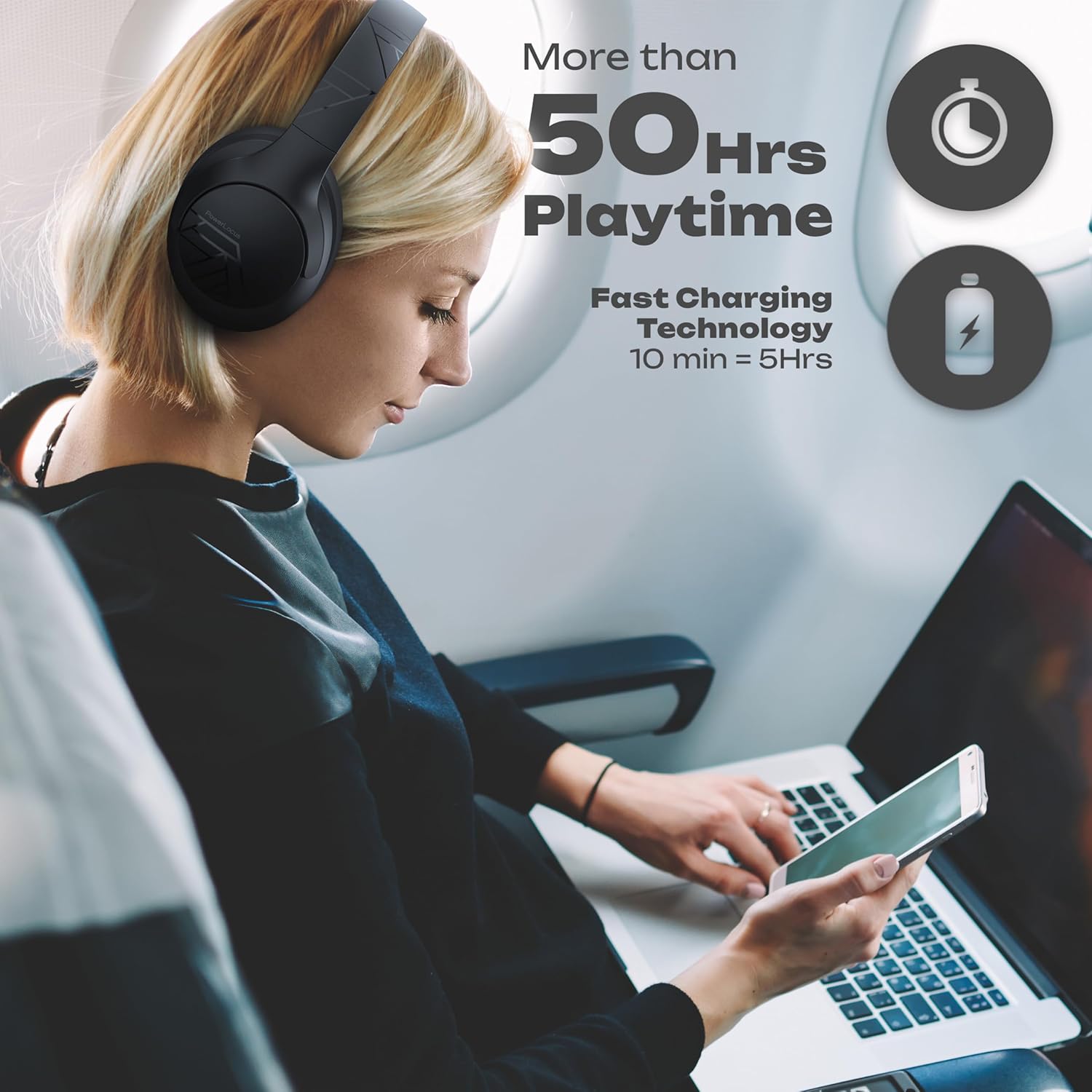
Figure 6: Explore different sound profiles with the 4 EQ modes.
4.4 Wired Mode
If the headphone battery is low or you prefer a wired connection, use the included 3.5mm audio cable. Simply plug one end into the headphone's 3.5mm jack and the other into your audio device's auxiliary port. The headphones will automatically switch to wired mode.
4.5 Call Functions
The built-in noise-cancelling microphone allows for clear hands-free calls. When a call comes in, press the Power button once to answer. Press again to end the call. To reject a call, press and hold the Power button for 2 seconds.

Figure 7: Enjoy clear wireless calls with the built-in microphone.
4.6 Multi-Point Connection
The PowerLocus P3 headphones support multi-point connection, allowing you to pair with two Bluetooth-enabled devices simultaneously. This feature enables seamless switching between audio sources, for example, from a laptop to a smartphone for an incoming call.

Figure 8: Multi-Point Connection allows pairing with two devices simultaneously.
5. Maintenance
5.1 Cleaning
To maintain the condition of your headphones, wipe them regularly with a soft, dry cloth. Avoid using harsh chemicals or abrasive materials. Do not submerge the headphones in water.
5.2 Storage
When not in use, store the headphones in a cool, dry place. The foldable design allows for compact storage, protecting them from damage. Consider using a protective case for travel or extended storage.

Figure 9: The foldable design makes the headphones easy to store and transport.
6. Troubleshooting
If you encounter issues with your PowerLocus P3 headphones, please refer to the following common solutions:
| Problem | Possible Cause | Solution |
|---|---|---|
| Headphones do not power on. | Low battery. | Charge the headphones fully using the provided USB-C cable. |
| Cannot pair via Bluetooth. | Headphones not in pairing mode; device Bluetooth off; too far from device. | Ensure headphones are in pairing mode (blinking LED). Turn device Bluetooth off and on. Move headphones closer to the device (within 36 feet). |
| No sound or low volume. | Volume too low; incorrect EQ mode; wired connection issue. | Increase volume on both headphones and connected device. Cycle through EQ modes. If using wired mode, ensure cable is fully inserted and not damaged. |
| Microphone not working during calls. | Device settings; connection issue. | Check microphone settings on your connected device. Ensure headphones are properly connected via Bluetooth. |
| Poor Bluetooth range. | Obstructions; interference. | Reduce obstacles between headphones and device. Avoid strong electromagnetic interference. |
If the problem persists, please contact PowerLocus customer support.
7. Specifications
| Feature | Specification |
|---|---|
| Model Name | P3 New |
| Brand | PowerLocus |
| Connectivity Technology | Wireless (Bluetooth) |
| Wireless Communication Technology | Bluetooth 5.3 |
| Bluetooth Range | 36 Feet |
| Audio Driver Size | 40 Millimeters |
| Battery Life | 50 Hours |
| Charging Time | 2 Hours |
| Headphones Jack | 3.5 mm Jack |
| Noise Control | Passive Noise Cancellation |
| Earpiece Shape | Over-Ear |
| Item Weight | 11.7 ounces |
| Color | Black Line |
8. Warranty and Support
8.1 Warranty Information
PowerLocus P3 headphones come with a 2-year full warranty protection. This warranty covers manufacturing defects and ensures the quality and performance of your product.
8.2 Customer Support
For any questions, problems, or warranty claims, our friendly customer support team is available 24/7. You can find more information and contact details on the official PowerLocus website or through their Amazon store page.
Visit the official PowerLocus Store: PowerLocus Amazon Store
Documents and downloads
Ask a question about this manual
Ask about setup, troubleshooting, compatibility, parts, safety, or missing instructions. Manuals+ will review the question and use this page’s manual context to help answer it.