1. Introduction
Thank you for choosing the LQWELL HY320-M Mini Projector. This manual provides essential information for the safe and efficient use of your new projector. Please read it thoroughly before operation and keep it for future reference.
The LQWELL HY320-M is a versatile home cinema projector offering Native 1080P resolution with 4K support, automatic keystone correction, and a wide 220-degree projection capability. It is designed for immersive visual experiences with eye-care technology and quiet operation.
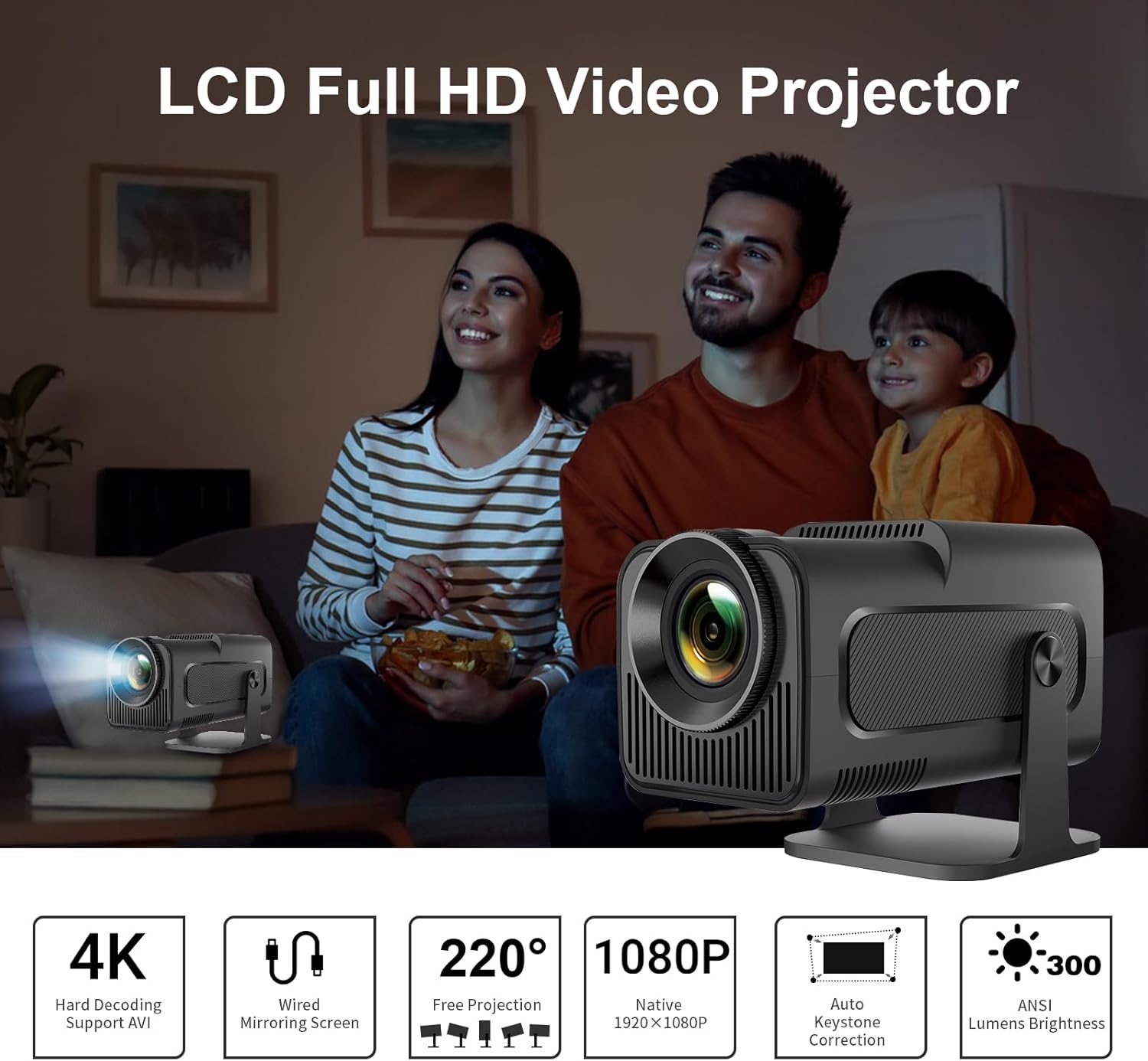
Image: The LQWELL HY320-M Mini Projector providing an immersive viewing experience for a family.
2. Safety Information
- Power Supply: Use only the specified power adapter. Ensure the voltage is compatible with your region.
- Ventilation: Do not block ventilation openings. Ensure adequate airflow around the projector to prevent overheating.
- Liquid Exposure: Keep the projector away from water or other liquids. Do not operate with wet hands.
- Cleaning: Unplug the projector before cleaning. Use a soft, dry cloth. Avoid abrasive cleaners.
- Eye Protection: Do not look directly into the projector lens when the lamp is on. The projector uses diffuse imaging technology to reduce direct eye exposure, but direct viewing should still be avoided.
- Placement: Place the projector on a stable, level surface. Avoid placing it in direct sunlight or near heat sources.
- Disassembly: Do not attempt to disassemble or repair the projector yourself. Refer all servicing to qualified personnel.

Image: The HY320-M projector utilizes diffuse imaging to protect vision, unlike traditional LCD TVs.
3. Product Overview
Key Features:
- Native 1080P & 4K Support: Delivers vivid and detailed projections for an immersive cinema experience.
- Wired Screen Mirroring: Effortlessly mirror your screen via HD or USB connections from various devices.
- Automatic Keystone Correction & 220° Free Projection: Ensures perfectly aligned and proportional projections from different angles.
- Eye-Friendly Technology: Utilizes diffuse imaging to prevent direct exposure and protect your vision.
- Low Noise Operation: Operates at less than 25 dB, ensuring a quiet and comfortable environment.
- Versatile Usage: Suitable for home entertainment and office presentations.
Components & Ports:
The projector includes essential accessories for immediate use. Key ports include HDMI and USB for connectivity.
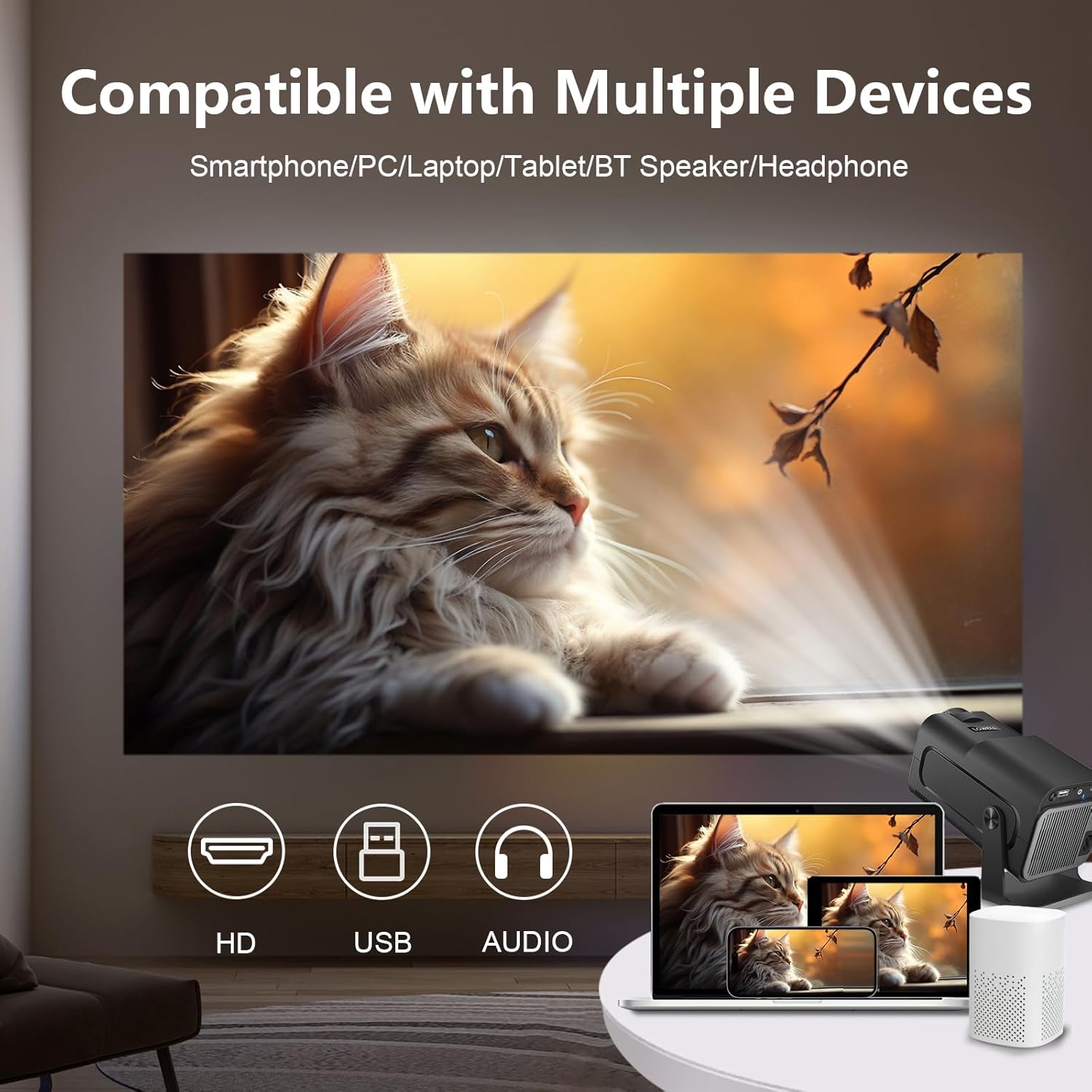
Image: The projector is compatible with smartphones, PCs, laptops, tablets, Bluetooth speakers, and headphones.
4. Setup
Initial Placement:
Place the projector on a stable surface. For optimal viewing, position the projector at a suitable distance from the projection surface. The projector supports an adjustable screen display from 30 to 135 inches, with an optimal projection distance of 1.68 meters for a 135-inch screen.

Image: Recommended projection distances for various screen sizes, from 30 to 135 inches.
Power Connection:
- Connect the power adapter to the projector's power input port.
- Plug the power adapter into a wall outlet.
Connecting Devices:
The projector supports wired connections for screen mirroring from various devices:
- HDMI: Connect your laptop, game console (e.g., PS5), or media player using an HDMI cable.
- USB: Connect smartphones or other devices for wired screen mirroring via a USB cable.
- Bluetooth: Connect external Bluetooth speakers or headphones for enhanced audio.
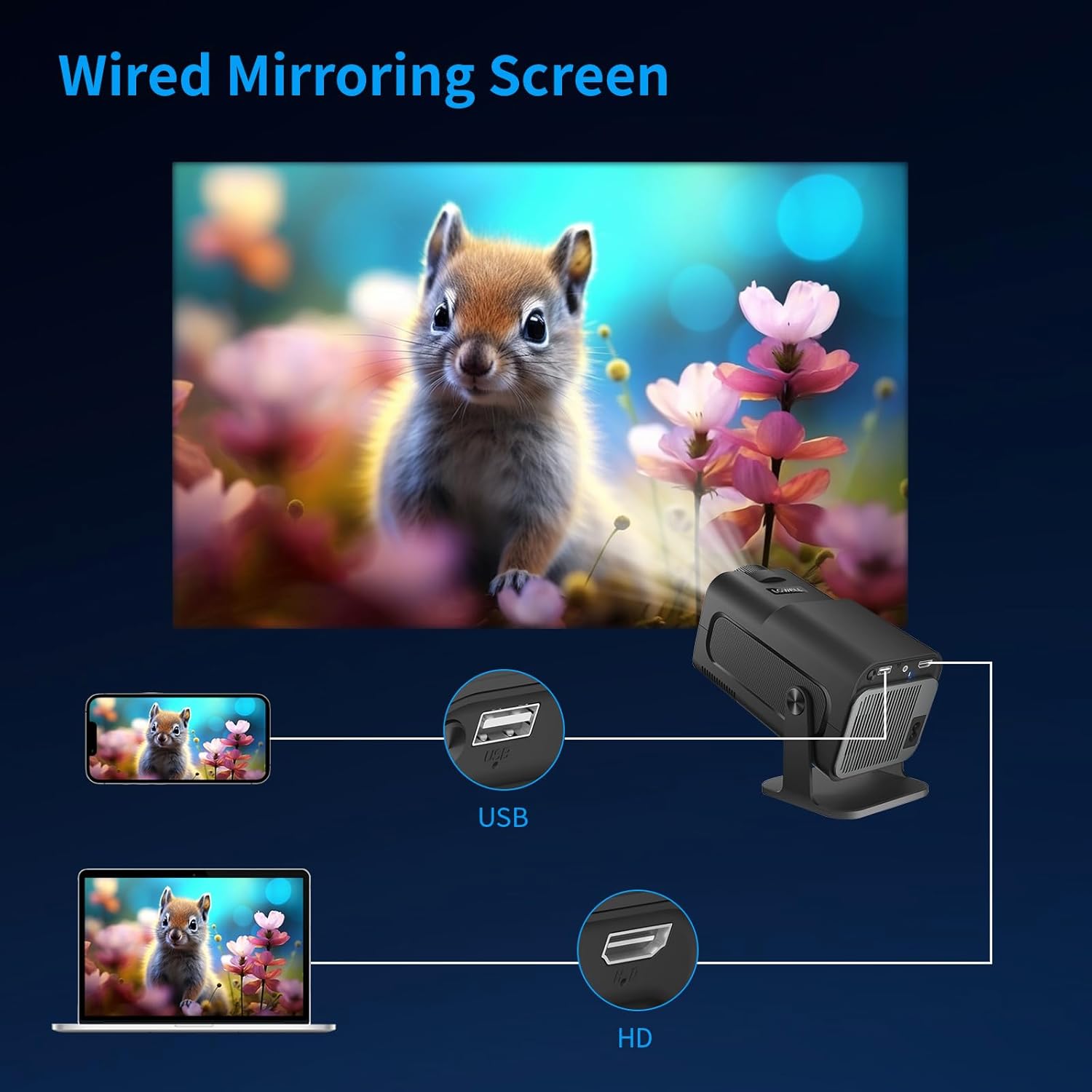
Image: Wired screen mirroring allows easy projection from smartphones and laptops.
5. Operating Instructions
Power On/Off:
Press the power button on the projector or remote control to turn the unit on or off.
Adjusting Projection:
- Focus Adjustment: Manually adjust the focus ring on the lens until the image is clear.
- Automatic Keystone Correction: The projector features automatic keystone correction to ensure your projections are perfectly aligned and proportional, even if the projector is not perfectly perpendicular to the screen.
- 220° Free Projection: The projector's design allows for flexible projection angles up to 220 degrees, enabling projection onto ceilings or walls from various positions.

Image: Automatic keystone correction ensures a square picture every time you project.

Image: The 220-degree free projection allows for flexible setup and viewing.
Audio Output:
The projector has built-in speakers. For a more immersive audio experience, connect external Bluetooth speakers or headphones. The projector operates with low noise, below 25 dB, ensuring minimal distraction.

Image: The projector's low noise level (below 25 dB) ensures a quiet viewing environment.
6. Maintenance
- Lens Cleaning: Use a soft, lint-free cloth specifically designed for optical lenses to gently wipe the projector lens. Do not use liquid cleaners directly on the lens.
- Dust Removal: Regularly clean the projector's ventilation openings with a soft brush or compressed air to prevent dust buildup, which can affect performance and lifespan.
- Storage: When not in use for extended periods, store the projector in a cool, dry place, away from direct sunlight and extreme temperatures. Use the original packaging or a protective case to prevent dust and damage.
7. Troubleshooting
| Problem | Possible Cause | Solution |
|---|---|---|
| No image projected | Power cable disconnected; Input source not selected; Device not connected properly. | Check power connection; Select correct input source (HDMI/USB); Ensure device is securely connected. |
| Image is blurry | Focus not adjusted; Projector too close/far from screen. | Adjust the focus ring; Adjust projection distance. |
| Image is skewed/trapezoidal | Projector not aligned. | The projector features automatic keystone correction. Ensure it is enabled or reposition the projector. |
| No sound | Volume too low; External audio device not connected/selected. | Increase volume; Check Bluetooth connection for external speakers; Ensure audio output is correctly configured. |
| Projector overheating | Blocked ventilation. | Ensure ventilation openings are clear and the projector has adequate space for airflow. |
If you encounter issues not listed here, please contact LQWELL customer support.
8. Specifications
| Feature | Detail |
|---|---|
| Brand | LQWELL |
| Model Number | HY320-M |
| Product Type | Portable Projector |
| Display Technology | LCD |
| Native Resolution | 1920 x 1080P |
| Max Display Resolution | 4K Support |
| Screen Size | 30 - 135 Inches |
| Connectivity Technology | HDMI, USB, Bluetooth |
| Special Features | Automatic Keystone Correction, 220° Free Projection, Eye Care Technology, Low Noise Operation (<25dB) |
| Compatible Devices | Laptop, Smartphone, Game Console (PS5), Media Player |
| Product Dimensions | 22L x 10.6W x 10.7H centimeters |
| Operating System | No Android OS |
9. Warranty and Support
For warranty information and customer support, please refer to the warranty card included with your product or visit the official LQWELL website. Please retain your proof of purchase for any warranty claims.
Note on Videos: While the product listing indicates the presence of product videos, specific URLs for embedding official seller videos were not provided in the input data. Therefore, no videos could be embedded in this manual.


