
Introduction
This manual provides comprehensive instructions for the safe and effective use, maintenance, and troubleshooting of your Braun Series 5 5150cs Electric Shaver. Please read all instructions carefully before first use and retain this manual for future reference.

Image: The Braun Series 5 5150cs electric shaver, showcasing its main unit, charging stand, beard trimmer, and body groomer attachments. The packaging is visible in the background.
Safety Information
For your safety, always adhere to the following guidelines:
- Always hold the shaver away from your face while charging.
- Be cautious when using the shaver in the shower or with shaving cream to avoid cuts or skin irritation.
- Clean the shaver after each use and follow the instructions for proper care to prevent bacterial growth.
- Do not disassemble the shaver beyond what is described in this manual.
- Keep out of reach of children.
- Only use the charger provided with the device.
What's in the Box
Your Braun Series 5 5150cs package includes the following components:
- 1x Braun Series 5 Electric Shaver
- 1x Cleaning Brush
- 1x Charging Stand
- 1x Beard Trimmer with attachments
- 1x Body Groomer with attachments

Image: A visual representation of the items included in the product box: the main electric shaver unit, the body groomer attachment, the beard trimmer attachment, and the charging stand.
Key Features
Clean and Fast Shave
The Braun Series 5 shaver is designed to provide a clean and fast shave, ensuring comfort on your skin. Its advanced cutting elements work efficiently to capture more hair in each stroke.

Image: A man using the Braun Series 5 shaver on his face, demonstrating the product's ability to deliver a clean and comfortable shave.
3 Flexible Blades & AutoSense Technology
The shaver features 3 flexible blades that adapt to your unique facial contours, ensuring a close and comfortable shave. The integrated AutoSense technology reads your beard density and adjusts the motor power accordingly, providing an efficient shave even on dense beards.

Image: A detailed view of the Braun Series 5 shaver head, highlighting its three flexible blades designed to adapt to facial contours.
2 Shave Modes: Standard & Turbo
Choose between two distinct shave modes: Standard mode for an optimal balance of power and comfort, and Turbo mode for an extra fast shave with up to 25,500 cutting actions per second. Turbo mode is ideal when you need a quick shave.

Image: A hand holding the Braun Series 5 shaver, with the power button illuminated, signifying the activation of Turbo mode for a faster shave.
100% Waterproof & Wet & Dry Use
The shaver is 100% waterproof, allowing for convenient wet or dry shaving. You can use it in the shower or with shaving foam for a refreshing skin feeling.

Image: The Braun Series 5 shaver being cleaned under running water, highlighting its fully waterproof capability for easy cleaning and wet shaving.
EasyClick System for Versatility
The EasyClick system allows you to easily swap and upgrade your shaver heads and attachments. This transforms your shaver into a versatile grooming device. The 11-piece set includes a Body Groomer and a Beard Trimmer with various comb attachments.
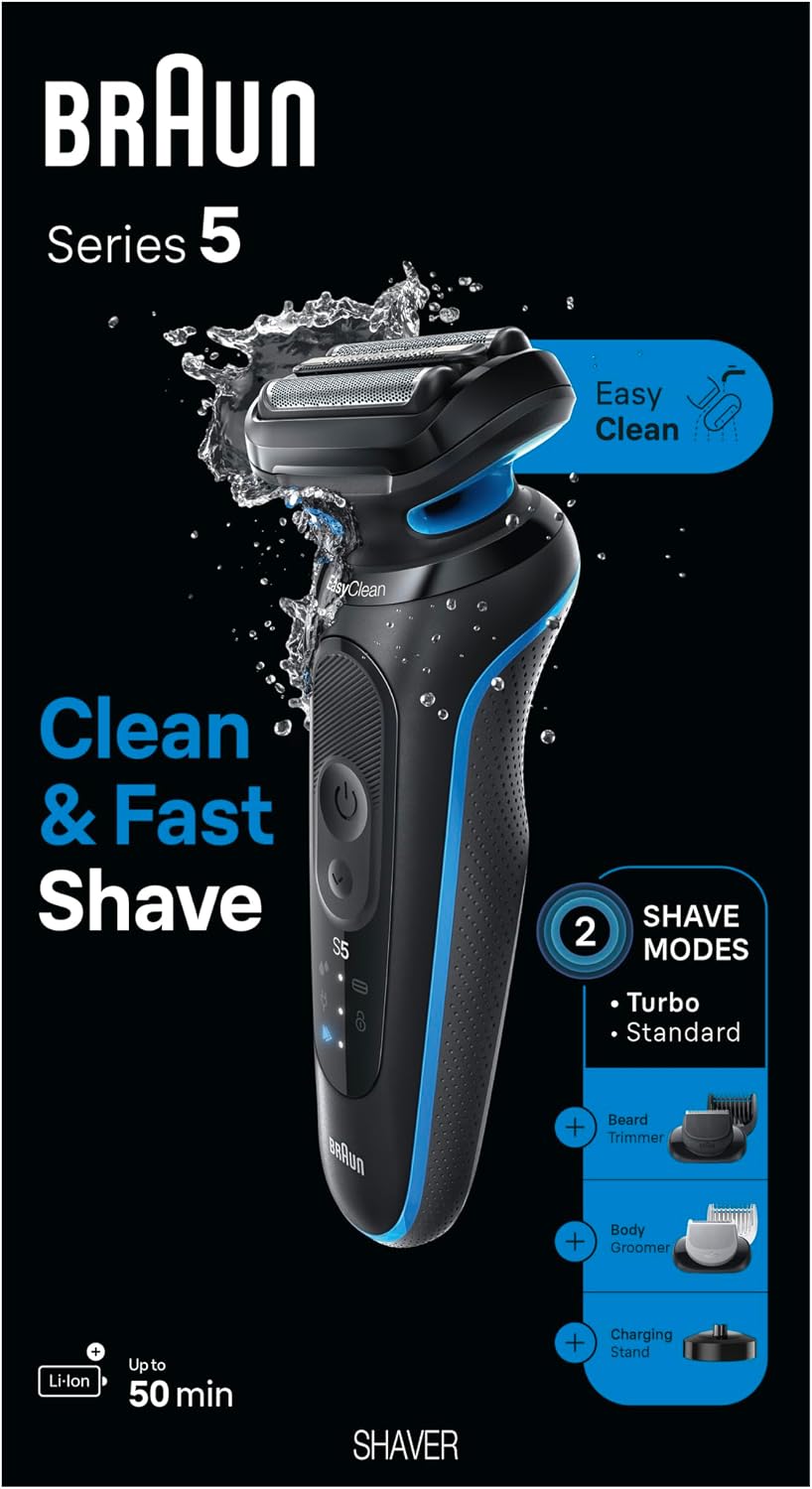
Image: A composite image illustrating the Braun Series 5 shaver's versatility, showing it with the standard shaver head, and then with the beard trimmer and body groomer attachments, emphasizing its 3-in-1 grooming capabilities.
Long-lasting Li-Ion Battery
The shaver is equipped with a powerful Li-Ion battery, providing up to 50 minutes of cordless shaving time on a full charge. A quick 5-minute charge is sufficient for one shave.
Setup and Charging
Initial Charging
Before first use, fully charge your shaver. Connect the charging cord to the shaver or place the shaver in the charging stand, ensuring it is properly seated. Plug the charger into a power outlet. The charging indicator lights will show the charging progress. A full charge takes approximately 1 hour and provides up to 50 minutes of shaving time.
Attaching EasyClick Accessories
To attach an EasyClick accessory (e.g., Beard Trimmer, Body Groomer):
- Ensure the shaver is turned off.
- Remove the existing shaver head by gently pulling it upwards.
- Align the desired EasyClick attachment with the shaver body and press it down until it clicks into place.
- To remove, simply pull the attachment upwards.
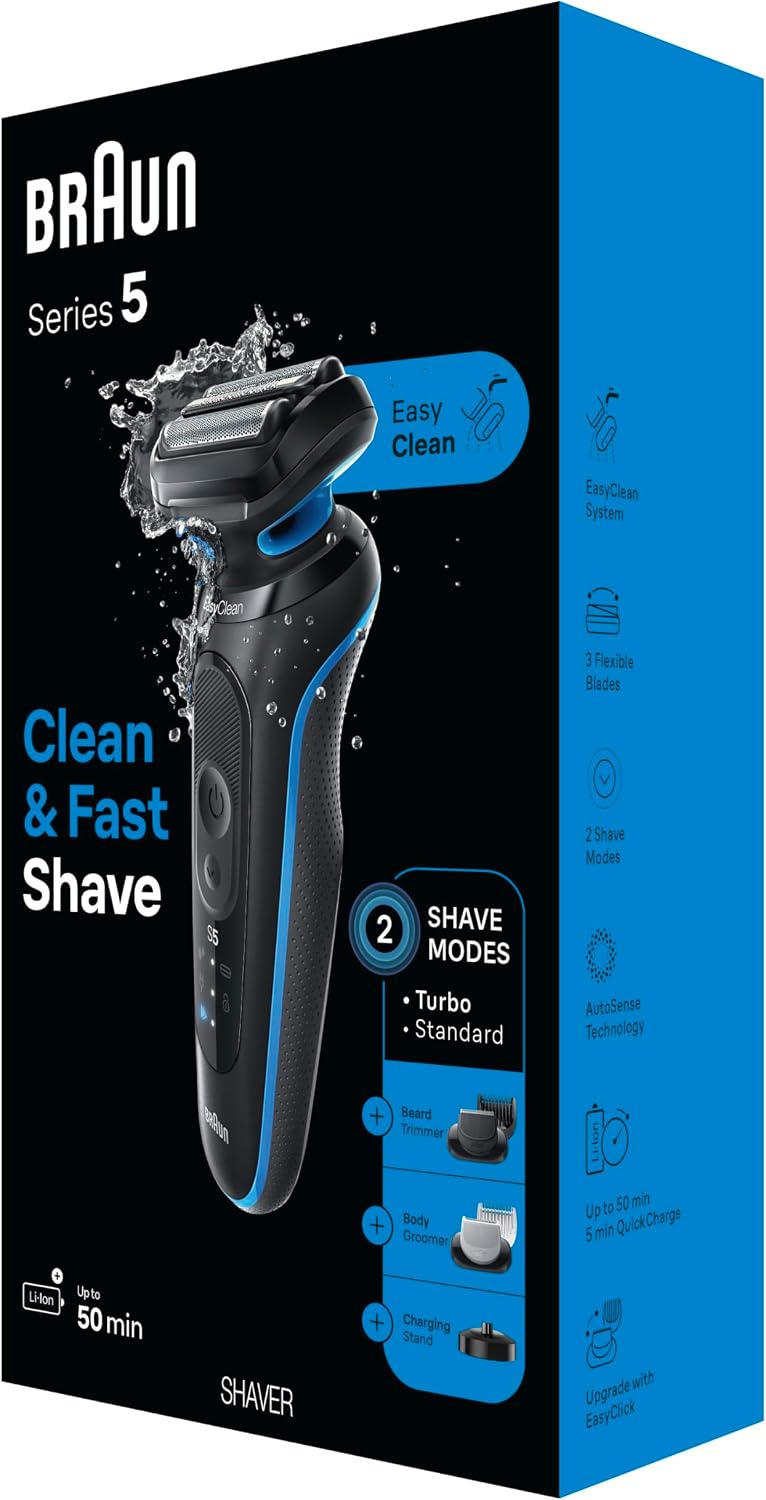
Image: A hand demonstrating the EasyClick system by detaching the standard shaver head and preparing to attach an alternative accessory, illustrating the modular design.
Operating Instructions
Shaving
For optimal results, ensure your skin is clean and dry before shaving, or use with shaving foam/gel for a wet shave.
- Press the power button to turn on the shaver.
- Select your desired shave mode:
- Standard Mode: For a balanced shave, suitable for daily use.
- Turbo Mode: For a faster shave, ideal for thicker beards or when time is limited. Activate by pressing the mode button (if available, or indicated by specific light pattern).
- Hold the shaver at a right angle (90°) to your skin and shave against the direction of hair growth.
- Stretch your skin with your free hand to ensure a smooth surface for the shaver.
- Apply gentle pressure; do not press too hard.
Using the Beard Trimmer Attachment
The beard trimmer attachment is designed for styling and trimming beards from 1mm to 7mm, as well as for moustache and sideburns trimming. Attach the desired comb (1mm, 2mm, 3mm, 5mm, or 7mm) to the trimmer head.
Image: A man precisely trimming his beard using the beard trimmer attachment of the Braun Series 5 shaver, demonstrating its use for facial hair styling.
Using the Body Groomer Attachment
The body groomer attachment is suitable for efficient and easy full-body grooming. It comes with two grooming combs for different hair lengths.
Image: A man using the body groomer attachment of the Braun Series 5 shaver on his torso, illustrating its application for full-body hair management.
Maintenance and Cleaning
EasyClean System
The EasyClean system allows you to clean your shaver quickly and easily without removing the shaver head. This helps to rinse away hair and debris efficiently.
- Turn off the shaver.
- Hold the shaver head under warm running water.
- Turn the shaver on and let the water flow through the shaver head for about 10-15 seconds.
- Turn off the shaver and shake off excess water.
- Allow the shaver to air dry completely before storing or recharging.
Image: The Braun Series 5 shaver being rinsed under a faucet, demonstrating the EasyClean system which allows for quick cleaning without removing the shaver head.
Deep Cleaning
For a more thorough cleaning, especially if using shaving foam or gel:
- Turn off the shaver and remove the shaver head.
- Rinse the shaver head and the shaver body under warm running water.
- Use the provided cleaning brush to remove any stubborn hair particles from the shaver head and the inner parts of the shaver body.
- Allow all parts to air dry completely before reassembling.
Replacing Shaver Head
For continued optimal performance, it is recommended to replace the shaver head (foil and cutter block) every 18 months. Replacement parts are available from authorized Braun retailers or online. The model number for the replacement head for Series 5/6 is 53B.
Image: Packaging for the Braun Series 5/6 replacement shaver head (model 53B), indicating the recommended replacement interval.
Troubleshooting
If you encounter any issues with your Braun Series 5 5150cs shaver, please refer to the following common solutions:
| Problem | Possible Cause | Solution |
|---|---|---|
| Shaver does not turn on. | Battery is depleted. | Charge the shaver fully. |
| Shaver performance is poor / pulling hair. | Shaver head is dirty or worn out. | Clean the shaver head thoroughly. If performance does not improve, replace the shaver head. |
| Charging indicator lights not working. | Charger not properly connected or faulty. | Ensure charger is securely plugged into shaver and outlet. Try a different outlet. If issue persists, contact customer support. |
| Skin irritation after shaving. | Incorrect shaving technique or sensitive skin. | Ensure you are shaving against hair growth with gentle pressure. Consider using shaving foam/gel for a wet shave. Allow skin to adapt. |
If the problem persists after trying these solutions, please contact Braun customer support for further assistance.
Specifications
| Feature | Detail |
|---|---|
| Model Name | Series 5 (Model 5762) |
| Power Source | Battery Powered (1 Lithium Ion battery included) |
| Special Feature | Easy Clean, Wet & Dry Use, AutoSense Technology, EasyClick System |
| Recommended Uses | Beard, Face, Body |
| Brand | Braun |
| Product Dimensions | 5.39 x 2.64 x 9.92 inches |
| Item Weight | 8.82 ounces |
| Wattage | 20 Watt-hours |
| Battery Life | Up to 50 minutes |
| Quick Charge | 5 minutes for one shave |
Warranty and Support
Braun products are engineered in Germany for guaranteed quality. For specific warranty details, please refer to the warranty card included in your product packaging or visit the official Braun website.
For customer support, replacement parts, or additional information, please visit the Braun Store on Amazon or the official Braun website.