1. Product Overview
The Samsers KF01S is a portable, full-size Bluetooth foldable keyboard designed for seamless connectivity across multiple devices. Its ultra-slim and lightweight design makes it ideal for travel and on-the-go use. This keyboard supports simultaneous connection to up to three devices and offers quick switching between them.
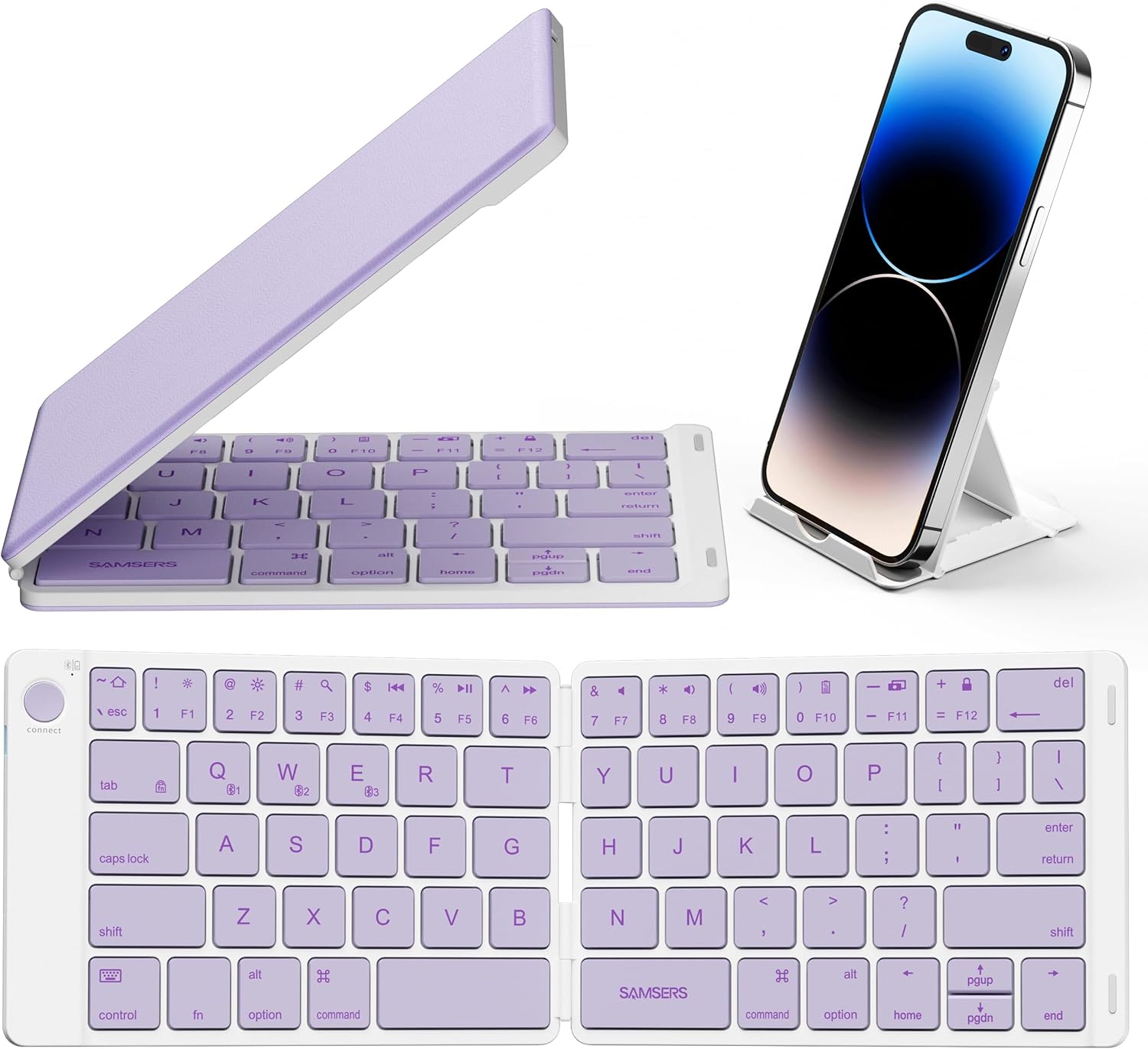
Image: The Samsers KF01S Bluetooth Foldable Keyboard shown in both its compact, folded state and fully unfolded, ready for use. A smartphone is displayed on an accompanying stand, illustrating the keyboard's portability and utility with mobile devices.
Key Features:
- Multi-Device Connectivity: Connects to up to 3 devices simultaneously via Bluetooth 5.1, allowing for quick switching.
- Portable & Foldable Design: Compact and lightweight (5.3 ounces) for easy transport.
- Automatic On/Off: Unfold to power on, fold to power off.
- Rechargeable Battery: Built-in lithium battery provides up to 40 hours of continuous use or 180 days of standby on a single charge.
- Wide Compatibility: Compatible with iOS, Android, and Windows operating systems.
- Quiet Scissor Keys: Designed for comfortable and quiet typing.
2. Setup and Pairing
Charging the Keyboard:
- Locate the Type-C charging port on the keyboard.
- Connect the provided USB Type-C cable to the keyboard and a power source (e.g., computer USB port, USB wall adapter).
- The charging indicator light will illuminate. A full charge typically takes 2-3 hours.
- Once fully charged, the indicator light will change or turn off, depending on the model.
Note: The keyboard can be used while charging.

Image: The Samsers KF01S Bluetooth Foldable Keyboard being charged via a Type-C cable connected to a wall adapter. This illustrates the charging process and the keyboard's power input.
Powering On/Off:
- To Power On: Unfold the keyboard. It will automatically power on.
- To Power Off: Fold the keyboard. It will automatically power off.

Image: The Samsers KF01S Bluetooth Foldable Keyboard illustrating its automatic wake/sleep feature. The keyboard is shown unfolding to power on (sun icon) and folding to power off (moon icon).
Bluetooth Pairing:
The keyboard supports pairing with up to three devices. Follow these steps for each device:
- Unfold the keyboard to power it on.
- Press the CONNECT button (usually located near the top left corner) to enter pairing mode. The Bluetooth indicator light will flash.
- On your device (smartphone, tablet, laptop), enable Bluetooth and search for available devices.
- Select "Samsers Keyboard" or a similar name from the list of found devices.
- If prompted, enter the pairing code displayed on your device using the Samsers keyboard and press Enter.
- Once paired, the Bluetooth indicator light will stop flashing and remain solid for a few seconds before turning off.
3. Operating Instructions
Switching Between Devices:
To switch between connected devices (up to 3), press the corresponding Bluetooth channel key:
- Press Fn + Q for Device 1
- Press Fn + W for Device 2
- Press Fn + E for Device 3
The keyboard will seamlessly switch its connection to the selected device.
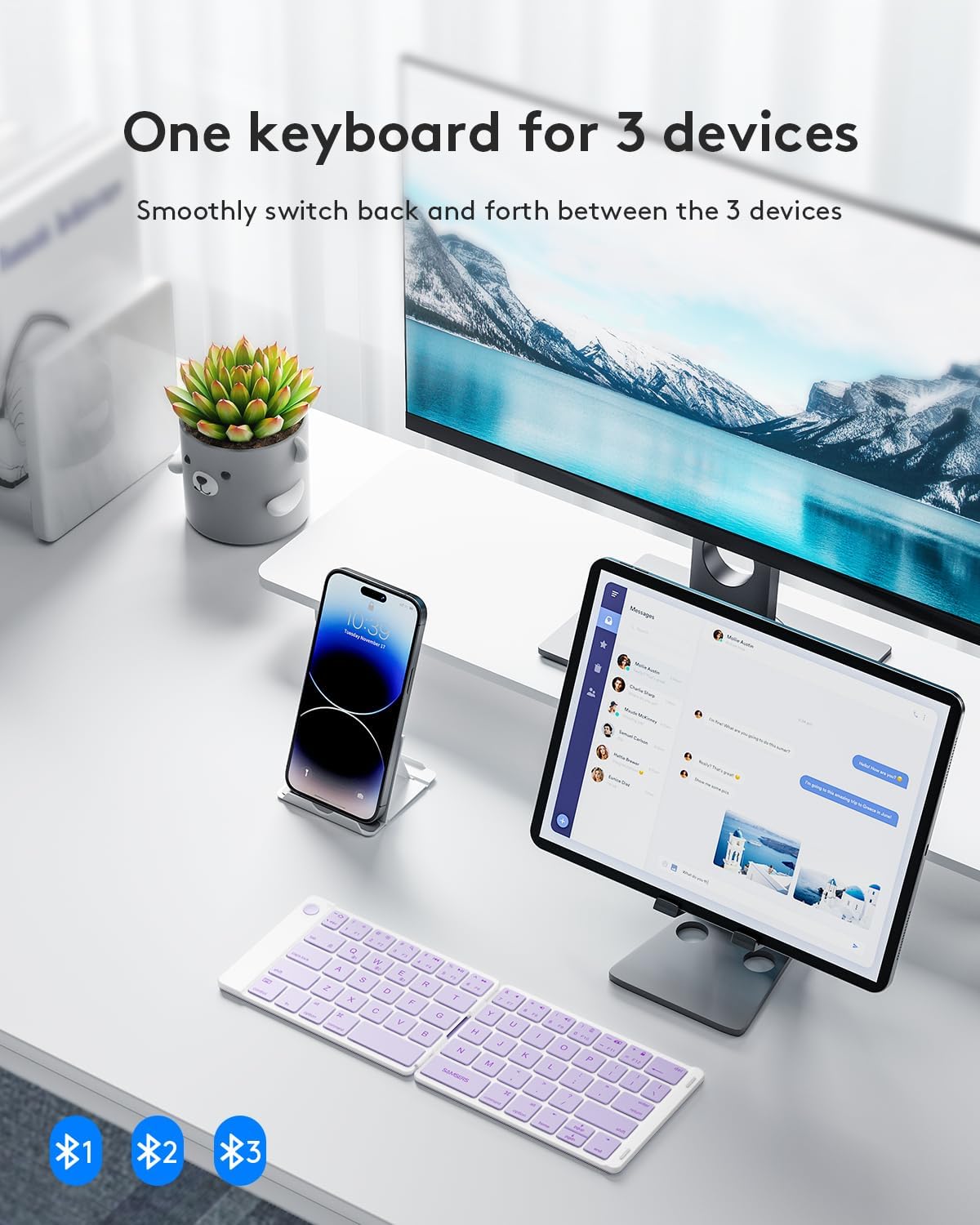
Image: A desk setup showing the Samsers KF01S Bluetooth Foldable Keyboard connected to a smartphone and a tablet, illustrating its multi-device capability and seamless switching between three paired devices.
Operating System Compatibility:
The keyboard is compatible with various operating systems. Use the following key combinations to optimize functionality for your specific OS:
- iOS/macOS: Press Fn + A
- Android: Press Fn + S
- Windows: Press Fn + D

Image: A visual representation of the Samsers KF01S Bluetooth Foldable Keyboard's wide compatibility, showing various tablets, laptops, and smartphones from different brands (Samsung, Apple, Amazon, Huawei, Dell, HP, Lenovo) that can connect to the keyboard.
4. Maintenance
Cleaning:
- Gently wipe the keyboard surface with a soft, dry, lint-free cloth.
- For stubborn dirt, slightly dampen the cloth with water or a mild, non-abrasive cleaner. Avoid excessive moisture.
- Do not use harsh chemicals, solvents, or abrasive materials, as these can damage the keyboard's finish.
Storage:
- When not in use, fold the keyboard to protect the keys and conserve battery life.
- Store in a cool, dry place away from direct sunlight and extreme temperatures.
5. Troubleshooting
- Keyboard not pairing: Ensure the keyboard is charged and in pairing mode (Bluetooth indicator flashing). Check that Bluetooth is enabled on your device and try re-pairing.
- Connection drops frequently: Ensure the keyboard is within the 10-meter Bluetooth range of your device. Avoid obstacles that may interfere with the signal.
- Keys not responding: Check the battery level. If low, charge the keyboard. Ensure the keyboard is powered on and correctly paired.
- Incorrect characters typing: Verify that the correct operating system mode is selected (Fn + A for iOS/macOS, Fn + S for Android, Fn + D for Windows).
- Keyboard not turning on/off automatically: Ensure the folding mechanism is fully opened or closed. If issues persist, try charging the keyboard.
6. Specifications
| Feature | Specification |
|---|---|
| Model Number | KF01S |
| Dimensions (Unfolded) | 11.4 x 3.9 x 0.2 inches (28.96 x 9.91 x 0.51 cm) |
| Dimensions (Folded) | 5.7 x 3.9 x 0.45 inches (14.48 x 9.91 x 1.14 cm) |
| Weight | 8.4 ounces (238 grams) |
| Connectivity Technology | Bluetooth 5.1 |
| Battery Type | 1 Lithium Ion battery (included) |
| Charging Time | 2-3 hours |
| Continuous Usage Time | Up to 40 hours |
| Standby Time | Up to 180 days |
| Material | Plastic, PU Leather |
| Compatible Devices | PC, Smartphone, Tablet (iOS, Android, Windows) |
7. Warranty and Support
Warranty Information:
Samsers provides a 12-month worry-free warranty for the KF01S Bluetooth Foldable Keyboard, covering manufacturing defects and malfunctions under normal use. This includes a 1-Year Guarantee.
Return Policy:
A 30-day free return or replacement policy is available from the date of purchase.
Customer Support:
For any questions, technical assistance, or warranty claims, please contact Samsers customer support. Our professional guide support team is available 7 days a week, 24 hours a day to assist you. Samsers is committed to providing lifetime technical service and support for its products.