
1. Important Safety Instructions
Read all instructions carefully before using the appliance. Keep this manual for future reference. Improper installation, adjustment, alteration, service, or maintenance can cause injury or property damage. Refer to this manual. For assistance or additional information, consult a qualified installer, service agency, or the manufacturer.
- Electrical Safety: Ensure the cooktop is properly grounded. Do not operate with a damaged cord or plug. Disconnect power before servicing.
- Burn Hazard: Cooktop surfaces remain hot after use. Do not touch hot surfaces until they have cooled. Use pot holders.
- Fire Hazard: Never leave cooking unattended. Do not store flammable materials near the cooktop. In case of a grease fire, smother flames with a lid or baking soda; never use water.
- Child Safety: Keep children away from the cooktop during operation and while it is cooling. Utilize the child lock feature.
- Proper Ventilation: Ensure the downdraft ventilation system is clear and functioning correctly to remove smoke and odors.
- Cookware: Use appropriate cookware for electric radiant cooktops. Ensure pots and pans have flat bottoms and are sized correctly for the heating elements.
2. Product Overview
The GASLAND Downdraft Electric Cooktop (Model CH804BFR24A) is a 31.5-inch radiant stovetop featuring 4 burners and an integrated downdraft ventilation system. It operates on 220V and offers a 3-speed exhaust fan with a maximum airflow of 330 CFM. Key features include dual-ring elements, a bridge element, and multiple safety protections.
Key Features:
- Integrated Downdraft Ventilation: Combines cooking surface with a ventilation system, eliminating the need for a separate range hood. Removes smoke and odors directly from the cooking surface.
- Dual-Ring Elements: Features a 5-inch/8-inch dual-ring element for versatile cooking with various cookware sizes, providing up to 2,000 watts of power.
- Bridge Element: Allows combining two cooking elements into one large cooking area, ideal for long pans or griddles, with a maximum power of 4200 watts.
- 3-Speed Fan & 330 CFM Exhaust: Adjustable fan speeds to match cooking needs, effectively removing steam, grease, and odors.
- Easy Cleaning: Sleek glass surface and removable components like the vent grille, filter, and drip pan for simplified maintenance.
- Safety Protections: Includes child lock, over-heating protection, auto-shut off, and a hot surface indicator for enhanced safety.
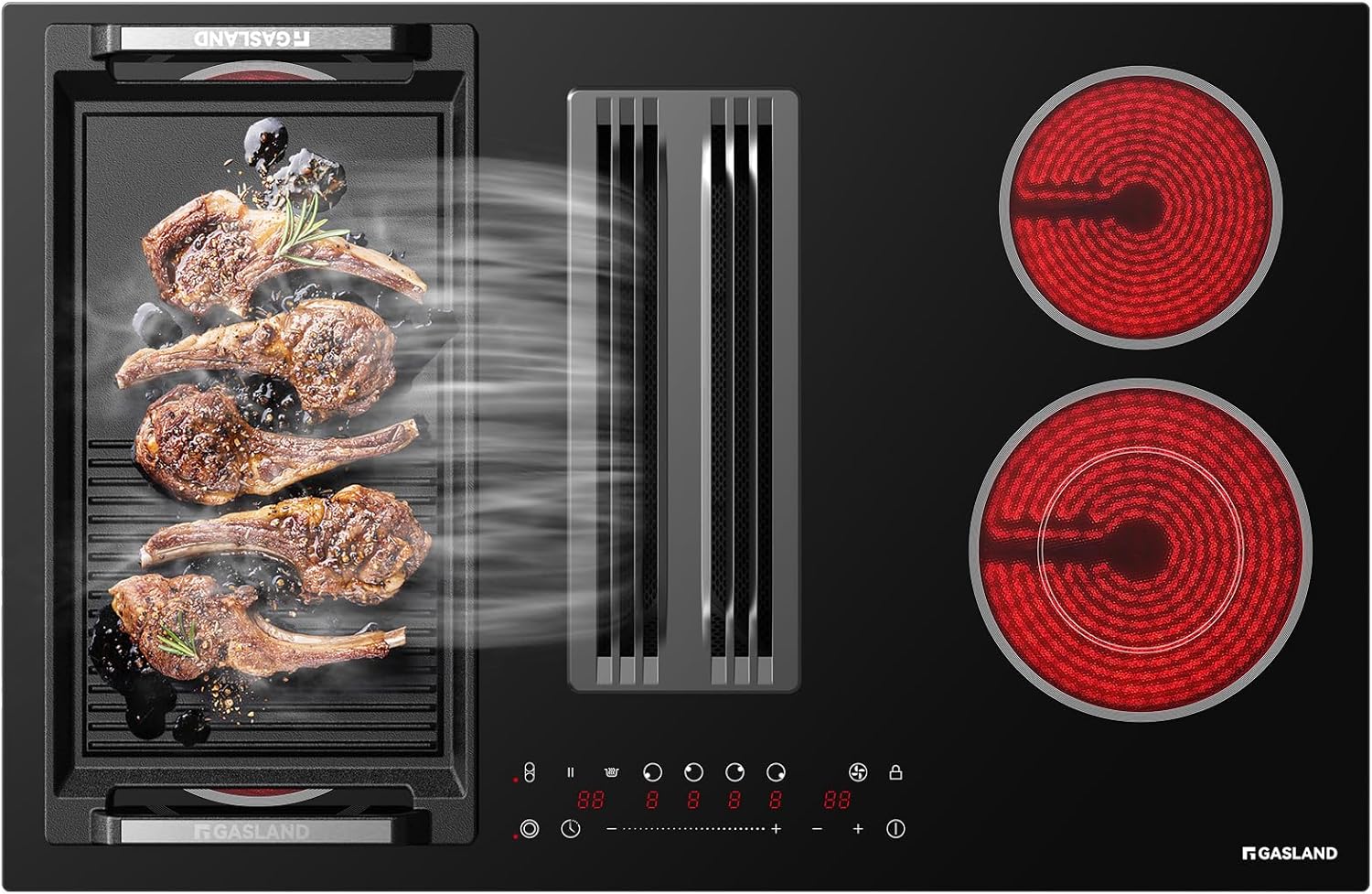
Image: The GASLAND Downdraft Electric Cooktop, showcasing its sleek design and integrated ventilation.
3. Setup and Installation
Proper installation is crucial for the safe and efficient operation of your cooktop. It is recommended that installation be performed by a qualified technician.
Unpacking:
Carefully remove all packaging materials. Inspect the cooktop for any shipping damage. Retain packaging for potential returns or warranty claims.

Image: Illustration of unpacking the cooktop and its components.
Video: Unboxing the GASLAND Electric Cooktop with Downdraft. This video demonstrates the initial unboxing process and shows the cooktop components.
Cutout Dimensions:
Ensure your countertop cutout meets the specified dimensions for proper fit and ventilation. Refer to the diagram below for precise measurements.

Image: Detailed diagram showing the required cutout dimensions for installation, including depth, width, and junction box placement.

Image: Illustration of the cooktop's built-in structure and how it integrates into the countertop.
Electrical Connection:
The cooktop requires a 220V electrical supply. All wiring must comply with local electrical codes. A dedicated circuit is recommended.
Ventilation Ducting:
The downdraft system can be ducted outside or recirculated (duct-free kit not included). Ensure proper ducting is installed according to local building codes for optimal performance.
Video: Installation Instruction of Electric Cooktop with Downdraft. This video provides a step-by-step guide for installing the cooktop and its downdraft system.
4. Operating Instructions
Your GASLAND cooktop features touch controls for precise operation of heating elements and the downdraft fan.
Turning On/Off:
- Press the power button to turn the cooktop on.
- Select the desired cooking zone and adjust the heat level using the touch slider or +/- buttons.
- To turn off a cooking zone, reduce its heat level to zero or press the zone's power button.
- Press the main power button to turn off the entire cooktop.
Heating Elements:
The cooktop features four radiant heating elements, including dual-ring and bridge elements for flexible cooking. The total power output is 7400 watts.

Image: Illustration highlighting the powerful burners and their heat distribution.

Image: The flex zone feature, demonstrating how two burners can be combined for larger cookware.

Image: Close-up of a dual-ring burner, showing its two heating zones.
Downdraft Ventilation:
Activate the downdraft fan to remove cooking fumes. Select from 3 fan speeds to suit your cooking intensity.

Image: The 300 CFM downdraft system effectively pulling steam and smoke.
Video: Powerful 330 CFM downdraft vent with electric cooktop. This short video demonstrates the downdraft fan's effectiveness in capturing steam.
Special Features:
- Child Lock: Activates to prevent accidental operation, ensuring safety around children.
- Hot Surface Indicator: An "H" will appear on the display when a cooking zone is hot, even after it's turned off.
- Auto-Shut Off: For safety, the cooktop will automatically turn off after a prolonged period of inactivity.
- Keep Warm Setting: Maintains food at a serving temperature without overcooking.
- Timer Function: Set a timer for cooking duration, which will automatically turn off the selected cooking zone when complete.

Image: Visual representation of the child lock feature, indicating enhanced safety.

Image: The hot surface indicator ("H") displayed on the cooktop control panel.

Image: The timer function icon, indicating timed cooking capabilities.

Image: The Keep Warm setting icon, illustrating the function to maintain food temperature.
5. Maintenance and Cleaning
Regular cleaning and maintenance ensure the longevity and optimal performance of your cooktop.
Cooktop Surface Cleaning:
- Allow the cooktop to cool completely before cleaning.
- Wipe the glass ceramic surface with a damp cloth and mild detergent.
- For stubborn stains, use a ceramic cooktop cleaner and a non-abrasive pad.
- Avoid using abrasive cleaners, scouring pads, or sharp objects that can scratch the surface.
Downdraft Filter and Drip Pan Cleaning:
The downdraft system includes a removable vent grille, filter, and drip pan for easy cleaning. These components are dishwasher safe.

Image: The removable drip pan being extracted from the cooktop for cleaning.

Image: A user removing the filter and grate from the downdraft system, highlighting their removability for cleaning.

Image: The downdraft filter being placed into a dishwasher, demonstrating its dishwasher-safe design.
Video: Filter Replacement Instructions of Downdraft Cooktop. This video guides users through the process of removing and replacing the downdraft filter.
6. Troubleshooting
Before contacting customer service, review the following common issues and solutions:
| Problem | Possible Cause | Solution |
|---|---|---|
| Cooktop does not turn on. | No power supply; child lock activated. | Check circuit breaker. Deactivate child lock. |
| Heating element not heating. | Incorrect cookware; element malfunction. | Ensure cookware is flat-bottomed and suitable. Contact service if issue persists. |
| Downdraft fan not working effectively. | Filters clogged; ducting obstruction. | Clean or replace filters. Check ductwork for blockages. |
| Error code displayed (e.g., E4). | Internal fault or sensor issue. | Turn off power at the breaker for 5 minutes, then restore. If the code reappears, contact customer support. |
| Cooktop surface scratched. | Abrasive cleaning materials or rough cookware. | Use only recommended cleaners and smooth-bottomed cookware. Scratches are typically cosmetic and do not affect function. |
7. Specifications
| Feature | Detail |
|---|---|
| Brand | GASLAND |
| Model Number | CH804BFR24A |
| Product Dimensions (D x W x H) | 31.5" x 20.5" x 9.6" |
| Number of Heating Elements | 4 |
| Fuel Type | Electric |
| Voltage | 220 Volts |
| Wattage | 7400 watts |
| Heater Surface Material | Glass Ceramic |
| Control Type | Touch |
| Downdraft Exhaust Rating | Max. 330 CFM, 3-speed |
| Special Features | Adjustable Temperature, Downdraft Exhaust, Safety Lock, Sync Element, Warm Setting |
| Item Weight | 44.9 Pounds |
8. Warranty and Support
Your GASLAND Downdraft Electric Cooktop (Model CH804BFR24A) comes with a 2-year warranty from the date of purchase. This warranty covers defects in materials and workmanship under normal household use.
For warranty claims, technical support, or service inquiries, please contact GASLAND customer service:
- Website: www.gaslandchef.com (Please note: this is a placeholder URL, refer to your product documentation for the official website)
- Email: support@gaslandchef.com (Please note: this is a placeholder email, refer to your product documentation for the official email)
- Phone: 1-800-XXX-XXXX (Please note: this is a placeholder phone number, refer to your product documentation for the official phone number)
Please have your model number (CH804BFR24A) and proof of purchase ready when contacting support.

