
Bikefinder BikeFinder Gen 2
BikeFinder Gen2 Anti-Theft Bike Tracker User Manual
Model: BikeFinder Gen 2
Introduction
The BikeFinder Gen2 is an advanced anti-theft bike tracker designed to be discreetly hidden and locked inside your bicycle's handlebar. It utilizes a combination of Wi-Fi, GPS, LPWAN, and Bluetooth technologies to provide precise worldwide tracking and enhance the security of your bicycle. This manual provides essential information for setting up, operating, maintaining, and troubleshooting your BikeFinder Gen2 device.
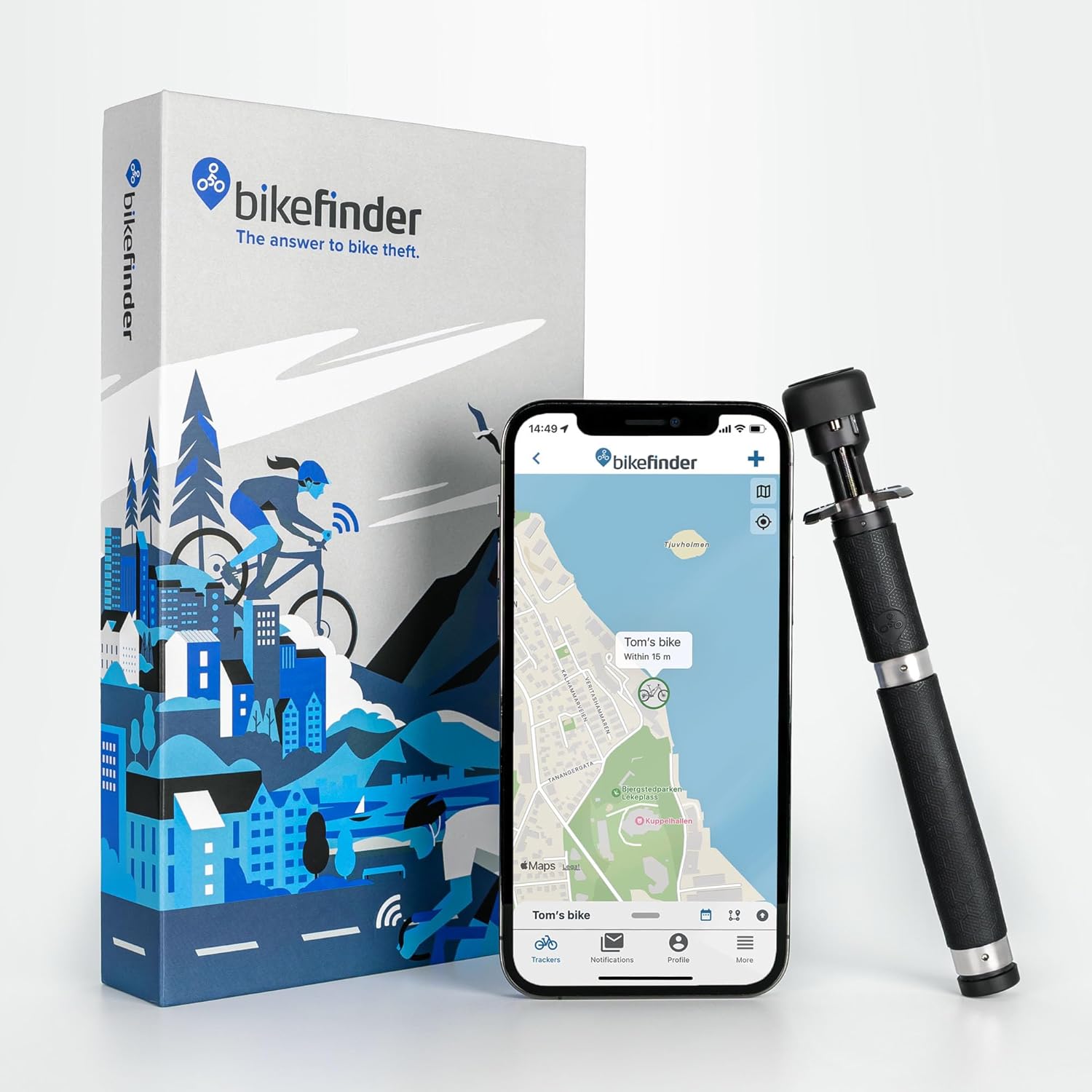
Image: The BikeFinder Gen2 tracker, its packaging, and the companion mobile application.
What's in the Box
Upon unboxing your BikeFinder Gen2, please ensure all the following components are present:
- BikeFinder Gen2 Tracker
- Special Installation Tool
- Charging Cable
- eSIM (integrated)
- User Manual (this document)

Image: All components included in the BikeFinder Gen2 package.
Setup and Installation
Follow these steps to set up and install your BikeFinder Gen2 tracker:
- Prepare your Handlebar: The BikeFinder Gen2 is designed to fit inside handlebars with an inner diameter between 15mm and 27mm. Ensure your handlebar is clear of obstructions.
- Insert the Tracker: Carefully insert the BikeFinder Gen2 tracker into the end of your bicycle's handlebar.

Image: The BikeFinder Gen2 being inserted into a handlebar, demonstrating its hidden design.
- Secure the Tracker: Use the included special tool to expand the mechanism inside the handlebar, locking the tracker firmly into place. This unique design makes it impossible to remove without the specific tool, enhancing security.
- Initial Charging: Before first use, fully charge your BikeFinder Gen2 using the provided charging cable. The charging port is located at the end of the device.
- Download the BikeFinder App: Download the official BikeFinder app from your smartphone's app store (available on Google Play and Apple App Store).
- Activate Subscription: Open the app and follow the on-screen instructions to activate your subscription. A subscription is required for the tracker's full functionality, including GPS tracking and alerts.
Installation and Feature Overview Video
Video: An official overview of the BikeFinder Gen2, demonstrating its installation process, security features, and core functionalities.
Operating Instructions
The BikeFinder Gen2 operates primarily through the dedicated BikeFinder mobile application. Key operational features include:
- Movement Detection and Alerts: The tracker features a movement detector. If your bike is moved without your authorization, you will receive instant phone notifications and an audible alarm will sound from the device.
- Precise Tracking: The BikeFinder Gen2 uses a unique triangulation technology, combining GPS, Wi-Fi, LPWAN (LTE-M & NB-IoT), and Bluetooth signals to provide highly accurate location data of your bike. This ensures reliable tracking even in areas with limited GPS signal.

Image: Illustration of the BikeFinder Gen2's multi-signal tracking capabilities using Wi-Fi, GPS, LPWAN, and Bluetooth.
- Worldwide Coverage: With its built-in eSIM and GPS antenna, the tracker offers global coverage, allowing you to track your bike anywhere in the world where cellular networks are available.
- BikeFinder App Features: The app is your central hub for managing the tracker.
- Follow your bike’s position in real-time.
- Access location history.
- Utilize the Bike Passport feature to store all important information about your bike.
- Manage multiple trackers if you own more than one.
- Report theft directly within the app.
- Receive assistance from the BikeFinder Team for bike recovery.
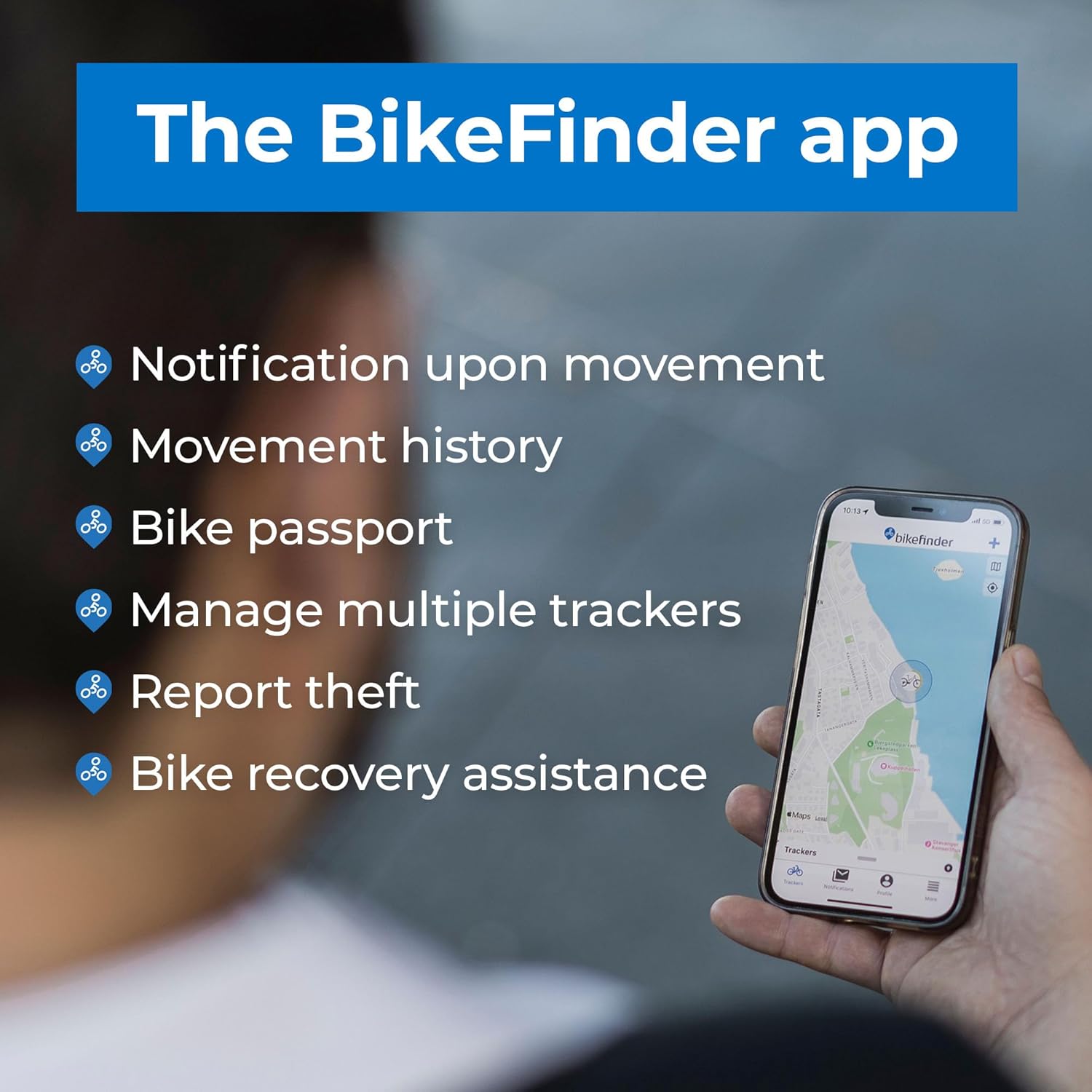
Image: The BikeFinder mobile application interface, highlighting its key features for tracking and managing your bike.
Maintenance
- Charging: The BikeFinder Gen2 has a long-lasting battery life, typically lasting weeks on a single charge. Recharge the device using the provided charging cable when the battery level is low, as indicated in the app. It is not necessary to remove the tracker from the handlebars for charging.
- Waterproof Design: The device is designed to withstand wet and rainy conditions with an IP-67 certification. While it is waterproof, avoid prolonged submersion or high-pressure water jets.
- Cleaning: If necessary, gently wipe the exposed end of the tracker with a soft, damp cloth. Do not use harsh chemicals or abrasive materials.
Troubleshooting
If you encounter issues with your BikeFinder Gen2, consider the following:
- No Location Updates:
- Ensure the device is charged.
- Check your subscription status in the BikeFinder app.
- Verify that your phone has an active internet connection.
- Ensure the bike is in an area with sufficient GPS, Wi-Fi, or cellular coverage.
- Charging Issues:
- Ensure the charging cable is securely connected to both the tracker and a power source.
- Try a different USB power adapter or port.
- Inspect the charging pins on the tracker and cable for any debris or damage.
- App Connectivity Problems:
- Restart the BikeFinder app.
- Ensure your smartphone's Bluetooth is enabled and the app has necessary permissions.
- Check for app updates in your app store.
- False Movement Alerts:
- Adjust the sensitivity settings for movement detection within the BikeFinder app, if available.
For persistent issues, please refer to the support section below.
Specifications
| Feature | Detail |
|---|---|
| Product Dimensions | 5.71 x 0.59 x 0.87 inches |
| Item Weight | 1.83 ounces (52 g) |
| Model Number | BikeFinder Gen 2 |
| Batteries | 1 Lithium Polymer battery (included) |
| Connectivity Technologies | GPS, WI-FI, LPWAN (LTE-M & NB-IoT), Bluetooth |
| Special Features | BikeFinder App, Bike Passport, Integrated Battery |
| Color | Black |
| Waterproof Rating | IP-67 |
| Handlebar Compatibility | 15mm – 27mm inner diameter |
Warranty and Support
The BikeFinder Gen2 comes with a manufacturer's warranty. For detailed information regarding warranty terms and conditions, please refer to the documentation included with your purchase or visit the official BikeFinder website.
For technical support, product inquiries, or assistance with bike recovery, please contact BikeFinder customer service through their official website or the BikeFinder app. Their team is dedicated to assisting users with any issues or questions they may have.
Official Website: www.bikefinder.com
Ask a question about this manual
Ask about setup, troubleshooting, compatibility, parts, safety, or missing instructions. Manuals+ will review the question and use this page’s manual context to help answer it.